
Any Player: Video & Audio is a versatile media player designed for seamless playback of a wide array of video and audio formats across multiple platforms. This review delves into its features, performance, compatibility, and overall user experience, providing a comprehensive assessment of its capabilities and limitations.
Feature-Rich Multimedia Playback
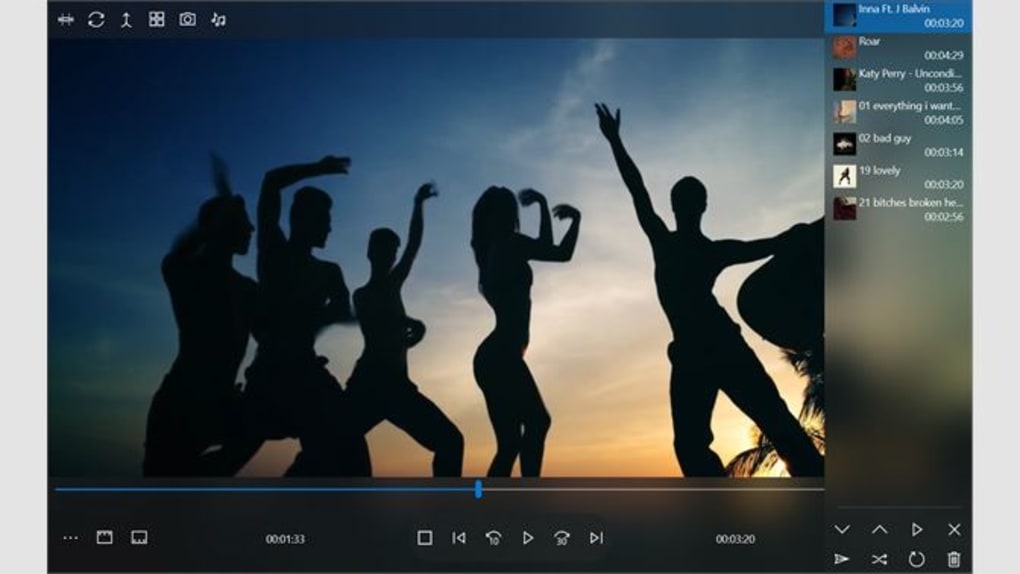
Any Player boasts a robust feature set designed to enhance the user’s media consumption experience. Its core function, naturally, is the playback of various video and audio files. The application claims compatibility with a vast range of formats, eliminating the frustration of encountering unsupported files. This broad compatibility extends beyond common formats like MP3 and WMA, encompassing numerous codecs and containers, making it a convenient one-stop solution for diverse media libraries. Users can expect smooth playback of both standard definition and high-definition (HD) content, including 360-degree videos, a feature increasingly popular with immersive content creators.
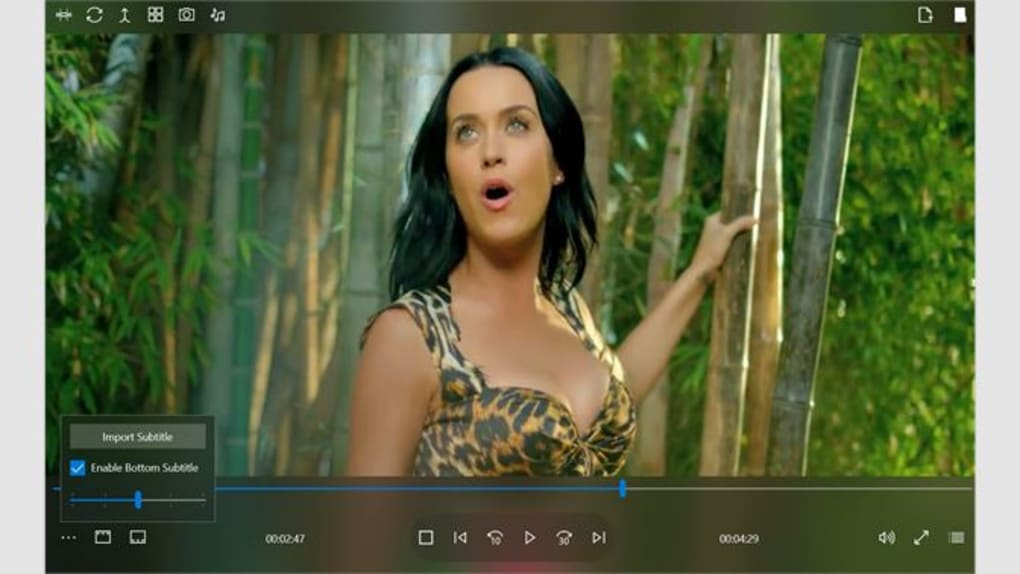
Beyond basic playback, Any Player offers additional features that elevate its functionality. It includes support for subtitles in multiple languages, catering to a global user base and enhancing accessibility for users who rely on subtitles. This functionality is not merely a simple subtitle display; it intelligently searches for available subtitles based on the media file, reducing the burden on the user to manually locate and match subtitle files. The inclusion of password protection provides an additional layer of security, allowing users to protect their private media collections from unauthorized access. This feature is especially valuable for users who store sensitive or personal content on their devices.
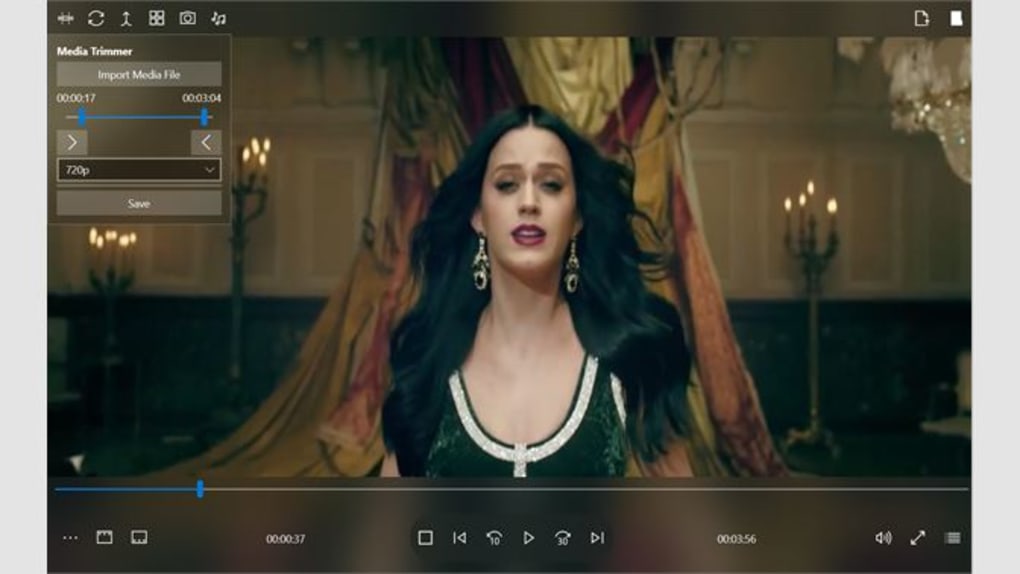
Furthermore, Any Player showcases its versatility through its multi-display and dual-monitor support. This advanced functionality caters to users with multiple screens, enabling them to seamlessly extend their viewing experience or use one screen for playback control and another for a larger display. The flexibility afforded by dual-monitor capabilities is a significant advantage for users who might benefit from a dedicated control interface separate from the primary viewing area, streamlining their media playback workflow. This is particularly useful for presentations or situations where precise control is essential.
The application also integrates seamlessly with cloud storage, enabling users to stream and store their media libraries efficiently. The ability to store 40 HD movies in the cloud highlights its cloud integration capabilities, suggesting a significant level of storage management integrated directly into the application. This seamless integration between local media and cloud storage offers flexibility and convenience, allowing users to access their content from various devices without needing to manage multiple platforms or transfer files manually.
Cross-Platform Compatibility and Accessibility
Any Player’s cross-platform compatibility stands out as a significant advantage. It is designed to operate on a variety of systems, including Windows, macOS, Android, and iOS. This broad compatibility caters to a wide range of users who might utilize different devices in their everyday lives, ensuring a consistent media playback experience across different operating systems and devices. The ability to access one’s media library seamlessly across multiple platforms increases flexibility and portability significantly, eliminating the need for platform-specific media players.
The application’s design also prioritizes user accessibility. The intuitive interface is designed to be user-friendly, irrespective of technical expertise. This emphasis on user-friendliness is reflected in the straightforward navigation, making the application accessible to both experienced and novice users. The simple yet effective interface design allows users to focus on the media content rather than struggling with complex controls or settings.
Performance and Stability
A crucial aspect of any media player is its performance and stability. Any Player’s performance, according to user feedback and promotional material, is generally efficient and smooth. The application effectively manages the playback of various video and audio files, ensuring consistent performance across different file sizes and formats. The ability to handle HD content without significant lag or buffering issues indicates a well-optimized application that is adequately equipped to manage resource-intensive media.
Stability is also a key factor, and user reviews generally indicate a relatively stable application with few reported crashes or unexpected shutdowns. However, as with any software, individual experiences may vary depending on the specific hardware and software configurations of the user’s system. The reported stability suggests that the application has undergone adequate testing and optimization to ensure a consistent user experience.
Comparison with Alternative Applications
While Any Player stands out with its cross-platform capabilities and broad format support, it is crucial to consider its relative strengths and weaknesses compared to alternative media players. Many competitive applications exist in the market, each with unique strengths and features. Some alternatives may offer superior features in specific areas, such as advanced video editing capabilities or specialized codec support. Others might excel in their community support or customization options. The choice of the optimal media player largely depends on the individual user’s specific requirements and preferences.
For instance, while Any Player offers a robust suite of features, users seeking highly advanced video editing capabilities might find dedicated video editing software more suitable for their needs. On the other hand, those prioritizing minimal interface complexity might prefer a simpler media player with a more streamlined interface.
The decision of whether Any Player is the optimal choice involves careful consideration of the features that are most valuable to the user. A detailed comparison of various competing applications is recommended to ensure that the chosen media player adequately meets the user’s needs.
Security Considerations
Software security is a critical consideration when choosing any application. The provided information highlights the software’s security status as being regularly assessed and updated. The developers claim that regular checks are conducted each time a new file is uploaded, and periodic reviews of existing files ensure that the application remains free from malware and harmful components. This proactive security approach is crucial for protecting user systems and data.
While the software undergoes such assessments, users should always exercise caution and maintain up-to-date antivirus software on their devices. This layered security approach provides added protection, especially given the potential for vulnerabilities that can emerge in any software application. Regular software updates from the official source are also recommended to benefit from any security patches or improvements made by the developers.
Conclusion
Any Player: Video & Audio presents itself as a competent and versatile media player with a broad range of features designed to cater to diverse user needs. Its key strengths lie in its comprehensive format support, cross-platform compatibility, and the inclusion of useful features such as subtitle support, password protection, and dual-monitor functionality. While not without potential competition from other media players specializing in specific areas, Any Player’s broad functionality and relative ease of use make it a worthy contender in the media player market. The emphasis on both performance and security is encouraging, but users should always maintain a cautious approach and ensure their systems are adequately protected through regular security checks and updates. Ultimately, whether Any Player is the ideal media player for a specific user depends heavily on individual needs and preferences.
File Information
- License: “Full”
- Version: “1.0”
- Latest update: “January 31, 2023”
- Platform: “Windows”
- OS: “Windows 10”
- Language: “English”
- Downloads: “3.2K”


