
Any Wallpaper is a simple yet effective Windows application designed to automatically change your desktop background at regular intervals. Tired of staring at the same old wallpaper day after day? Any Wallpaper offers a solution by cycling through a user-defined collection of images, keeping your desktop fresh and visually engaging. This review delves into its functionality, strengths, weaknesses, and overall user experience.
Ease of Use and Functionality
Any Wallpaper boasts a remarkably intuitive interface. The core functionality is straightforward: users simply select folders containing their desired images, and the program takes care of the rest. This simplicity is a major strength, making it accessible to users of all technical skill levels. No complex configurations or intricate settings are required; the program is ready to use almost immediately after installation.
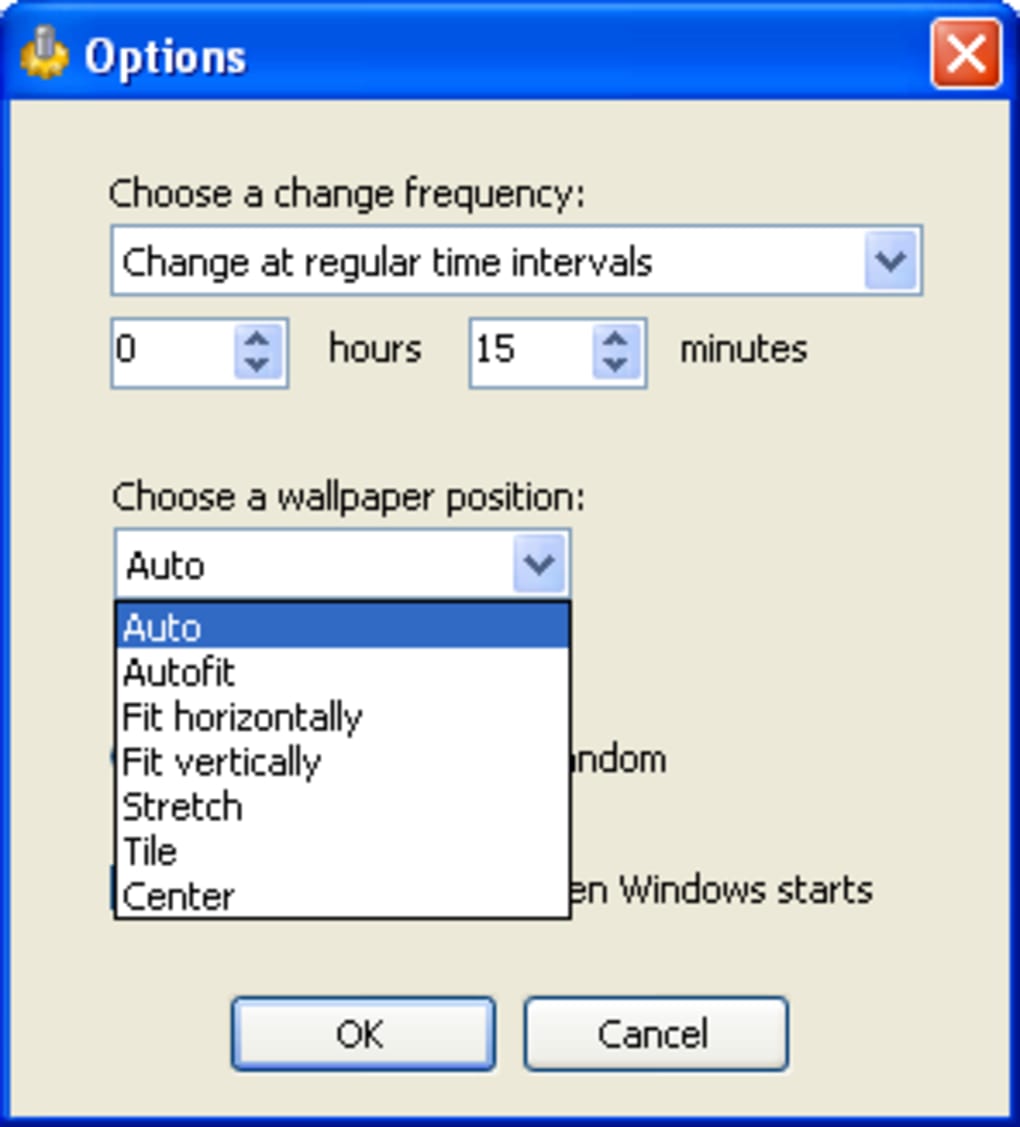
After selecting the image folders (including subfolders, a handy feature), users can customize the wallpaper change frequency. Options include changing the wallpaper at specific intervals (hours or minutes) or at random times. This flexibility caters to individual preferences, allowing users to control the pace at which their desktop background refreshes. The program also incorporates an option to automatically change the wallpaper upon Windows startup, ensuring a consistently dynamic desktop experience.
Beyond the basic functionality, Any Wallpaper offers additional features to optimize the display of your chosen wallpapers. It intelligently detects the screen resolution and automatically adjusts the wallpaper position (horizontally or vertically) to fit, avoiding any distortion or cropping issues. While not offering extensive customization options regarding scaling or aspect ratio adjustments, the automatic detection generally ensures a pleasing visual result.
Supported Image Formats and Limitations
While Any Wallpaper’s ease of use is a significant advantage, its functionality is constrained by its limited support for image formats. The program only supports BMP, JPEG, and PNG files. This limited compatibility is a notable drawback, as many users may have image collections in other formats, such as GIF, TIFF, or WebP. The lack of support for these common formats might necessitate pre-conversion of images before using them with Any Wallpaper, adding an extra step to the process and potentially impacting workflow.
Performance and System Resources
Any Wallpaper is a lightweight application, consuming minimal system resources. Its impact on system performance is negligible, even when running continuously in the background. This makes it suitable for use on systems with limited processing power or memory, ensuring that background wallpaper changes do not hinder other applications. The program’s efficient resource management is a key factor contributing to its smooth operation and lack of noticeable performance degradation.
Comparison with Alternative Wallpaper Changers
The market offers several alternative wallpaper changer applications, each with its own set of features and capabilities. Some offer more advanced features such as support for a wider range of image formats, online image sources, and more elaborate customization options. However, Any Wallpaper’s simplicity and ease of use distinguish it from many of its competitors. While alternatives may boast greater versatility, Any Wallpaper excels in providing a streamlined user experience.
For example, programs such as DesktopSlides offer a similar automatic wallpaper changing functionality but with a wider array of features, including support for different transitions and effects. Others, like Lively Wallpaper, offer more dynamic backgrounds by utilizing animated or video formats. However, these additional features often come at the cost of increased complexity and resource consumption. Any Wallpaper’s focus on simplicity makes it an excellent option for users who prioritize ease of use over a plethora of advanced settings.
User Experience and Overall Impression
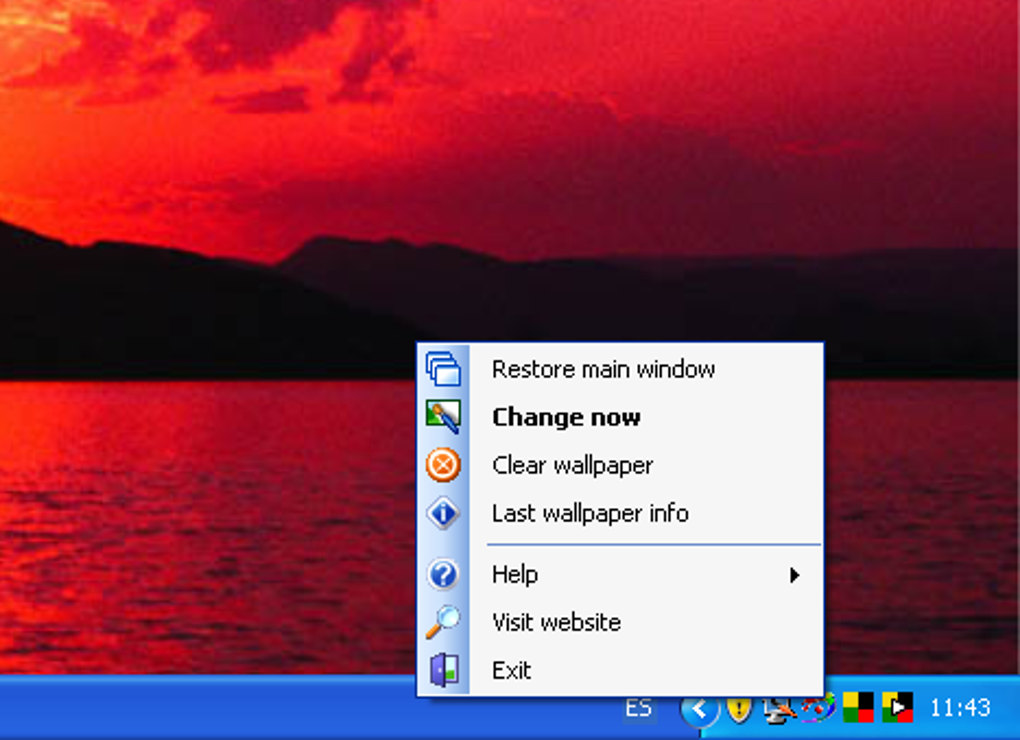
Any Wallpaper provides a satisfying user experience, characterized by its simplicity and efficiency. The program’s intuitive interface and lack of unnecessary complications ensure a smooth and trouble-free workflow. The ability to quickly and easily set up automatic wallpaper changes is a significant advantage, providing a visually refreshing desktop without requiring extensive technical knowledge or configuration.
However, the limited support for image formats is a notable limitation. Users with diverse image collections will need to ensure their images are in compatible formats, which could pose an inconvenience. Despite this drawback, Any Wallpaper’s ease of use and minimal resource consumption make it a viable choice for users who prioritize simplicity and efficiency over a broad range of advanced features.
Conclusion
Any Wallpaper fills a specific niche in the market for wallpaper changer applications. It effectively addresses the need for automated desktop background changes with an emphasis on user-friendliness and minimal system impact. Its simple interface and straightforward functionality make it exceptionally easy to use, appealing to both novice and experienced computer users.
While the limited support for image formats is a significant drawback, the program’s strengths in ease of use, minimal resource consumption, and effective execution of its core function make it a worthwhile option for those who seek a simple and reliable solution for automatically refreshing their desktop wallpapers. Its efficient operation and lack of intrusive features contribute to a positive user experience, making it a solid choice for individuals who prioritize simplicity and efficiency over extensive customization options. For users needing broader format support or more advanced features, however, exploring alternative applications may be necessary. Overall, Any Wallpaper offers a functional and user-friendly solution for anyone seeking a regularly updated desktop background without the complexity of more feature-rich alternatives.
File Information
- License: “Free”
- Version: “1.1.1”
- Latest update: “July 9, 2020”
- Platform: “Windows”
- OS: “Windows Vista”
- Language: “English”
- Downloads: “10.4K”
- Size: “357.28 KB”


