
AnyCam is a software application designed for monitoring multiple IP cameras simultaneously. Its primary function is surveillance, making it a valuable tool for both home security and professional monitoring applications. This review will delve into the software’s features, ease of use, performance, and compare it to alternative options available in the market.
User Interface and Ease of Use
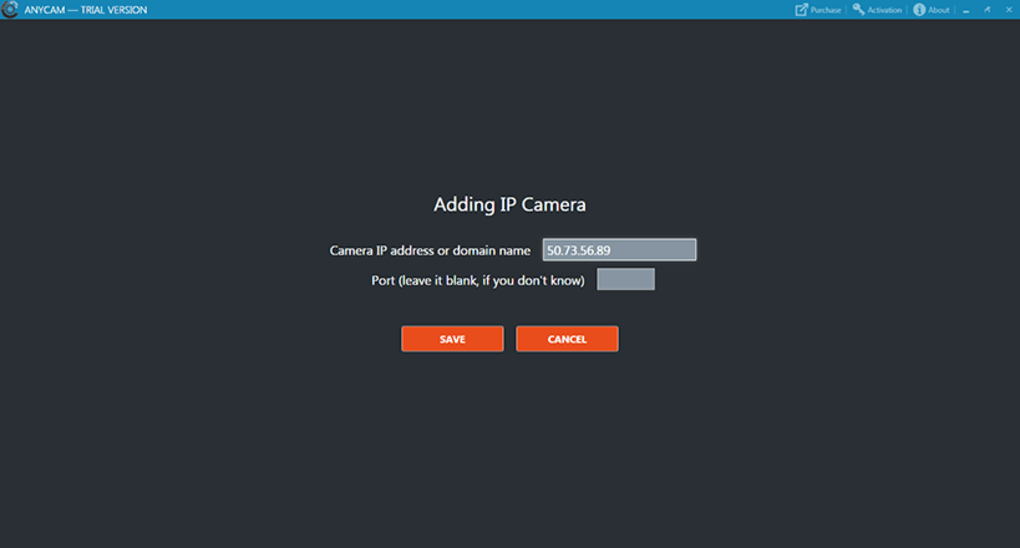
AnyCam boasts a clean and intuitive user interface, making it remarkably easy to navigate and configure, even for users with limited technical expertise. The straightforward design minimizes the learning curve, allowing users to quickly connect and monitor their IP cameras without needing extensive technical knowledge. The process of adding a camera involves simply inputting the camera’s IP address or domain name; the port number is optional, further streamlining the setup. This minimal configuration requirement is a significant advantage, setting it apart from more complex IP camera management software.
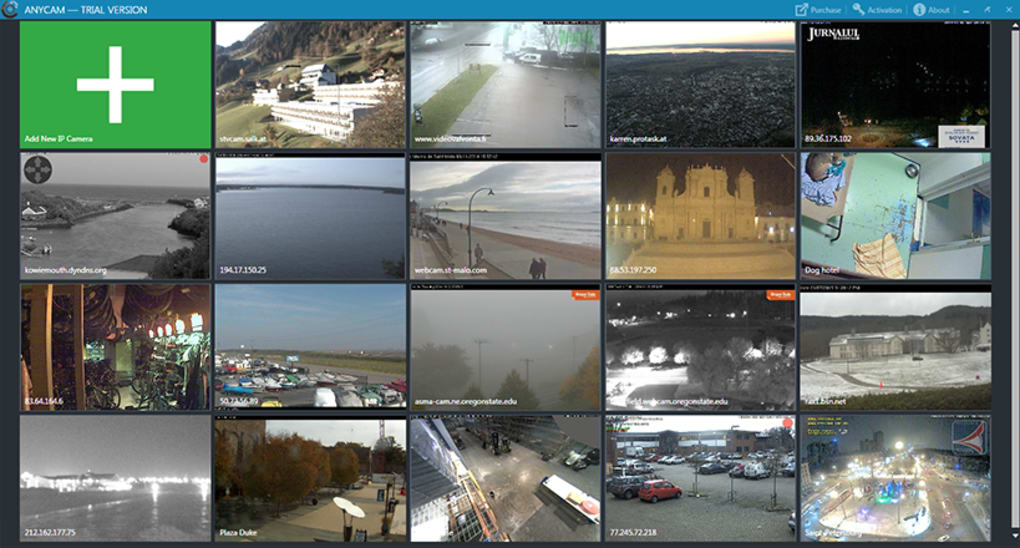
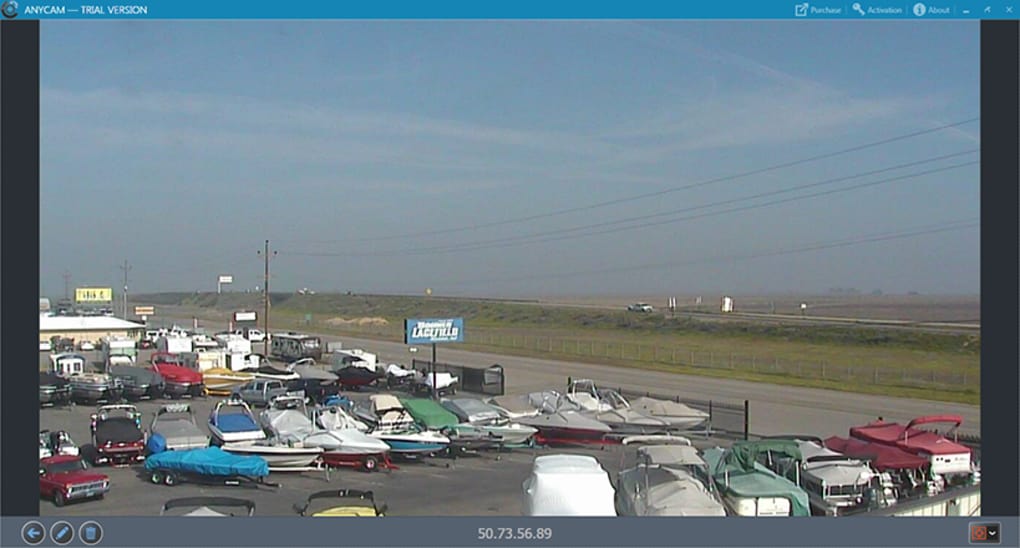
The main display efficiently presents live feeds from multiple cameras, offering several viewing options. Users can choose to view camera feeds in thumbnail size, arranged in a tiled format for simultaneous monitoring, or individually in windowed or full-screen mode, catering to various preferences and monitoring needs. This flexibility allows users to customize their viewing experience based on the number of cameras and the level of detail they require. The simple, uncluttered interface enhances usability, ensuring that users can focus on monitoring their cameras rather than navigating a complicated interface.
Functionality and Features
AnyCam’s core functionality revolves around streaming live video feeds from IP cameras. It supports MJPEG stream cameras, a widely used standard, ensuring compatibility with a large range of devices. The ability to connect to and monitor multiple cameras simultaneously is a key strength, offering a centralized control point for managing various security or surveillance systems. This centralized monitoring significantly improves efficiency, particularly in applications involving multiple cameras covering different locations or areas.
Beyond live streaming, AnyCam allows users to capture screenshots of the current camera feed. These screenshots can be saved locally for later review or documentation, providing a record of events captured by the cameras. This snapshot functionality is a valuable addition, allowing users to document specific events or activities without the need for continuous video recording. However, a notable limitation is the lack of video recording capabilities. AnyCam currently only supports live viewing; it does not allow users to record video footage for later playback. This absence of recording functionality significantly limits its usability for comprehensive surveillance applications requiring a detailed event log.
Performance and System Requirements
AnyCam is designed to be a lightweight application, minimizing its impact on system resources. This allows users to run the software on less powerful machines without experiencing significant performance degradation. However, the software’s performance can vary depending on factors such as the number of cameras being monitored, the resolution of the camera feeds, and the overall system specifications of the computer. Monitoring high-resolution feeds from numerous cameras simultaneously may strain system resources, leading to reduced performance, especially on older or less powerful systems.
While the application aims for efficiency, there’s room for improvement in video processing. Users have reported instances of lag or choppy video streams, particularly when dealing with multiple high-resolution cameras. Optimizing video processing could enhance the overall user experience and make it more reliable across different system configurations.
Comparison with Alternative IP Camera Software
Several alternative applications offer similar IP camera monitoring capabilities. Some, like IP Camera Viewer and CamUniversal, provide free options, often with limitations. Others, such as Xeoma Video Surveillance Software, offer more advanced features, but may require more technical expertise to configure and use. Perfect IP Camera Viewer and IP Cam Soft Basic provide additional competitive options, each with its own set of strengths and weaknesses.
A key differentiator for AnyCam is its simplicity. While some alternatives offer more advanced features like video recording and analytics, AnyCam’s ease of use makes it an attractive choice for users who prioritize simplicity over extensive features. The trade-off is the lack of advanced features found in more comprehensive, and often more complex, surveillance software packages.
The choice of software ultimately depends on individual needs and priorities. Users requiring comprehensive recording capabilities, advanced analytics, or integration with other security systems might find more sophisticated software more suitable. However, for users who value simplicity and ease of use, AnyCam provides a user-friendly solution for basic IP camera monitoring.
Strengths and Weaknesses of AnyCam
Strengths:
- Ease of Use: AnyCam’s intuitive interface and straightforward configuration process make it exceptionally easy to use, even for novice users.
- Simple Setup: Connecting IP cameras requires minimal configuration, simplifying the setup process.
- Multi-Camera Support: The ability to monitor multiple cameras simultaneously is a significant advantage.
- Lightweight: The application’s design minimizes system resource consumption.
- Free Screenshot Capability: The option to capture and save screenshots is a useful feature.
Weaknesses:
- No Video Recording: The lack of video recording is a major limitation, hindering its usefulness for comprehensive surveillance.
- Potential for Lag/Choppy Video: Video processing could be improved to address instances of lag or choppy video streams.
- Limited Advanced Features: Compared to other surveillance software, AnyCam lacks advanced features like analytics and integrations.
Conclusion
AnyCam offers a simple and user-friendly solution for monitoring multiple IP cameras simultaneously. Its strengths lie in its ease of use and straightforward setup process, making it an attractive option for users who prioritize simplicity. However, the absence of video recording functionality significantly limits its capabilities for comprehensive surveillance applications. Potential users should carefully consider their needs and prioritize whether ease of use or advanced features are more crucial for their specific requirements. While it excels in its simplicity and ease of use, the lack of video recording capabilities may render it unsuitable for applications demanding a comprehensive record of events. Therefore, users should carefully evaluate their needs and expectations before choosing AnyCam as their IP camera monitoring solution.
File Information
- License: “Trial version”
- Latest update: “May 22, 2023”
- Platform: “Windows”
- OS: “Windows 10”
- Language: “English”
- Downloads: “36.3K”
- Size: “49.24 MB”


