
APK Installer is a free utility tool for Android devices designed to simplify the installation and management of Android Package Kit (APK) files. This comprehensive review delves into its features, strengths, weaknesses, and overall usability, providing a detailed assessment for potential users.
Core Functionality: Installing and Managing APKs
At its heart, APK Installer serves as a straightforward tool for installing APK files onto your Android smartphone or tablet. Beyond simple installation, however, it offers a range of additional features to enhance the user experience and streamline APK management. The app’s intuitive interface presents users with several key options upon launch: “Install APKs,” “Manage Apps,” “PC Version,” “Security,” “Updater,” and “Help.” All features are readily accessible, with no paywalls or hidden costs, ensuring a transparent and user-friendly experience.

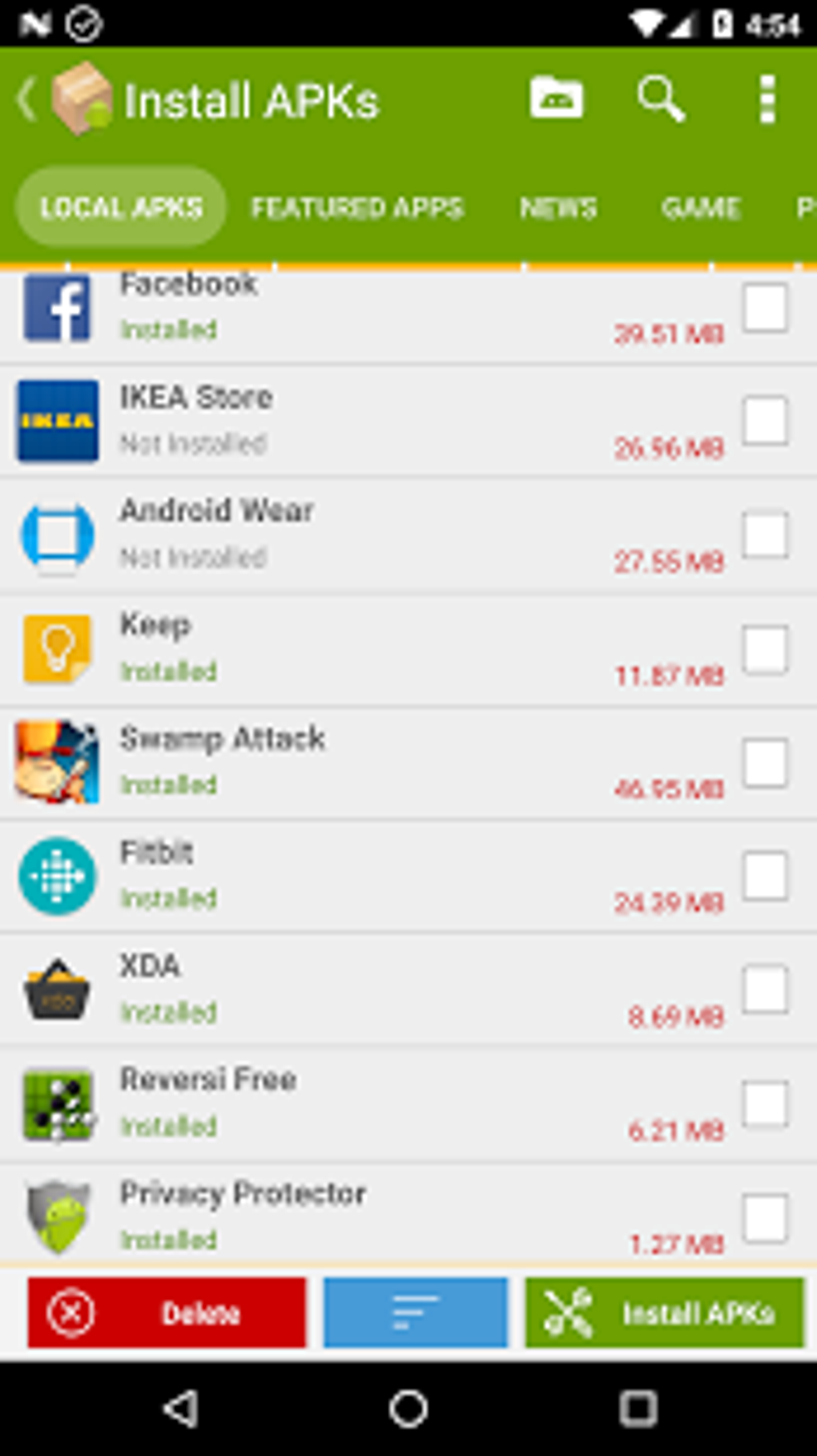
The “Install APKs” function provides a comprehensive list of both installed and uninstalled APKs, along with their respective file sizes. This allows users to selectively install new APKs or remove existing ones, providing granular control over their device’s applications. The functionality extends beyond simple selection; users can also examine the file size of each APK, facilitating informed decisions about installations based on available storage space.
Complementing the installation feature, the “Manage Apps” section empowers users to perform batch uninstallations of APKs or create backups of their application files. This backup functionality is a crucial aspect of APK management, providing a safety net against accidental deletions or data loss. The ability to back up multiple APKs simultaneously significantly increases efficiency compared to manually backing up each file individually.
Advanced Features: PC Integration, Security, and Updates
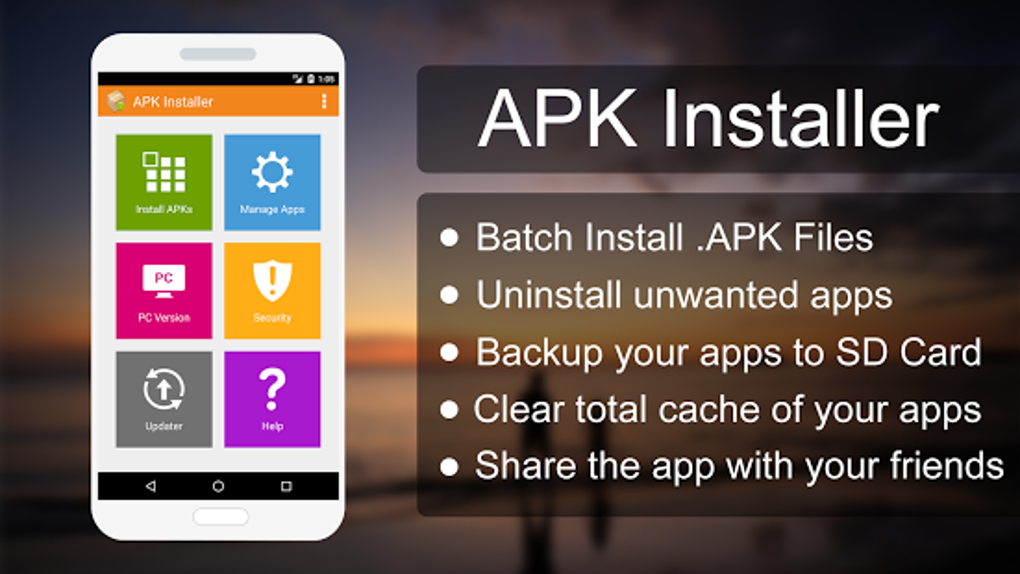
Beyond its core functionality, APK Installer integrates features designed to extend its utility and enhance user security. The “PC Version” option introduces the potential for advanced control and management through a desktop interface. It contains links to essential tools for advanced Android users, including ADB (Android Debug Bridge) instructions for USB debugging, a link to download the Windows version of APK Installer, and a universal ADB driver. This integration allows users to seamlessly manage APKs from both their mobile device and their personal computer, thereby increasing flexibility and convenience.
Security is another area where APK Installer attempts to provide support. The “Security” feature offers a built-in anti-virus scanner aimed at detecting malware and other malicious threats. While this is a welcome addition, it’s crucial to acknowledge its limitations. The integrated scanner is not as sophisticated as dedicated antivirus applications and lacks features such as password protection for APK files or scheduled scanning sessions. Users seeking robust malware protection should consider supplementing APK Installer with a more comprehensive security solution.
Staying up-to-date with applications is crucial for optimal performance and security. The “Updater” function within APK Installer allows users to check for and install the latest updates for their applications with a single tap. While convenient, it’s important to note a slight delay in the “Updater” displaying available updates, requiring a short wait before the updates appear.
Finally, the “Help” option provides a link to the application’s website, although ideally, the frequently asked questions (FAQs) and troubleshooting guides should be integrated directly into the application for easier access. This omission slightly detracts from the overall user experience, as it requires users to navigate to an external website for support information.
Organization and Sorting Capabilities
APK Installer goes beyond simple installation and management by offering robust organization tools. Users can sort their APKs based on several criteria, including name, developer, modification date, and file size. This ability to organize the APK library is particularly helpful for users with a large number of installed and uninstalled applications, improving searchability and ease of management. This level of organization enhances the overall usability of the application, contributing to a smoother user experience.
Strengths and Weaknesses: A Balanced Perspective
APK Installer presents a compelling mix of strengths and weaknesses. Its advantages are clear: it’s free, straightforward to use, offers valuable features such as backup and batch uninstall, and includes PC integration options. However, some aspects could be improved. The lack of a comprehensive in-app FAQ section, the relatively basic security scanner, and the necessity of navigating to an external website for support documentation all contribute to a less-than-perfect user experience.
Pros:
- Free to use: No hidden costs or paywalled features.
- Simple installation: Straightforward process for installing APK files.
- APK management: Facilitates the management of installed and uninstalled APKs.
- Backup functionality: Allows for creating backups of APK files.
- Batch uninstallation: Efficiently removes multiple APKs simultaneously.
- SD card detection: Identifies the presence of an SD card on the device.
- Sorting options: Provides various sorting options for organizing APKs.
- PC Version Integration: Offers links to ADB tools and a Windows version of the installer.
Cons:
- Basic Security Scanner: The built-in antivirus lacks the sophistication of dedicated antivirus software.
- No in-app FAQ: Requires users to navigate to an external website for help and support.
- Updater Delay: A delay exists before updates are displayed in the Updater section.
APK Installer for Different User Groups
Apps
For users primarily interested in managing and installing standard applications, APK Installer provides a functional solution. The ability to back up apps and uninstall them in batches is particularly valuable. However, if security is a paramount concern, supplementing this app with a dedicated antivirus program is recommended.
Games
The app serves just as effectively for game APKs. The ability to manage large game installations and create backups is a significant benefit. However, users should be aware of the potential security implications and consider employing additional security measures if necessary.
News
APK Installer itself doesn’t directly interact with news apps, but it acts as a tool to install and manage any news apps downloaded as APK files. The app’s functions remain consistent irrespective of the type of application being managed.
For Business
While not specifically tailored for business applications, APK Installer can manage the installation and backup of work-related apps downloaded as APKs. The ability to batch uninstall apps is particularly useful for managing corporate applications on employee devices.
Android Utilities & Tools
APK Installer clearly falls under this category, providing a valuable tool for managing and securing Android applications. Its strengths lie in its simplicity and straightforward functionality, particularly useful for users comfortable with manual APK management.
Conclusion: A Suitable Tool with Room for Improvement
APK Installer is a lightweight and largely effective tool for installing and managing APK files on Android devices. Its free access, backup functionality, and batch uninstall capabilities are particularly noteworthy. However, the relatively basic security scanner and lack of an in-app help section present areas for improvement. While not perfect, APK Installer serves as a sufficient solution for users with basic APK management needs who are comfortable with the limitations described. For users requiring advanced security features or extensive in-app support, more comprehensive applications might be a better choice. The overall effectiveness depends greatly on individual user requirements and expectations.
File Information
- License: “Free”
- Latest update: “November 22, 2024”
- Platform: “Android”
- OS: “Android 9.0”
- Language: “English”
- Downloads: “59.5K”
- Size: “3.04 MB”
- Download Options: “APK, Google Play”
- Filename: “com-apkinstaller-apkinstaller-48-49704100-860d866e1504e7f7dda05a52cd9a39d1.apk”


