
APK Viewer is a software application designed to allow users to view the contents of Android Package Kit (APK) files on their Windows PCs. This eliminates the need to use an Android device or emulator for basic APK inspection. This guide provides a detailed overview of APK Viewer, its functionalities, benefits, alternatives, and potential uses.
What is an APK Viewer?
An APK Viewer is essentially a file viewer specifically designed for APK files. APK files are the installation packages for Android applications. They contain all the necessary components for an app to run, including code, resources, and metadata. While you can’t directly run an APK on a Windows PC without an Android emulator, an APK Viewer allows you to examine the file’s structure, extract its contents, and analyze its information without requiring any specialized Android environment. This makes it a valuable tool for developers, security researchers, and even curious users who want to understand what’s inside an app they’ve downloaded. The viewer provides a structured and user-friendly way to access this information, unlike trying to open the file with a standard archive manager, which can often lead to confusion or incomplete data viewing.
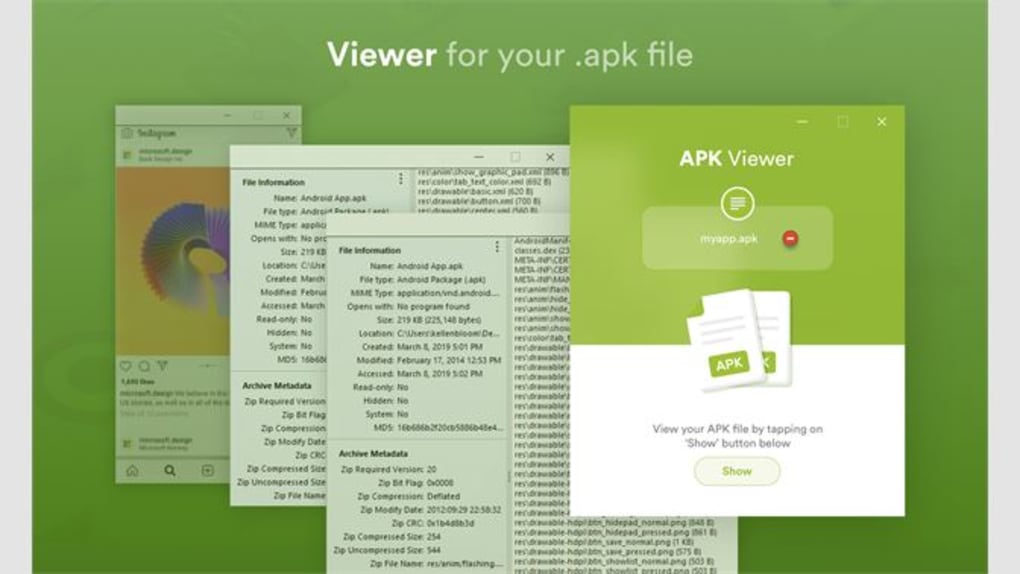
Unlike emulators which fully emulate the Android environment, allowing for the execution of APKs, an APK Viewer solely focuses on the analysis of the package itself. It offers a window into the internal structure of the APK, presenting information in a readable and organized manner. This distinction is critical for understanding the purpose and limitations of this type of software.
Key Features and Functionalities of APK Viewers
While specific features may vary slightly depending on the particular APK Viewer application, several core functionalities are typically included:
-
Viewing Manifest File Information: The AndroidManifest.xml file contains crucial metadata about the application, such as its name, version, permissions requested, and activities it contains. An APK viewer will typically display this information in a clear and accessible format, providing insights into the app’s purpose and functionality. This is particularly useful for understanding the permissions an app requests, allowing users to make informed decisions about whether to install an application.
-
Accessing Resources: APK files contain various resources such as images, layouts, and strings. A robust APK Viewer will allow users to browse and extract these resources. This capability can be valuable for developers who need to inspect the assets of an application or for security researchers looking for potential vulnerabilities. The ability to extract resources allows for detailed examination of the app’s visual elements and textual content.
-
Analyzing Code (Limited Access): While not all APK Viewers provide this functionality, some advanced viewers may offer limited access to the application’s code. This often involves displaying the decompiled code (converted back from machine code to a more human-readable format), allowing for a deeper understanding of the application’s logic. Note that this is often a complex process and the readability of the decompiled code can vary. Advanced knowledge of programming languages might be needed to effectively interpret this code.
-
Certificate Verification: An important security feature is the ability to verify the application’s digital signature. This verifies the authenticity of the APK and confirms whether it originated from a trusted source. An APK Viewer might display the certificate details and its validity, helping users to identify potentially malicious or tampered applications.
-
File Extraction: A basic, yet vital feature, is the ability to extract individual files or entire folders from the APK. This enables more granular inspection and analysis of the app’s components. This is invaluable for reverse engineering purposes or for simply saving specific assets from the app.
Benefits of Using an APK Viewer
Several compelling reasons exist to utilize an APK Viewer:
-
Security Analysis: APK Viewers play a crucial role in security audits. By examining the permissions requested by an app, its code (if decompiled), and its digital signature, users can assess potential security risks before installation. This helps to mitigate the risk of installing malicious software.
-
Development and Debugging: Developers can leverage APK Viewers to debug their own apps, inspect resource files, and analyze the overall structure of their projects. This can greatly assist in identifying and fixing potential issues within the application.
-
App Comparison and Reverse Engineering: Comparing the APKs of different versions of an app or analyzing the structure of a competitor’s app can be incredibly valuable for research or competitive analysis. While reverse engineering can have ethical implications, understanding the inner workings of applications can be crucial for innovation and learning.
-
Education and Learning: Understanding the structure of Android apps provides valuable educational opportunities. APK Viewers serve as excellent tools for learning about the inner workings of Android applications.
Alternatives to APK Viewers
While APK Viewers provide a convenient method for examining APK files, alternative approaches exist:
-
Android Emulators: Emulators such as BlueStacks or Genymotion provide a full Android environment on your PC, allowing you to install and run APK files. However, emulators are resource-intensive and are not solely focused on APK inspection. They are more suitable when running the app is necessary.
-
Decompilation Tools: Dedicated decompilation tools like JADX or apktool offer more powerful code analysis capabilities but often require technical expertise to use effectively. They are targeted at experienced developers or reverse engineers who need a deeper level of code analysis.
-
Manual Extraction (Advanced Users): Technically inclined users can manually extract the contents of an APK using command-line tools like
unzip, but this requires a more thorough understanding of the APK structure and file formats. This method is not user-friendly and is prone to errors.
Choosing the Right APK Viewer
When selecting an APK Viewer, consider the following factors:
- Ease of Use: Choose a viewer with an intuitive interface and clear presentation of information. Avoid overly complex tools unless you have the technical skills to use them.
-
Features: Identify the specific functionalities needed. If you only require basic information about the app’s metadata, a simple viewer will suffice. For more advanced analysis, choose a viewer with code decompilation and resource extraction capabilities.
-
Security: Ensure that the chosen viewer itself is from a reputable source and doesn’t contain any malicious code. Download the software from trusted sources and check reviews before installation.
-
Platform Compatibility: Confirm compatibility with your operating system (Windows in this case).
Legal and Ethical Considerations
It’s crucial to acknowledge the legal and ethical implications of using APK Viewers. While analyzing APKs for educational or security purposes is generally acceptable, reverse engineering and modifying applications without the owner’s permission is typically illegal. Always respect intellectual property rights and adhere to the terms of service of any app you analyze. Unauthorized modification and redistribution of applications are serious offenses.
In conclusion, APK Viewers offer a valuable tool for various purposes, ranging from simple curiosity to in-depth security analysis. Selecting the right APK Viewer depends on your specific needs and technical expertise. Always remember to use this technology responsibly and ethically, respecting intellectual property and legal frameworks. By understanding the features, limitations, and potential uses of APK Viewers, users can harness this technology effectively and safely.
File Information
- License: “Full”
- Version: “1.0”
- Latest update: “January 31, 2023”
- Platform: “Windows”
- OS: “Windows 11”
- Language: “English”
- Downloads: “12.5K”


