In the ever-evolving landscape of mobile technology, Android users often find themselves navigating a vast ecosystem of applications. While the Google Play Store stands as the primary and most recognized hub for app downloads, it’s not always the only or even the best solution for every user’s needs. For those seeking alternatives, for specific versions of apps, or for applications removed from the official store, tools like the APKMirror Installer Official emerge as indispensable resources. Developed by APK Mirror, this free utility acts as the official companion app to the hugely popular APKMirror download portal, granting users direct access to a colossal archive of Android applications and games straight from their smartphones or tablets.
The APKMirror Installer Official isn’t just another app store; it’s a specialized tool designed to handle the intricacies of modern Android application packages (APKs). It empowers users to browse, download, and seamlessly install various app formats, including the increasingly common XAPK (Split APKs), APKS (Bundled Files), and APKM (APKMirror’s proprietary bundled format). This comprehensive support ensures that even the most complex applications, which might fail to install using a standard file manager, can be correctly deployed on an Android device. By bridging the gap between a vast online archive and the end-user’s device, the APKMirror Installer Official has solidified its position as a trusted and recommended solution for Android enthusiasts and power users alike.
Unlocking a Universe of Android Applications
The traditional method of acquiring Android applications primarily revolves around the Google Play Store. It offers convenience, automatic updates, and a generally curated selection. However, the Play Store also comes with inherent limitations that often frustrate users. For instance, it rarely hosts older versions of applications, which can be a significant drawback if a newer update introduces bugs, removes beloved features, or drops support for an older device. Furthermore, apps and games can sometimes be removed from the Play Store without clear public notice, often due to policy changes, regional restrictions, or developer decisions, leaving users without access. This is where the APKMirror Installer Official truly shines, offering an expansive and highly functional alternative.
The core strength of the APKMirror Installer Official lies in its direct connection to the APKMirror website’s archive. This archive is meticulously maintained and updated, providing a historical record of application versions, including those that are no longer available on the Google Play Store. Imagine a scenario where a specific feature in your favorite app was deprecated in a recent update, or perhaps a game that you cherished was removed from the Play Store due to licensing issues. In such cases, the APKMirror Installer Official provides a direct conduit to retrieve and install those elusive versions, preserving functionality and nostalgia that would otherwise be lost.
Beyond merely hosting a vast library, the installer also addresses a critical technical challenge: the installation of complex APK formats. Modern Android apps often utilize “split APKs” or “app bundles” to optimize download sizes and tailor installations to specific device configurations. A standard APK file may only contain the base application, with additional resources like language packs, screen density assets, or architecture-specific libraries delivered as separate, smaller APKs. Attempting to install just the base APK or incorrectly managing these split files can lead to installation failures or apps that don’t function correctly. The APKMirror Installer Official is specifically engineered to identify, download, and correctly assemble these bundled files, streamlining the installation process for users and ensuring that the app runs as intended on their device. This technical sophistication, combined with its user-friendly interface, makes it an invaluable tool for anyone looking to manage their Android applications with greater flexibility and control.
Why Choose APKMirror Installer Official Over the Play Store?
While the Google Play Store is undeniably convenient, there are several compelling reasons why an Android user might opt for the APKMirror Installer Official:
- Access to Older Versions: This is perhaps the most significant advantage. Developers often update apps, sometimes removing features, changing UI elements, or even introducing bugs that weren’t present in previous iterations. For users who prefer a specific older version, or whose devices perform better with an earlier build, APKMirror’s archive is a treasure trove.
- Region-Restricted or Removed Apps: Some applications are not available in all countries, or they might be temporarily or permanently pulled from the Play Store. APKMirror often hosts these apps, providing a way for users to bypass geographical restrictions or retrieve applications that have vanished from official channels.
- Beta and Alpha Builds: For adventurous users eager to try new features before they are officially released, APKMirror frequently hosts beta or alpha versions of popular apps. The installer makes it easy to download and test these experimental builds.
- No Google Account Required: Unlike the Play Store, which necessitates a Google account for downloads, APKMirror Installer allows for app acquisition without this prerequisite, offering more privacy to some users.
- Multiple APK Formats: As mentioned, modern Android app distribution is complex. The installer’s native support for XAPK, APKS, and APKM formats simplifies the installation of these multi-part applications, which a standard file manager cannot handle.
Navigating the Installer: Features and User Experience
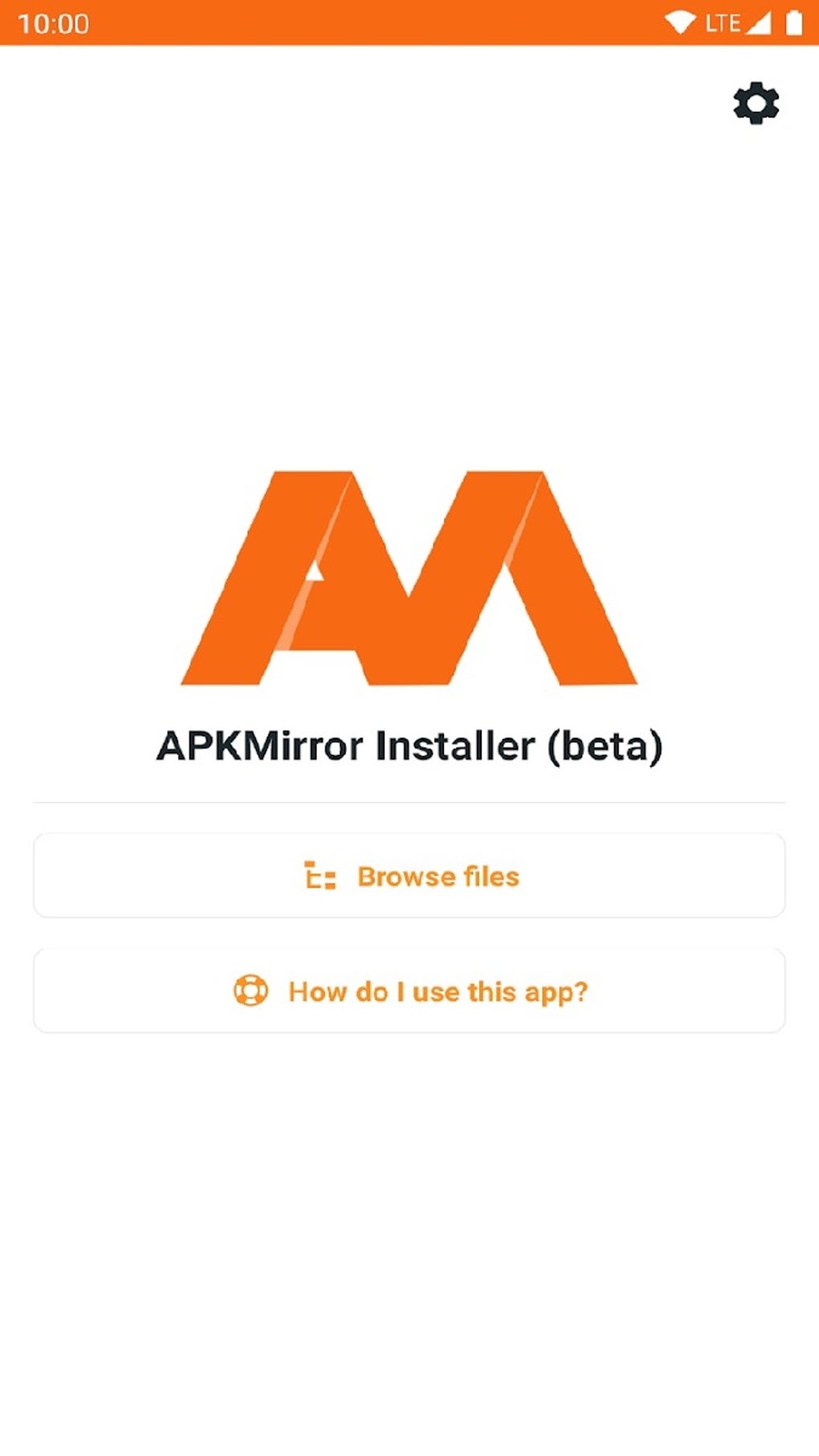
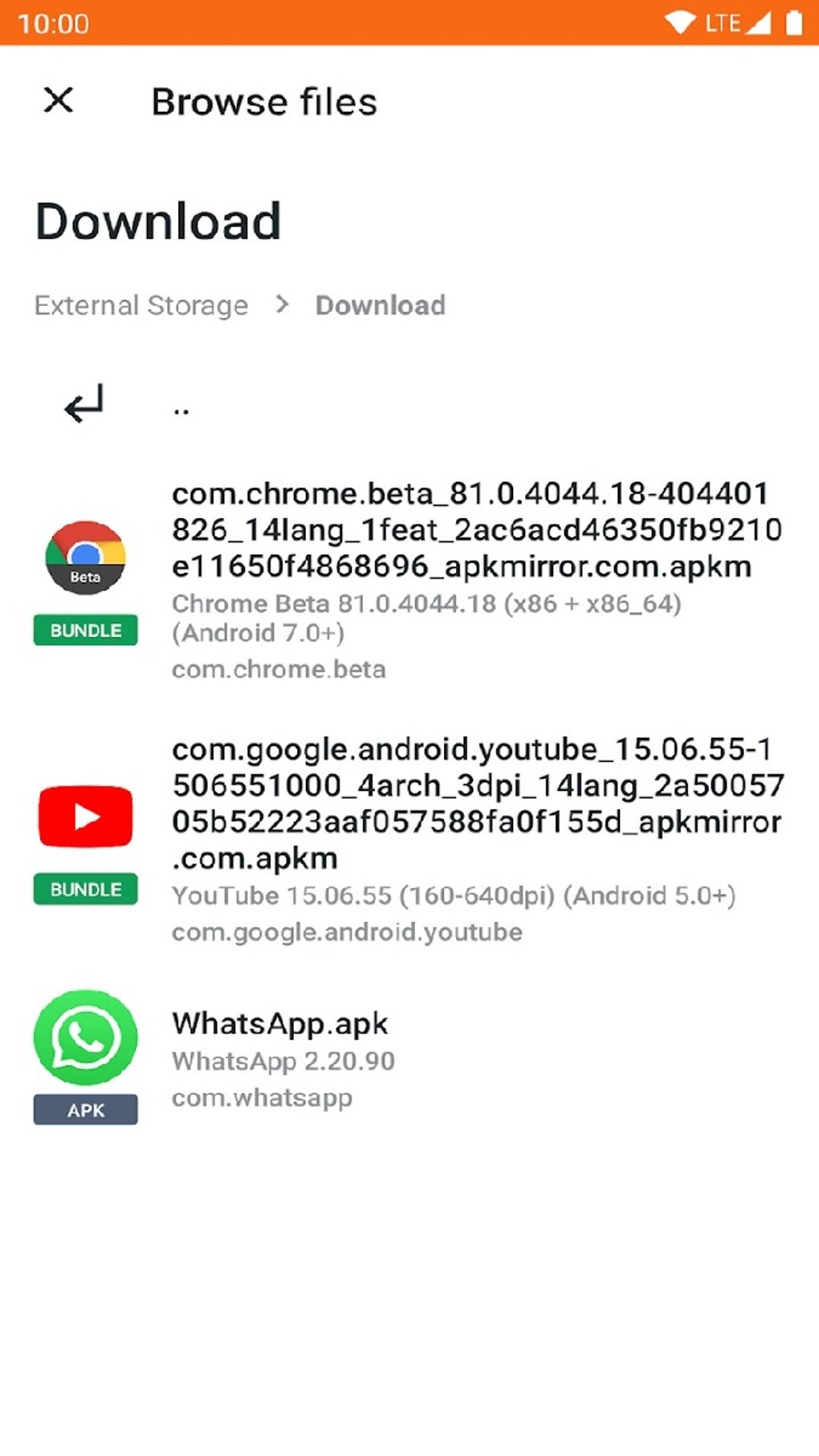
Upon launching the APKMirror Installer Official, users are greeted with a design that prioritizes functionality over elaborate aesthetics. The interface is often described as simple, straightforward, and intuitive, making it accessible even for newcomers to alternative app stores. While some might find its presentation less polished compared to the Google Play Store’s vibrant design, its utility lies in its efficiency and directness. The main screen typically presents options to browse the APKMirror website, view downloaded files, and manage installations.
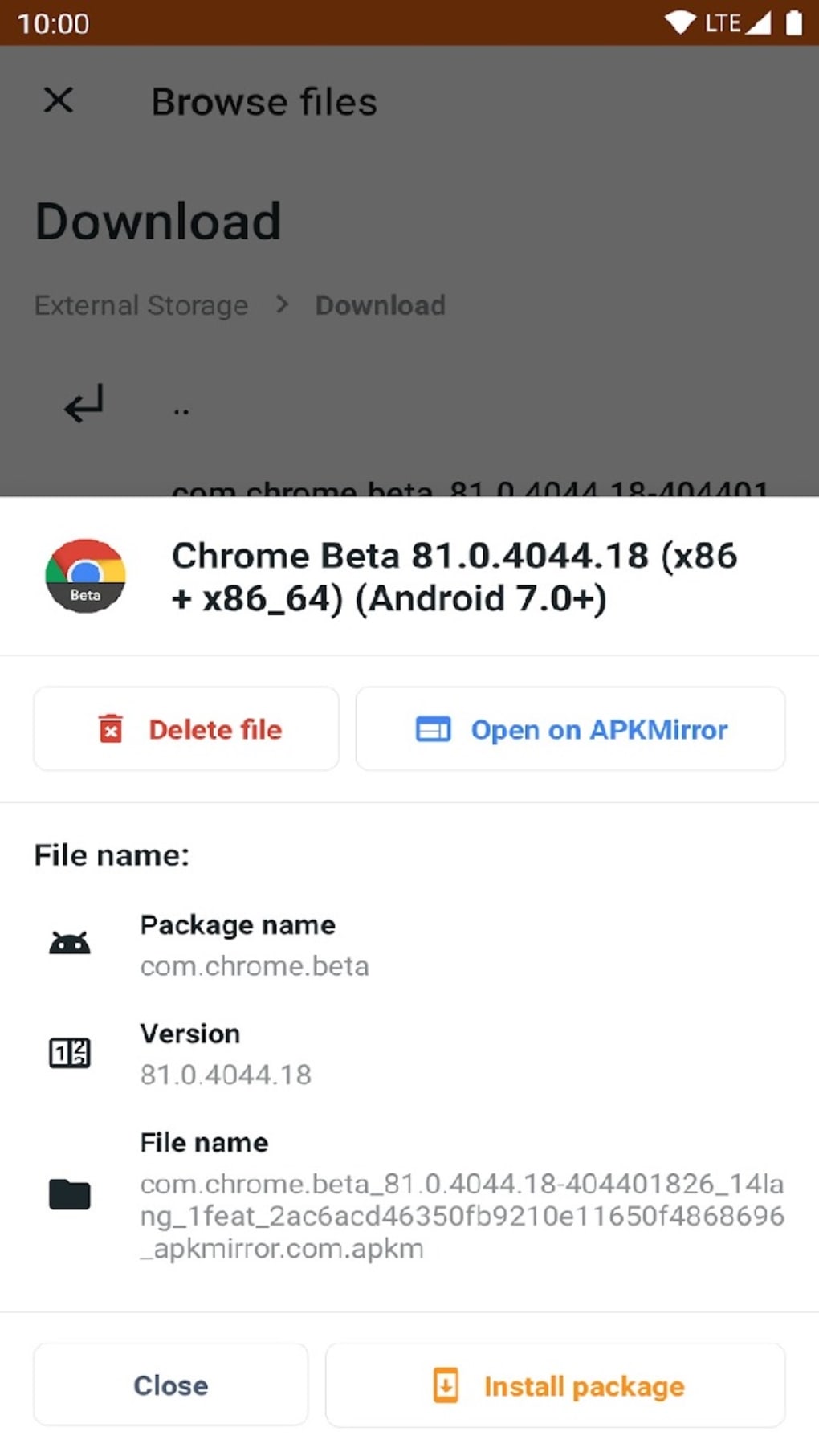
The process of finding and installing an app is streamlined. Users can either search for specific applications directly through the installer’s integration with the APKMirror website or locate APK files they have already downloaded to their device. Once an app is selected, the installer automatically detects its format and prepares it for installation. For complex bundles (XAPK, APKS, APKM), it intelligently extracts and organizes the necessary components, presenting a single, unified installation prompt to the user. This automation is critical, as manually handling split APKs can be confusing and error-prone.
The user experience, despite the minimalist UI, is largely positive due to the installer’s reliability and effectiveness. Users report that installations are generally quick and problem-free, a testament to the robust engineering behind its ability to parse and deploy various APK types. The app’s primary focus is on performing its core function—installing apps—with utmost efficiency, and in this regard, it excels. Feedback often highlights the peace of mind that comes from knowing complex app bundles can be installed without fuss, solidifying its reputation as a “set it and forget it” tool for app management.
A Deeper Dive into APK Formats: XAPK, APKS, and APKM
Understanding the different APK formats that the APKMirror Installer Official supports is key to appreciating its value. These formats were developed to address the growing complexity and size of Android applications, allowing for more efficient distribution and installation.
- XAPK (Split APKs): This format is essentially a bundle that includes the base APK file along with additional OBB (Opaque Binary Blob) data files, which are often large asset files (like game data or high-resolution graphics). Regular APK installers or file managers cannot install XAPK files directly because they don’t know how to place the OBB data in the correct directory (Android/obb/[package name]). The APKMirror Installer Official handles this automatically, ensuring both the app and its associated data are correctly placed.
- APKS (Bundled Files): This refers to the concept of “Android App Bundles” introduced by Google. Instead of developers building a single monolithic APK, they upload an app bundle to the Play Store. The Play Store then generates and serves optimized APKs (known as “split APKs”) to users based on their device’s configuration (e.g., screen density, language, CPU architecture). These individual split APKs (base.apk, config.en.apk, config.xhdpi.apk, etc.) must all be installed together for the app to function. Manually installing them is cumbersome. The APKMirror Installer Official can take a collection of these split APKs and install them correctly as a single application.
- APKM (APKMirror’s Proprietary Format): Recognizing the need for a single, easy-to-distribute file that encapsulates all the necessary split APKs generated from an Android App Bundle, APKMirror developed its own
.apkmformat. An.apkmfile is essentially a ZIP archive containing the base APK and all relevant configuration APKs for an application. When you download an.apkmfile from APKMirror.com, the APKMirror Installer Official recognizes this format, unpacks it, and installs all the contained split APKs as if it were a native app bundle installation. This makes downloading and installing complex apps incredibly straightforward for the user.
These sophisticated capabilities differentiate the APKMirror Installer Official from generic file managers or less advanced alternative app stores. Its ability to intelligently interpret and deploy these varied package formats ensures that users can reliably install almost any Android application they find on the APKMirror website.
Ensuring Safety and Trust with APKMirror
When venturing beyond the official Google Play Store, security and trust become paramount concerns. Users rightfully worry about inadvertently downloading malicious software or modified applications that could compromise their device or data. This is where APKMirror, and by extension its Official Installer, has built a strong reputation for reliability and safety.
The APKMirror website employs rigorous checks to ensure the integrity of the APK files it hosts. Here’s how they maintain a high level of trust:
- Signature Verification: Every APK file is digitally signed by its developer. APKMirror verifies these cryptographic signatures. If an APK’s signature doesn’t match a previous version from the same developer, or if it has been tampered with, it will not be hosted. This process ensures that the app you’re downloading truly comes from the claimed developer and hasn’t been modified by a third party.
- Cryptographic Hashes: APKMirror provides MD5, SHA-1, and SHA-256 hashes for all its files. Advanced users can use these hashes to verify that the file they downloaded is identical to the one hosted on APKMirror’s servers, adding an extra layer of security.
- No Modified APKs: A strict policy of APKMirror is to only host original, unmodified APKs. They do not allow “modded” or “cracked” versions of applications. This significantly reduces the risk of downloading apps that contain malware, spyware, or other unwanted code.
- Transparency: For each app, APKMirror provides extensive details, including version numbers, file sizes, Android version requirements, and package names. This transparency allows users to make informed decisions about what they are downloading.
- Community Vetting: While not a formal security measure, the large and active community of APKMirror users often provides feedback on app functionality and any perceived issues, contributing to an additional layer of informal vetting.
By extension, the APKMirror Installer Official benefits from these stringent security protocols. When the installer fetches files from the APKMirror website, it’s accessing a repository that has already undergone these checks. This integration ensures that users are installing trusted, original applications. However, it’s always crucial for users to exercise caution: only download the APKMirror Installer Official from a reputable source like PhanMemFree.org, and only download application files from the official APKMirror.com website (or via its integrated search within the installer). Enabling “Install from Unknown Sources” on your Android device is necessary to use the installer, but this permission should be granted judiciously and with awareness of the source of your applications.
Alternative App Solutions and Their Place
While APKMirror Installer Official serves a specific and valuable niche, it’s also worth briefly considering its place alongside other alternative Android app solutions available. Each offers a different approach to app distribution and management, catering to various user preferences and needs.
- Aurora Store: This is a popular open-source client for the Google Play Store, allowing users to download apps from Google’s official repository without needing a Google account. It’s often favored for privacy reasons and for accessing region-locked apps directly from the Play Store’s catalog.
- Huawei AppGallery: As Huawei’s official app store, it serves as the primary app source for Huawei devices that no longer come with Google Mobile Services (GMS). It’s a full-fledged app store with its own ecosystem, incentives, and a growing catalog of apps.
- Uptodown: Similar to APKMirror, Uptodown is another major online archive for Android applications. It also provides an official app to facilitate installation and updates, often featuring older versions and region-unlocked apps.
- F-Droid: This is an open-source app store exclusively for free and open-source software (FOSS) Android applications. It appeals to users who prioritize privacy, transparency, and community-driven development, as all apps hosted on F-Droid have their source code available for review.
The APKMirror Installer Official distinguishes itself from these alternatives primarily through its specialized focus on handling complex APK formats (XAPK, APKS, APKM) and its direct, trusted connection to the vast, version-controlled archive of APKMirror.com. While Aurora Store might be better for privacy-conscious access to Play Store apps, and F-Droid for FOSS enthusiasts, the APKMirror Installer Official is the go-to tool for reliably installing specific versions of popular apps, especially those distributed in multi-part bundles. It doesn’t aim to replace the Play Store entirely but rather to augment its functionality, providing solutions where the official store falls short.
Conclusion: A Recommended Tool for Android Power Users
In summary, the APKMirror Installer Official stands out as a highly recommended utility for any Android user looking to exert greater control over their device’s applications. Its seamless integration with the extensive APKMirror.com archive, coupled with its advanced ability to handle diverse and complex APK formats like XAPK, APKS, and APKM, makes it an indispensable tool for retrieving older app versions, installing region-restricted titles, or simply ensuring a smooth installation process for modern app bundles.
While its user interface might be considered too simplistic by some, prioritizing functionality over visual flair, the core experience it delivers is robust and reliable. It effectively addresses many of the limitations inherent in the standard Google Play Store experience, offering a solid alternative or supplementary solution. For those who are fans of the popular APKMirror download portal or anyone who frequently encounters installation challenges with multi-part Android applications, the APKMirror Installer Official provides a straightforward and trustworthy pathway to access a wider universe of Android software. Its proven track record of security, backed by signature verification and a strict policy against modified APKs, further solidifies its position as a valuable and essential app for managing your Android experience. If you’re an Android enthusiast, a developer, or simply someone who desires more flexibility in app management, the APKMirror Installer Official is undoubtedly well worth a look.
File Information
- License: “Free”
- Latest update: “January 24, 2025”
- Platform: “Android”
- OS: “Android 13.0”
- Downloads: “18.5K”
- Size: “11.76 MB”
- Download Options: “APK, Google Play”
- Filename: “com-apkmirror-helper-prod-30-69757361-668c9a62841b716d44d4b16a49588bf4.apk”