APKTime presents itself as an alternative app store for Android devices, offering a vast library of APK (Android Package Kit) files beyond what’s typically available on the official Google Play Store. This article explores APKTime’s features, benefits, drawbacks, and alternatives, providing a comprehensive overview for users considering its use.
What is APKTime and How Does it Work?
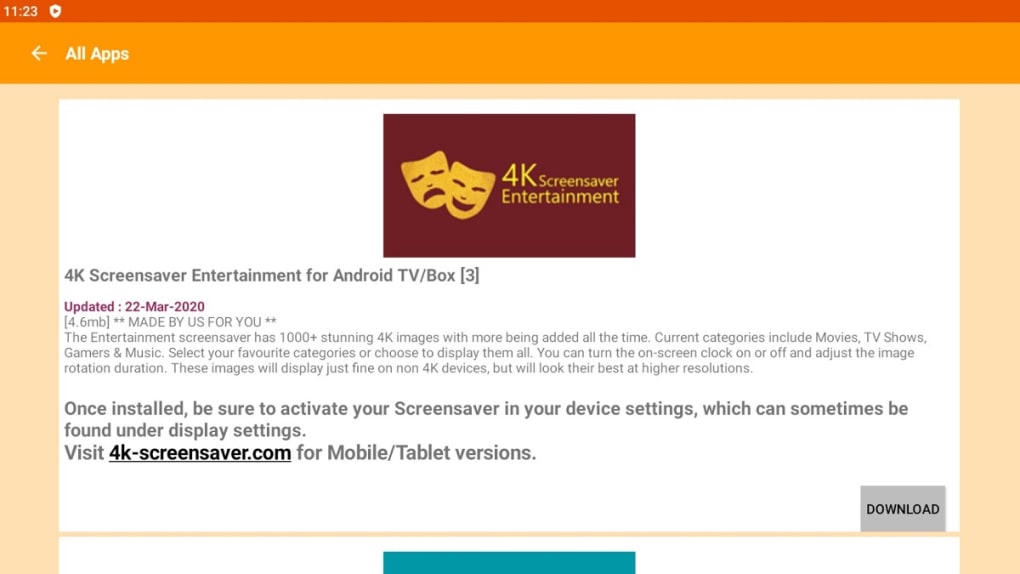
APKTime is a third-party app store designed for Android devices, including smartphones, tablets, and Android-based streaming devices like FireSticks and Android boxes. Its core function is to provide access to a wider range of Android applications than those found within the Google Play Store. This includes apps that may have been removed from the Play Store, older versions of apps, or apps that were never submitted to the official marketplace. Users can browse APKTime’s catalog by category, search for specific apps, and download and install them directly onto their devices.
The app itself is relatively straightforward to use. Its interface is designed for ease of navigation, allowing users to quickly find and download the APK files they need. The process involves browsing through the various categories, selecting the desired app, downloading the APK file, and then installing it manually on the Android device. This differs from the streamlined process of Google Play, which handles the download and installation automatically.
APKTime’s catalog boasts a diverse selection of apps, spanning numerous categories including entertainment, sports, games, productivity tools, and even a section dedicated to adult content (although this requires a PIN for access). A notable feature is its “Graveyard” section, which hosts older apps that are no longer being updated but remain available for download.
The Benefits and Drawbacks of Using APKTime
While APKTime provides access to a broader selection of apps, it’s crucial to weigh the advantages against the inherent risks associated with using third-party app stores.
Advantages:
- Expanded App Selection: The primary advantage is the access to applications not found on the official Google Play Store. This includes older versions of apps, apps removed from the Play Store due to policy violations or other reasons, and apps that developers may have chosen not to release through Google Play for various reasons.
- Apps No Longer Updated: APKTime’s “Graveyard” section is a useful resource for users needing access to older apps that are no longer maintained or updated by their developers. While these apps may not receive security patches or feature updates, they can still serve a purpose for users who rely on their specific functionalities.
- Potential Cost Savings: While not a guaranteed advantage, some users might find APKTime offers access to paid apps or modified versions of apps that may be free. However, this should be approached with extreme caution as modified apps can pose significant security risks.
- Instantaneous Updates (Claimed): APKTime claims to provide instant updates for many of its listed apps. This means users may have access to the latest versions more rapidly than relying on other third-party stores with slower update cycles. However, independent verification of this claim is difficult.
- Permission Removal (Claimed): Similar to the updates claim, APKTime suggests that certain permissions are removed from some applications before they’re listed. This potentially enhances security by limiting the access an app has to a user’s device. Again, independent verification is needed to confirm the extent of this practice.
Drawbacks:
- Security Risks: The most significant drawback of using APKTime is the increased risk of malware and security vulnerabilities. Downloading apps from unofficial sources bypasses Google Play’s rigorous security checks, meaning malicious software could be easily disguised within seemingly legitimate applications. This could lead to data breaches, device compromise, or financial loss.
- Unverified Apps: Unlike Google Play’s vetting process, APKTime doesn’t verify the authenticity or safety of the apps it hosts. This means users are responsible for determining the legitimacy and trustworthiness of each app before downloading it.
- Potential for Malicious Code: There’s a higher risk of downloading apps containing malware, viruses, or spyware when using a third-party app store. These malicious programs can steal personal data, monitor online activity, or damage the device.
- Lack of Customer Support: Third-party app stores often lack the robust customer support available through official app stores like Google Play. If issues arise with a downloaded app, resolving them might be more challenging.
- Legal and Ethical Concerns: Downloading copyrighted or pirated software from APKTime could lead to legal consequences depending on your location and the specific laws governing software distribution and copyright infringement.
Understanding APK Files and Android Package Kits
APK (Android Package Kit), sometimes referred to as Android Application Package or Android Package, is the standard file format used to distribute and install mobile apps on the Android operating system. It contains all the necessary components of an app, including its code, resources (images, sounds, etc.), and metadata. When you download an APK file, you’re essentially downloading a compressed package containing everything needed to run that app on your device.
APKTime Alternatives
Numerous alternatives to APKTime exist for users seeking third-party Android app stores. However, it’s vital to remember that all third-party app stores carry inherent risks. Choosing an alternative doesn’t eliminate the security concerns; it merely shifts them. Some notable alternatives include:
- Aptoide: A popular alternative app store offering a wide range of applications. Aptoide employs a decentralized model, potentially reducing the risk of a single point of failure but also impacting the quality control of available applications.
- Filelinked: Known primarily for its bulk downloading capabilities, Filelinked allows users to access and download apps from shared catalogs. However, relying on shared catalogs increases the risk of downloading malicious software.
- Unlinked: Aimed at providing secure downloads, Unlinked emphasizes safety features. However, no third-party store can guarantee complete security.
- F-Droid: An open-source alternative app store focusing on free and open-source applications. This approach enhances transparency but limits the available app selection compared to commercial options.
- AppBrain: Primarily a discovery tool for Android apps, AppBrain also provides links to download APKs from various sources. Users must still exercise caution when selecting download sources.
- Blackmart Alpha (Outdated): While once a popular alternative, Blackmart Alpha is now largely outdated and no longer actively maintained. Using outdated app stores significantly increases security risks.
Choosing an alternative requires carefully weighing the advantages and disadvantages of each store, considering factors like app selection, security measures, and update frequency. The best option often depends on individual needs and risk tolerance.
Is APKTime Worth the Risk?
Ultimately, the decision of whether to use APKTime rests on individual users. While it offers access to a wider selection of apps than the Google Play Store, the associated security risks cannot be ignored. Using a VPN is strongly recommended when downloading from any third-party app store, including APKTime, to protect your IP address and online privacy. However, even with a VPN, the risk of malware remains.
The convenience of accessing a larger app library must be weighed against the potential consequences of downloading malicious software. Users should thoroughly research any app before downloading it, carefully scrutinizing reviews and app permissions. If you value security and privacy, sticking with the Google Play Store is always the safer option. APKTime should only be considered if the need for a specific unavailable app outweighs the significant security risks involved. Remember that using a reputable antivirus program and regularly updating your Android device is crucial, regardless of where you download apps from.
File Information
- License: “Free”
- Version: “2.2”
- Latest update: “May 6, 2024”
- Platform: “Android”
- OS: “Android 9.0”
- Language: “English”
- Downloads: “552.5K”
- Size: “4.99 MB”
- Download Options: “APK, Google Play”
- Filename: “APKTime-v2.2.apk”