
App Launcher, a free Windows software categorized under Desktop customization software (specifically, Customized Desktops), offered a simple yet effective way to manage application shortcuts. Released in 2011, it quickly gained popularity, accumulating over 91,000 downloads within a short period. While no longer actively updated (last update June 6, 2011), its legacy as a lightweight and user-friendly application launcher for Windows Vista and earlier versions remains. This article explores the features, impact, and context of App Launcher within the broader history of Windows desktop personalization.
App Launcher’s Functionality and User Experience
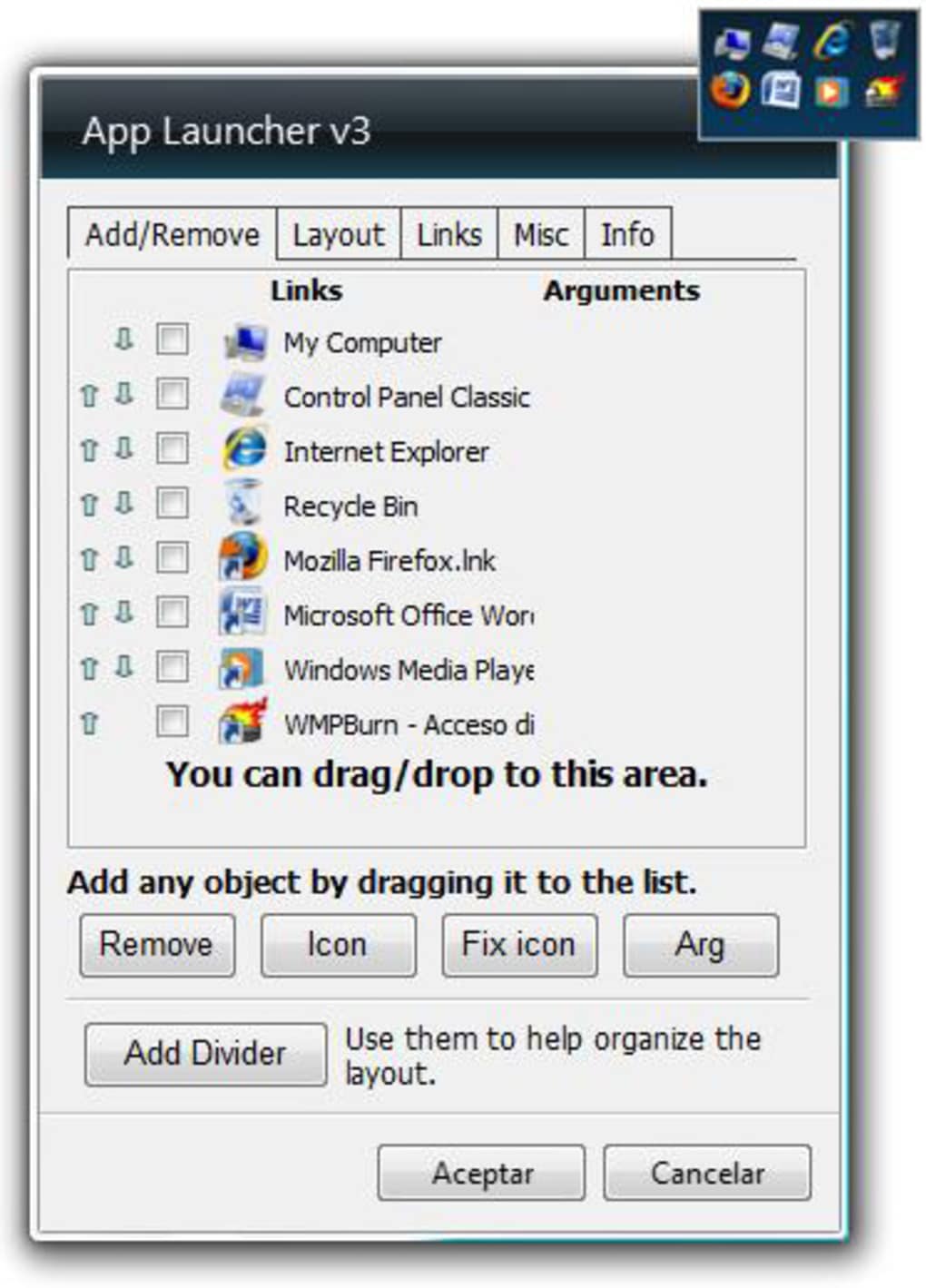
App Launcher’s core function was straightforward: to provide a customizable interface for launching frequently used applications. Unlike complex launchers with extensive features, App Launcher focused on simplicity. Users could add shortcuts to their preferred programs and arrange them in a personalized layout. This ease of use was a key factor in its appeal, especially for users less comfortable with advanced customization options. The ability to quickly access frequently used applications through a clean and visually uncluttered interface differentiated it from the standard Windows start menu, offering a more streamlined approach to application launching.
The software’s small size was also a significant advantage, ensuring minimal impact on system resources. This was a particularly important consideration for users with older systems or limited storage space, a common characteristic of the era when App Launcher was prevalent. The program’s minimalist design ensured a quick and efficient launch, even on less powerful machines. However, limitations existed; user reviews consistently highlighted the inability to resize the launcher or its icons as a primary drawback. This lack of scalability prevented users from customizing the appearance further to match personal preferences or screen resolutions, especially on higher-resolution displays.
App Launcher in the Context of Windows Desktop Personalization
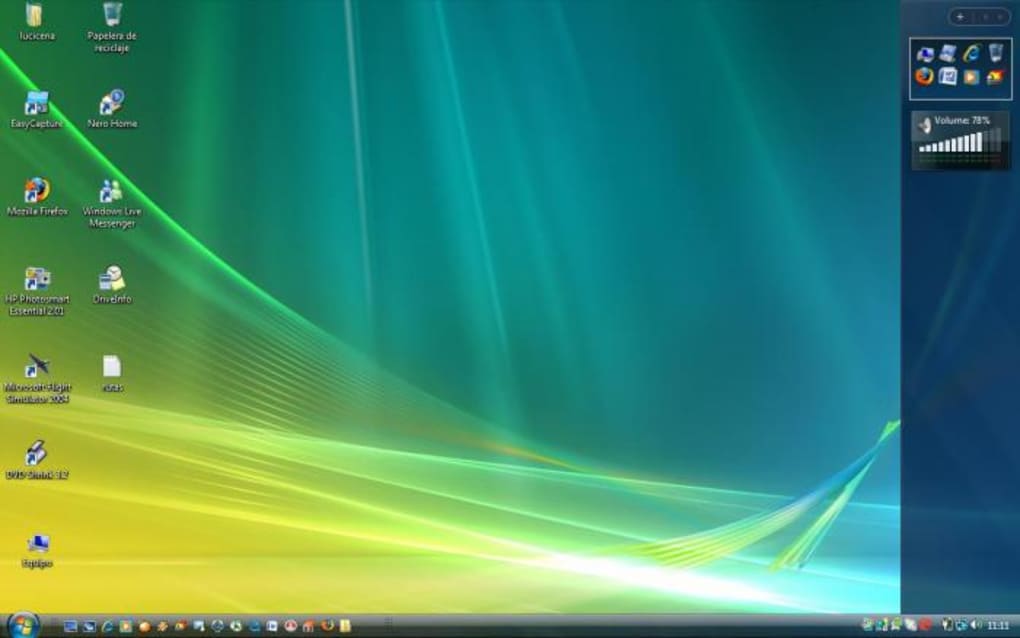
App Launcher emerged at a time when Windows desktop customization was gaining popularity. Windows Vista, the primary target operating system, introduced a number of personalization options, including the much-discussed sidebar gadgets. While these gadgets provided a degree of customization, they also often faced criticisms regarding resource consumption and stability. App Launcher, in contrast, offered a leaner alternative, focusing solely on application launching without the added complexities and potential performance issues associated with interactive widgets.
The software’s popularity can also be understood within the broader context of user demand for greater control over their digital workspace. In an era preceding the widespread adoption of touch-based interfaces, users relied heavily on keyboard and mouse interactions. A streamlined and easily accessible application launcher like App Launcher directly addressed this need, providing a more efficient means of accessing everyday applications compared to navigating through the traditional Windows start menu.
Compared to modern application launchers that often integrate features like search bars, task management tools, and even virtual desktops, App Launcher’s functionality was remarkably basic. However, this simplicity was also a strength. Its lack of bloatware and focus on core functionality made it appealing to users who valued speed and efficiency over extensive features. In a world increasingly dominated by resource-intensive software, App Launcher’s lightweight nature provided a refreshing alternative.
Comparison with Contemporary and Modern Launchers
Several contemporaries and successors to App Launcher have evolved, incorporating more advanced features. WinLaunch, for example, aimed to replicate the Mac OS X Lion launchpad experience on Windows, offering a visually distinct approach to application launching. Other programs like iPad Launcher and various sidebar stylizers explored different avenues of desktop personalization, demonstrating the dynamic evolution of user interface design and expectations.
Modern application launchers frequently integrate much more sophisticated functionality. Many modern launchers go beyond simple shortcut management, offering features such as:
- Search capabilities: Quickly locate applications based on their name or function.
- Task management: View and manage running applications and processes.
- Virtual desktop support: Manage multiple virtual desktops to improve workflow organization.
- Customization options: Highly granular control over appearance, layout, and functionality.
- Integration with cloud services: Sync settings and data across multiple devices.
In contrast to these modern launchers, App Launcher’s strengths lie in its simplicity and lightweight design. While it lacked the advanced features of later programs, its ease of use and minimal system impact made it a valuable tool for users who prioritized speed and efficiency.
App Launcher’s Legacy and Relevance Today
While App Launcher is no longer actively supported and is largely incompatible with modern Windows versions, its legacy remains relevant in highlighting the ongoing need for streamlined and efficient application launching. The core principle of quick access to frequently used programs remains a fundamental requirement for a productive user experience, regardless of operating system or technological advancements. The success of App Launcher underscores the enduring importance of simplicity and efficiency in software design, especially in the context of desktop productivity tools.
The simplicity of App Launcher’s design serves as a reminder that sometimes the most effective solutions are the most straightforward ones. In an age of increasingly complex software, the focus on core functionality and minimal resource usage demonstrated by App Launcher offers valuable lessons for contemporary software developers. The program’s success was not due to a plethora of features but rather its ability to effectively address a specific user need with simplicity and efficiency.
The enduring popularity of application launchers, even in the face of advanced features offered by modern operating systems, confirms the persistent demand for personalized and readily accessible tools to enhance user workflows. App Launcher, despite its age and limitations, played a notable role in satisfying this demand during its time, leaving a legacy as a representative example of a functional and efficient, albeit simple, application launcher. Its story serves as a reminder that user-friendly design and minimal resource impact can be critical success factors in software development.
File Information
- License: “Free”
- Version: “3.4.6”
- Latest update: “June 6, 2011”
- Platform: “Windows”
- OS: “Windows Vista”
- Language: “English”
- Downloads: “25.5K”
- Size: “338.80 KB”


