
AppDelete is a powerful utility designed for macOS users who demand complete and thorough application removal. Unlike simply dragging an application to the Trash, which often leaves behind associated files, AppDelete ensures a clean sweep, eliminating all traces of an unwanted program. This in-depth guide will explore the features, benefits, and limitations of AppDelete, helping you determine if it’s the right solution for your Mac cleanup needs.
Why Use an Application Uninstaller Like AppDelete?
When you uninstall applications on macOS using the standard method – dragging the application icon to the Trash – you might assume the process is complete. However, this often leaves behind residual files, including preference files, support files, and cache data. These leftover files can accumulate over time, consuming valuable disk space and potentially causing conflicts with other applications or even system instability. AppDelete addresses this issue by providing a more thorough uninstallation process, eliminating these residual files and ensuring a cleaner system. Many developers have recognized this shortcoming in macOS’s default uninstallation process, creating dedicated uninstaller applications like AppDelete to offer a more complete solution. The fact that Apple itself hasn’t addressed this widely acknowledged problem highlights the necessity of third-party tools like AppDelete.
Key Features and Functionality of AppDelete
AppDelete’s primary function is the complete removal of applications and their associated files. Its user-friendly interface simplifies the process, making it accessible to users of all technical skill levels. The software offers several key features that contribute to its effectiveness:
-
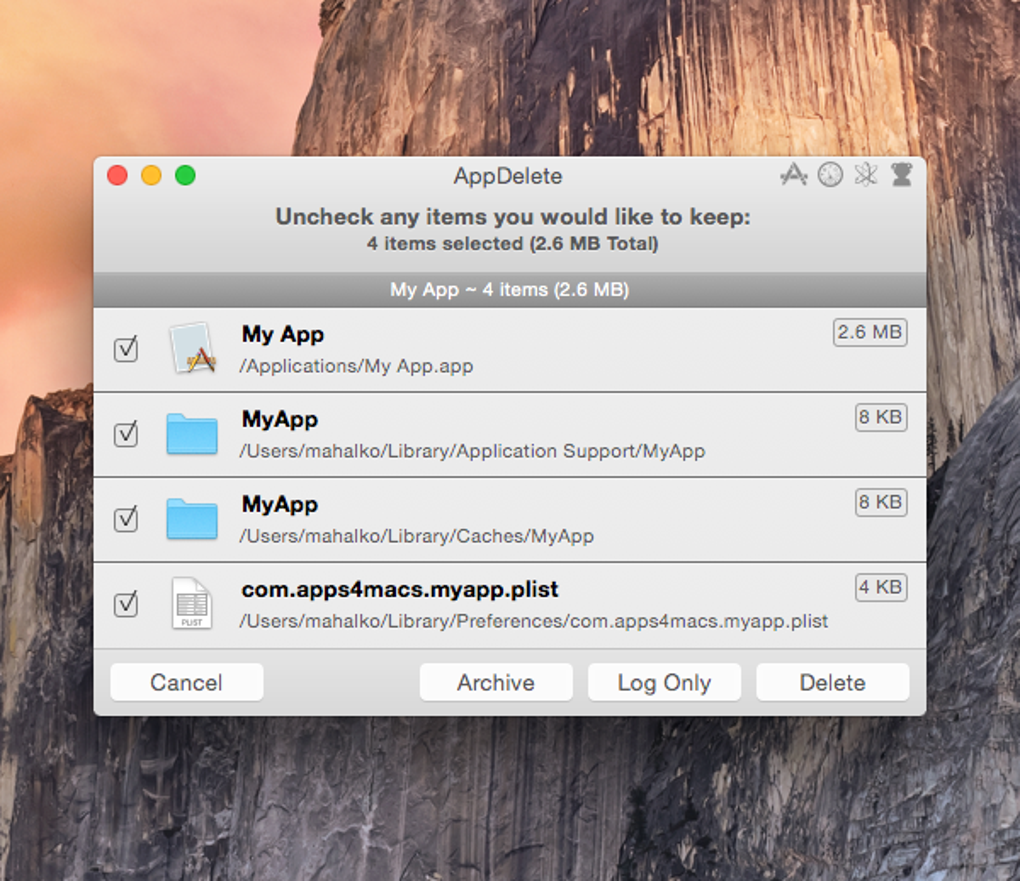
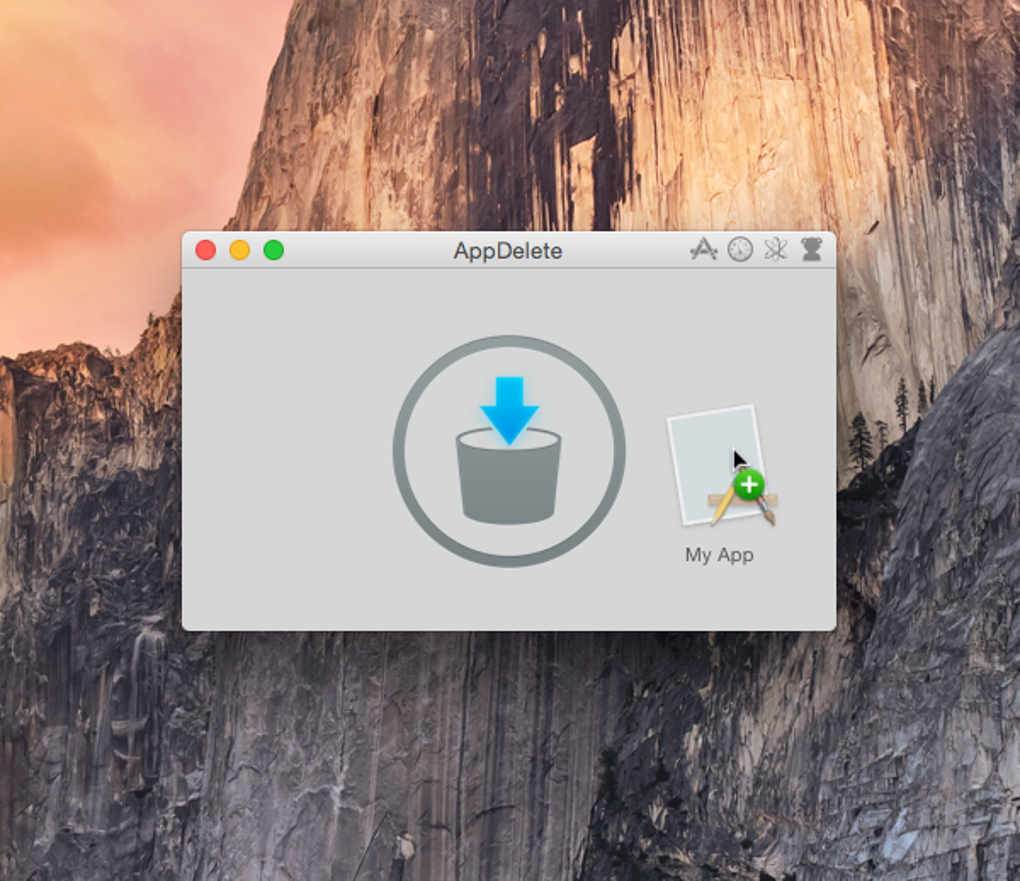
Drag-and-Drop Simplicity: The most straightforward way to use AppDelete is by simply dragging the application icon you wish to remove onto the AppDelete icon. This initiates the uninstallation process immediately.
-
Application Listing: Alternatively, users can access a list of all installed applications directly within AppDelete. This feature allows for quick identification and selection of the target application for removal, without needing to manually locate the application in the Finder.
-
Detailed File Identification: Before initiating the deletion, AppDelete meticulously identifies all associated files that need to be removed along with the main application. This typically includes preference files located in the Library folders, cache files, and other support files. This transparency empowers users to review the files slated for removal before proceeding. Users can selectively uncheck files they wish to retain if needed.
-
Log Maintenance: AppDelete maintains a detailed log of all removed applications and files. This log is invaluable for troubleshooting purposes should any issues arise after uninstalling an application. It provides a record of what was deleted, offering a quick reference if you accidentally removed something crucial and need to restore it. While AppDelete features an undo function, it typically only reverses the most recent action.
-
Orphan File Detection: A standout feature of AppDelete is its “Orphans” function. This powerful tool searches for files that are no longer associated with any installed applications. These orphan files are often remnants of previously uninstalled programs or corrupted files left behind. Removing these orphans is crucial for reclaiming disk space and preventing potential conflicts. Many users find that AppDelete’s orphan file detection surpasses other similar utilities, uncovering files that other uninstallers might miss.
- Speed and Efficiency: AppDelete’s search and deletion processes are remarkably fast and efficient. Even when dealing with numerous associated files, the cleanup takes mere seconds, minimizing disruption to the user’s workflow.
While AppDelete excels in most aspects of application removal, its “Select All” functionality is notably absent. This can be time-consuming when dealing with hundreds of orphaned files.
AppDelete: Pros and Cons
Like any software, AppDelete possesses both advantages and disadvantages. Understanding these aspects is vital before deciding whether to integrate it into your Mac maintenance routine.
Pros:
-
Thorough Removal: AppDelete effectively removes applications and associated files, leaving no trace behind. This comprehensive removal prevents potential conflicts and reclaims disk space.
-
Intuitive Interface: The software’s user-friendly design makes it easy to use, regardless of technical expertise. The drag-and-drop functionality and clear file identification are particularly noteworthy.
-
Efficient Performance: The speed at which AppDelete scans and removes files is commendable, minimizing user wait times.
-
Orphan File Detection: The “Orphans” feature effectively locates and removes orphaned files, a significant benefit for maintaining a clean and efficient system.
- Responsive Developer: Many user reviews highlight the developer’s responsiveness to user issues and suggestions, indicating a commitment to providing ongoing support and improvements.
Cons:
-
Trial Limitations: The free trial version of AppDelete is limited in usage, necessitating a purchase for continued use. While this limits the extent of its free use, the functionality during the trial period is still valuable, especially for orphan file detection.
-
Lack of “Select All”: The absence of a “Select All” function can be inconvenient when dealing with a large number of orphaned files, requiring individual selection of each file for removal.
-
Potential Restart Issues: Some users report encountering minor problems when restarting their Mac after using AppDelete. However, the frequency and severity of these issues appear to be relatively low based on user reviews.
-
No Menubar Icon (Past Issue): Based on older reviews, the lack of a menubar icon in hidden mode was once a concern, but this is likely addressed in later versions.
Alternatives to AppDelete
While AppDelete is a robust option, several alternative applications offer similar functionality. Comparing these alternatives allows users to select the application that best meets their specific needs and preferences:
- AppCleaner: A popular and free alternative, AppCleaner offers a similar drag-and-drop interface and thorough file removal. However, it may not detect orphaned files as effectively as AppDelete.
-
Uninstaller: Another strong contender, Uninstaller provides a comprehensive uninstallation process and often includes additional cleanup features. It’s a paid application, similar to the full version of AppDelete.
-
uApp: This free uninstaller aims to provide a complete uninstall process for macOS applications. Its performance compared to AppDelete and other paid alternatives may vary.
-
TrashMe: A paid application, TrashMe focuses on completely removing all traces left behind by uninstalled applications.
User Reviews and Feedback
User reviews provide valuable insight into AppDelete’s performance and user experience. While many users praise its thoroughness and ease of use, some criticisms exist regarding its trial limitations and lack of a “Select All” feature. The developer’s responsiveness to user feedback is frequently highlighted as a positive aspect. A consistent theme is the utility’s effectiveness in finding and removing orphaned files, a task that many other applications struggle with. Negative reviews often focus on issues encountered during the installation or immediately following a restart. These issues, while present, don’t appear widespread and likely reflect isolated instances rather than systemic problems. A few critical reviews express disappointment regarding the effectiveness of deleting specific files, though these cases are relatively few compared to positive reviews.
Conclusion: Is AppDelete Right for You?
AppDelete is a powerful and generally well-regarded application uninstaller for macOS. Its strengths lie in its thorough removal of applications and associated files, the convenient drag-and-drop interface, and its exceptional ability to detect and eliminate orphaned files. The responsive developer further enhances the user experience. However, the trial limitations and the lack of a “Select All” feature are notable drawbacks. The occasional reported issue after restarting the system also warrants consideration. Ultimately, whether AppDelete is the right choice for you depends on your individual needs and priorities. If complete and thorough application removal is paramount, and you’re willing to pay for the full version, AppDelete is a strong contender. If budget is a significant concern, exploring the free alternatives might be a more suitable approach. Carefully weighing the pros and cons, alongside a review of available alternatives, will enable you to make an informed decision that best suits your macOS maintenance requirements.
File Information
- License: “Trial version”
- Latest update: “August 8, 2024”
- Platform: “Mac”
- OS: “Mac OS X”
- Language: “English”
- Downloads: “133.8K”
- Size: “5.68 MB”


