
The Apple TV app, once exclusive to the Apple ecosystem, has expanded its reach, bringing its premium streaming experience to Android smartphones and tablets. This move signifies a broader commitment to accessibility and platform inclusivity, empowering users worldwide to enjoy high-quality content and a streamlined user interface on their preferred devices. Whether you’re commuting, relaxing at home, or traveling, Apple TV for Android keeps you effortlessly connected to your entertainment.
Apps and Their Seamless Integration
The Apple TV app for Android boasts a clean, minimalistic interface that reflects Apple’s signature design aesthetic. Navigation is intuitive and straightforward, making content browsing a breeze. The app is optimized for responsiveness across a wide range of Android devices, prioritizing content discovery with sections like “Watch Now,” “Library,” and personalized queues. This familiar design ensures ease of use, even for those unfamiliar with Apple products.
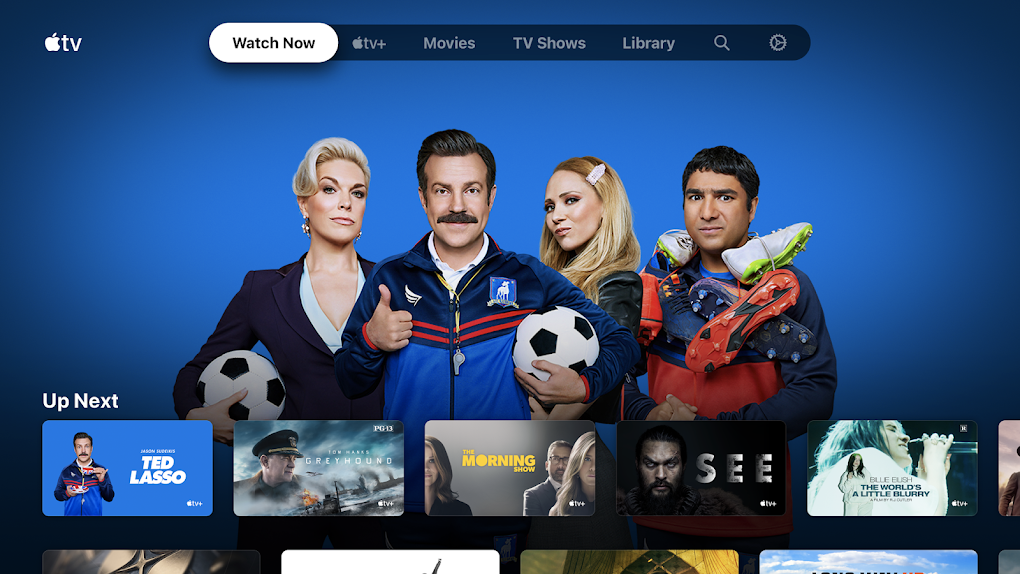
A key advantage of the Apple TV app lies in its seamless cross-platform integration. Start watching on your Android device and effortlessly resume playback on an Apple TV, Mac, or iPad without losing your progress. Your Apple ID synchronizes your watchlist, viewing history, and personalized recommendations across all devices, ensuring an uninterrupted entertainment experience regardless of the device you’re using. This cross-platform functionality eliminates the frustration of switching devices and losing your place, offering a consistent and cohesive viewing journey.
Games and Entertainment Options
While primarily a streaming app, Apple TV’s integration with other Apple services opens doors to a wider range of entertainment options, including games and interactive content accessible through associated platforms and apps. Although not directly a game platform itself, the Apple TV app often serves as a gateway to access content linked to games and other interactive entertainment. For example, a user might watch a trailer for a game within the Apple TV app, leading them to download and play the game through a separate application. This indirect integration expands the overall entertainment ecosystem accessible to users. The focus of the Apple TV app itself remains on streaming video content, but it acts as a helpful hub for discovering additional entertainment avenues.
News and Content Curation
The app’s intelligent content curation features are designed to enhance the user experience. Curated collections, genre-specific selections, and trending lists help users discover new entertainment without being overwhelmed by endless options. The emphasis is on providing a refined and personalized viewing experience, catering to individual preferences and viewing habits. This tailored approach ensures users find content that aligns with their tastes quickly and easily.
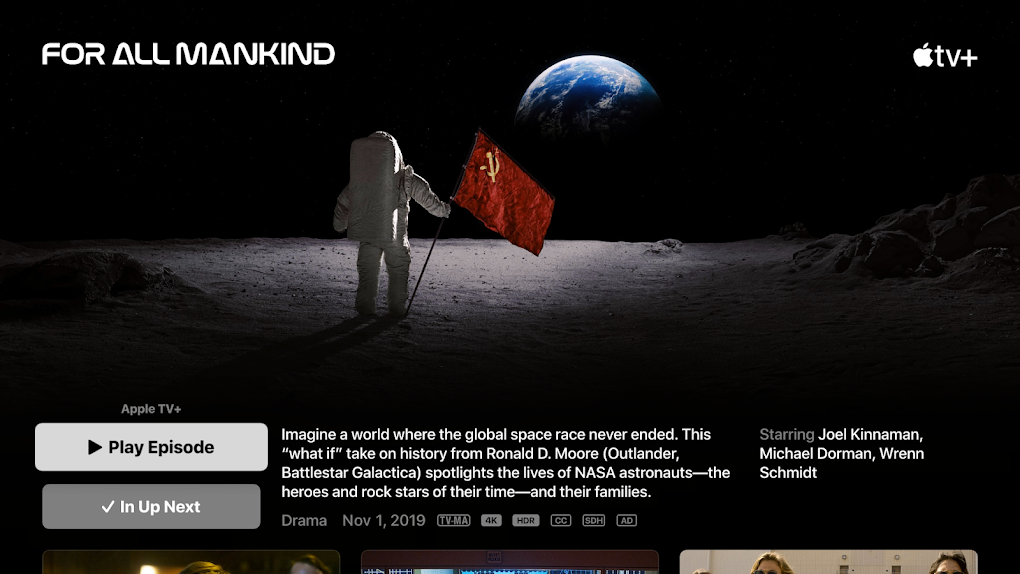
Apple TV is not a dedicated news app, however, the app can be integrated with news services via third-party applications. Many users may find themselves accessing news content through other apps and platforms while using the Apple TV app for video streaming. This is a common user experience among modern streaming services, where users often supplement their viewing with news and other forms of content from diverse sources. The Apple TV app, in this context, complements rather than substitutes other news consumption methods.
Apple TV for Business
While not explicitly marketed as a business tool, the Apple TV app’s features offer indirect advantages for professionals. The seamless cross-device synchronization and the ability to easily access and manage content are beneficial for presentations or meetings where the ability to quickly share and view videos is crucial. The clean interface and intuitive design also help simplify information sharing within a team setting. The advantages are not direct, but rather derived from the overall ease of use and functionality that the app offers. For instance, a businessperson might use the Apple TV app to share a marketing video with a team member on their phone, while the team member subsequently watches it on a larger screen later.
Lifestyle Integration and Android Compatibility
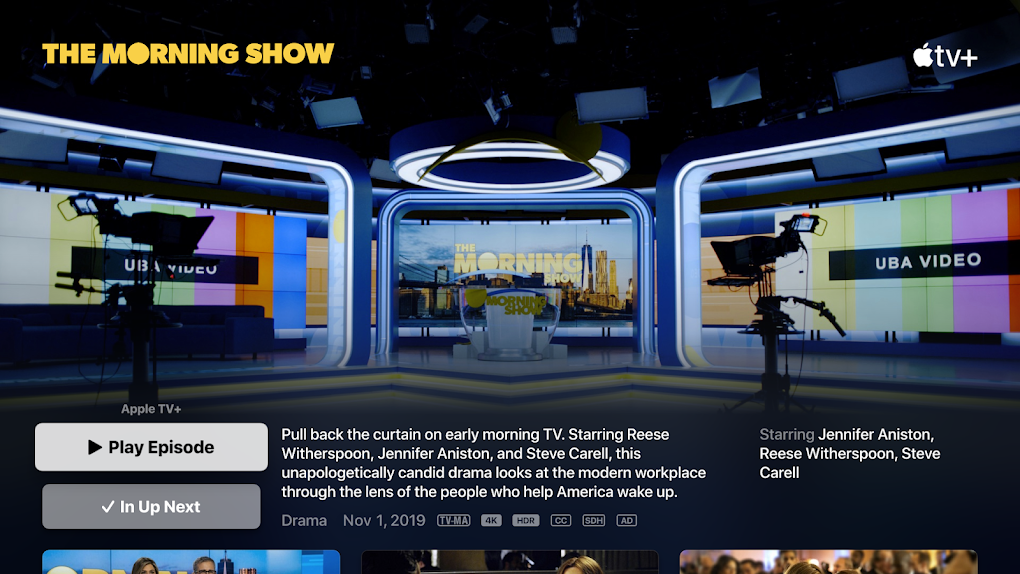
The Apple TV app for Android seamlessly integrates into the Android ecosystem, offering a smooth and consistent user experience. The app is designed to be lightweight and easy to install, minimizing storage requirements while maintaining high-quality visuals and responsive performance. It’s optimized for a broad range of Android devices, ensuring compatibility and performance across various screen sizes and hardware capabilities. This makes it an accessible and user-friendly app for a large segment of Android users.
In terms of lifestyle integration, Apple TV’s flexibility allows users to fit it seamlessly into their daily routines. Downloading content for offline viewing is ideal for travel, allowing users to enjoy their favorite shows and movies during flights or road trips without relying on a stable internet connection. This enhances the app’s practicality and convenience, making it a valuable companion for both entertainment and productivity. The features are tailored to support a range of lifestyles and preferences.
Key Features and Technical Specifications
The Apple TV app for Android offers a host of features designed to enhance the viewing experience:
- Elegant and Minimalist Interface: A polished, distraction-free interface ensures a streamlined and intuitive user experience.
- Cross-Device Playback: Resume watching on any device seamlessly, thanks to cross-platform synchronization.
- Custom Watchlists: Create and manage personalized watchlists to keep track of your favorite shows and movies.
- Continue Watching: A dedicated section makes it easy to pick up where you left off.
- Content Curation: Explore curated collections, genres, and trending lists for easy content discovery.
- Offline Viewing: Download select content for offline playback (where supported).
- Smooth Playback: Adaptive streaming ensures high-quality playback even on varying connection speeds.
- Family Sharing: Share content and manage watchlists with your family while maintaining individual preferences.
System Requirements:
- Supported Operating Systems: Android 10 and above.
- Minimum System Requirements: 2 GB RAM or higher, 100 MB free storage space, stable Wi-Fi or mobile data connection.
- Google Play Store access is required for installation.
Downloading and Availability
The Apple TV app is readily available for download on the Google Play Store. After installation, simply sign in with your Apple ID to access all features, manage your watchlist, and synchronize your preferences across devices. The app supports multiple languages and is regularly updated to ensure optimal performance, security, and compatibility with the latest Android versions. Global availability varies slightly depending on licensing agreements and local regulations.
Why Choose Apple TV for Android?
Apple TV for Android provides a premium streaming experience that blends high-quality content with intuitive design and ease of use. It stands out in the crowded streaming market through its:
- Premium Content: Access a vast library of movies, shows, and other content.
- Visual Design: Enjoy a clean, elegant interface that enhances the viewing experience.
- Ease of Use: Navigate and find content with effortless simplicity.
- Cross-Device Syncing: Continue watching seamlessly across multiple devices.
- Intelligent Recommendations: Discover new content tailored to your preferences.
- Minimalist Design: Focus on content without clutter or unnecessary features.
Apple TV is an excellent choice for families, travelers, and anyone seeking a curated, ad-free viewing experience. Its seamless integration with other Apple services adds further value.
Apple TV in the Broader Streaming Landscape
While Apple TV for Android provides a strong addition to any streaming lineup, it’s essential to note that other platforms offer valuable complementary options. Netflix, with its vast content library, remains a leading streaming service, while Disney+ caters to fans of Disney, Marvel, Star Wars, and Pixar franchises. Amazon Prime Video provides a blend of included content, rentals, and unique features. These services—along with Apple TV—offer a diverse and adaptable entertainment toolkit. The combination of services caters to various tastes and ensures a consistently rich and varied viewing experience for Android users. Ultimately, the best streaming strategy is one that seamlessly blends diverse platforms to meet one’s specific entertainment needs.
File Information
- License: “Free”
- Latest update: “April 11, 2025”
- Platform: “Android”
- OS: “Android 13.0”
- Language: “English”
- Downloads: “73.6K”
- Download Options: “Google Play”


