
AppRemover is a lightweight, efficient, and free utility designed to address a specific but significant problem: the complete removal of security software from a Windows system. While many applications offer uninstall capabilities, AppRemover excels in its targeted approach and thoroughness when dealing with the often-stubborn remnants left behind by antivirus and anti-spyware programs. This detailed review will explore its functionality, benefits, limitations, and overall effectiveness as a tool for managing security software installations on your PC.
Understanding the Need for a Dedicated Security Software Uninstaller
Installing and uninstalling security software can be a surprisingly complex process. Standard operating system uninstallers often fail to completely remove all associated files, registry entries, and background processes. This leaves behind digital “leftovers,” potentially leading to conflicts with newly installed security applications, performance degradation, or even security vulnerabilities. These remnants can clutter the system, consuming valuable disk space and potentially interfering with other software. The persistence of these residual files highlights the need for specialized tools like AppRemover, which are explicitly designed to address this issue.
The problem is particularly acute when switching between different security suites. If the uninstall process of the previous software is incomplete, conflicts can arise, leading to system instability or compromised security. Similarly, if a security application becomes corrupted or malfunctions, attempting a standard uninstall might prove ineffective. In these scenarios, a powerful tool like AppRemover can prove invaluable in resolving the issue and ensuring a clean slate for installing new security software.
AppRemover’s focus on security software uninstallation sets it apart from general-purpose uninstallers. It’s a niche tool that effectively targets the intricacies of removing security software’s deep-rooted components, making it an efficient solution for advanced users and system administrators alike. This specialization allows it to efficiently handle the unique challenges posed by these applications.
How AppRemover Works: A Step-by-Step Process
AppRemover operates with a straightforward approach:
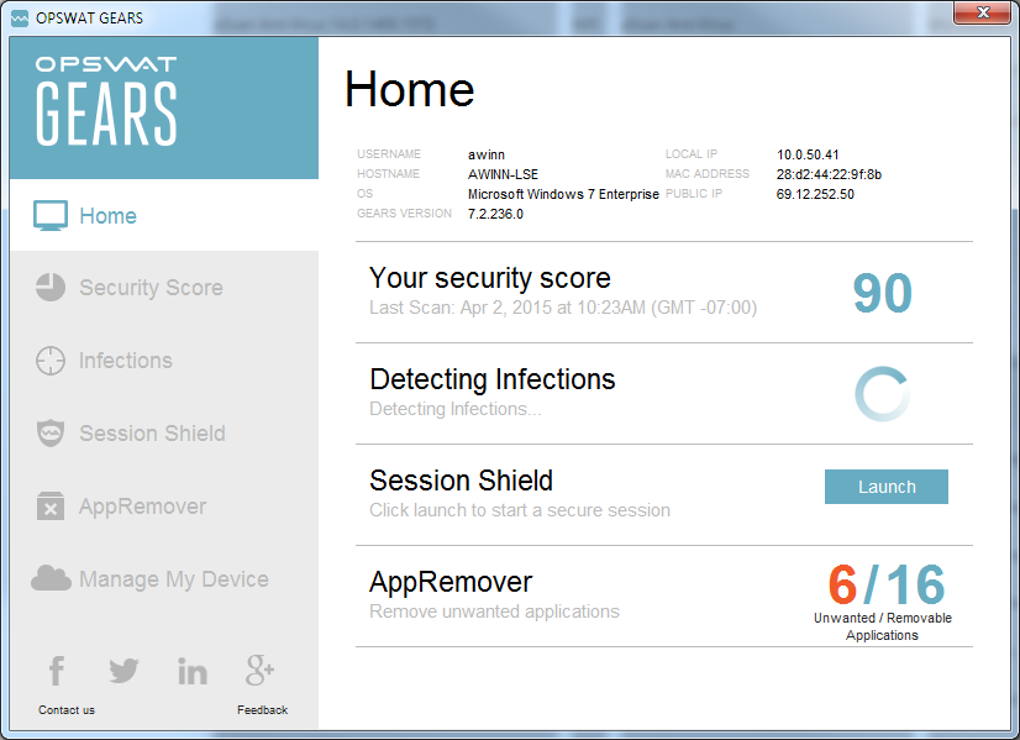
- Identification: Upon execution, AppRemover scans the system for installed anti-spyware and antivirus programs. It identifies these programs based on pre-defined signatures and system registry entries. This scanning process is relatively quick and doesn’t significantly impact system performance.
-
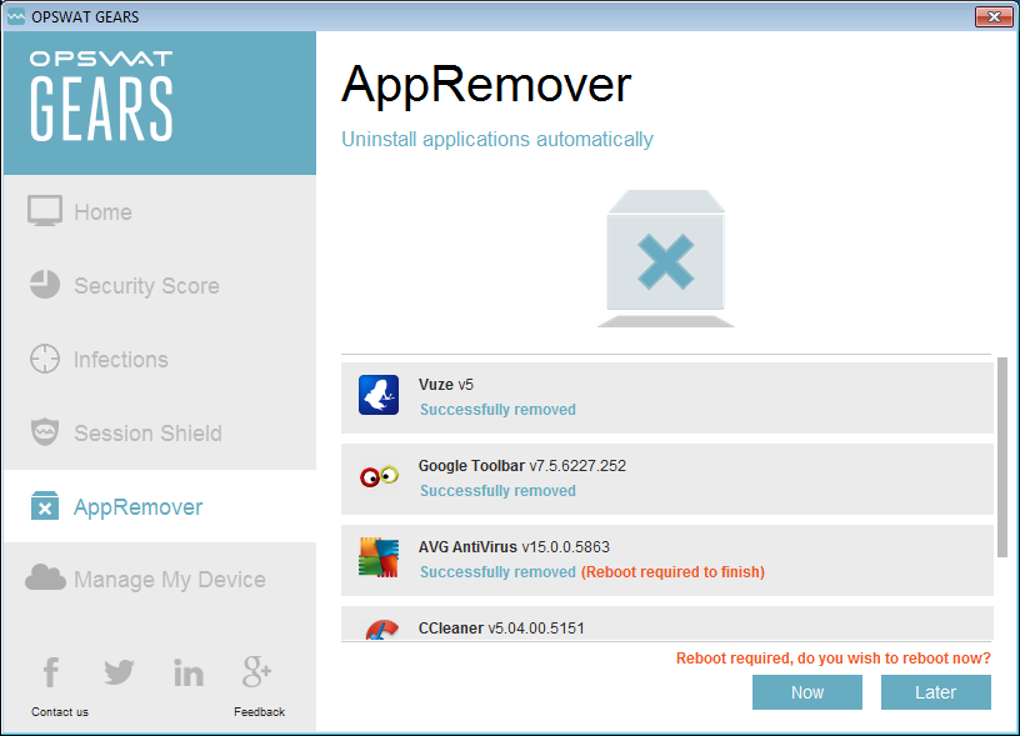
Selection: After the scan, AppRemover presents a list of detected security applications. Users can then select which applications to remove individually or choose to remove all detected programs simultaneously. This level of control empowers users to carefully manage the uninstall process, allowing for precision and customization.
-
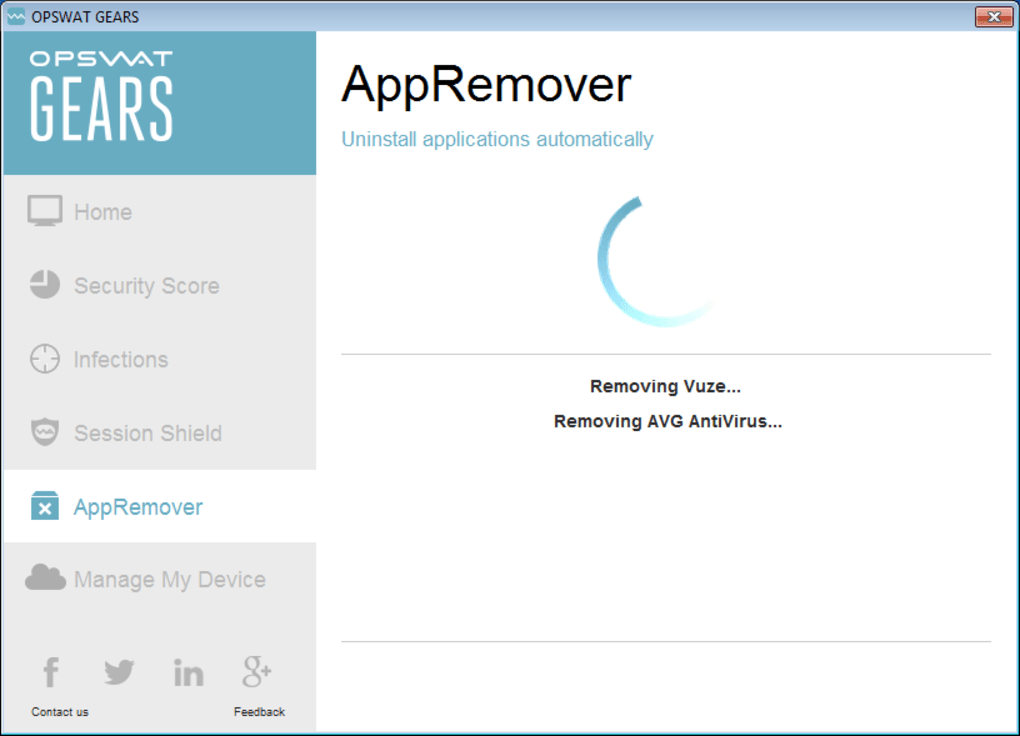
Uninstallation: Once the user confirms the selection, AppRemover initiates the uninstallation process. It leverages its specialized algorithms to systematically remove the application’s files, registry entries, and other associated components. This process is more comprehensive than a typical uninstall process, ensuring that residual files and settings are eliminated.
-
Analysis and Reporting: Following the uninstallation, AppRemover provides a detailed report summarizing the actions taken. This report includes information on the files and registry entries removed, as well as any files that might require removal upon the next system restart. This transparent approach provides users with clear insights into the uninstallation process.
This methodical process minimizes the risk of leaving behind unwanted components, ensuring a thorough and effective removal of the targeted security software. The emphasis on reporting further aids users in understanding the changes implemented on their systems.
AppRemover’s Advantages: Efficiency, Simplicity, and Focus
AppRemover’s strengths lie in its streamlined design and efficient performance:
- Lightweight and Efficient: The application itself is incredibly small, minimizing its impact on system resources. Its uninstall process is also relatively fast and efficient, ensuring minimal disruption to the user’s workflow.
-
Free of Charge: AppRemover is available entirely free of charge, making it accessible to a wide range of users. This eliminates cost as a barrier to using a valuable tool for maintaining a clean and efficient system.
-
Focused Functionality: Its specialized focus on security software uninstallation allows for highly effective removal, addressing a specific need better than general-purpose uninstallers. This streamlined functionality ensures that AppRemover operates without unnecessary complexity.
-
Easy to Use: The user interface is straightforward and intuitive, making the uninstallation process accessible even for users with limited technical expertise. The simple interface simplifies the process, removing any potential for confusion or accidental data loss.
These advantages combine to create a powerful yet user-friendly tool that effectively solves a common problem associated with security software management.
AppRemover’s Limitations: A Narrow Focus
While AppRemover excels in its specialized role, it does have limitations:
- Limited Scope: AppRemover exclusively targets anti-spyware and antivirus programs. It cannot uninstall other types of applications, limiting its overall usefulness beyond its intended niche. This narrow focus, while advantageous for its primary function, might not meet the needs of users seeking a more comprehensive uninstallation solution.
-
Dependence on System Restart: Some residual files might require a system restart for complete removal. This is a common limitation of many uninstallers but is worth noting for users seeking immediate results. This dependence on a reboot highlights the need for proper timing and planning when using the application.
-
Lack of Advanced Features: AppRemover lacks advanced features found in some other uninstallers, such as advanced registry cleaning or startup item management. This minimalist approach, while contributing to its simplicity and speed, might leave some users wanting more comprehensive cleaning capabilities.
These limitations need to be considered in the context of its specific purpose. AppRemover’s strengths lie in its focused approach, and these limitations are inherent trade-offs for its efficient and easy-to-use design.
Conclusion: AppRemover’s Place in the Security Software Ecosystem
AppRemover is a valuable tool for anyone frequently installing and uninstalling security software. Its efficiency, ease of use, and focused functionality make it an excellent choice for users seeking a simple yet powerful solution for ensuring complete removal of security applications and their associated files. While its limited scope might restrict its broader application, for users specifically needing to remove anti-spyware or antivirus software, AppRemover delivers on its promise of efficient and thorough uninstallation. Its free availability further enhances its appeal, making it a worthwhile addition to the toolkit of any user seeking robust security software management. While not a replacement for comprehensive system cleaning utilities, AppRemover fills a crucial niche and effectively handles its targeted task. Its simplicity and efficiency make it a worthy addition to any Windows user’s arsenal of utilities.
File Information
- License: “Free”
- Latest update: “July 11, 2023”
- Platform: “Windows”
- OS: “Windows 8”
- Language: “English”
- Downloads: “26.6K”
- Size: “12.02 MB”


