
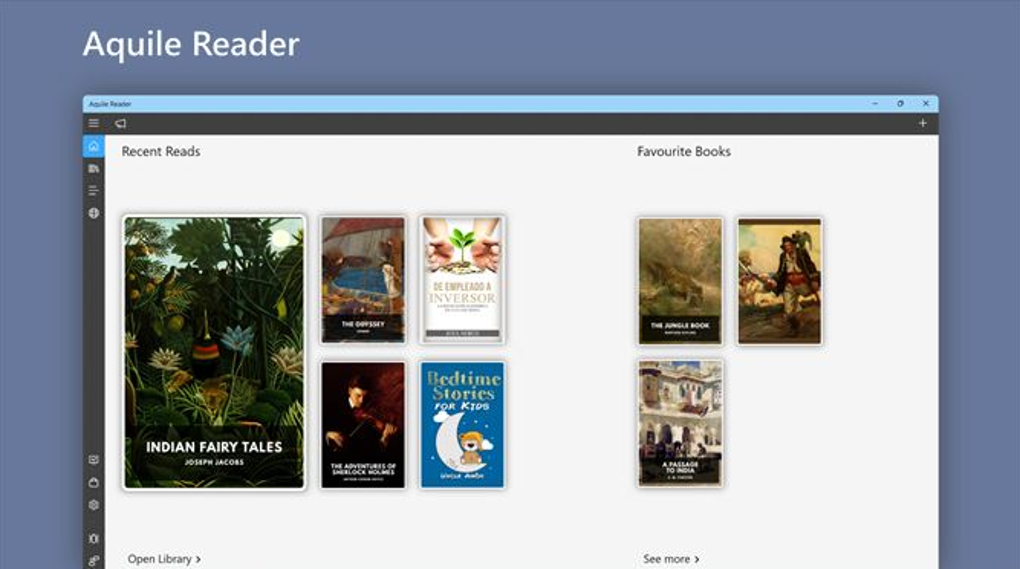
Aquile Reader is a free, modern EPUB ebook reader designed for Windows users who appreciate a powerful yet intuitive reading experience. This application seamlessly blends advanced features with a clean, user-friendly interface, making it a compelling alternative to other ebook readers on the market. Whether you prefer reading locally stored ebooks or exploring online catalogs, Aquile Reader offers a comprehensive and adaptable solution.
Key Features and Functionality
Aquile Reader stands out due to its robust feature set, catering to the needs of both casual and serious ebook enthusiasts. Beyond the basic functionality of displaying EPUB files, it incorporates a range of tools designed to enhance the reading experience and personalize it to individual preferences.
Support for Local and Online eBook Files: Aquile Reader isn’t limited to reading ebooks from your local storage. It also supports various online ebook catalogs, expanding your access to a wider range of reading material without needing to download every book individually. This integration streamlines the process of finding and accessing new books, keeping your reading experience dynamic and engaging.
Customizable User Interface: The reader’s interface is designed for ease of use and customization. Users can tailor the appearance to suit their preferences, adjusting font sizes, styles, background colors, and other visual elements. This personalized approach enhances reading comfort and reduces eye strain during prolonged reading sessions.
Advanced Reading Statistics: Aquile Reader provides detailed statistics about the currently open ebook, including word counts, line counts, and other relevant metrics. While not directly impacting the reading process, this information can be valuable for writers, researchers, or those simply curious about the structure and length of their reading material. This feature can be particularly helpful for students or professionals analyzing texts for academic or professional purposes.
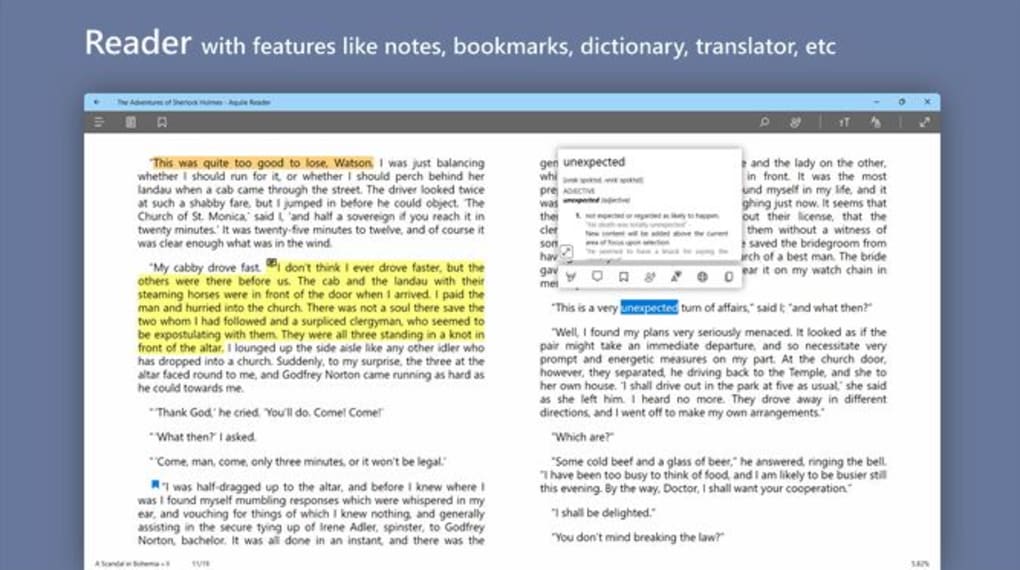
Note-Taking, Highlighting, and Bookmarking: Aquile Reader enables users to actively engage with the text by highlighting passages, adding bookmarks to key sections, and creating notes directly within the ebook. These annotations are saved with the ebook file, allowing you to revisit your thoughts and insights at a later time. This feature is particularly useful for students, researchers, and anyone wanting to remember important sections or their personal reflections on the material. The ability to track these annotations across multiple books offers a cohesive note-taking system for those reading extensively.
Text-to-Speech Functionality: The built-in text-to-speech feature enhances accessibility and convenience. Users can listen to their ebooks read aloud, making it ideal for those who prefer auditory learning, have visual impairments, or simply want a hands-free reading experience. This option is particularly beneficial during multitasking or while commuting.
Cross-Platform Compatibility: Although the review primarily focuses on the Windows version, Aquile Reader’s developers have indicated compatibility with other operating systems, including Android and iOS. This cross-platform support provides a seamless reading experience across multiple devices, allowing users to effortlessly continue reading where they left off regardless of which device they are using. This flexibility ensures users can continue reading their ebooks without disruption.
Collection Views and Libraries: Aquile Reader supports organizing ebooks into custom libraries and collections. This organizational feature allows users to easily manage their extensive ebook collection, making it easier to locate specific books without lengthy searches. The ease of navigating through these collections improves the usability of the application, especially for users with a substantial digital library.
Aquile Reader Compared to Other E-Readers
Aquile Reader is part of a crowded field of e-reader applications, each vying for user attention. However, its unique blend of features sets it apart from many competitors. While some readers excel in specific areas like integration with online stores or support for a broader range of file types, Aquile Reader delivers a solid, all-around experience that caters to a broad range of user needs.
Direct comparisons are challenging without in-depth testing against competitors, but some key differentiating factors of Aquile Reader include its robust support for note-taking and highlighting, detailed reading statistics, and a customizable interface. Many alternative readers might offer similar functionalities, but Aquile Reader’s combination of these features, along with its text-to-speech capability, presents a strong value proposition.
Ease of Use and User Interface
Aquile Reader is praised for its intuitive and user-friendly interface. The clean design avoids unnecessary clutter, allowing users to focus on reading without being overwhelmed by complex menus or options. Navigating the application is straightforward, even for users unfamiliar with ebook readers. The customization options further enhance the user experience, allowing individuals to personalize the appearance to match their preferences and enhance readability. This focus on user experience is a significant strength of Aquile Reader, ensuring a smooth and enjoyable reading process.
System Requirements and Availability
Aquile Reader is designed for Windows operating systems, specifically targeting Windows 10 and Windows 11. While the developer’s information suggests compatibility with other platforms, the focus remains on the Windows environment. The exact system requirements are not explicitly stated on the Phanmemfree page, but given the application’s relatively light functionality and its free availability, it’s likely compatible with a broad range of Windows machines. The application can be easily downloaded from the official website or from trusted app stores like Phanmemfree. The free download option is a significant advantage, allowing users to try the application without any financial commitment.
Conclusion: Is Aquile Reader Right for You?
Aquile Reader offers a compelling alternative for Windows users seeking a free, feature-rich EPUB ebook reader. Its strengths lie in its intuitive interface, robust annotation features, detailed reading statistics, and text-to-speech functionality. While it might not outshine all competitors in every aspect, its balanced approach to features and user experience makes it a highly viable option. The free availability of the software further enhances its appeal, enabling users to experience its capabilities firsthand before committing to any paid alternatives. If you value a clean design, ease of use, and powerful annotation tools within an EPUB reader, Aquile Reader deserves serious consideration. Its cross-platform potential, though needing further verification, adds to its overall appeal for users seeking a consistent reading experience across multiple devices.
File Information
- License: “Free”
- Version: “1.1.10.0”
- Latest update: “July 15, 2022”
- Platform: “Windows”
- OS: “Windows 11”
- Language: “English”
- Downloads: “14.9K”


