
ArcSoft PhotoStudio has been a long-standing player in the photo editing software arena, offering a compelling blend of features and ease of use. This review delves into its capabilities, strengths, and weaknesses, providing a comprehensive assessment for potential users. While it may not possess the sheer breadth of features found in industry giants like Adobe Photoshop, ArcSoft PhotoStudio carves its own niche by offering a streamlined, user-friendly experience suitable for both beginners and experienced photographers seeking a cost-effective solution.
Feature Set and Functionality
ArcSoft PhotoStudio boasts a robust set of features designed to handle a wide range of photo editing tasks. From basic adjustments like brightness and contrast to advanced tools for retouching and special effects, the software provides a comprehensive toolkit for image manipulation. Its strength lies in its accessibility; the intuitive interface makes navigating the various tools and features straightforward, even for users with limited prior experience in photo editing software. This accessibility doesn’t come at the cost of functionality, however. ArcSoft PhotoStudio offers a significant array of tools that allow for detailed control over various aspects of image processing.
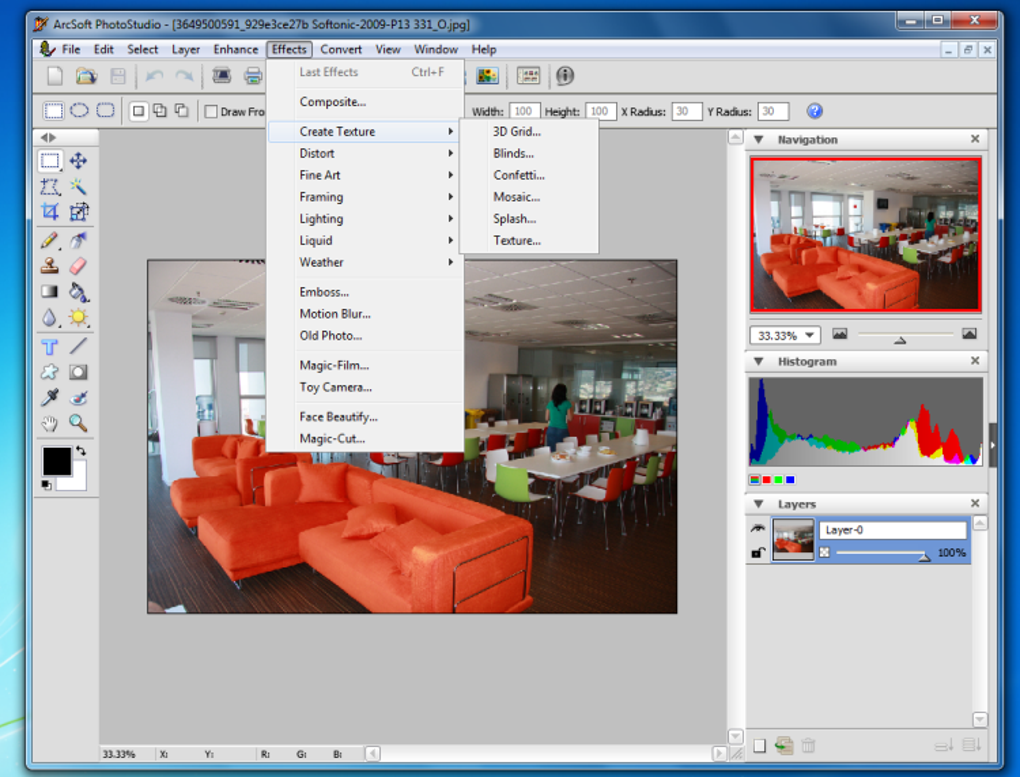
One of the key features that sets ArcSoft PhotoStudio apart is its support for RAW image formats. This enables users to work with high-quality images directly from their digital cameras, allowing for non-destructive editing and greater control over the final image. This is particularly beneficial for professionals and serious enthusiasts who prioritize image quality and preservation. The software’s compatibility extends beyond RAW formats, encompassing the majority of commonly used image file types, ensuring versatility and seamless integration into existing workflows.
Beyond basic adjustments, ArcSoft PhotoStudio includes advanced tools such as HDR (High Dynamic Range) imaging. This feature allows users to combine multiple exposures of the same scene to create images with significantly expanded dynamic range, resulting in richer details in both highlights and shadows. This capability is invaluable for capturing scenes with high contrast, such as landscapes or architectural photography. Furthermore, the software incorporates a range of special effects and filters, providing creative options for enhancing images and adding stylistic elements. These filters extend beyond simple color adjustments, encompassing more sophisticated effects that can transform the overall mood and appearance of a photograph.
Another noteworthy feature is the Magic-Cut tool, which streamlines the process of extracting objects from their backgrounds. This feature, often found in more expensive professional software, simplifies complex tasks, allowing users to easily isolate subjects for compositing, creating collages, or other creative endeavors. This tool is particularly beneficial for users who frequently create composite images or require precise object selection. The inclusion of such a sophisticated feature in a relatively accessible package enhances the overall value proposition of ArcSoft PhotoStudio.
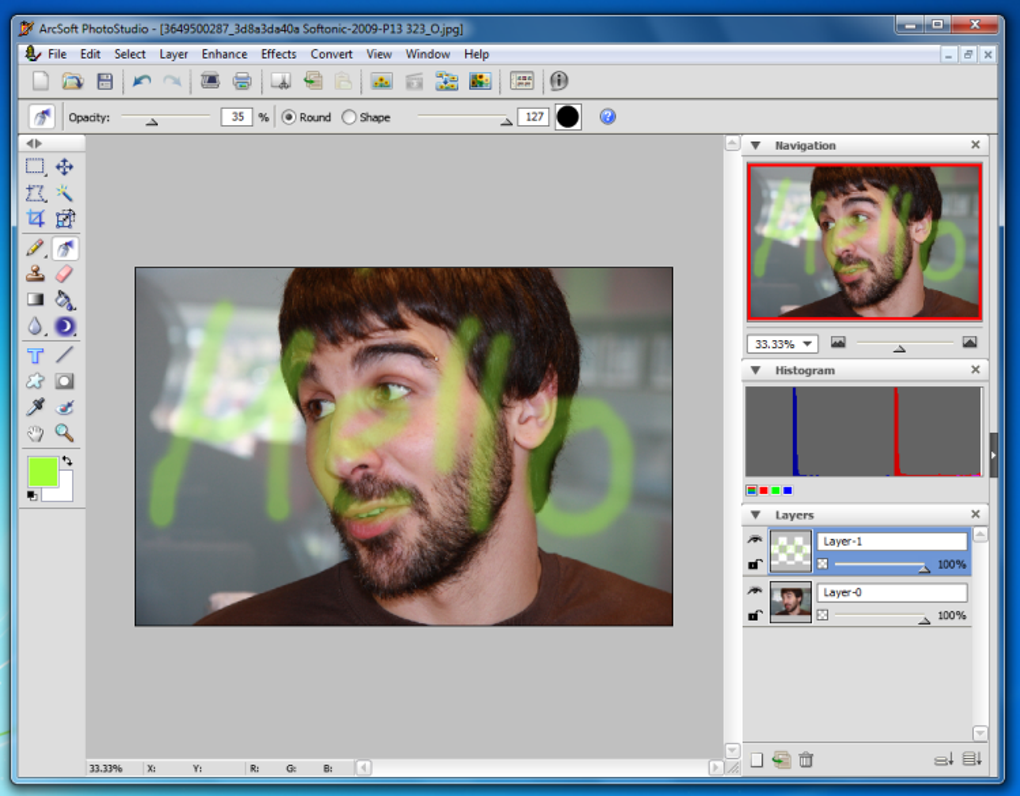
Furthermore, ArcSoft PhotoStudio supports layers and macros, features typically associated with professional-grade image editing software. The layering capability allows for non-destructive editing, enabling users to experiment with different edits without affecting the underlying image. This is particularly crucial for complex projects involving multiple edits and adjustments. Similarly, the macro functionality allows users to automate repetitive tasks, streamlining workflows and improving efficiency. This feature is particularly beneficial for users who regularly perform the same editing operations, such as batch processing or applying specific sets of filters.
User Interface and Experience
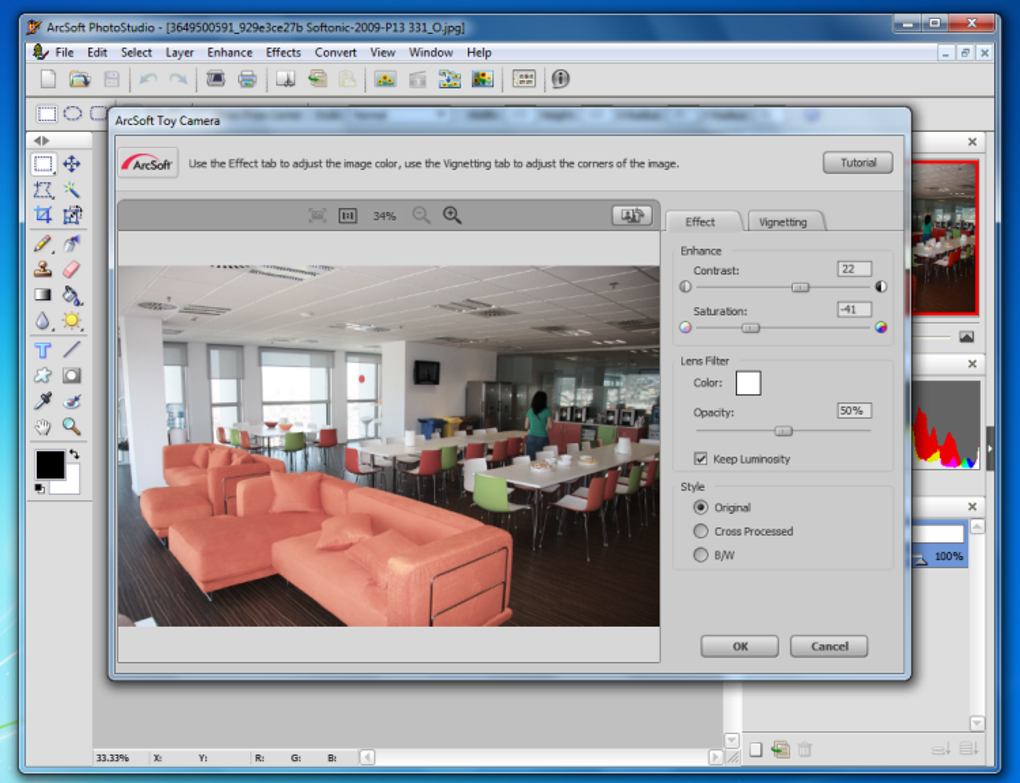
The user interface of ArcSoft PhotoStudio is a point of both praise and criticism. While praised for its intuitive design and ease of navigation, some users find the interface somewhat dated compared to more modern photo editing software. The layout is generally straightforward, with tools and features logically organized, making it easy for users to find what they need. This intuitive design is crucial for beginners who are new to photo editing software and may be overwhelmed by complex interfaces. The straightforward layout ensures a smooth learning curve, allowing users to quickly master the basic functions and gradually explore more advanced tools.
However, some users report that the interface feels somewhat old-fashioned and could benefit from a visual refresh. This criticism often points to the software’s visual elements, which might appear less sleek and modern compared to newer competitors. While functionality remains the primary concern for many users, a more contemporary visual design could improve the overall user experience. Despite this visual critique, the interface’s functionality and ease of use remain its defining characteristics.
Performance and System Requirements
ArcSoft PhotoStudio generally performs well, offering a smooth and responsive editing experience. The software’s performance varies depending on the complexity of the image being edited and the user’s system specifications. High-resolution images or complex editing operations may require a more powerful system to ensure optimal performance. However, for most everyday editing tasks, ArcSoft PhotoStudio functions efficiently even on moderately specced machines. This balanced performance is crucial for making the software accessible to a wider range of users, irrespective of their hardware capabilities. Users with older or less powerful systems can still expect reasonable performance, while those with high-end machines can leverage the software’s capabilities for demanding projects.
The system requirements for ArcSoft PhotoStudio are relatively modest, making it compatible with a wide range of computers. This ensures accessibility across a diverse range of hardware platforms, allowing many users to utilize the software without needing significant upgrades to their systems. This accessibility is a key element in the software’s appeal, broadening its potential user base and ensuring greater inclusivity.
Comparison with Competitors
Compared to industry-leading software like Adobe Photoshop, ArcSoft PhotoStudio offers a more limited feature set. Photoshop’s vast array of tools and advanced functionalities caters to professional-level editing and complex projects. However, this comprehensive functionality comes at the cost of a steeper learning curve and significantly higher price point. ArcSoft PhotoStudio occupies a distinct space in the market by providing a balance between a comprehensive feature set and accessibility.
While ArcSoft PhotoStudio may lack the extensive capabilities of Photoshop, it offers a compelling alternative for users who prioritize ease of use and a more affordable price point. The software’s focus on user-friendliness and accessibility makes it ideal for casual users and hobbyists who may not require the advanced tools and functionalities of professional-grade software. This targeted approach makes ArcSoft PhotoStudio a suitable option for those seeking effective photo editing capabilities without the complexities of a professional-grade program.
Other competitors exist within the mid-range photo editing software segment, each with its own strengths and weaknesses. Some offer a more streamlined approach with fewer features, while others may include more advanced tools but lack the user-friendly interface of ArcSoft PhotoStudio. The software’s ultimate suitability is heavily dependent on a user’s individual needs and preferences, with ArcSoft PhotoStudio providing a balanced approach.
Conclusion
ArcSoft PhotoStudio offers a valuable option for users seeking a user-friendly and cost-effective photo editing solution. Its intuitive interface, coupled with a respectable array of features, makes it suitable for a wide range of users, from beginners to experienced photographers seeking a streamlined workflow. While not as feature-rich as industry giants, ArcSoft PhotoStudio’s balance of accessibility and functionality makes it a strong contender in its market segment. Its RAW support, HDR capabilities, Magic-Cut tool, and support for layers and macros make it a versatile and powerful tool for a multitude of photo editing needs. The software’s performance is generally smooth and responsive, and its relatively modest system requirements ensure accessibility across a wide range of computing platforms. While some may find the interface visually dated, its intuitive layout and ease of navigation outweigh this minor aesthetic drawback for many users. Ultimately, ArcSoft PhotoStudio’s success lies in its ability to deliver powerful photo editing tools without overwhelming the user with unnecessary complexity.
File Information
- License: “Trial version”
- Latest update: “November 15, 2018”
- Platform: “Windows”
- OS: “Windows 8”
- Language: “English”
- Downloads: “433.2K”
- Size: “37.55 MB”


