
ArcSoft ShowBiz is a multimedia application designed for creating and editing videos and movies. It boasts a user-friendly interface and a wide array of visual effects and transition tools, promising to empower even novice users to produce high-quality video content. While the full version operates on a subscription model, a free demo version is available, albeit with limitations in functionality. This review examines the software’s capabilities, strengths, and significant weaknesses, ultimately assessing its overall value proposition.
Feature Set and Functionality: A Blend of Strengths and Shortcomings
ArcSoft ShowBiz operates similarly to classic video editing software such as Windows Movie Maker. The process begins with importing or capturing video footage, followed by editing and exporting the final product in various formats. A significant advantage over some competitors, including ArcSoft’s own DVD2 software, is its broader format support and, notably, its relative stability regarding crashes – though this is only partially true, as discussed later.
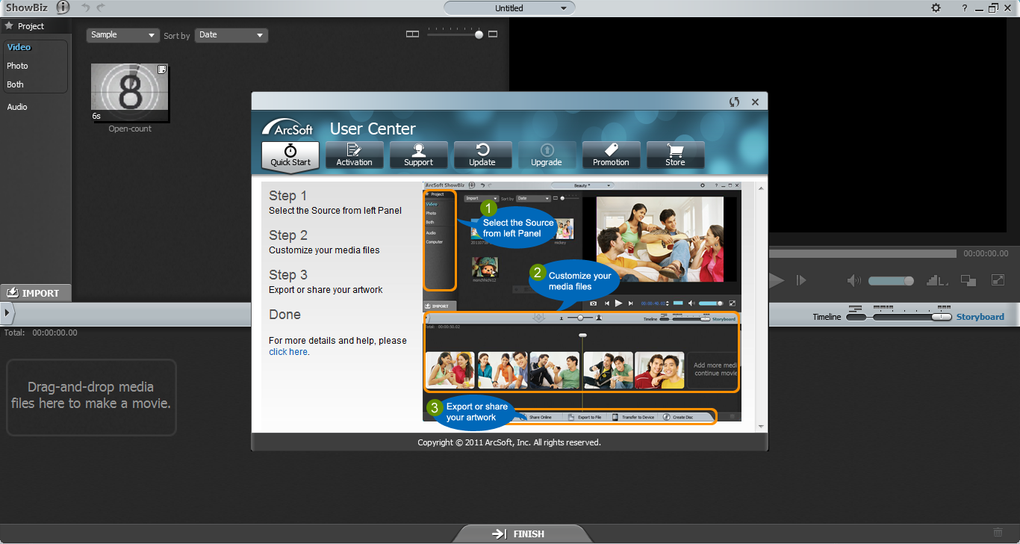
The application handles file import efficiently; however, a notable limitation emerges when dealing with larger files. If a video clip exceeds approximately 1.45 GB, ArcSoft ShowBiz divides it into multiple files, which adds an extra layer of complexity to the editing process.
Following video capture, users are presented with a straightforward storyboard/timeline interface, allowing for intuitive drag-and-drop manipulation of media clips. This intuitive approach simplifies the editing process, even for less experienced users. However, ArcSoft ShowBiz significantly distinguishes itself from simpler editors like Windows Movie Maker through its enhanced functionality.
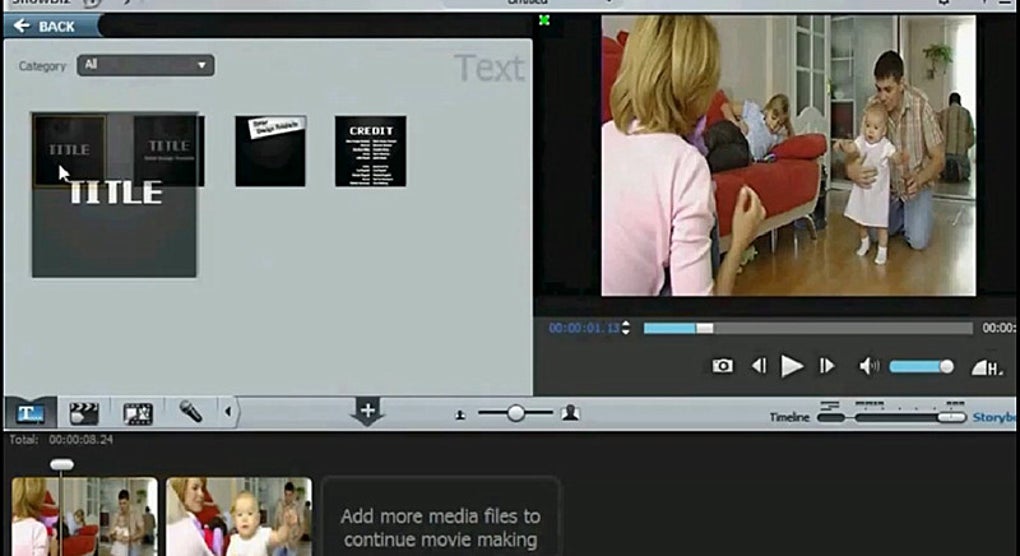
Beyond the standard video track, the software provides dedicated tracks for text titles and visual effects, along with two separate audio tracks – one for voiceovers and another for background soundtracks. This multi-track approach offers unparalleled control and precision in video production. Furthermore, a comprehensive library of transitions and effects is included, enabling users to enhance their creations with a variety of stylistic options. The software offers several pre-designed text title styles, numerous transition effects (ranging from simple fades to more elaborate wipes), and a wide selection of video filters and effects. Users can overlay animated text titles onto live footage and seamlessly transition between clips using a variety of visual techniques.
However, the vast selection of effects presents a minor inconvenience. The sheer number of available effects, coupled with the fact that some effects are less visually appealing than others, can make the process of finding the desired effect somewhat time-consuming. The separation of audio and text title tracks allows for precise control over their positioning and duration within the video timeline. Multiple titles and effects can be incorporated into a single video project, offering extensive creative flexibility.
Upon completion of the editing process, ArcSoft ShowBiz offers a variety of save and export options. The software supports numerous output formats, including AVI, DV-AVI, MPEG-1, Video CD, and even Video Email formats. Users possess granular control over output parameters, including resolution, frame rate, and audio format, ensuring compatibility with various playback devices and platforms. The software also enables direct export to recordable CDs or DVDs, streamlining the distribution of finished projects.
Significant Flaws and Usability Issues: A Troubling Reality
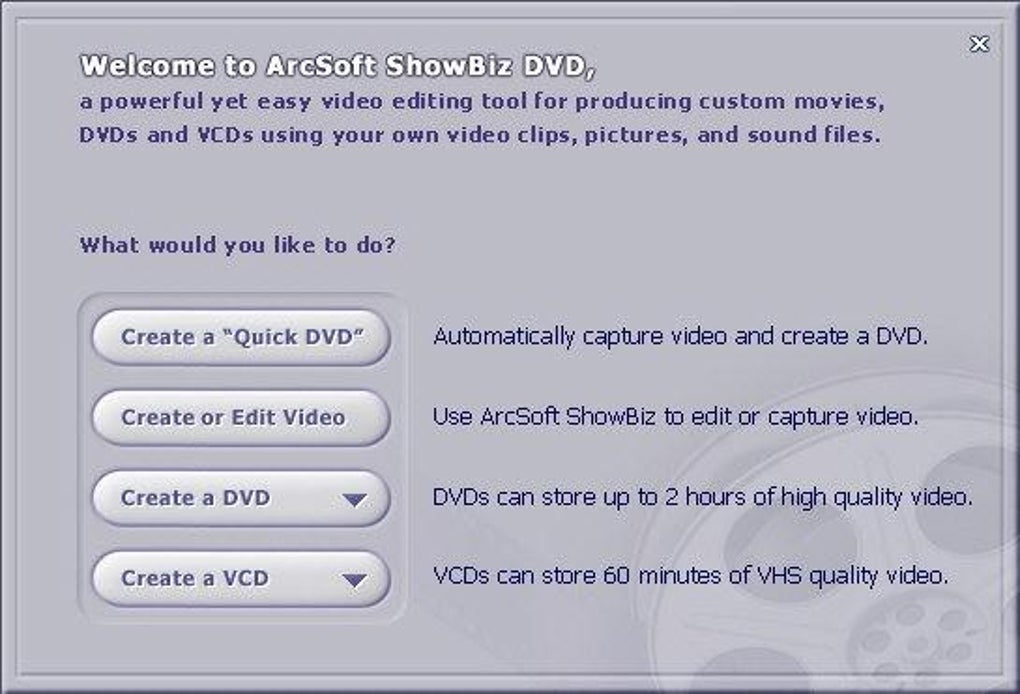
Despite its rich feature set and potential for producing high-quality videos, ArcSoft ShowBiz suffers from significant and frustrating usability issues that heavily detract from its overall effectiveness. The most pervasive problem is its unreliability and tendency to crash frequently. While capable of producing impressive results, the software’s instability frequently disrupts the workflow, causing lost work and immense frustration. The software often abruptly stops recording or capturing video after only a few seconds, rendering the editing process highly unpredictable.
Compounding these problems is a poor user interface design. The software’s interface utilizes a predominantly dark background, making many functions and interface elements difficult to discern and navigate. This poor visual design significantly hampers usability, especially for users accustomed to brighter and more visually distinct interfaces.
Furthermore, a touted feature, the integration of effect objects directly into clips, proves to be malfunctioning. Effects applied to a clip only affect that single clip, requiring manual application to each clip individually. This defeats the purpose of streamlined editing and increases the time investment necessary to apply effects across an entire video.
Adding to the user experience woes is the complete lack of responsive customer support. When encountering problems, users are left without readily available assistance, exacerbating an already frustrating experience. The lack of responsive technical support significantly diminishes the value proposition of the software, particularly for users who are likely to require help with the complicated features or when encountering software glitches.
ArcSoft ShowBiz: A Verdict Hinged on Future Development
In summary, ArcSoft ShowBiz possesses the underlying capabilities to be a powerful and versatile video editor. The software offers a wide range of editing options, supports a large number of file formats, and provides useful features such as separate audio and text tracks. However, the severe instability, the poorly designed interface, the flawed effect integration, and the absence of reliable customer support render the software unusable in its current state.
The software’s potential is undeniable; the features, when functioning correctly, are impressive. However, its current instability and usability issues overshadow its strengths. The software urgently requires significant improvements and bug fixes to address the frequent crashes and usability issues. Until these crucial problems are resolved, ArcSoft ShowBiz remains a frustrating and unreliable option, despite the promise of its feature set. The current version does not justify its existence as a viable video editing option. Therefore, a strong recommendation cannot be given until significant improvements are made to address the software’s major flaws. If and when the developers successfully address these shortcomings, ArcSoft ShowBiz has the potential to become a worthy contender in the video editing software market.
Comparison with Alternative Video Editors
ArcSoft ShowBiz, while aiming for a user-friendly approach, pales in comparison to established video editing software when considering stability and overall usability. Products like Adobe Premiere Pro, while demanding a steeper learning curve, offer significantly greater stability and a much more refined user experience. Free alternatives like DaVinci Resolve (free version) offer comparable features with improved stability and a more polished workflow. Even simpler options like HitFilm Express offer a more reliable editing experience with a less frustrating interface. The critical lack of stability and the usability flaws in ArcSoft ShowBiz make it a difficult choice to recommend over even free alternatives, especially considering the investment of time and effort required to produce video edits with the software.
Conclusion: Potential Unrealized
ArcSoft ShowBiz shows flashes of brilliance, highlighting a potential for powerful video editing. However, the significant instability, usability issues, and lack of responsive customer support severely undermine its overall usefulness. The software needs substantial improvements in stability, user interface design, and customer support before it can be considered a viable option for video editing. While the feature set is extensive, the practical limitations render it significantly less useful than comparable free and commercial alternatives currently available on the market. Until significant updates address the core issues discussed, prospective users are strongly advised to explore more stable and user-friendly options for their video editing needs.
File Information
- License: “Trial version”
- Latest update: “December 2, 2024”
- Platform: “Windows”
- OS: “Windows 7”
- Language: “English”
- Downloads: “106.7K”
- Size: “128.90 MB”


