
The Arduino IDE (Integrated Development Environment) is a free, open-source software application designed to simplify the process of writing and uploading code to Arduino microcontrollers. Its user-friendly interface, coupled with a vibrant and supportive online community, makes it an ideal tool for both novice programmers and seasoned developers looking for a streamlined development experience. This detailed exploration will delve into the features, functionality, and benefits of using the Arduino IDE, highlighting its strengths and addressing any limitations.
A Simple Interface for Effortless Coding
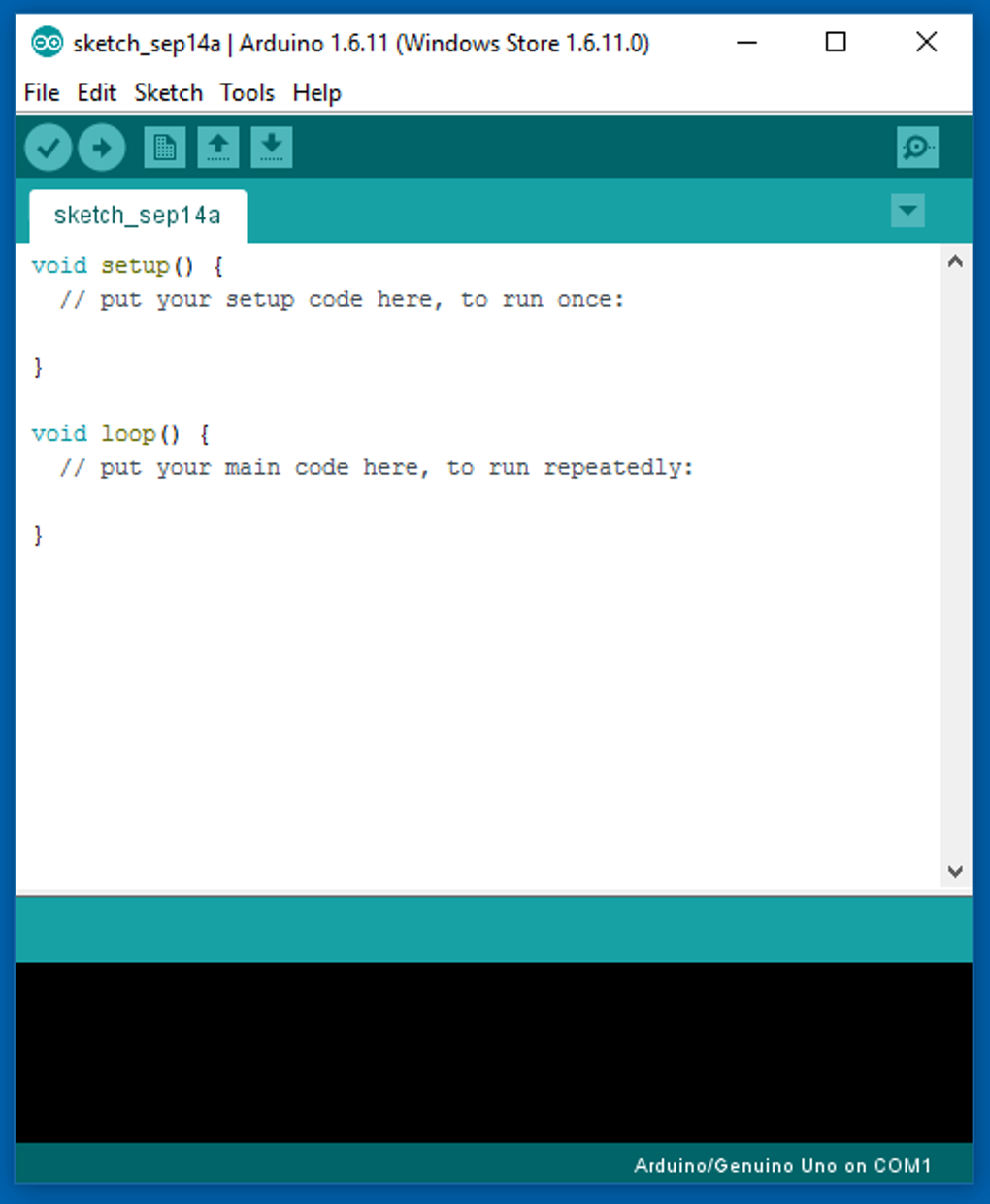
The Arduino IDE’s strength lies in its accessibility. Unlike many professional IDEs that can be overwhelming for beginners, the Arduino IDE presents a clean and intuitive interface. The core functionality centers around a simple text editor where users write their code. This editor is not just a basic text processor; it incorporates several crucial features specifically tailored for coding. Crucially, it features auto-formatting capabilities. This function is incredibly valuable for those new to programming, as correctly formatted code is essential for readability and functionality. A single click can transform messy, haphazardly written code into a neatly structured and easily understandable format. This feature significantly reduces the learning curve associated with programming syntax and structure.
The IDE also seamlessly integrates various templates. These pre-written code snippets act as starting points for various projects. Beginners can leverage these templates to understand basic coding concepts and quickly build functional applications. The templates cover a range of functionalities, from simple tasks like blinking an LED (the classic “Blink” example) to more complex interactions using sensors and actuators. These pre-built examples not only save time but also offer practical demonstrations of core programming principles. They act as a valuable learning resource, enabling users to understand how specific functions work within the context of a complete program. Modifying these templates allows beginners to experiment with code and observe the effects of changes, furthering their understanding of programming logic. The combination of auto-formatting and pre-built templates substantially lowers the barrier to entry for aspiring programmers.
The Power of Community Support
Beyond its user-friendly interface, the Arduino IDE thrives on a strong and active online community. This community is an invaluable resource for both beginners and experts. The integration of forums directly within the IDE’s framework fosters collaboration and knowledge sharing. Users can easily share their projects, seek assistance with troubleshooting, and receive feedback on their code. This direct access to a vast network of experienced programmers significantly enhances the learning experience.
The community-driven aspect extends beyond just troubleshooting. Users can find a wealth of example projects, tutorials, and libraries contributed by other members. This collective knowledge base allows users to learn from the experiences of others, explore different approaches to problem-solving, and even discover new functionalities of the Arduino platform. The continuous flow of new code examples, libraries, and tutorials ensures that the Arduino IDE remains a dynamic and evolving platform, constantly adapting to the needs of its users. The accessibility and responsiveness of this community are significant advantages, promoting a collaborative and supportive environment for learning and development.
Core Functionalities and Features of the Arduino IDE
The Arduino IDE provides a range of functionalities aimed at streamlining the development process. It supports multiple Arduino boards, meaning users can easily switch between different hardware platforms without major changes to their workflow. The IDE automatically adapts to the selected board, adjusting settings and configurations as needed. This versatility allows users to experiment with different hardware capabilities without being locked into a specific model. The ability to switch between boards seamlessly significantly enhances the flexibility of the development process.
The IDE’s integrated text editor, beyond auto-formatting and template support, provides features typical of a powerful code editor, including syntax highlighting, code completion suggestions, and easy navigation through large codebases. This helps maintain code readability and minimizes the risk of syntax errors, which are common pitfalls for novice programmers. The focus on usability within the editor is a clear indication of the IDE’s commitment to supporting users of all skill levels.
Furthermore, the Arduino IDE supports project documentation directly within the environment. Users can easily document their code, adding comments and explanations to make their projects more understandable, both to themselves and to others who might collaborate on or review their work. This built-in documentation feature is crucial for maintaining organized and well-documented projects, especially as projects become more complex.
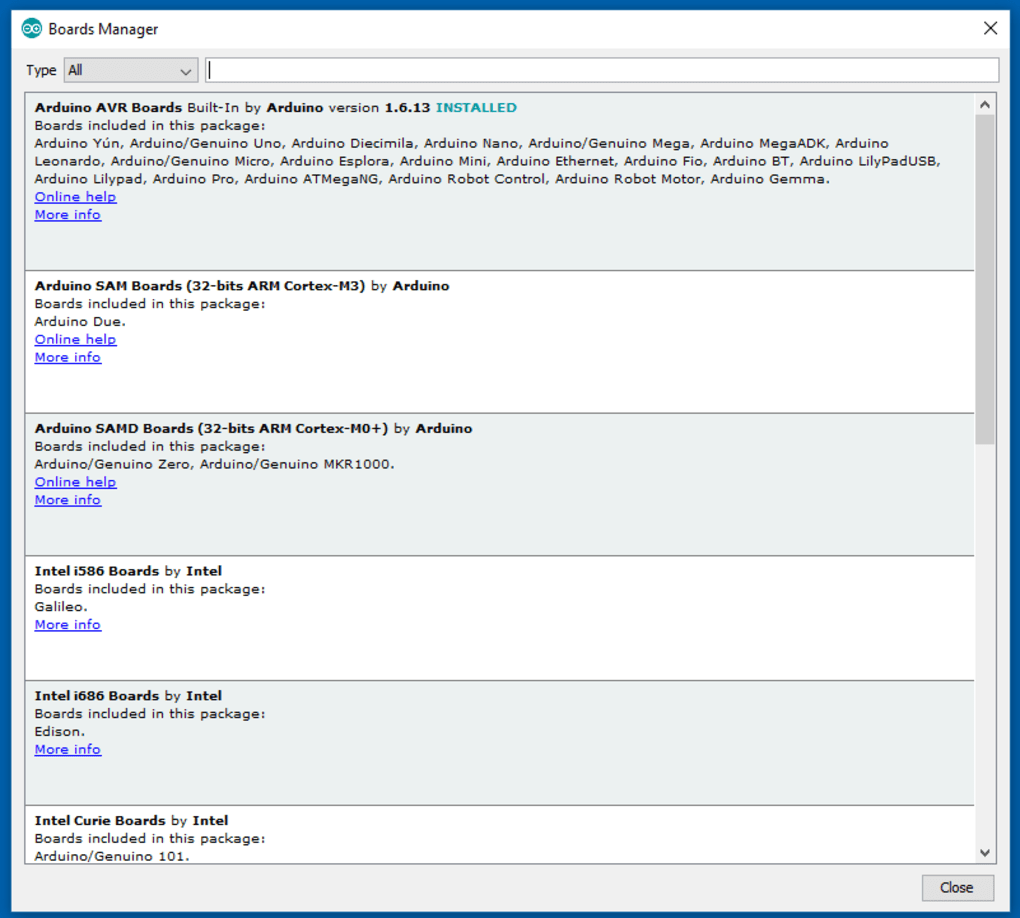
The inclusion of an integrated board manager allows for easy installation and management of support for various Arduino boards and third-party hardware. This simplifies the process of adding support for new hardware components, significantly reducing the time required to set up new projects. The modular nature of the board manager promotes adaptability and supports the expansion of the Arduino ecosystem.
Another notable feature is the support for integrated libraries. These pre-built code modules provide functionalities that simplify complex tasks, preventing the need for users to write code from scratch. The availability of these libraries saves development time and enables users to focus on the higher-level aspects of their projects. This also promotes code reusability and allows for more efficient development workflows.
Finally, the Arduino IDE offers online sharing capabilities (in its cloud-based version). This enables users to easily share their projects with the community, fostering collaboration and knowledge sharing. This online sharing capability, along with the integrated community forums, makes the Arduino ecosystem highly collaborative, allowing developers to build on each other’s work and benefit from the accumulated wisdom of the community.
Arduino IDE 2: Enhancements and Improvements
The release of Arduino IDE 2 represents a significant step forward, incorporating several key improvements and new features. The most noticeable enhancement is the improved search functionality, which allows for quicker and more efficient navigation within large projects. The ability to easily locate specific functions, libraries, and files significantly boosts productivity, especially for larger and more complex projects.
The enhanced responsiveness of the interface contributes to a smoother and more efficient development workflow. The improvements in speed and responsiveness are not just cosmetic; they make a substantial difference in the user experience, particularly for those working with complex projects. The streamlined user interface adds to the overall positive impression of the IDE.
The inclusion of real-time debugging is a major breakthrough for the Arduino IDE. This feature, absent in the previous version, enables users to set breakpoints in their code and inspect variables as the code executes. This significantly streamlines the debugging process, enabling developers to identify and resolve issues more quickly and efficiently. Real-time debugging is crucial for building robust and reliable applications.
The optimized serial monitor and plotter provide smoother and more accurate real-time data visualization. This is particularly important for projects that involve continuous monitoring of sensor data or other dynamic systems. The improved visualization capabilities are invaluable for understanding the behavior of complex systems.
Performance enhancements in Arduino IDE 2 also extend to faster startup times and more efficient code compilation, reducing development delays. This results in a more responsive and efficient development environment. The performance improvements are noticeable and contribute directly to increased productivity.
A revamped board and library manager simplifies the installation and update process for boards and libraries. Keeping the development environment up-to-date is essential for accessing the latest features and bug fixes. The improved manager streamlines this process.
Lastly, the introduction of a built-in notification system alerts users to updates, potential issues, and other relevant information. This proactive approach enhances the user experience and keeps users informed of any critical information affecting their projects.
Conclusion: An Excellent Choice for Beginners and Beyond
The Arduino IDE stands out as a powerful and accessible programming environment, particularly well-suited for beginners. Its intuitive interface, coupled with a vast and supportive community, lowers the barrier to entry for individuals new to programming. The availability of numerous tutorials, example projects, and pre-built templates provides invaluable resources for learning and experimentation. The integrated features such as auto-formatting, template support, and an integrated board manager greatly enhance the development experience.
While initially targeted toward beginners, the Arduino IDE’s capabilities extend beyond basic programming. The enhanced features in Arduino IDE 2, such as real-time debugging and improved search functionality, make it a viable option for more experienced developers as well. The IDE’s cross-platform compatibility, support for a wide range of Arduino boards and third-party hardware, and strong community backing solidify its position as a leading choice in the field of microcontroller programming. The combination of accessibility and powerful features makes the Arduino IDE a valuable tool for both novice and experienced programmers alike.
File Information
- License: “Free”
- Latest update: “April 11, 2025”
- Platform: “Windows”
- OS: “Windows 7”
- Language: “English”
- Downloads: “451.2K”
- Size: “157.50 MB”


