
Ares Tube was a popular multi-video downloader that offered a convenient way to download videos from various platforms and convert them into compatible formats. While no longer actively maintained and potentially outdated, its legacy provides a valuable case study in the evolution of video downloading tools. This review explores its functionality, strengths, weaknesses, and place within the broader landscape of online video consumption.
Ares Tube’s Core Functionality: Downloading and Converting Videos
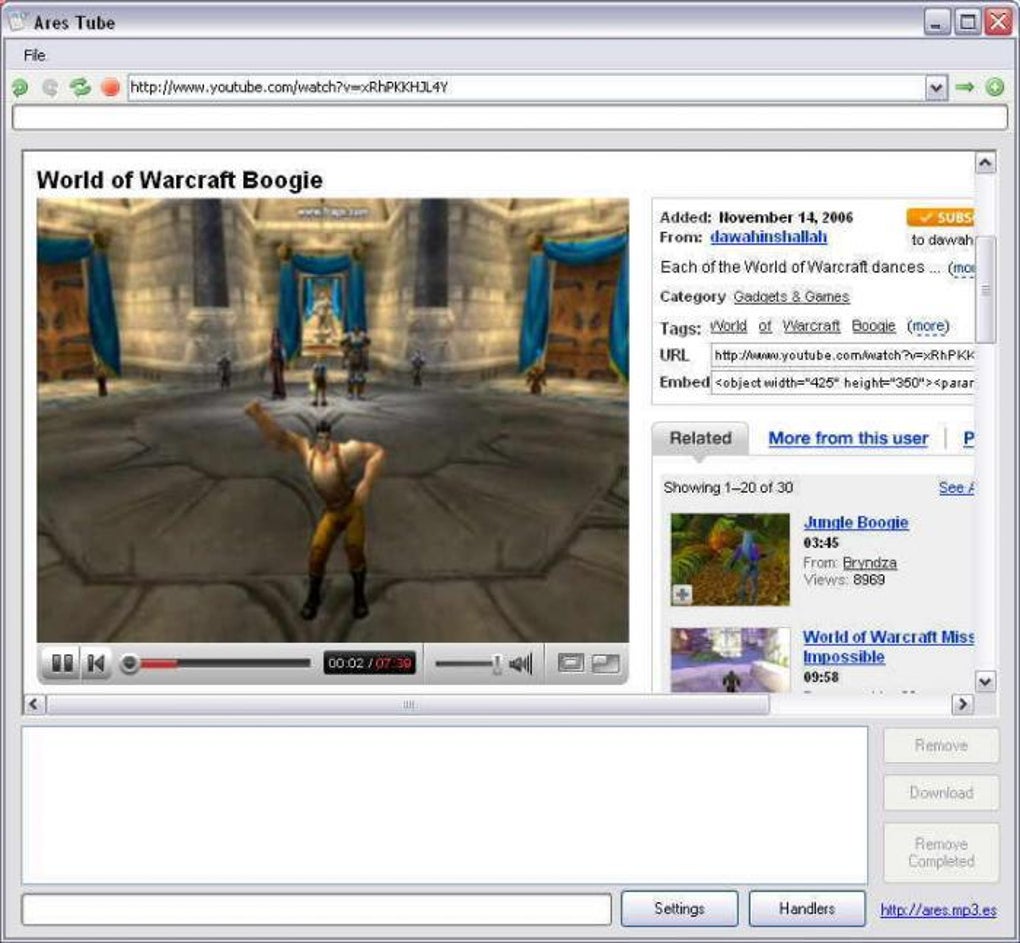
Ares Tube distinguished itself by its integrated browser and ability to download videos from multiple websites beyond YouTube. Its primary function was to act as a one-stop shop for grabbing video content, offering a simplified user experience compared to using separate download managers and converters. The software supported FLV files, a common format for online videos at the time of its release, automatically converting these files into formats suitable for playback on iPods, MP4 players, and other devices. The automatic conversion to iPod, MP4, and MPEG formats was a key selling point, eliminating the need for users to handle this process independently. This streamlined the entire download-to-playback process, making it accessible even to less tech-savvy users. Furthermore, the direct integration with iTunes provided a seamless workflow for users who managed their media libraries through Apple’s ecosystem. This direct import feature, coupled with automatic prompting for iPod transfer, aimed to optimize the user experience and provide a convenient solution for users wishing to easily transfer downloaded videos to their portable devices. The software essentially provided a complete solution from browsing to transferring videos to various devices.
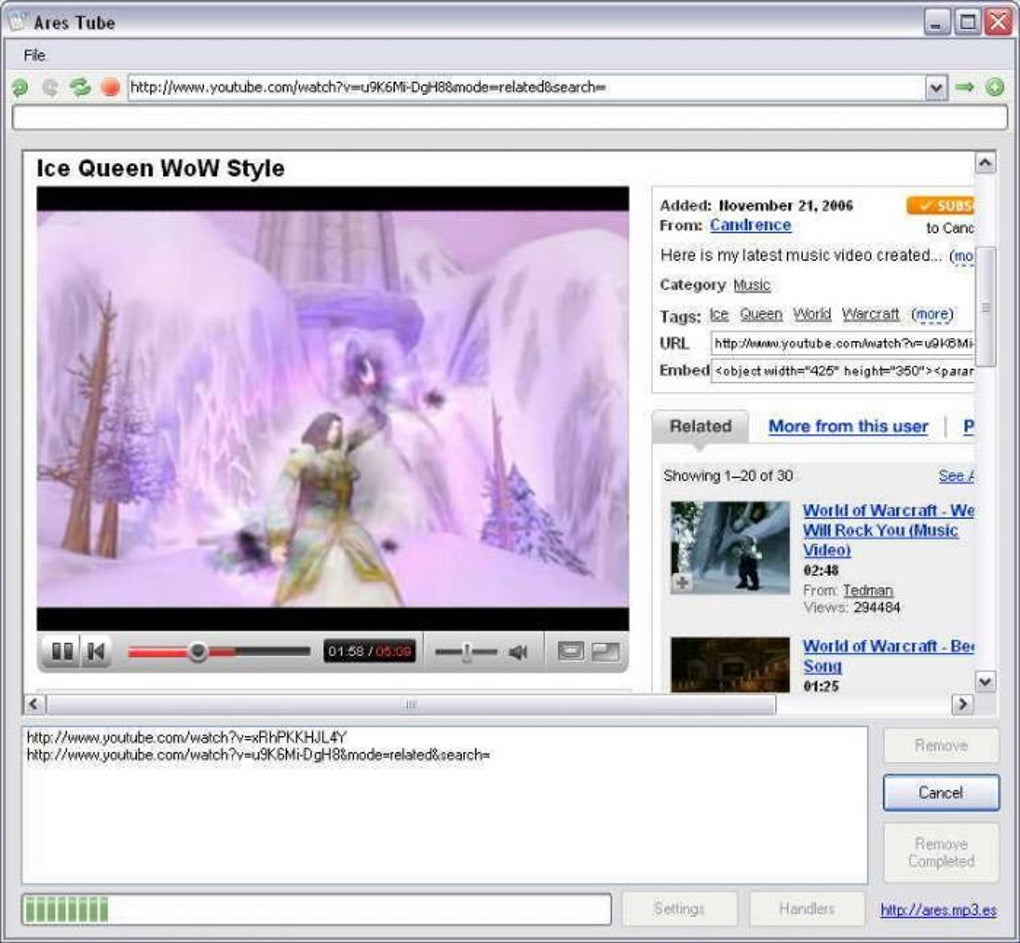
The software’s built-in browser simplified the download process. Users could browse directly within the Ares Tube application, eliminating the need to switch between their standard browser and the downloader. When a user encountered a compatible video, the software automatically prompted them to download and convert the video, eliminating several manual steps. This feature simplified the overall user experience, making the process significantly more user-friendly compared to many competing applications. However, this reliance on the built-in browser might have presented compatibility issues over time, as online video platforms frequently updated their designs and formats.
Strengths of Ares Tube: Simplifying Video Downloads
The greatest strength of Ares Tube was its simplicity. The all-in-one design, combining browsing, downloading, and conversion capabilities, made it remarkably user-friendly. For users who primarily wanted to download and watch videos on their portable devices, its automated conversion and transfer features were extremely helpful. The program successfully removed much of the technical complexity associated with video downloading, allowing users to focus on enjoying their content. The multi-site support was another significant advantage, enabling downloads from various platforms, eliminating the need for multiple downloaders. This feature offered significant convenience as it avoided the need for juggling several different tools. For users who frequently downloaded from different sources, this was a time-saver and made the whole process less cumbersome.
The streamlined iTunes integration also proved beneficial for many users. The automatic prompting to import downloaded videos to iTunes, as well as the transfer prompt when an iPod was connected, made the program especially appealing for users who relied on the iTunes ecosystem for managing their media libraries. This feature successfully bridged the gap between downloading videos from various online sources and seamlessly integrating them into a user’s existing media setup.
Weaknesses of Ares Tube: Limitations and Compatibility Issues
Despite its advantages, Ares Tube had several shortcomings. The most prominent was its incomplete support for video websites. While it claimed compatibility with many platforms, it did not support all of them. This limitation was a significant drawback for users who relied on less common or newer video-sharing sites. The lack of comprehensive website compatibility significantly reduced the program’s utility for many users, especially those who relied on niche platforms for their video content. Furthermore, it is likely that the software’s reliance on FLV files would have contributed to compatibility problems over time as online video transitioned to other formats. The program’s functionality may have diminished as websites phased out support for FLV.
Another significant criticism of Ares Tube was its dependence on the .NET framework. While this is a common requirement for many Windows applications, it added an extra step for users who did not have it installed. This requirement presented a potential barrier to entry for some users, especially less tech-savvy individuals. Moreover, the necessity for the .NET framework potentially contributed to compatibility problems if not properly installed or configured. Over time, issues with .NET updates or conflicting applications could further affect the performance of Ares Tube.
User reviews often highlighted problems with error messages during conversion, particularly from YouTube. These issues indicate potential inconsistencies or limitations in the software’s conversion engine. The frequency of these conversion errors is an indicator of reliability problems, diminishing the confidence users had in the program’s ability to consistently deliver on its primary function. This negatively impacted user experience, undermining the program’s core promise of providing a seamless download and conversion process.
Finally, the lack of ongoing updates and support for Ares Tube constitutes a significant drawback. The fact that the software hasn’t received updates for an extended period renders it vulnerable to security vulnerabilities and compatibility problems with newer systems and websites. The absence of developer support left users with limited recourse if problems arose. The lack of ongoing maintenance is a major reason why users should exercise caution and seek alternative solutions.
Ares Tube in the Context of Modern Video Downloaders
Ares Tube represents a significant step in the evolution of video downloaders. Its user-friendly design and integrated features were innovative for its time. However, its limited functionality, compatibility issues, and lack of ongoing updates make it obsolete by today’s standards. Modern video downloaders offer significantly improved functionality, broader website support, enhanced conversion capabilities, and, critically, regular updates. They often incorporate features like batch downloads, improved error handling, and more advanced conversion options to provide users with a much more robust and reliable downloading experience. Many modern tools also incorporate safeguards against copyright infringement and malicious content.
The current landscape of video downloaders emphasizes security, speed, and flexibility. Software today often offers improved download speeds, a wider range of supported formats and platforms, and better integration with cloud services. Furthermore, the ethical considerations surrounding copyright and the legality of downloading copyrighted videos are significant factors in the development and use of modern tools.
In conclusion, Ares Tube serves as a reminder of the progress made in software design and functionality. While it offered a relatively simple solution for downloading and converting videos in its time, modern alternatives provide superior performance, greater security, and vastly improved user experiences. Anyone seeking a video downloader should opt for current, actively maintained software with updated features and security protocols.
File Information
- License: “Free”
- Version: “3.2”
- Latest update: “July 20, 2021”
- Platform: “Windows”
- OS: “Windows 2000”
- Language: “English”
- Downloads: “177.7K”
- Size: “2.64 MB”


