
ArgoUML is a free and open-source Unified Modeling Language (UML) tool designed to assist in the creation and visualization of complex software and business designs. While it might not boast the feature set of some commercial alternatives, ArgoUML offers a surprisingly robust environment for creating various UML diagrams, making it a valuable resource for both beginners learning UML and experienced developers needing a lightweight and flexible modeling solution. This guide delves into the capabilities, strengths, weaknesses, and overall usability of ArgoUML.
Understanding ArgoUML and its Purpose
ArgoUML leverages the power of the Unified Modeling Language (UML) to facilitate the creation of visually rich diagrams that represent software architecture, business processes, and various other system designs. UML, a standardized language for specifying, visualizing, constructing, and documenting the artifacts of software systems, can be complex. ArgoUML aims to simplify this process, offering an intuitive interface for generating various diagram types within the UML 1.4 specification.
While UML’s widespread adoption underscores its importance in software development, its inherent complexity can be a barrier to entry for many. ArgoUML attempts to address this issue by providing a user-friendly environment that reduces the steep learning curve often associated with UML modeling tools. Its visual interface allows users to create diagrams by dragging and dropping elements, connecting them with relationships, and adding textual descriptions to clarify the modeled aspects.
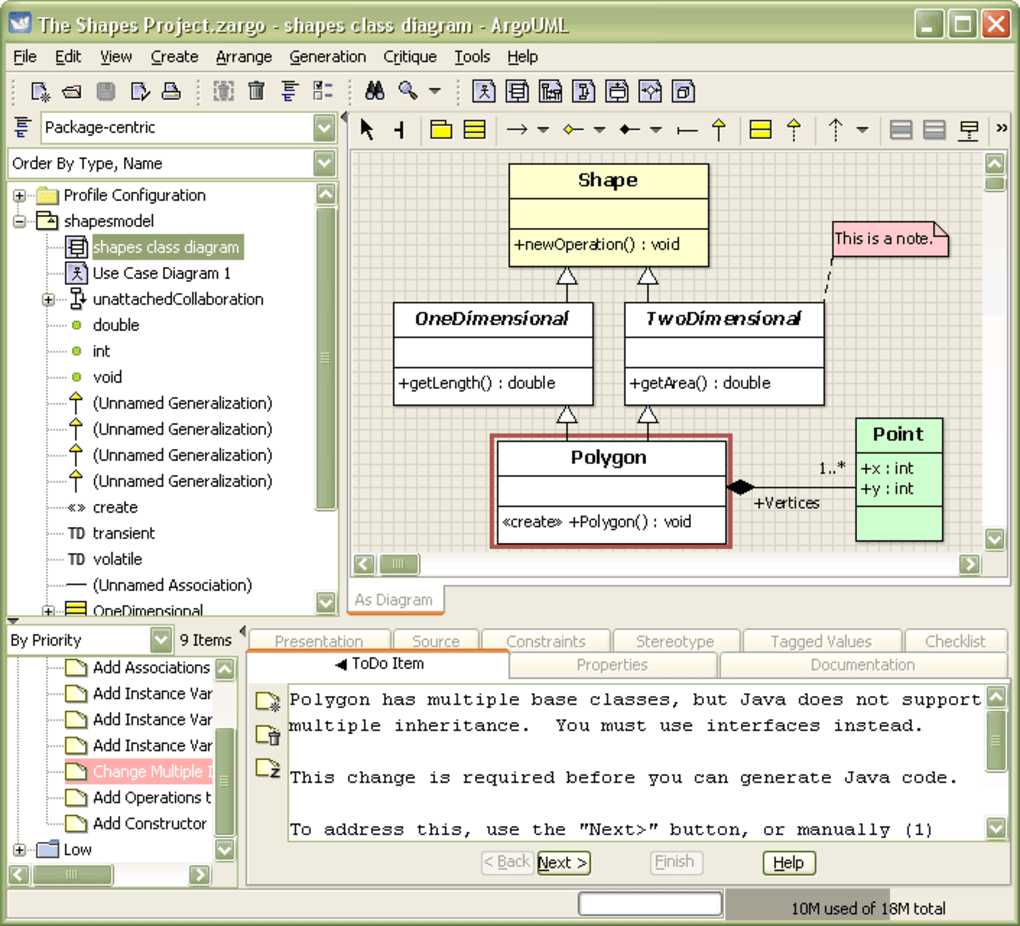
Developed in 1998, ArgoUML supports several other related standards, including Object Constraint Language (OCL), Scalable Vector Graphics (SVG), and XML Metadata Interchange (XMI). This broad support ensures compatibility with other UML tools and allows for seamless integration into existing development workflows. The application’s reliance on Java as its underlying technology ensures platform independence, allowing it to run on any system with a compatible Java Runtime Environment (JRE) installed.
It’s crucial to acknowledge ArgoUML’s limitations. The tool primarily supports the older UML 1.4 standard, lacking full support for the more modern UML 2.0 specification. This limitation might deter users who require the features and functionalities introduced in the later version. Furthermore, older versions of ArgoUML have occasionally been criticized for lacking essential features or experiencing functional issues, particularly regarding basic editing operations like copy-paste functionalities. However, ongoing community efforts and updates have addressed many of these shortcomings over the years.
User Interface and Workflow
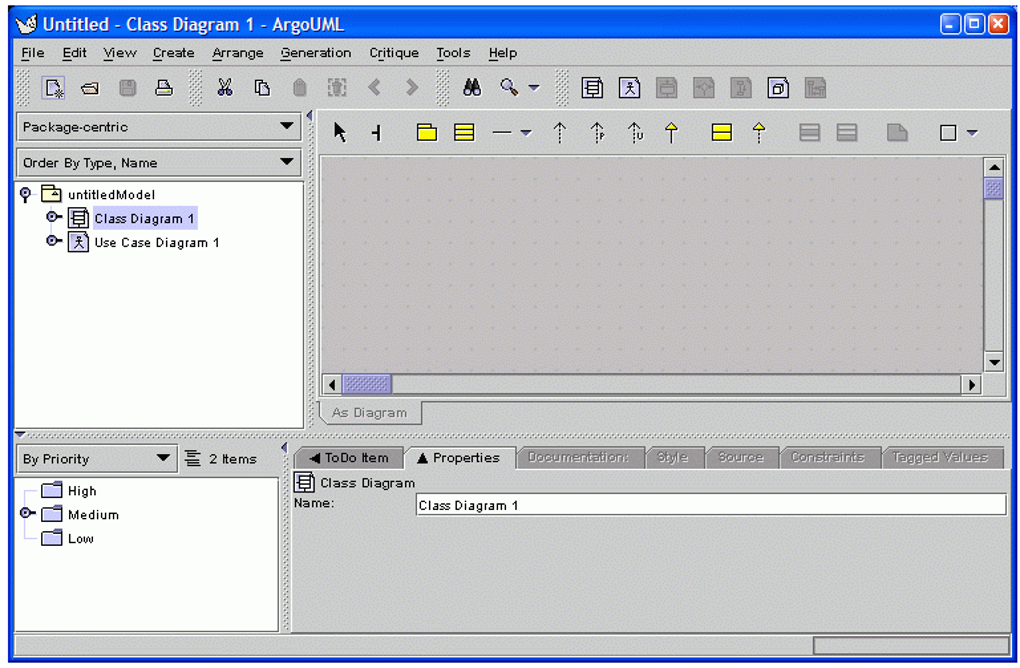
ArgoUML presents users with a clean and straightforward interface. The main window is dominated by a large drawing pane where diagrams are created. This area provides the canvas for visually constructing the UML models. Below the drawing pane, a details panel appears, offering a space for detailed notes and descriptions associated with the elements in the diagram. This area is crucial for documenting the purpose, function, and context of each element within the broader model. Links to external documents or relevant resources can also be added here, enhancing the overall comprehensiveness of the project documentation.
In addition to the drawing pane and details panel, ArgoUML includes two further panes enhancing the modeling experience. The explorer window offers a hierarchical view of all the elements and diagrams created within the project. This pane allows users to navigate effortlessly between different sections of the model and establish clear linkages between individual diagrams and project components. The final pane serves as a “To-Do” list, enabling users to track tasks and maintain an organized workflow throughout the design process. This task management feature is particularly useful for managing complex projects involving multiple diagrams and interconnected elements.
Features and Capabilities
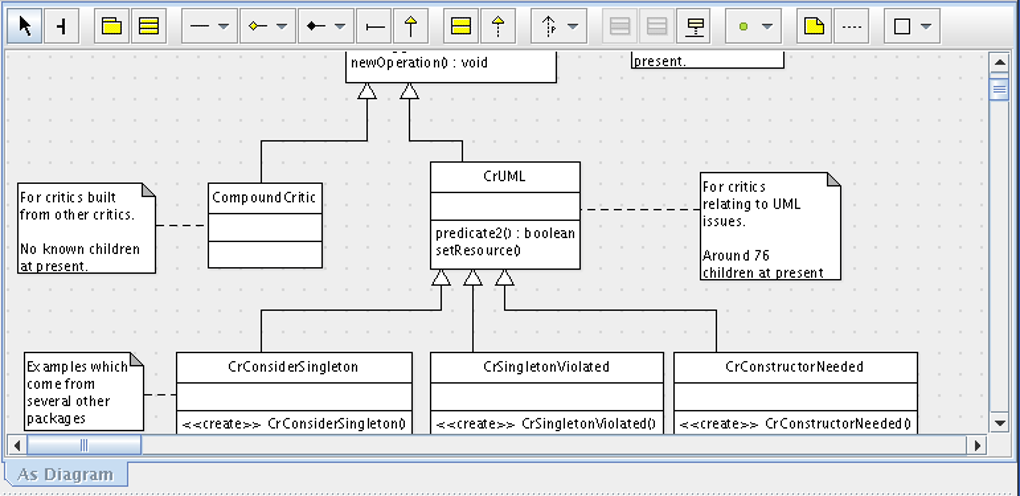
ArgoUML offers a rich set of features despite its lightweight nature and open-source status. The core functionality revolves around the creation and manipulation of UML diagrams. The tool supports a wide range of UML 1.4 diagrams, including but not limited to:
- Class Diagrams: Essential for illustrating the classes, attributes, and methods within an object-oriented system.
- Use Case Diagrams: Depicting the interactions between users (actors) and the system, focusing on functionality and user requirements.
- Sequence Diagrams: Showing the chronological interactions between different objects within a system, emphasizing the message passing and flow of control.
- Statechart Diagrams: Illustrating the different states of an object and the transitions between those states based on events.
- Activity Diagrams: Representing the flow of control within a process or algorithm, often used for business process modeling.
- Collaboration Diagrams: A variation of sequence diagrams showcasing the interactions between objects in a more spatial arrangement.
- Deployment Diagrams: Illustrating the physical deployment of software components across a network of nodes.
Beyond diagram creation, ArgoUML provides several other useful features:
- Code Generation: The tool can generate code from the UML models, facilitating the implementation phase of software development. The generated code supports various programming languages, including Java, C++, C#, PHP4, and PHP5.
- Reverse Engineering: ArgoUML can reverse-engineer existing code to generate UML diagrams, providing a valuable tool for understanding legacy systems or visualizing existing codebases.
- Customization: The program allows for extensive customization, allowing users to tailor the interface and settings to their preferences. Language selection, appearance adjustments, and the enabling or disabling of specific modules are all readily configurable.
- Critique Feature: A unique feature of ArgoUML is its “Critique” option. This function provides feedback on the consistency and correctness of the designed model, highlighting potential inconsistencies or errors.
Cognitive Design and Usability
A noteworthy aspect of ArgoUML’s design lies in its foundation within cognitive psychology principles. The tool’s interface and workflow aim to support the natural flow of thought during design, aligning with concepts of attention span, perception, problem-solving, and memory. This approach ensures that the modeling process is intuitive and promotes enhanced creativity during the design phase.
The program’s intuitive modeling system provides real-time feedback, guiding users with helpful hints for optimal placement of elements within diagrams. The ability to add descriptions, link to external documents, and assign tasks to individual elements enhances the organization and clarity of the design process. The integrated critique option provides valuable feedback, contributing to the creation of robust and error-free models.
Alternatives to ArgoUML
While ArgoUML offers a solid set of features for UML modeling, several alternatives exist, each with its own strengths and weaknesses. Some popular alternatives include:
- StarUML: A comprehensive and widely-used UML modeling tool with extensive features and support for multiple UML versions, including UML 2.0. Often considered a superior alternative for larger and more complex projects.
- Software Ideas Modeler: Another powerful alternative, known for its user-friendly interface and ability to handle various modeling notations besides UML.
- Diagram Designer: A more lightweight option, ideal for smaller projects and quick prototyping. It might lack some of the advanced features offered by more robust tools.
- Enterprise Architect: A powerful, albeit commercial, UML modeling tool with an extensive feature set suitable for large-scale projects and teams.
Should You Download ArgoUML?
The decision of whether to download and use ArgoUML depends heavily on your specific needs and priorities. It is an excellent choice for:
- Beginners learning UML: Its user-friendly interface and comprehensive documentation make it an accessible tool for those new to UML modeling.
- Small-scale projects: For smaller projects or quick prototyping, ArgoUML’s simplicity and lightweight nature are advantageous.
- Users who need a free and open-source solution: Its open-source licensing and availability without cost make it a financially attractive option.
However, users might want to consider alternatives if they require:
- UML 2.0 support: ArgoUML’s lack of full UML 2.0 support might limit its functionality for projects requiring the features introduced in that version.
- Advanced collaboration features: Compared to commercial tools, ArgoUML’s collaboration features might be limited.
- Extensive feature set: Users working on large, complex projects might benefit from the more comprehensive features available in tools like StarUML or Enterprise Architect.
In summary, ArgoUML is a valuable tool for learning UML and creating relatively simple UML diagrams. However, it’s crucial to assess your specific requirements carefully to ensure it aligns with the project’s needs before deciding if it’s the right tool for your purpose. The presence of solid alternatives emphasizes the importance of careful consideration based on project scope and individual preferences.
File Information
- License: “Free”
- Latest update: “May 23, 2023”
- Platform: “Windows”
- OS: “Windows 7”
- Language: “English”
- Downloads: “179K”
- Size: “58.78 MB”


