
Armoury Crate, developed by ASUSTeK Computer Inc., is a free, unified software application designed to manage and optimize ASUS Republic of Gamers (ROG) hardware. It serves as a central hub for configuring and controlling various ROG components, offering a streamlined interface for users who own multiple ROG peripherals and devices. This detailed guide explores Armoury Crate’s functionality, benefits, limitations, and alternatives.
Streamlining ROG Hardware Management
The Republic of Gamers (ROG) line from ASUS boasts a wide array of high-performance gaming products, encompassing everything from motherboards and graphics cards to keyboards, mice, and headsets. While this extensive range provides gamers with exceptional choices, managing individual settings across different devices can be challenging. Armoury Crate addresses this issue by acting as a single point of control for compatible ROG hardware. Instead of navigating multiple software applications or individual device settings, Armoury Crate provides a centralized dashboard for customizing various aspects of your gaming setup. This unified approach significantly simplifies the configuration process, allowing for efficient adjustments to optimize performance and aesthetics.
Armoury Crate’s functionality extends beyond simple configuration. It offers several advanced features designed to enhance the user experience. These include in-depth customization options for system lighting effects (through the Aura Sync feature), detailed control over cooling system performance (fan speeds, thermal monitoring), and comprehensive key mapping capabilities for ROG keyboards. The ability to create custom profiles for different games or applications further enhances personalized control, allowing users to tailor their setup based on specific game requirements or preferences.
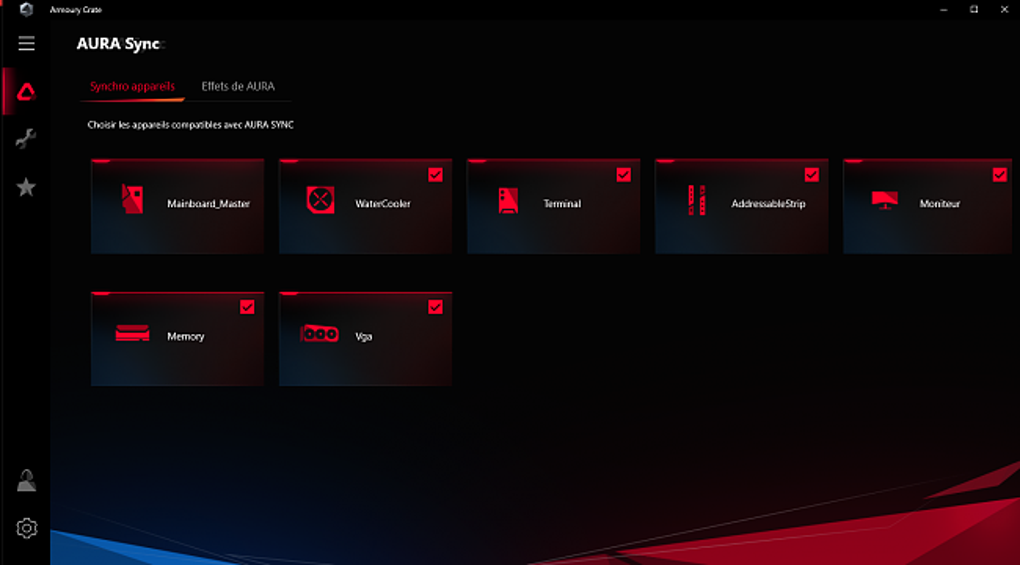
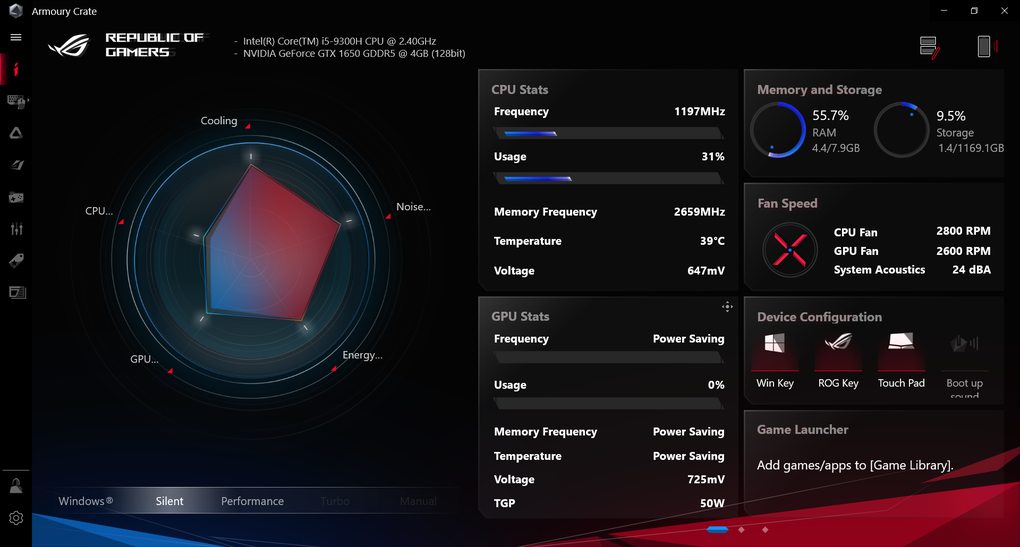
The software’s intuitive interface contributes significantly to its user-friendliness. A well-organized dashboard clearly displays connected devices and their current settings, making it easy to navigate and adjust different parameters. The clear visual representation of hardware status, combined with user-friendly controls, makes Armoury Crate accessible to both novice and experienced users.
Beyond Hardware Control: A Gaming Ecosystem
Armoury Crate’s role extends beyond mere hardware management; it also functions as a central hub for accessing ROG-related news, updates, and even games. This integrated approach establishes a convenient ecosystem for ROG users, providing a single location for staying updated on the latest software releases, firmware updates, and relevant news from the ROG community. Access to the latest driver releases ensures optimal performance and stability for your ROG hardware, while news updates and community features promote engagement and foster a sense of belonging within the ROG ecosystem.
The integration of a game center-like functionality within Armoury Crate further enhances its value proposition. While not a replacement for established platforms like Steam or Origin, it offers a convenient method for accessing and purchasing games, thereby streamlining the gaming experience. This integration is particularly useful for accessing games or applications that are part of the ROG ecosystem or promoted through Armoury Crate.
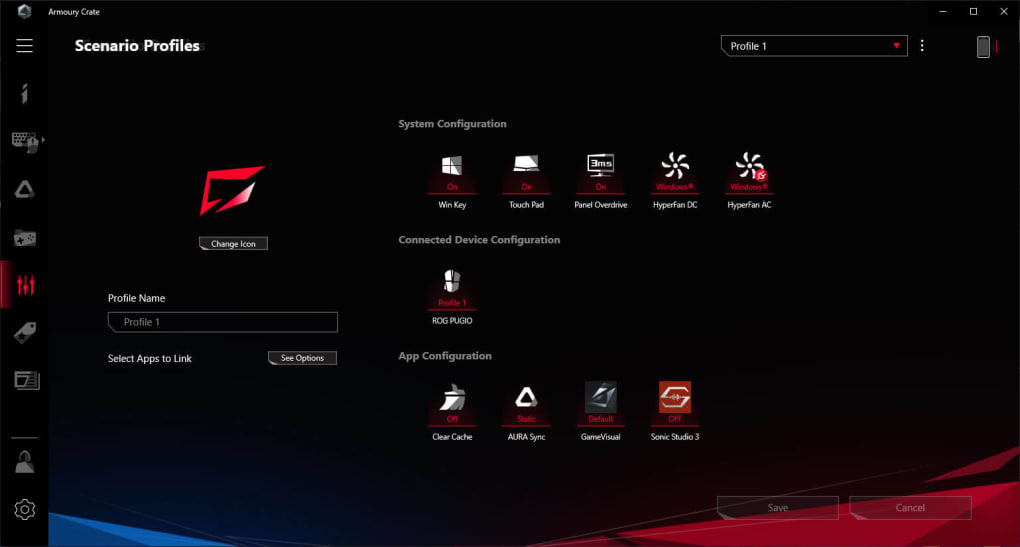
The ability to create and save multiple profiles provides a level of personalization that elevates Armoury Crate beyond a simple hardware management tool. Users can create distinct profiles tailored to specific games, ensuring that their system is optimally configured for each title. This feature offers a level of granularity not typically found in other comparable software applications.
Compatibility and Limitations
While Armoury Crate offers significant advantages in terms of unified hardware management and access to ROG resources, it’s crucial to acknowledge its limitations. One primary constraint is the compatibility of Armoury Crate with various ROG products. While ASUS strives to maintain broad compatibility, not all ROG devices are supported. This means users may find that some of their ROG peripherals or components are excluded from the unified management capabilities provided by Armoury Crate. Before purchasing any ROG product, it’s recommended to check the official Armoury Crate compatibility list to ensure seamless integration within the software.
Another potential limitation, as highlighted by some users, is the software’s resource consumption. Some reports indicate that Armoury Crate can consume a notable amount of system RAM, particularly when managing numerous devices or features. While this issue may vary depending on system specifications and usage patterns, users with limited system resources should consider this potential impact.
Alternatives and Comparisons
Several alternative software applications offer similar functionality to Armoury Crate, primarily focusing on unified hardware management and RGB lighting control. These alternatives often cater to a wider range of hardware brands, which may be beneficial for users with mixed-brand setups. Notable alternatives include iCUE (Corsair) and Logitech G HUB, both of which provide similar functionality for their respective hardware ecosystems.
While these alternatives may offer broader hardware compatibility, Armoury Crate maintains a distinct advantage for users invested in the ROG ecosystem. Its seamless integration with ROG hardware and dedicated support for ROG-specific features ensure optimal functionality and a user experience tailored to ROG devices. This advantage becomes particularly pronounced for users who own a significant number of ROG products. The choice between Armoury Crate and alternative solutions primarily depends on the user’s hardware configuration and preference for a brand-specific or more universal approach.
User Reviews and Feedback
User reviews provide valuable insights into Armoury Crate’s strengths and weaknesses. While many users praise the software’s convenience and ease of use for managing multiple ROG devices, some criticisms frequently emerge. A common concern is the software’s occasional resource consumption, particularly regarding RAM usage. This issue highlights the trade-off between functionality and system resource demands, a crucial factor to consider, especially for users with lower-end systems.
Some users have also reported occasional instability or bugs, which may lead to performance issues or unexpected behavior. These issues, however, are often addressed through regular software updates, demonstrating ASUS’s commitment to software improvement. Ultimately, user feedback suggests that Armoury Crate offers considerable benefits for managing ROG hardware but may require additional system resources and may occasionally exhibit minor software imperfections.
Conclusion
Armoury Crate emerges as a powerful and user-friendly tool for managing ASUS ROG hardware. Its unified approach significantly streamlines the configuration of multiple devices, offering a centralized control panel for various aspects of the gaming setup. The software’s integrated news, updates, and game access features further enhance its value proposition for ROG users. However, potential limitations such as hardware compatibility restrictions and occasional resource consumption should be considered before adopting Armoury Crate. Ultimately, the decision of whether or not to use Armoury Crate depends on the user’s needs and preferences within the context of their gaming setup and overall system capabilities. The software’s overall benefits, particularly for users heavily invested in the ROG ecosystem, often outweigh the potential drawbacks.
File Information
- License: “Free”
- Latest update: “March 24, 2025”
- Platform: “Windows”
- OS: “Windows 11”
- Language: “English”
- Downloads: “133.9K”
- Size: “2.16 MB”


