
In the ever-evolving landscape of internet browsing, certain tools and add-ons emerge, aiming to enhance the user experience, only to sometimes become synonymous with frustration. Among these, the Ask.com Toolbar stands out as a particularly noteworthy, and often divisive, artifact of a bygone digital era. Originally conceived as a convenient way to integrate the Ask.com search engine directly into web browsers, its journey from a seemingly useful utility to a frequently maligned piece of software offers a fascinating glimpse into the history of browser add-ons, user preferences, and the commercial pressures that shaped the early internet.
The Ask.com Toolbar, while presented as a multifunctional tool designed to subtly augment browsing capabilities, eventually garnered a reputation that far outstripped its advertised benefits. For many, it represented the quintessential “Potentially Unwanted Program” (PUP) – software that, while not strictly malicious, could be intrusive, difficult to remove, and often bundled with other applications without clear user consent. This article will delve into the technical aspects, user experience, and broader implications of the Ask.com Toolbar, examining its initial promise, its operational realities, and its lasting legacy in the digital world.
The Core Functionality of the Ask.com Toolbar: Promise and Practicality
At its heart, the Ask.com Toolbar was designed to streamline access to the Ask.com search engine, alongside offering a suite of related functionalities directly within the user’s browser window. According to its description, when implemented correctly, a toolbar could bring “easily-accessed extra functionality to your browsing experience.” The Ask.com Toolbar was pitched as a prime example of such a well-executed add-on, lauded for its discreet design and seamless integration.
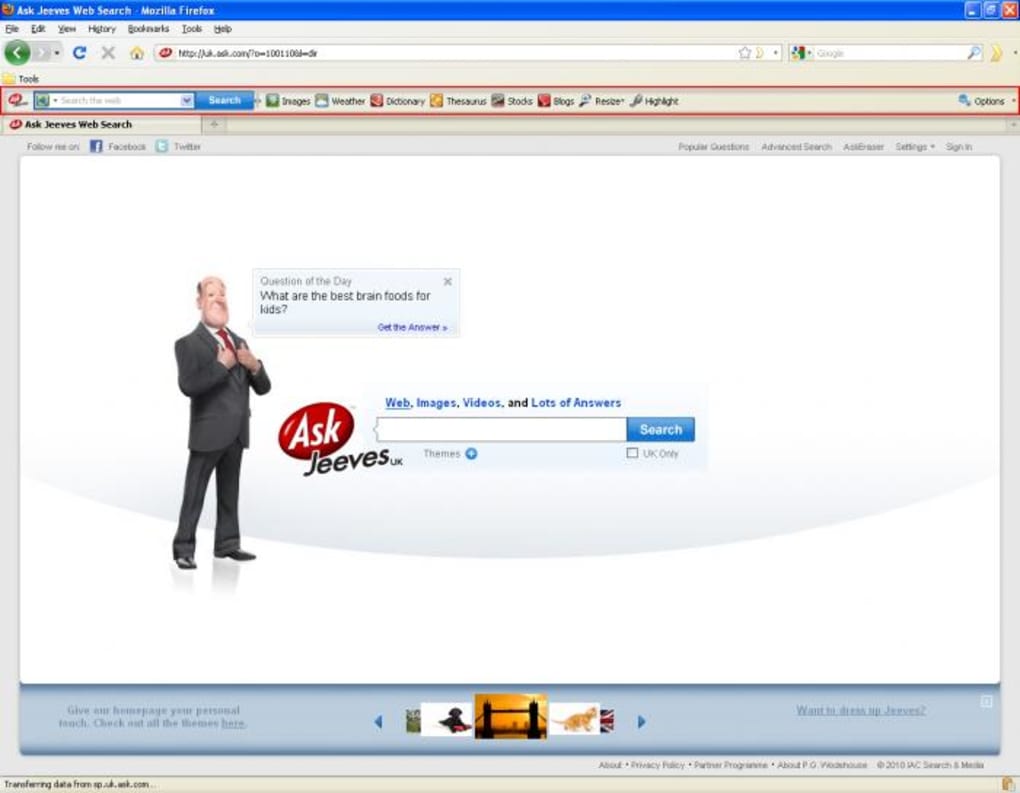
Design and Integration: The toolbar was developed to be “slim” and “well-designed,” intended to fit “perfectly” into popular browsers of its time, specifically Firefox and Internet Explorer. This design philosophy aimed for minimal disruption, appearing as a modest strip across the top of the browser interface, beneath the main address bar. This understated presence was listed as one of its primary advantages, being “very discreet.”
Search Capabilities: The most prominent feature of the Ask.com Toolbar was, unsurprisingly, its search functionality. An “Ask icon” on the far left served as a direct link to the Ask.com search website, providing users with one-click access to the search engine. More crucially, a built-in search bar allowed users to “locate information directly from within the toolbar,” eliminating the need to navigate to the Ask.com homepage or use the browser’s native search bar. This was a significant convenience for users who favored Ask.com as their primary search provider, offering a persistent and readily available search interface.
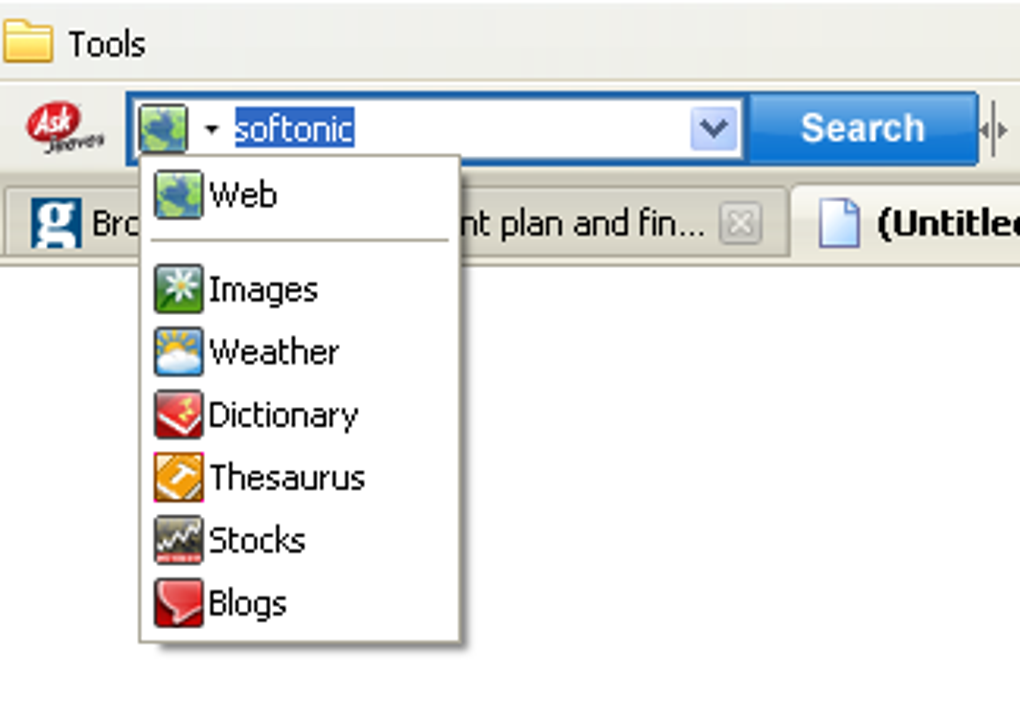
Customized Search Options: Beyond a simple search bar, the toolbar also incorporated several smaller icons that offered immediate customization for search queries. These icons allowed users to refine their searches to specific categories, an innovative feature for its time. Options typically included:
- Images: For image-specific searches.
- Weather: To quickly find local or global weather forecasts.
- Dictionary: For definitions and linguistic information.
- Thesaurus: To find synonyms and antonyms.
- Stocks: To look up stock prices and financial information.
- Blogs: To search specifically within blog content, tapping into the burgeoning blogosphere of the early 2000s.
These specialized search shortcuts were designed to save time and streamline the search process for common information needs, offering a quick way to bypass the broader web search results.
Additional Utilities: The Ask.com Toolbar also included a few supplementary tools aimed at enhancing the general browsing experience. Among these were “page resizing” and a “Highlight function.” The page resizing tool would presumably allow users to quickly adjust the zoom level or layout of a webpage for better readability. The “Highlight function” aimed to enable users to highlight specific text on a page, though even the original review noted challenges in making this particular feature work during tests. These additional utilities, while not central to the toolbar’s search purpose, represented an attempt to offer a more comprehensive browsing assistant.
Configuration Options: On the far right of the toolbar, a “limited number of configuration options” were typically available. These often included settings to display “recent searches” or to “clear them when you exit the browser.” Such options provided a degree of user control over their search history and privacy preferences, albeit in a fairly basic manner.
In essence, the Ask.com Toolbar was presented as a subtle yet powerful addition for users who appreciated the Ask.com search engine. Its design aimed for discretion, and its features promised efficiency by bringing key search functionalities and minor browsing aids directly to the user’s fingertips. However, as with many software applications, the promise of functionality didn’t always align with the diverse and often challenging realities of user experience, which often led to a starkly different perception of its overall value.
Installation, Compatibility, and Technical Specifications
The technical underpinnings and distribution methods of the Ask.com Toolbar played a crucial role in its widespread adoption and, subsequently, its contentious reputation. Understanding its specifications and how it made its way onto users’ systems provides essential context for its overall impact.
Compatibility and Platform: The Ask.com Toolbar was primarily designed for Windows operating systems, with specific compatibility for Windows XP, which was a dominant OS during the toolbar’s peak popularity. Crucially, it was built to integrate with two of the most popular web browsers of the era: Mozilla Firefox and Microsoft Internet Explorer. This broad compatibility ensured a wide potential user base, allowing it to reach a significant portion of internet users at the time. The ability to function across different browser environments showcased a degree of development effort, though it also meant that issues encountered in one browser might manifest differently in another.
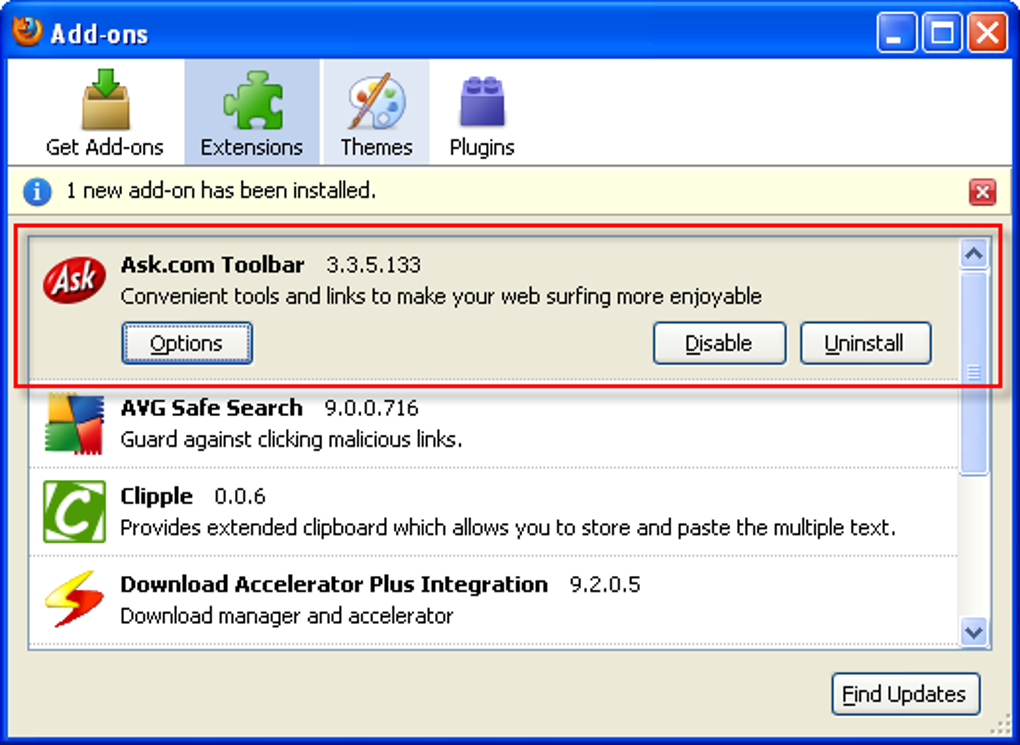
Version and Updates: The specific version referenced is 3.3.5.133, with the latest recorded update dating to September 30, 2021. This indicates that while its prominence waned significantly over the years, the software continued to receive maintenance or was available in updated forms well into the 2010s, even as the landscape of browser add-ons dramatically shifted. The continued availability and updates, even for an older product, suggest an enduring (if niche) user base or a strategy to maintain its presence.
Software Footprint: The toolbar itself was relatively small in size, listed at 2.36 MB. This compact footprint was often touted as a positive, implying that it wouldn’t consume excessive disk space or burden system resources. However, as user reviews would frequently attest, the actual impact on system performance often told a different story, with many users reporting slowdowns despite the small installation size. This discrepancy often arose from how the toolbar operated within the browser and its interactions with other installed software.
Developer and Distribution: The Ask.com Toolbar was developed by Ask.com itself, tying it directly to the search engine it promoted. Its distribution was often multifaceted. While available for direct download, a significant vector for its proliferation was through software bundling. It frequently came pre-selected or as an optional component during the installation of other free software applications, ranging from media players to utility tools. This “opt-out” rather than “opt-in” bundling strategy was a common, yet controversial, method for software distribution during the 2000s, leading to many users installing the toolbar inadvertently or without full awareness. This practice was a major contributor to its classification as a Potentially Unwanted Program (PUP).
Availability and Language: The toolbar was primarily available in English, reflecting the developer’s initial target market. However, references to “available languages” and download options in various languages (e.g., Spanish, German, Japanese, Chinese, etc.) suggest an effort to localize or distribute the toolbar to a broader international audience, indicating its reach beyond Anglophone countries.
Download Statistics: The provided data indicates significant historical popularity, with “294.8K” total downloads. While “52” downloads in the last month (as of the reference content) show a drastically reduced, almost negligible, current demand, the historical figures underscore its past ubiquity. At its peak, the Ask.com Toolbar was a widely encountered piece of software, testament to both the success of its distribution methods and the general trend of browser customization during that era. These statistics, combined with the fact it was freely available, cemented its status as a prevalent add-on, for better or worse.
Understanding the User Experience: Praises, Pitfalls, and Controversies
The true measure of any software lies in the hands of its users, and the Ask.com Toolbar’s user experience was a landscape of stark contrasts. While some users genuinely appreciated its convenience, a much larger, and often more vocal, group found it to be a source of persistent frustration, embodying many of the negative stereotypes associated with browser toolbars.
The Positive Perspective: A segment of users genuinely found value in the Ask.com Toolbar. Praises often centered on its supposed efficiency and unobtrusive design. Some users noted, for example, that it “doesn’t take up much space” and that “radio and weather options are great,” highlighting the utility of its specialized features. One user even enthusiastically claimed it “fastened my inter net” and “made my Google Chrome faster,” suggesting a perceived boost in browsing speed – an interesting claim, given the more common complaints. Such positive feedback often came from users who either intentionally sought out the toolbar for its specific search functions or perhaps did not experience the more severe issues reported by others. Another comment, “Of all my toolbars, I like this one the best,” even went so far as to claim it “heals my life,” albeit with a clear undertone of satire regarding the proliferation of toolbars in the browser. These users likely appreciated the direct access to Ask.com’s search and the focused options for images, weather, and dictionary lookups, viewing it as a straightforward enhancement.
The Pitfalls and Controversies – A Symphony of Frustration: Despite the occasional praise, the Ask.com Toolbar became infamous for a range of issues that positioned it squarely in the “potentially unwanted” category. User reviews and widespread internet discussions painted a picture of a tool that often caused more problems than it solved:
- Intrusiveness and Browser Hijacking: One of the most common complaints was the toolbar’s tendency to alter browser settings without explicit user consent. Users frequently reported that it “changes my web pages,” often referring to the automatic redirection of search queries to Ask.com or the modification of the browser’s default homepage. The review stating “If you don’t have it yet you don’t even need to go find it, it finds its way to you AUTOMATICALLY” perfectly encapsulates the feeling of having the toolbar installed against one’s will, often through bundled software.
- Performance Degradation: Contrary to claims of speeding up the internet, a significant number of users reported that the Ask.com Toolbar had a detrimental effect on system performance. Comments like “Brings my computer down to manageable speed” (sarcastic) and general discussions about “bloatware” highlighted how the toolbar could consume system resources, leading to slower browser startup times, reduced browsing speed, and overall system sluggishness. This was a critical point of contention, as a tool meant to enhance performance often did the opposite.
- Persistence and Difficulty of Removal: Perhaps the most infuriating aspect for many users was the toolbar’s tenacity. Reports of it “Reinstalls itself when you accidentally remove it” were rampant. This characteristic made it notoriously difficult to uninstall completely, often requiring specialized removal tools or manual registry edits. The existence of dedicated “Ask Toolbar Remover” programs is a testament to the widespread difficulty users faced in ridding their systems of the unwanted software.
- Bundling with Bloatware: The Ask.com Toolbar frequently came “bundled with old bloatware called Java.” This practice, where the toolbar was packaged with other free software, often without clear disclosure or an easy opt-out mechanism, was a major source of user discontent. Users would install one program and find themselves with the Ask.com Toolbar (and potentially other unwanted software) alongside it, leading to a cluttered system and a feeling of being duped.
- Advertising and Pop-ups: Some user reviews explicitly mentioned “Pop ups” as a negative side effect, along with sarcastic requests for “more flashing, notifications and popups.” While the original description didn’t highlight this, it was a common characteristic of many toolbars of that era, which served as advertising platforms in addition to their stated functions.
- Design Flaws (Sarcastic Critique): Some critical reviews, while clearly satirical, pointed out perceived design shortcomings, such as “It’s too small and sometimes hard to see” or “Should be bigger.” These comments, while exaggerated, underscored a general dissatisfaction with the user interface from those who found it intrusive rather than helpful.
The Ask.com Toolbar’s user experience, therefore, evolved into a complex narrative. For a small minority, it was a functional addition. For the vast majority, however, it became a symbol of intrusive software, browser hijacking, and the frustrations associated with difficult-to-remove programs that negatively impacted system performance. Its widespread deployment through bundling and its persistent nature solidified its reputation as one of the most controversial browser add-ons of its time, overshadowing any genuine utility it might have offered.
The Decline of Toolbars and the Legacy of Ask.com Toolbar
The era of the browser toolbar, once a staple of internet customization, has largely faded into digital history. The Ask.com Toolbar, a prominent player in this landscape, saw its relevance diminish significantly as web technologies evolved, browser designs matured, and user expectations shifted. Its legacy is a complex one, intertwined with both the innovative spirit of early internet add-ons and the contentious practices that ultimately led to their downfall.
The Shifting Landscape of Browser Design and Functionality: In the late 1990s and early 2000s, web browsers like Internet Explorer and early versions of Firefox offered limited built-in functionality. Users often looked to third-party toolbars to extend capabilities, add quick access to search engines, translate pages, or integrate social media. The Ask.com Toolbar fit perfectly into this niche, providing a dedicated search interface and specialized search options that weren’t always natively available or as conveniently placed.
However, browser developers soon began to integrate many of these functionalities directly into their core applications. Native search bars became more prominent and customizable, allowing users to easily switch between search engines without needing a separate toolbar. Features like bookmarking, translation, and weather widgets transitioned from clunky toolbar add-ons to more streamlined browser extensions or integrated browser features. The philosophy shifted from adding external bars to integrating functionality seamlessly within the browser’s existing UI or via lighter, more secure extension frameworks.
Performance and Security Concerns: As more toolbars crowded the browser window, their cumulative impact on system performance became undeniable. Each toolbar consumed RAM, CPU cycles, and network bandwidth, leading to slower browser load times, increased memory usage, and general system sluggishness. The Ask.com Toolbar, along with many others, contributed to this “toolbar bloat.” This performance hit became a major detractor for users.
Furthermore, toolbars often presented significant security and privacy risks. They frequently requested extensive permissions to access browsing history, modify search settings, and even inject advertisements. The practice of bundling toolbars with other software, often without clear consent, also raised ethical questions and opened avenues for potentially malicious software to piggyback on legitimate installations. Users grew increasingly wary of software that installed without permission or proved difficult to remove, leading to a general distrust of toolbars.
The Rise of Modern Extensions and Ad-Blockers: The advent of more sophisticated browser extension architectures (e.g., Chrome Web Store, Firefox Add-ons) provided a more modular, secure, and user-friendly way to customize browser functionality. These extensions were typically lighter, easier to manage, and often had clearer permission structures. Users could cherry-pick specific features without the overhead of a full toolbar. Concurrently, the rise of ad-blockers and privacy-focused extensions directly combated the intrusive advertising and data collection practices often associated with toolbars, further diminishing their appeal.
The Legacy of Ask.com Toolbar: The Ask.com Toolbar, therefore, largely failed to adapt to these shifts. Its reputation became inextricably linked with the frustrations of unwanted software. While it once represented a convenient way to access the Ask.com search engine, it ultimately became a symbol of browser hijacking and the struggle to maintain control over one’s digital environment.
Its impact is evident in the strong user sentiments expressed in reviews, ranging from satirical praise (“It heals my life”) to outright condemnation of its intrusive nature (“Reinstalls itself when you accidentally remove it”). The very existence of “Ask Toolbar Remover” tools highlights how pervasive and problematic its presence became for many users.
Today, while the underlying Ask.com search engine still exists (though significantly diminished in market share compared to Google, Bing, and others), the toolbar itself is largely obsolete. Modern browsers no longer support the kind of traditional toolbar interfaces that Ask.com and its contemporaries relied upon. Instead, users gravitate towards minimalist designs, powerful integrated search, and a curated selection of extensions that respect performance and privacy.
The Ask.com Toolbar serves as a cautionary tale and a significant historical marker. It illustrates the challenges of software distribution, the delicate balance between convenience and intrusion, and the ultimate triumph of user preference for clean, efficient, and user-controlled browsing experiences. Its journey reflects a pivotal period in internet history when the rules of engagement between software developers and users were still being written, and the line between helpful utility and unwanted nuisance was often blurred.
File Information
- License: “Free”
- Version: “3.3.5.133”
- Latest update: “September 30, 2021”
- Platform: “Windows”
- OS: “Windows XP”
- Language: “English”
- Downloads: “294.8K”
- Size: “2.36 MB”


