
ASUS Ai Charger is a lightweight Windows utility designed to boost the power output of your computer’s USB ports. This seemingly simple tool addresses a common frustration for Apple device owners: insufficient power delivery from standard USB ports to adequately charge iPhones, iPads, and iPods. This article explores the functionality, performance, pros and cons, and user experiences associated with ASUS Ai Charger, offering a comprehensive overview for potential users.
Addressing the Power Deficiency in USB Charging
Many PCs, even those with modern USB 2.0 or 3.0 ports, may not provide sufficient power to effectively charge Apple devices. This limitation stems from variations in power delivery capabilities among different motherboards and USB controllers. While a connected Apple device might appear to be charging, the charging process might be painfully slow or even fail altogether. This results in a frustrating user experience, especially when you need to quickly top up your device’s battery. The tell-tale sign is often a slow or non-existent charging indication on your Apple device, despite a seemingly proper connection.
ASUS Ai Charger directly targets this problem. By enhancing the power output of the USB port, the utility ensures adequate power delivery for a more efficient charging experience. This is particularly beneficial for users who regularly rely on their PC to charge their Apple devices. The tool acts as a bridge, overcoming the inherent power limitations of some USB ports and enabling a smoother, more predictable charging process. While compatible with a wide range of PCs, its developers highlight significantly improved charging speeds – up to 50% faster – when used with ASUS motherboards, suggesting optimization specific to their hardware.
Simple Installation and Usage: A User-Friendly Approach

ASUS Ai Charger boasts a remarkably straightforward installation process. After downloading and executing the installer, a system reboot is required for the changes to take effect. This restart ensures that the driver modifications are properly applied and integrated into the operating system, allowing the utility to function correctly. Following the reboot, the utility operates silently in the background, requiring no further configuration or interaction. Simply connect your Apple device via USB, and the charging process will commence without additional software interventions or prompts.
This ease of use is a key strength of ASUS Ai Charger. It eliminates the complexity often associated with similar utilities, making it accessible to users with varying levels of technical expertise. The absence of complex settings or configuration options contributes to the overall simplicity, making it an ideal solution for those seeking a quick and effective fix for their charging problems.
Performance and Compatibility: Beyond ASUS Motherboards
While ASUS Ai Charger is explicitly designed to work with all PCs, it exhibits improved charging performance with ASUS motherboards. This suggests the developers have optimized the utility to integrate more seamlessly with their own hardware, leading to faster charging speeds. However, the tool’s functionality extends beyond ASUS hardware; it has been reported to function effectively with a variety of motherboards from other manufacturers. This broad compatibility makes it a viable option for a wider user base, irrespective of their PC’s brand.
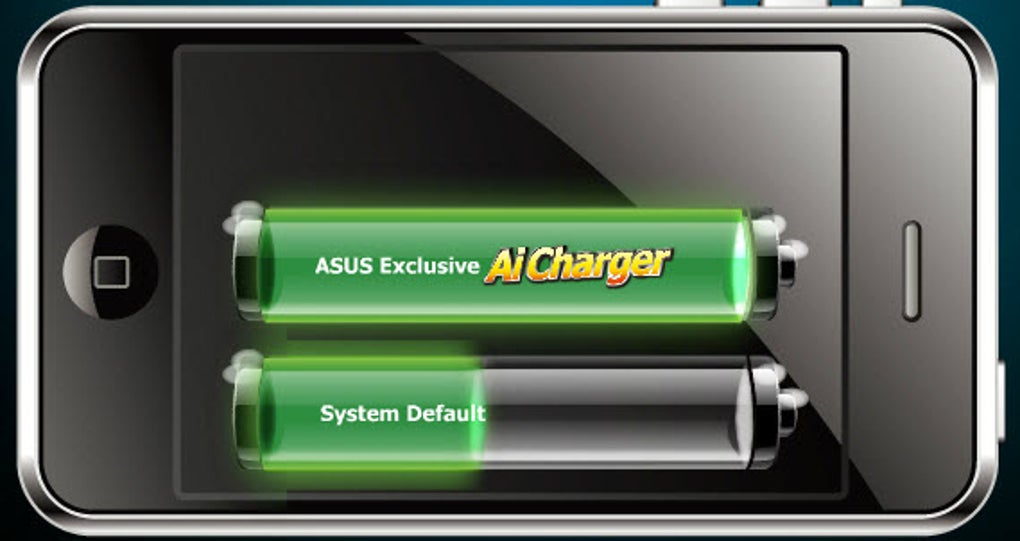
The impact on charging speed can be substantial. Users have reported significantly faster charging times compared to using standard USB ports without the utility. This improvement can be crucial, especially when you need to charge your device quickly. The extent of the improvement varies based on factors such as the device being charged, the USB port type (2.0 vs. 3.0), and the power delivery capabilities of the motherboard itself. Nevertheless, consistent feedback indicates a noticeable difference in charging times for many users.
Limitations and User Feedback: Addressing the Concerns
Despite its functionality and ease of use, ASUS Ai Charger isn’t without its limitations. User reviews highlight occasional instances of USB port instability following installation. Some users have reported that all USB ports become temporarily disabled after connecting an Apple device, requiring a system restart to restore functionality. While this issue isn’t universally experienced, it’s a critical concern for users to be aware of. The exact cause of this problem remains unclear, possibly stemming from driver conflicts or incompatibilities with specific hardware configurations.
Another noteworthy aspect is the lack of customization options. The utility’s simplicity, while appealing to many, also limits flexibility. Users have expressed a desire for more advanced settings, such as the ability to control the power output level or prioritize charging over data transfer. However, the developers appear to prioritize ease of use over comprehensive configurability. This decision likely reflects their aim to provide a readily usable solution rather than a highly customizable power management tool.
Further, some users have reported compatibility issues with non-Apple devices. While the software is designed to address the power limitations faced by Apple devices, it is not guaranteed to enhance charging for other devices. Therefore, users with Android devices, for instance, should not expect significant improvements in charging speed or reliability. This lack of broader compatibility underscores the utility’s specific focus on Apple products.
Alternatives and Conclusion: Weighing the Options
While ASUS Ai Charger offers a convenient solution for improving Apple device charging, several alternatives exist. Some motherboard manufacturers provide built-in power management features that address similar issues. Furthermore, various third-party power management utilities offer a broader range of customization and control over USB power delivery. The choice of which tool to utilize ultimately depends on individual user needs and preferences. If ease of use and specific Apple device support are primary concerns, ASUS Ai Charger remains a viable choice. However, users seeking more granular control or broader device compatibility might explore other available options.
In conclusion, ASUS Ai Charger provides a straightforward and effective solution for users facing insufficient power delivery from their USB ports when charging Apple devices. Its simplicity of installation and use makes it an appealing option for users with varying technical skills. However, it’s crucial to be aware of potential compatibility issues and the lack of advanced configuration options. The decision of whether to utilize ASUS Ai Charger ultimately depends on a careful evaluation of individual needs and preferences, considering both its strengths and potential limitations. While the reported occasional USB port disabling issue is a concern, the many positive reviews suggest that for a large number of users, ASUS Ai Charger effectively resolves the problem of underpowered USB charging for Apple devices. Weighing these factors against the potential benefits will help users determine if ASUS Ai Charger is the right solution for them.
File Information
- License: “Free”
- Latest update: “June 16, 2025”
- Platform: “Windows”
- OS: “Windows XP”
- Language: “English”
- Downloads: “105.9K”
- Size: “4.50 MB”


