
In the relentless pursuit of efficiency, both individuals and businesses constantly seek tools that can streamline workflows, minimize repetitive tasks, and ultimately free up valuable time. Among the most impactful categories of software in this regard are text expanders – applications designed to transform short abbreviations into frequently used phrases, sentences, or even entire paragraphs. While many such tools exist, aText Premium distinguishes itself as a robust, feature-rich solution that goes far beyond simple text replacement. It’s a comprehensive productivity powerhouse, meticulously engineered for those who demand precision, advanced automation, and seamless integration across multiple devices and user environments.
aText Premium isn’t just an upgrade; it’s a commitment to a more fluid and less repetitive digital experience. Building upon the solid foundation of its free counterpart, the premium version unlocks an array of sophisticated functionalities that cater to the intricate needs of modern professionals, developers, writers, and administrative staff alike. This software transforms the act of typing from a tedious, repetitive chore into an intelligent, responsive process, allowing users to reclaim countless hours previously lost to manual input. From automating date and time stamps to executing complex scripts and facilitating collaborative work, aText Premium stands as an indispensable ally in the quest for optimal productivity.
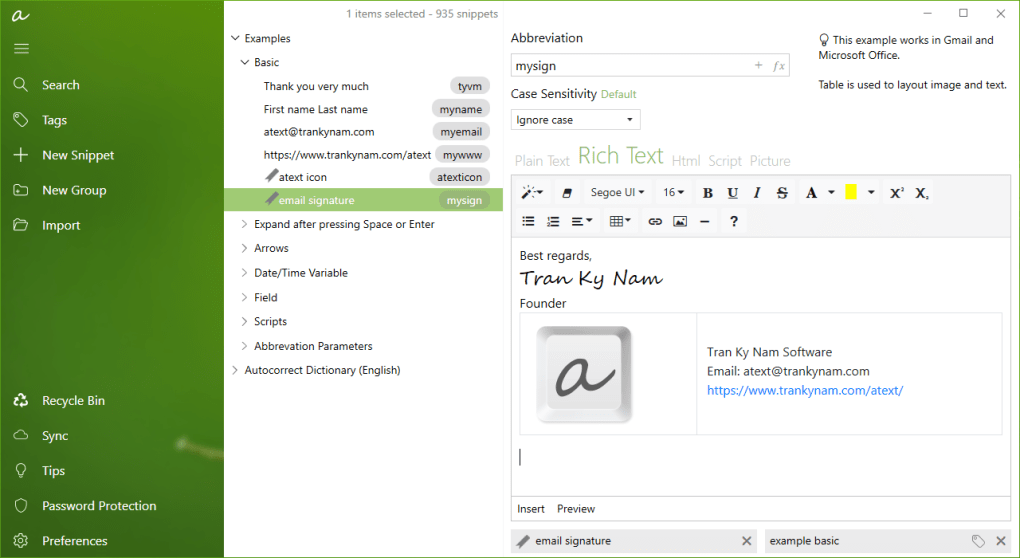
The Core Power of aText Premium
At its heart, aText Premium is designed to eliminate the redundancy of retyping. Every day, professionals across various industries find themselves repeatedly entering the same email addresses, common greetings, code snippets, disclaimers, or support responses. This constant re-entry isn’t just time-consuming; it’s mentally draining and prone to errors. aText Premium steps in as an intelligent assistant, ready to deploy pre-defined content at a moment’s notice, radically altering the way users interact with their keyboards and, by extension, their digital workspaces.
Beyond Basic Text Expansion: A Comprehensive Feature Set
The fundamental premise of aText, whether free or premium, is elegantly simple yet profoundly effective: type a short abbreviation, and the software instantly replaces it with a longer, pre-defined phrase. For example, typing “eml” could automatically expand to “john.doe@example.com,” or “addr” could become a full mailing address. This core functionality alone can save a significant amount of typing, but aText Premium elevates this concept to an entirely new level.
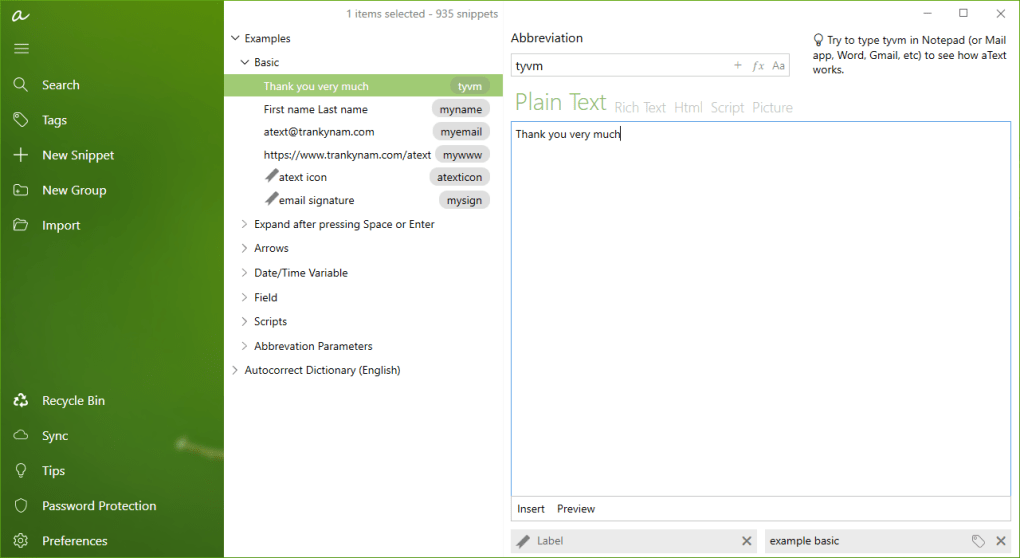
The premium version encompasses all the features and functionality of the free version, ensuring that users benefit from a stable and reliable text expansion engine. However, it layers on a sophisticated suite of advanced capabilities that move it beyond a mere shortcut utility. One of the most critical aspects of the Premium offering is its commitment to reliability and performance. The developers behind aText have continuously refined the application, and the premium version specifically addresses and fixes several bugs identified in previous iterations. This focus on stability means users can rely on aText Premium to perform consistently and without interruption, ensuring that their productivity gains aren’t offset by unexpected glitches.
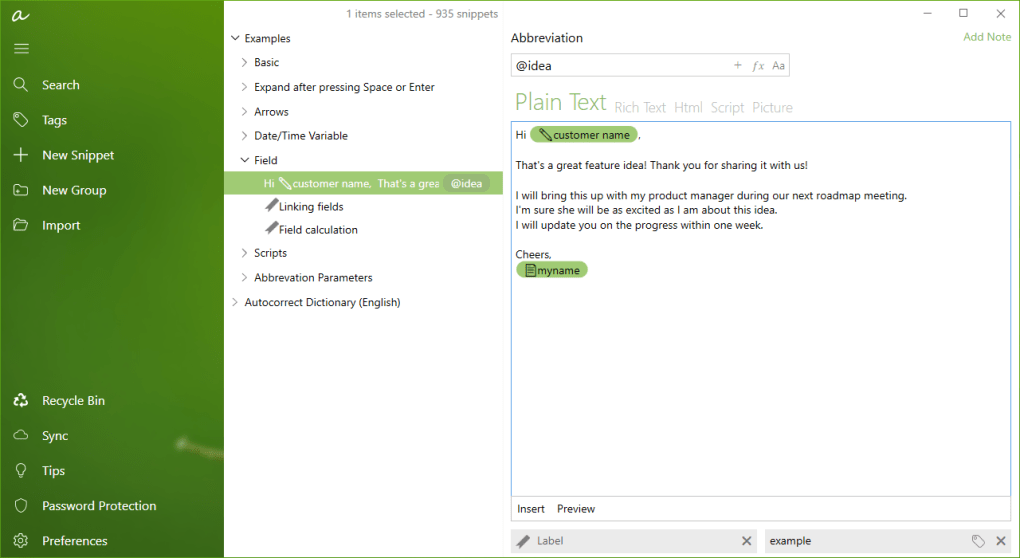
Furthermore, aText Premium introduces a rich set of advanced functions that empower users to create highly dynamic and intelligent text expansions. Imagine not just inserting a static phrase, but a phrase that automatically includes the current date, time, or even prompts for user input. This is where the true power of dynamic phrases comes into play. Users can add new dates and time stamps effortlessly, ensuring that documents and communications are always current. For instance, an abbreviation like “dtnow” could expand to “July 16, 2025 at 10:30 AM,” automatically updated to the precise moment of expansion. This feature is invaluable for logging, record-keeping, email responses, and any scenario where accurate, real-time information is crucial. The ability to embed such dynamic elements within expanded text significantly enhances the versatility and intelligence of the software, making it a powerful tool for a diverse range of applications, from legal document drafting to customer service responses.
Cross-Platform Harmony: Windows and macOS Integration
In today’s multi-device ecosystem, seamless operation across different operating systems is not just a luxury but a necessity. Many professionals navigate between Windows-based desktops or laptops and macOS devices, and the ability to maintain consistent productivity tools across these platforms is paramount. aText Premium brilliantly addresses this challenge by offering robust synchronization capabilities between its Windows and macOS applications.
The aText for Windows app is engineered to sync effortlessly with the aText for Mac OS version. This means that all your carefully crafted snippets, abbreviations, and advanced scripting configurations can be shared and kept up-to-date across your entire ecosystem of devices. Whether you’re drafting a report on your Windows machine at the office or responding to emails on your MacBook at home, your text expansion library remains consistent and accessible. This cross-platform compatibility ensures that your productivity system travels with you, eliminating the need to recreate or manually transfer snippets.
Consider a scenario where a marketing professional develops a series of email templates and product descriptions using aText Premium on their Windows workstation. Thanks to the synchronization feature, these same snippets are immediately available on their Mac laptop when they travel, allowing them to maintain the same level of efficiency and brand consistency no matter which device they are using. This interoperability is a significant advantage, particularly for businesses and individuals who invest in a comprehensive productivity suite and expect it to function harmoniously across their technology landscape. It underscores aText Premium’s design philosophy: to provide a unified, friction-free experience that adapts to the user’s workflow, not the other way around.
Enhanced Efficiency with Advanced Scripting and Automation
One of the most compelling reasons to upgrade to aText Premium is its advanced scripting support. This feature transforms aText from a simple text expander into a powerful automation engine, capable of executing complex tasks directly from a text abbreviation. The premium version now proudly supports both Bat (Batch scripts) and VBScript (Visual Basic Script), opening up a world of possibilities for automating repetitive actions within the Windows environment.
For those familiar with scripting, this means aText Premium can trigger custom scripts that perform a wide variety of operations. Imagine typing a short code like “projsetup” and having a script run that creates a new project folder structure, copies essential template files, and even opens the primary application for that project. Or perhaps “sysinfo” could execute a VBScript to gather system diagnostics and paste them directly into a document or email. This level of automation moves beyond mere text replacement; it enables users to automate entire sequences of actions with a single keystroke.
- Bat Script Integration: Batch scripts are fundamental to Windows automation. With aText Premium, users can define abbreviations that launch
.batfiles, allowing for command-line operations, file manipulation, program execution, and more. This is particularly useful for developers, system administrators, or anyone who frequently performs repetitive system-level tasks. For example, a developer could have a snippet that cleans a project directory and recompiles code, all triggered by a simple abbreviation. - VBScript Support: VBScript offers more sophisticated automation capabilities, especially for interacting with applications that support OLE Automation, like Microsoft Office suite. A VBScript snippet could automate data entry into Excel, generate a custom report in Word, or interact with other Windows components. For instance, an abbreviation like “emailreport” could trigger a VBScript that generates a formatted report, attaches it to a new email, and pre-populates the recipient and subject lines.
The implications for productivity are profound. Tasks that once required multiple clicks, navigating through menus, or running separate applications can now be consolidated into a single, intuitive text expansion. This dramatically reduces cognitive load and execution time, allowing users to focus on higher-value activities. The combination of dynamic phrases, automatic date-time calculation, and advanced scripting support makes aText Premium an incredibly versatile and powerful tool for automating routine tasks and enhancing overall efficiency across a wide spectrum of digital operations.
Unleashing Collaborative Potential and Multi-User Environments
In the modern workplace, collaboration is key. Teams need tools that not only enhance individual productivity but also facilitate seamless communication and shared workflows. aText Premium steps up to this challenge by integrating features that are specifically designed for multi-user environments and shared resources, making it an ideal choice for small teams, departments, or even larger organizations.
Streamlined Workflows for Teams: Integrated Clipboard and Multi-User Support
One of the often-overlooked yet incredibly powerful features of aText Premium is its integrated clipboard manager. For anyone who frequently copies and pastes information, the standard Windows clipboard, which only remembers the last item copied, is a significant limitation. aText Premium’s clipboard manager overcomes this by maintaining a history of copied items, allowing users to quickly access and paste previously copied text, images, or files without needing to re-copy them. This saves countless clicks and navigations, particularly when assembling information from various sources.
Beyond individual productivity, the true value of aText Premium for teams shines through its robust support for multiple-user environments. In many professional settings, teams work with shared documents, standardized templates, and common data points. Manual duplication of these resources is inefficient and prone to inconsistencies. aText Premium allows for a centralized management of snippets, making it possible for an entire team to share a consistent library of text expansions.
Imagine a customer support team, all using aText Premium. They can collectively build and refine a library of common responses, troubleshooting steps, and product information. When a new support agent joins, they immediately have access to the same high-quality, pre-approved responses as their veteran colleagues, ensuring consistency in customer communication and significantly reducing training time. Updates to these snippets can be managed centrally, ensuring that everyone is always using the latest information. This not only boosts the team’s efficiency but also maintains a unified brand voice and reduces the likelihood of errors in communication. The ability to deploy a consistent, intelligent text expansion system across a team or department is a powerful differentiator for aText Premium, transforming individual efficiency into collective operational excellence.
Sharing and Synchronization: Bridging the Gap Between Devices and Users
The concept of “always having your tools with you” is central to modern productivity. aText Premium extends this philosophy not just to individual users across their devices, but also to teams working within a shared ecosystem. The software is compatible with up to 10 Windows-based devices, which means a single premium license can cover a significant portion of a small team’s workstations, or an individual’s diverse collection of computers (e.g., desktop, laptop, tablet). This flexibility in licensing is a practical advantage for businesses looking to equip their staff with powerful productivity tools without incurring exorbitant costs per user.
For Mac users, the functionality is further enhanced by specific features tailored to the macOS environment. The aText for macOS is recognized as a powerful productivity tool for all Mac users, available for both free trial and premium subscription. A particularly compelling feature for Mac-centric workflows is the ability to share documents with multiple users within the same folder, provided they have access to the same Mac computer. While this might seem specific, it’s incredibly valuable in environments like design studios, editorial offices, or academic settings where multiple users might be collaborating on files stored locally or on a shared server accessible via a central Mac.
This sharing capability extends the utility of aText beyond just text expansion. When combined with its snippet synchronization, it means that not only are the expansions consistent, but the documents they are used to create can also be easily shared and collaborated upon. For example, a team working on a research paper on a shared Mac can all leverage the same aText Premium snippets for citations, boilerplate text, and formatting macros, ensuring uniformity and efficiency across all contributors. The integration of robust synchronization across devices and intelligent sharing options for multi-user Mac environments underscores aText Premium’s commitment to fostering both individual efficiency and collaborative success.
Technical Specifications and User Experience
Understanding the practical aspects of any software, from its technical requirements to its ongoing support, is crucial for potential users. aText Premium is designed with usability and stability in mind, ensuring it integrates smoothly into existing workflows without demanding excessive system resources or presenting a steep learning curve.
System Requirements and Installation
aText Premium is primarily designed for the Windows operating system, with specific compatibility starting from Windows 7 and onwards. This broad compatibility ensures that a wide range of users, even those on slightly older systems, can leverage its advanced features. The software package is remarkably lightweight, with a download size of just 7.58 MB. This compact footprint means quick downloads, minimal storage impact, and efficient installation. The version number, 1.411.17 (or 1.411 in some references), indicates a mature and refined application that has undergone iterative development. The developer, Tran Ky Nam, has a reputation for creating focused and effective productivity tools.
Installation is straightforward, typical of most Windows applications, allowing users to get up and running quickly. The availability of a trial version is a significant benefit, as it allows prospective users to experience the full power and functionality of aText Premium firsthand before committing to a purchase. This “try before you buy” approach is essential for ensuring that the software meets specific individual and organizational needs. The trial provides ample opportunity to test its advanced scripting, multi-device syncing, and clipboard management capabilities, demonstrating its value in a real-world context.
A Commitment to Improvement: Bug Fixes and Ongoing Development
A hallmark of high-quality software is continuous improvement and responsive development. The release of aText Premium isn’t just about adding new features; it’s also about refining the existing ones and addressing any reported issues. The developers explicitly highlight that aText Premium includes fixes for several bugs. This commitment to bug resolution is vital for user confidence, as it ensures a more stable, reliable, and error-free experience. Users can expect the application to perform consistently without unexpected crashes or glitches that could disrupt their workflow.
The fact that the application receives regular updates (with a listed latest update of July 16, 2025, suggesting ongoing development far into the future) further underscores the developer’s dedication. Regular updates typically bring not only bug fixes but also performance enhancements, security patches, and potentially new features based on user feedback and evolving technological landscapes. This active development cycle ensures that aText Premium remains a cutting-edge productivity tool that evolves with its users’ needs and the broader digital environment. For businesses, this translates to a long-term investment in a tool that will continue to be supported and improved, safeguarding their productivity infrastructure. This proactive approach to software maintenance and enhancement sets aText Premium apart as a dependable and future-proof solution in the crowded field of productivity applications.
Why Choose aText Premium? A Comparative Edge
In a market saturated with productivity tools, from free browser extensions to integrated office suites, discerning why aText Premium stands out requires a closer look at its unique value proposition. It’s not merely another text expander; it’s a specialized instrument crafted for users who require more than just basic snippet functionality.
Distinguishing aText Premium from Alternatives
While numerous text expanders like Text Blaze or even simple sticky notes apps (e.g., Simple Sticky Notes) offer basic text replacement, they often lack the depth and breadth of features found in aText Premium. The key differentiators lie in its advanced capabilities that cater to a more professional and demanding user base:
- Advanced Scripting (Bat and VBScript): This is perhaps the most significant differentiator. Most text expanders offer simple text substitution. aText Premium’s ability to execute complex scripts transforms it into a powerful automation tool. This functionality is invaluable for developers, IT professionals, and power users who need to automate system tasks, manipulate data, or interact with other applications in sophisticated ways. Alternatives rarely offer this level of integration and automation.
- Integrated Clipboard Manager: While standalone clipboard managers exist, having one seamlessly integrated into your text expander provides a unified productivity hub. This convenience of having your text snippets and clipboard history in one place streamlines workflow, reducing the need to switch between multiple applications.
- Multi-User Environment Support and 10-Device Compatibility: For teams and small businesses, the ability to deploy aText Premium across multiple Windows devices (up to 10) under one license and support multi-user environments is a compelling advantage. This facilitates consistent communication, shared knowledge bases, and standardized operations across an entire team, a feature rarely found in free or consumer-grade text expanders.
- Cross-Platform Syncing (Windows and macOS): Many users operate in a hybrid environment. aText Premium’s seamless synchronization between Windows and macOS versions ensures that your personalized productivity system is always available and up-to-date, regardless of the operating system you are currently using. This level of cross-platform cohesion is not a given with many other tools.
- Dynamic Phrases and Advanced Functions: Features like automatic date-time calculation and dynamic phrase generation allow for more intelligent and adaptable text expansions. This goes beyond static text, enabling users to create context-aware snippets that update automatically, saving even more time and reducing manual adjustments.
While tools like Microsoft Word or Excel (listed in top downloads) offer their own forms of automation (macros, autocorrect), they are not dedicated system-wide text expanders. aText Premium fills this niche with a focused, powerful solution that integrates across all applications, providing a consistent and robust experience that generic office suite features cannot match. Even compared to PDF editors like PDF-XChange Editor or general productivity suites like SSuite Lemon Juice, aText Premium offers specialized text expansion and automation that these tools don’t emphasize.
Ideal Use Cases and Target Audience
aText Premium is not just for power users; its benefits extend across a wide array of professions and industries:
- Developers and Coders: Automate code snippets, commit messages, file paths, and execute build scripts. The Bat and VBScript support makes it an indispensable tool for routine development tasks.
- Writers, Editors, and Content Creators: Quickly insert common phrases, legal disclaimers, citations, formatting codes, and boilerplate content. Maintain consistency in style and terminology across large bodies of text.
- Customer Service Representatives: Rapidly respond to common queries, provide troubleshooting steps, and insert product information with speed and accuracy, ensuring high-quality and consistent customer interaction.
- Administrative and Executive Assistants: Automate email responses, meeting notes, scheduling details, and standard document clauses. Manage contact information and frequent communication elements with ease.
- Sales and Marketing Professionals: Expedite email outreach, personalize proposals with dynamic data, and quickly insert product descriptions or marketing copy, allowing more time for strategic activities.
- Legal Professionals: Swiftly insert common legal clauses, case references, and standard document structures, ensuring accuracy and compliance while reducing manual drafting time.
- Educators and Students: Automate feedback, lecture notes, frequently used terms, and citation formats, streamlining academic workflows.
In essence, anyone who spends a significant portion of their day typing and finds themselves repeating phrases or performing repetitive digital actions will find immense value in aText Premium. Its blend of core text expansion, advanced scripting, multi-user support, and cross-platform synchronization positions it as a high-tier productivity solution for individuals and teams committed to maximizing their efficiency and accuracy in the digital realm.
Conclusion
aText Premium emerges as a standout solution in the landscape of productivity software, offering a robust and intelligently designed approach to text expansion and automation. It transcends the capabilities of basic text replacement tools by integrating advanced features such as comprehensive scripting support for Bat and VBScript, dynamic phrase generation with automatic date-time calculation, and an integrated clipboard manager. These functionalities empower users to not only type less but also to automate complex tasks, significantly reducing manual effort and potential errors.
The value proposition of aText Premium is further amplified by its strong emphasis on multi-device and multi-user environments. With seamless synchronization between Windows and macOS applications, and compatibility for up to 10 Windows devices, it ensures a consistent and uninterrupted workflow across diverse technological landscapes. The support for multiple-user environments makes it an invaluable asset for teams and businesses seeking to standardize communication, share knowledge, and enhance collective efficiency.
Developed by Tran Ky Nam, aText Premium reflects a commitment to quality, evidenced by continuous bug fixes and ongoing development. This ensures that users are investing in a stable, reliable, and future-proof tool that will adapt to evolving needs. Whether you are a developer seeking to automate intricate coding tasks, a writer striving for consistency and speed, a customer service professional aiming for rapid and accurate responses, or a business manager looking to streamline team workflows, aText Premium offers a compelling suite of features.
If the goal is to save a great deal of time and money by eliminating repetitive typing and automating routine tasks, aText Premium is highly recommended. Its ability to replace abbreviations with frequently used phrases, coupled with its advanced automation capabilities, makes it an indispensable tool for anyone serious about maximizing their productivity. Users are encouraged to take advantage of the trial version to experience firsthand how this powerful software can transform their daily digital interactions into a more efficient, precise, and enjoyable experience.
File Information
- License: “Trial version”
- Latest update: “July 16, 2025”
- Platform: “Windows”
- OS: “Windows 7”
- Language: “English”
- Downloads: “2.2K”
- Size: “7.58 MB”


