
Atomic Clock Sync is a free Windows application designed to synchronize your computer’s clock with highly accurate atomic time servers. This ensures your system time is precise and reliable, crucial for various applications requiring accurate timestamps. This detailed review explores the functionality, benefits, and limitations of this tool.
How Atomic Clock Sync Works
Atomic Clock Sync achieves accurate time synchronization by connecting to time servers maintained by the National Institute of Standards and Technology (NIST) in the United States. These servers utilize atomic clocks, renowned for their exceptional precision and stability, providing time signals with an extremely low margin of error.
The application’s core functionality involves a straightforward comparison process:
-
Connection: Atomic Clock Sync establishes a connection to one or more NIST time servers. The specific server may vary depending on network conditions and availability.
-
Time Comparison: Once connected, the software compares the time displayed on your computer with the time received from the NIST server. This comparison calculates the difference between your system time and the atomic time standard.
-
Difference Display: The calculated time difference is displayed to the user. This visual representation allows you to assess the accuracy of your system clock.
-
Automatic Adjustment (Optional): If the time difference exceeds a predefined threshold (typically 15 seconds), Atomic Clock Sync presents the option to automatically adjust your computer’s clock to match the atomic time. This adjustment ensures your system clock remains precisely synchronized with the NIST time standard.
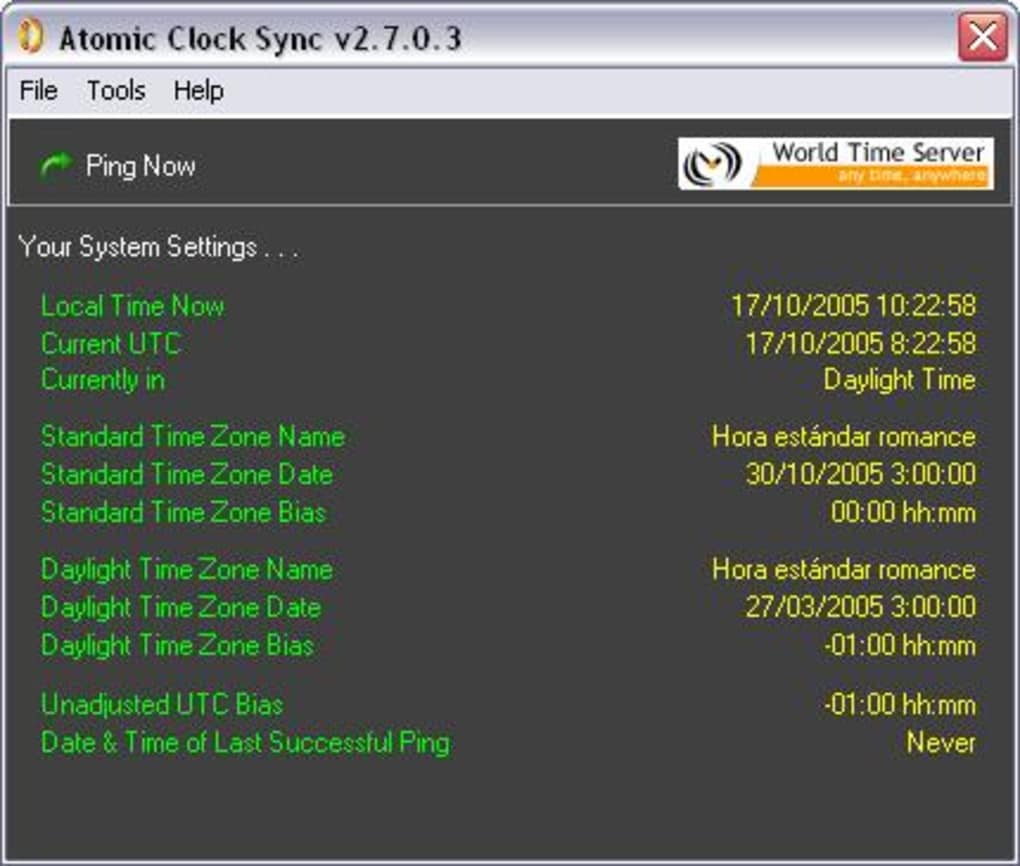
The entire process is designed to be seamless and efficient, minimizing disruption to your workflow. The software operates in the background, performing periodic checks and adjustments without requiring constant user intervention. The uncertainty in the comparison is claimed to be no worse than ±5 seconds, and often significantly less.
Benefits of Using Atomic Clock Sync
Employing a tool like Atomic Clock Sync offers several advantages:
-
Improved Time Accuracy: The most significant benefit is the enhanced accuracy of your system clock. Relying on standard computer clocks can lead to drift and inaccuracies over time, particularly with older or less robust hardware. Atomic Clock Sync mitigates this drift by periodically syncing with atomic time standards.
-
Reliable Timestamps: Precise timestamps are essential in various applications, including financial transactions, scientific research, data logging, and network security. Atomic Clock Sync ensures that your system timestamps are accurate, improving the reliability and integrity of data recorded on your computer.
-
Enhanced Data Integrity: Accurate timestamps are crucial for maintaining data integrity. Inaccurate timestamps can lead to difficulties in tracking events, diagnosing issues, and ensuring data consistency, especially when dealing with large datasets or complex systems. Atomic Clock Sync’s precision enhances data integrity by providing consistently accurate timestamps.
-
Simplified Time Management: Manual adjustments to system time are prone to errors and inconsistencies. Atomic Clock Sync automates the time synchronization process, removing the need for manual intervention and minimizing potential human error.
-
Compatibility: Although the original version targeted older Windows systems, newer releases of the software generally ensure compatibility with a range of Windows operating systems, maintaining its utility across different system environments.
-
Security Implications: While not a primary security feature, precise time synchronization can contribute to enhanced network security. Many security protocols rely on accurate timestamps for authentication and validation, and inaccurate system time can create vulnerabilities. Atomic Clock Sync’s precise synchronization can help reduce the risk of security breaches related to time-based attacks.
Applications and Use Cases
Atomic Clock Sync’s precise time synchronization makes it a valuable tool in various settings:
-
Scientific Research: In laboratories and research institutions, accurate timekeeping is vital for experiments, data collection, and analysis. Atomic Clock Sync ensures precise timestamps for experimental data, improving the accuracy and reliability of research findings.
-
Financial Transactions: Accurate timestamps are crucial for financial transactions to maintain audit trails and prevent fraud. Atomic Clock Sync helps ensure precise time recording in financial applications.
-
Network Management: Network administrators often use accurate time synchronization to monitor network activity, diagnose problems, and enforce security policies. Atomic Clock Sync provides the necessary precision for network time management.
-
Data Logging: Applications that record data over time require precise timestamps. Atomic Clock Sync enhances the accuracy of data logs, making analysis and interpretation more reliable.
-
Game Development: In some game development scenarios, precise timing is essential for game mechanics and gameplay synchronization. Atomic Clock Sync can provide the precise timekeeping required for development testing.
-
Security Systems: Many security systems rely on accurate time synchronization for authentication and log analysis. Atomic Clock Sync improves the accuracy of security logs and enhances the reliability of security mechanisms.
Limitations and Considerations
While Atomic Clock Sync offers significant advantages, it’s essential to be aware of potential limitations:
-
Internet Dependency: The application requires an active internet connection to connect to the NIST time servers. Without an internet connection, the time synchronization functionality is unavailable.
-
Firewall Interference: Firewalls or other network security measures may interfere with the application’s connection to the time servers. Configuration adjustments might be necessary to allow the application to function correctly.
-
System Requirements: While generally compatible with a wide range of Windows systems, older systems or those with limited resources may experience performance issues.
-
No User Interface: The application may lack a user-friendly graphical interface, relying on command-line prompts or simple pop-up notifications, meaning some users might need to be comfortable working in a less intuitive environment.
-
Limited Features: Unlike commercial time synchronization applications, Atomic Clock Sync is a straightforward tool with limited additional features.
Alternatives to Atomic Clock Sync
Several alternative time synchronization applications are available, both free and commercial. The choice of application depends on specific requirements and preferences. Commercial options may offer advanced features such as redundancy, multiple server support, and more sophisticated error handling, but these may come at a cost. Free alternatives may exist but may lack the features or reliability of NIST-supported options. Consider the individual requirements of your system and use case before selecting a tool.
Conclusion
Atomic Clock Sync provides a simple and effective way to synchronize your computer’s clock with highly accurate atomic time. While it lacks the advanced features of commercial software, its simplicity and free availability make it a valuable tool for users who need precise time synchronization in various applications. Understanding its strengths and limitations will help you determine if it is the right fit for your needs. The availability of alternative solutions should also be considered based on specific requirements and preferred levels of sophistication and features.
File Information
- License: “Free”
- Latest update: “July 11, 2023”
- Platform: “Windows”
- OS: “Windows Vista”
- Language: “English”
- Downloads: “27.2K”
- Size: “797.47 KB”


