
ATV Launcher is a personalization app designed to significantly enhance the user experience on Android TV devices, including set-top boxes, smart TVs, and tablets. It transforms these devices from their standard operating system into something more akin to a smartphone or tablet interface, offering a level of customization and functionality previously unavailable. This review delves into the features, benefits, and drawbacks of ATV Launcher, providing a comprehensive overview for potential users.
A Smartphone-like Experience on Your TV
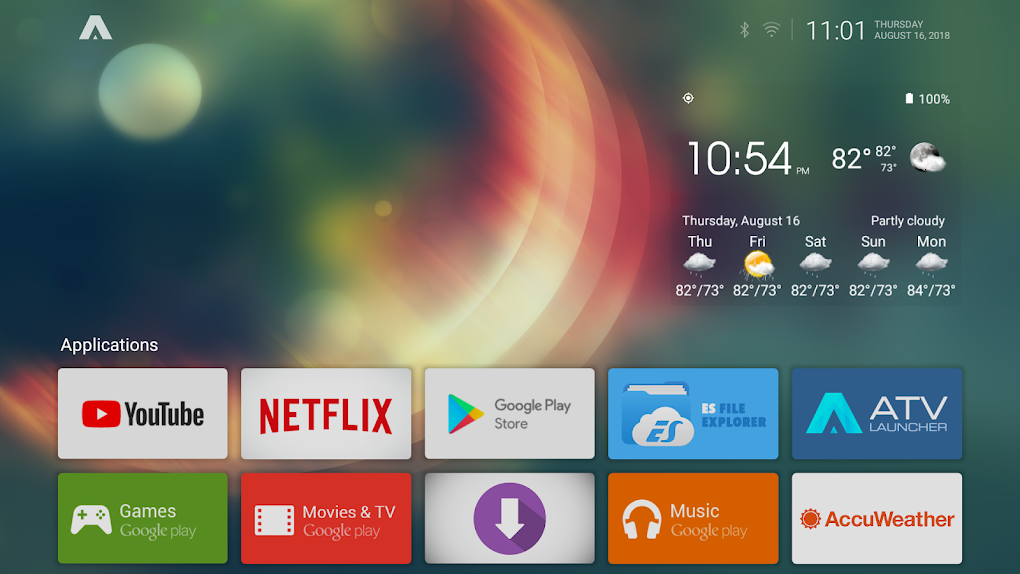
The core appeal of ATV Launcher lies in its ability to streamline and simplify the Android TV experience. Instead of navigating through multiple menus and screens, ATV Launcher presents a clean and intuitive interface where all apps and games are readily accessible directly from the home screen. This allows for quicker access to favorite content and a more efficient overall workflow. The design philosophy is focused on ease of use and immediate gratification, placing frequently used applications within easy reach. This is especially beneficial for users who find the default Android TV interface cumbersome or overly complex. The aim is to mimic the intuitive nature of modern smartphone home screens, bringing that familiar ease of navigation to the larger TV screen.
This simplified approach isn’t just about visual aesthetics; it also enhances the overall user experience by reducing the number of steps required to launch an application. This is particularly helpful for users unfamiliar with navigating the complexities of Android TV’s native interface or for those with limited technical expertise. The focus on direct access to applications streamlines the process of entertainment consumption, allowing users to jump directly into their chosen games or apps without the need for extensive navigation. The result is a more fluid and engaging experience that minimizes distractions and maximizes entertainment.
Extensive Customization Options
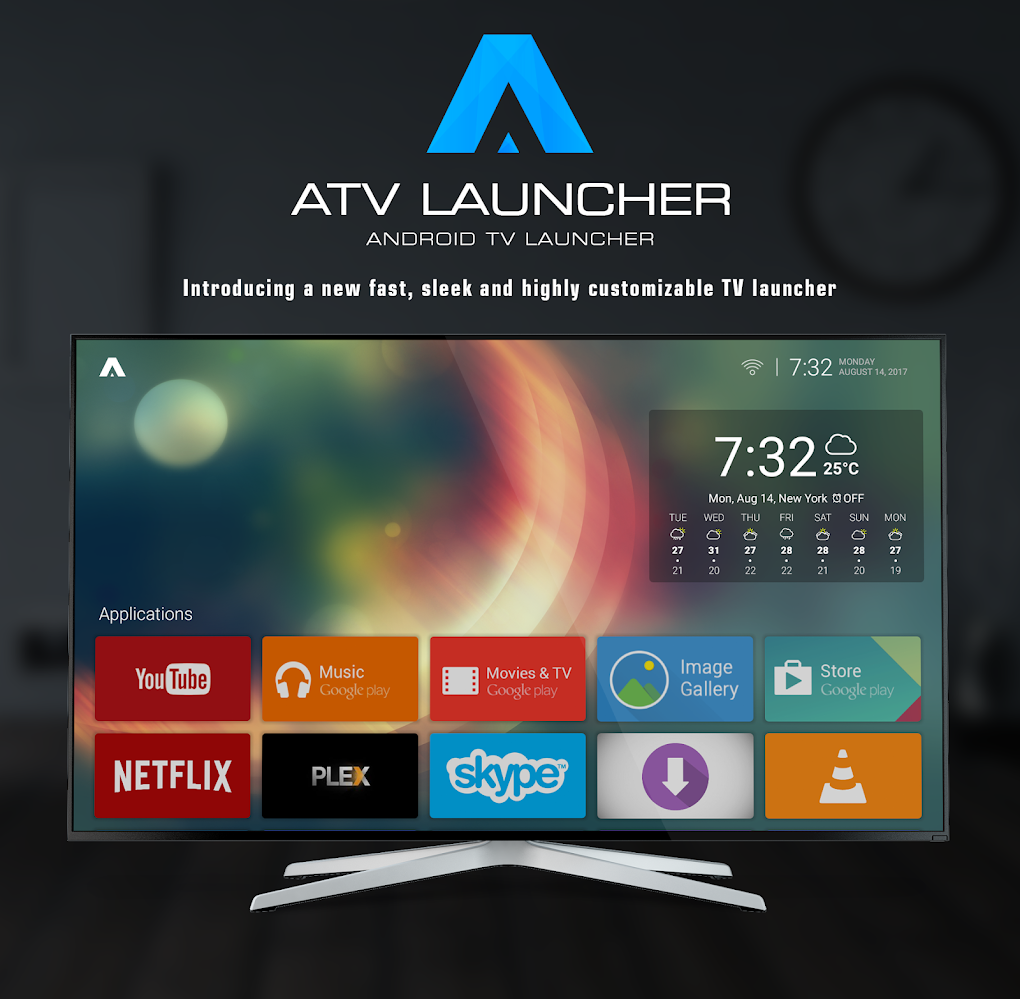
ATV Launcher goes beyond simple interface improvement; it offers a wealth of customization options allowing users to create a truly personalized experience. The app empowers users to tailor the look and feel of their Android TV interface to match their individual preferences and tastes. This is a key differentiator from the more rigid and less adaptable default Android TV setup.
One of the standout features is the ability to customize application icons. Users aren’t limited to the default icons provided by the apps themselves. Instead, ATV Launcher allows for complete control over icon appearance, including color and transparency adjustments. This enables the creation of a visually cohesive and aesthetically pleasing home screen that reflects the user’s personal style. The ability to create a personalized and visually appealing home screen adds a level of engagement that is often missing from standard Android TV interfaces. This detail-oriented approach elevates the overall user experience beyond simple functionality.
Further enhancing the customization options, ATV Launcher allows users to personalize both the home screen and the lock screen with custom icons. This extends the personalized touch beyond the main interface, providing a consistent and unified aesthetic across the entire user experience. The ability to choose custom icons for both screens provides a holistic approach to customization, ensuring a consistent visual appeal throughout the device’s operation. This comprehensive customization approach fosters a sense of ownership and allows users to express their individuality through their Android TV interface.
Seamless Integration and Performance
The app’s focus is not only on visual aesthetics and customization but also on providing a smooth and seamless user experience. ATV Launcher is designed to integrate seamlessly with the Android TV system, ensuring that all applications and games function flawlessly. It doesn’t introduce any noticeable performance lags or interruptions, maintaining the responsiveness of the underlying Android TV system. This ensures that users can enjoy their entertainment without encountering any technical issues or glitches. The developers prioritize performance optimization to ensure a smooth, responsive experience that doesn’t detract from the user’s enjoyment.
Pros and Cons: Weighing the Benefits and Drawbacks
While ATV Launcher offers a significant upgrade to the standard Android TV experience, it’s crucial to consider both its advantages and potential drawbacks.
Pros:
- Transforms the Android TV experience: ATV Launcher fundamentally alters the Android TV interface, making it more intuitive and user-friendly. It shifts the experience from the often-complex default system to a more streamlined, smartphone-like environment.
- Highly Customizable Icons: The ability to customize app icons is a major draw, allowing users to create a visually appealing and personalized home screen. This level of control is often lacking in default Android TV setups.
- Simple and Clean Interface: The app’s design prioritizes simplicity and clarity, resulting in an easy-to-navigate and visually uncluttered interface. This minimal approach contributes to the overall user-friendliness.
- Seamless App Integration: ATV Launcher works seamlessly with pre-existing Android TV apps and games, without introducing compatibility issues or performance problems.
- Home and Lock Screen Customization: The ability to customize both the home screen and the lock screen extends the personalization options, offering a consistent visual theme across the entire device.
Cons:
- Not for all users: The app’s focus on customization and its departure from the default Android TV interface may not appeal to all users, especially those who prefer the standard system’s functionality. Some users might find the level of customization overwhelming or unnecessary.
- Requires initial setup and personalization: The extensive customization options require some initial effort to configure to one’s preferences. While rewarding in the long run, this initial setup might be a deterrent for users seeking a quick and easy solution.
- Potential for learning curve: While the interface is designed to be intuitive, some users might still experience a learning curve adapting to the new layout and navigation methods compared to the standard Android TV interface.
Alternatives to ATV Launcher
Several alternative Android TV launchers exist, each offering its own set of features and benefits. Choosing the right launcher depends heavily on individual preferences and needs. Some alternatives include:
- FLauncher: A Flutter-built alternative offering a different approach to Android TV interface customization.
- Win 11 Launcher: An Android TV launcher designed to mimic the Windows 11 interface.
- Windix 10 Launcher: A free app providing an alternative Android TV launcher experience.
These alternatives offer varying levels of customization and functionality, allowing users to explore options that best fit their personal preferences and needs. Researching and comparing these alternatives is recommended before making a decision.
Conclusion
ATV Launcher offers a compelling solution for Android TV users seeking a more customizable and user-friendly experience. Its ability to transform the default Android TV interface into something resembling a smartphone’s intuitive home screen is a significant advantage. The extensive customization options, combined with the app’s clean interface and seamless app integration, make it a powerful tool for personalizing Android TV devices. However, potential users should be aware of the initial setup and customization time required, and that its design may not appeal to those who prefer the standard Android TV system. Ultimately, the decision of whether or not to use ATV Launcher comes down to individual preferences and the desire for a highly customizable Android TV experience.
File Information
- License: “Free”
- Version: “0.0.11-free”
- Latest update: “August 7, 2024”
- Platform: “Android”
- OS: “Android 9.0”
- Language: “English”
- Downloads: “28.7K”
- Size: “2.04 MB”
- Download Options: “APK, Google Play”
- Filename: “ca-dstudio-atvlauncher-free-9046176-62867252-6a42e77805efd5f84535e16c41ffb4d9.apk”


