
Aun Player is a free software application designed to play Blu-ray discs (BD), DVDs, and various video file formats. Its primary selling point is its ability to handle these different media types without the need for expensive commercial software. This review will delve into the features, performance, and overall user experience of Aun Player, considering both its strengths and weaknesses.
Key Features and Functionality
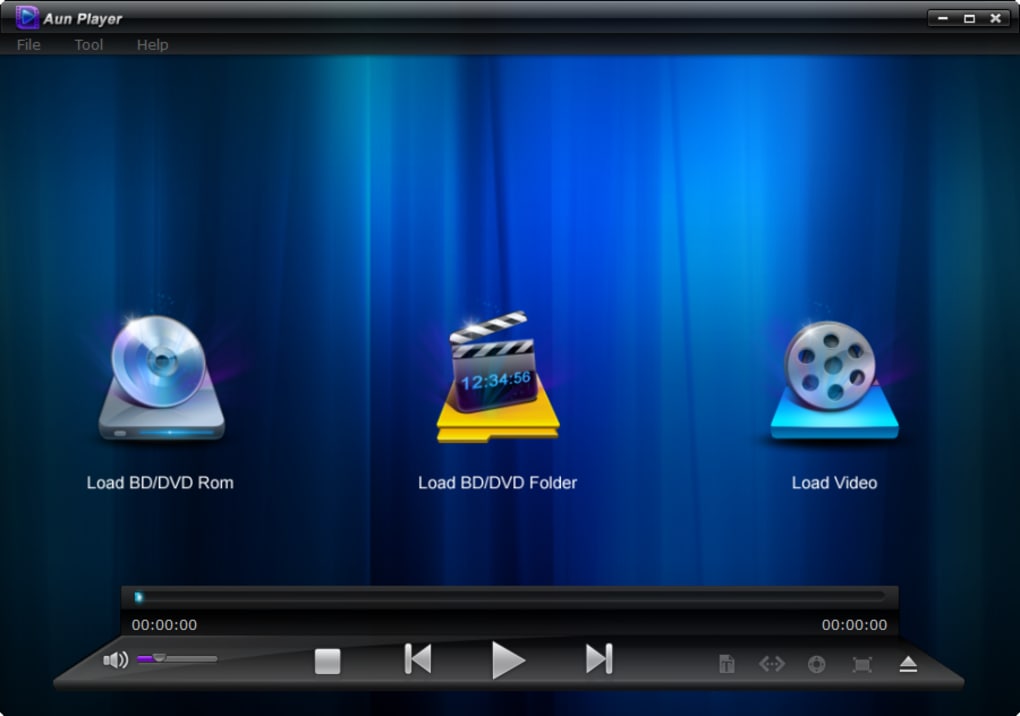
Aun Player distinguishes itself from other free media players through its comprehensive support for Blu-ray and DVD playback. This is a significant advantage, as many free players struggle with the complex copy protection schemes employed on these discs. The software’s ability to navigate and select chapters, audio tracks, and subtitle tracks directly within the player interface is a key feature, providing users with a high degree of control over their viewing experience.
The software’s compatibility extends beyond physical discs. Aun Player can also play a wide range of common video file formats, including MKV, AVI, VOB, and MP4. This versatility makes it a practical choice for users with diverse digital video libraries. Furthermore, the player supports decrypted BD and DVD folders, expanding its capabilities beyond just disc playback.
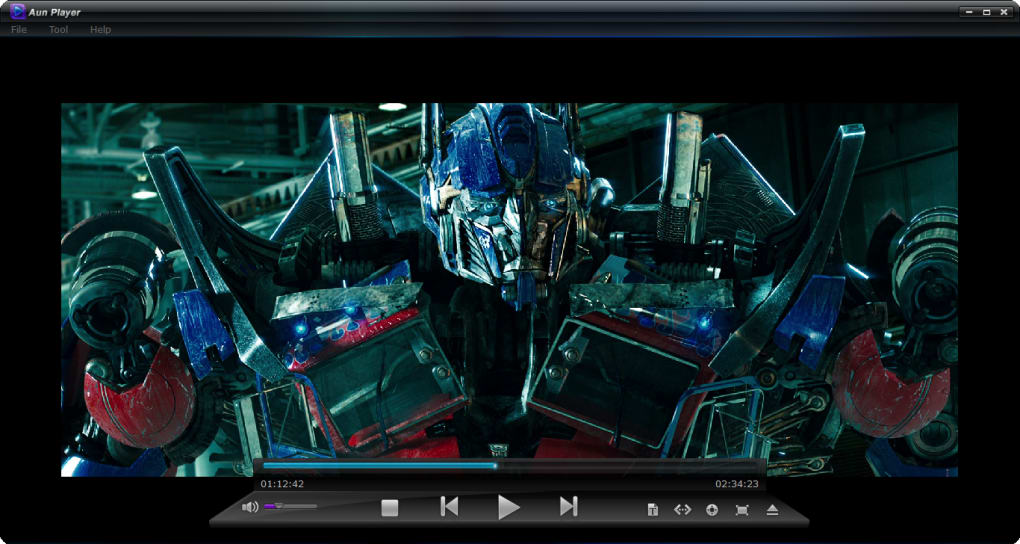
One particularly useful feature is the software’s ability to decode video using either the system’s default codecs or, if available, CUDA (Compute Unified Device Architecture) codecs. CUDA acceleration can significantly improve performance, especially when dealing with high-resolution or demanding video formats. This allows for smoother playback, even on less powerful systems.
Users have options to customize the viewing experience by adjusting the playback size, choosing between windowed mode and full-screen mode, and easily ejecting Blu-ray or DVD discs via a convenient on-screen control. The inclusion of movie information display within the player itself is a welcome addition, providing context and details without the need to switch to external sources.
System Requirements and Compatibility
While the specific system requirements aren’t explicitly stated in all sources, the ability to utilize CUDA suggests a preference for systems with compatible NVIDIA graphics cards. While it should function on less powerful systems, performance will likely vary depending on the video file being played. The software is explicitly stated to be compatible with Windows 8, implying potential compatibility with later Windows versions, although official confirmation on this is advisable before installation. Given its age (last updated in 2013), support for more recent operating systems is not guaranteed.
Performance and User Experience
Based on user reviews and available information, Aun Player appears to provide adequate performance for its intended purpose. However, it’s crucial to acknowledge that the software’s last update was in 2013. This significantly impacts its relevance in the context of modern media formats and operating system improvements. While it may function correctly, it may lack support for newer codecs or features found in contemporary media players. This could potentially limit its capabilities when handling recently released movies or videos encoded using cutting-edge compression techniques.
The user interface is likely straightforward and functional, designed for ease of use. However, without access to current screenshots or user feedback beyond the limited available information, it’s difficult to assess the interface’s modern appeal or intuitiveness. A dated interface could prove less appealing to users accustomed to more visually modern and streamlined media players.
Comparison with Alternative Software
Aun Player operates in a competitive market dominated by powerful and feature-rich media players. Direct comparisons with popular options such as VLC Media Player, MPC-HC (Media Player Classic - Home Cinema), and others, reveal certain limitations. While Aun Player offers the unique advantage of built-in Blu-ray and DVD support without the need for additional plugins, its lack of recent updates could significantly hinder its ability to compete on features, performance, and support for modern codecs and formats. These widely used alternatives offer extensive codec support, ongoing development, and improved features such as advanced subtitle management, hardware acceleration options beyond CUDA, and enhanced streaming capabilities.
Security Considerations
As with any downloaded software, it’s crucial to exercise caution. Downloading software from unofficial sources or websites can expose users to malware or viruses. Always verify the legitimacy of the download source to minimize security risks. While the software’s security status is indicated as safe in the original information, it’s essential to always scan downloaded files with a reputable antivirus program before execution. The lack of recent updates raises concerns about potential security vulnerabilities that may have emerged since the last version release.
Conclusion: Aun Player’s Niche and Limitations
Aun Player, while offering a unique functionality in playing Blu-ray and DVD discs for free, faces significant challenges in today’s media player landscape. Its age and lack of updates significantly limit its capabilities compared to more modern alternatives. While it may function as intended for users with a specific need for a free Blu-ray/DVD player and have a limited video library, users should carefully consider the limitations outlined above before relying on it as their primary media player. More contemporary alternatives offer a more robust, feature-rich, and secure media playback experience. Its continued use would necessitate a thorough understanding of its potential limitations and risks. The user should weigh the convenience of free Blu-ray/DVD playback against the potential drawbacks arising from its outdated nature and the lack of ongoing development and security updates. Users seeking a comprehensive and future-proof solution might find more suitable options in the broader media player market.
File Information
- License: “Free”
- Version: “1.1.0.990”
- Latest update: “September 24, 2013”
- Platform: “Windows”
- OS: “Windows 8”
- Language: “English”
- Downloads: “9.7K”
- Size: “32.14 MB”


