
Aurora Browser is a free web browser for Windows designed for speed and efficiency. It prioritizes a minimal footprint, boasting a remarkably small installation size without sacrificing essential functionality. This review delves into the browser’s strengths, weaknesses, and overall user experience.
Speed and Efficiency: The Core Strengths of Aurora Browser
Aurora Browser’s primary selling point is its speed and minimal resource consumption. The developers emphasize a “fastest and smallest” browser, a claim supported by its minuscule installation package (around 2MB) and reported rapid boot times (0.27 seconds). This lightness is achieved through a clever use of the Internet Explorer (IE) core, intelligently leveraging its capabilities while optimizing for speed and reduced memory usage. Unlike many modern browsers that demand significant system resources, Aurora aims to leave a smaller ecological footprint on your system’s performance. This makes it an excellent option for older machines or those with limited RAM.
The browser’s developers highlight that the intelligent use of the IE core allows for backwards compatibility with older web technologies, something that newer, more streamlined browsers might struggle with. By adapting and utilizing the reliable IE kernel (based on the system version, pulling back to IE8 if necessary), Aurora strives to ensure broad web compatibility while minimizing potential security vulnerabilities associated with outdated browser engines. This compatibility factor might be crucial for accessing legacy websites that don’t work well with contemporary browsers.
Furthermore, Aurora Browser boasts optimized memory management, promising up to 90% memory savings compared to other browsers. This is a significant advantage for users who experience browser slowdowns or system lag due to resource-intensive applications. The reduced memory footprint translates to smoother browsing, faster page loading, and overall improved system responsiveness. The aim is to provide a seamless and responsive browsing experience even on less powerful hardware.

User Interface and Design: Minimalism Meets Functionality
Aurora Browser embraces a minimalist design philosophy. The user interface is clean, uncluttered, and intuitive. This focus on simplicity aims to enhance usability and minimize distractions. While lacking the extensive customization options found in browsers like Chrome or Firefox, the core functionality is readily accessible and easy to navigate. This straightforward design is a definite asset for users who prefer a clean and efficient browsing experience, unburdened by excessive features or complex settings.
The minimalist aesthetic extends to the browser’s speed and efficiency. The focus on core functions contributes to its low memory usage and quick loading times. This is a deliberate design choice that prioritizes performance over extensive customization, making Aurora a practical choice for users who value functionality over extensive visual modification options.
While the simplistic design might appeal to some users, others might find it lacking in features or personalization. The absence of extensions or add-ons is a notable limitation compared to other mainstream browsers. This trade-off is inherent to Aurora’s minimalist approach, where performance and efficiency take precedence over extensive customization and add-on functionality.
Security and Privacy Considerations in Aurora Browser
The browser’s developers emphasize security and stability. The use of the IE core, albeit older, is claimed to be leveraged in a manner that mitigates potential vulnerabilities. However, the reliance on an older core could be a concern for users who prioritize the latest security patches and up-to-date browser technologies. While Aurora aims to minimize vulnerabilities through intelligent kernel management, independent security audits and detailed security reports regarding the browser are currently unavailable, limiting a comprehensive evaluation of its security posture.
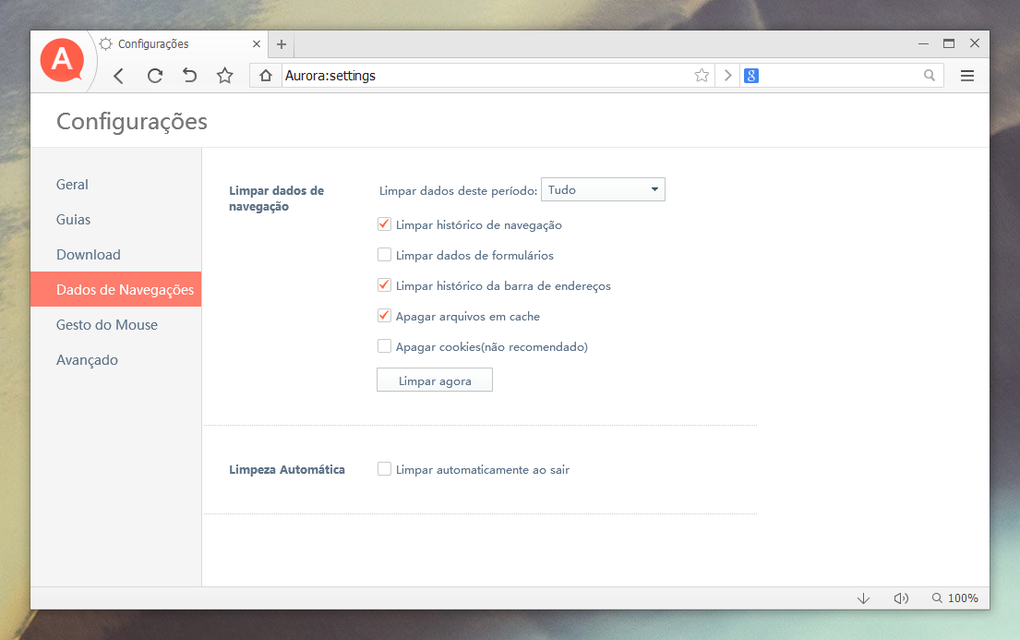
The absence of built-in security features commonly found in modern browsers, such as integrated ad blockers, privacy settings, or password managers, is also a notable limitation. Users might need to rely on external tools or extensions (if supported in future versions) to enhance their security and privacy experience.
Therefore, users need to exercise caution and adopt comprehensive security practices outside of the browser itself. This could include using strong passwords, enabling two-factor authentication where possible, and installing reputable antivirus software on their system.
Aurora Browser Compared to Alternatives
Aurora Browser positions itself as an alternative to resource-intensive browsers like Chrome and Firefox. Its primary advantage lies in its lightweight nature and speed. However, this comes at the cost of features and extensibility. Compared to Chrome, Aurora lacks the vast ecosystem of extensions and add-ons, severely limiting its customization and functionality. Similarly, compared to Firefox, Aurora lacks features like built-in privacy tools and enhanced security features.
Choosing Aurora Browser requires a careful consideration of priorities. If speed and minimal resource consumption are paramount, then Aurora might be a compelling option. However, users who rely on browser extensions, robust security features, or a high degree of customization will likely find Aurora’s limited capabilities insufficient.
The best browser choice is ultimately dependent on individual needs and preferences. For users with older systems or those who prioritize speed above all else, Aurora may present a viable option. But for those who prioritize features, customization, or advanced security, mainstream browsers like Chrome or Firefox may still offer a more comprehensive and satisfying experience.
Future Prospects and Potential Improvements for Aurora Browser
Aurora Browser, while promising in its speed and minimal footprint, currently lacks many features present in its competitors. Future developments could significantly improve its appeal and usability. The addition of an extension system would dramatically increase its functionality, allowing users to personalize their browsing experience with tools and add-ons. Integrating more robust security and privacy features, such as built-in ad blockers or a password manager, would further enhance user confidence and safety.
Moreover, incorporating more comprehensive user interface customization options would allow users to personalize the appearance and functionality of the browser to their liking. Expanding language support beyond the currently available options would broaden its appeal to a global user base. Finally, providing regular updates with improved security patches and performance enhancements would build user trust and assure ongoing support.
The potential for Aurora Browser to become a serious contender in the web browser market exists, provided the developers address the current limitations and incorporate the requested features. The focus on speed and efficiency is a strong foundation, and enhancing this with added functionality and security would make it a more attractive choice for a wider range of users. The browser’s future success depends heavily on the developers’ ability to address the feedback and incorporate user-requested features and improvements.
File Information
- License: “Free”
- Latest update: “September 22, 2021”
- Platform: “Windows”
- OS: “Windows 8”
- Language: “English”
- Downloads: “26.4K”
- Size: “1.88 MB”


