
Auslogics BoostSpeed is a powerful suite of software utilities designed to enhance the performance, security, and overall health of your Windows PC. Developed by Auslogics Labs, this program offers a comprehensive approach to PC maintenance, catering to both novice and experienced users. This review will delve into its features, functionalities, pricing model, pros and cons, and overall effectiveness as a PC optimization solution.
Understanding Auslogics BoostSpeed’s Core Functionality
At its heart, Auslogics BoostSpeed acts as an all-in-one solution for diagnosing and resolving various PC issues. It tackles problems ranging from performance bottlenecks to security vulnerabilities, offering a range of tools to address these concerns. The software’s capabilities extend beyond simple file cleanup, encompassing features designed to optimize system performance, protect user privacy, and ensure the overall stability of the operating system.
The software achieves this through a multi-faceted approach. It identifies and removes junk files, temporary internet files, and other unnecessary data clogging up your hard drive. This process not only frees up valuable storage space but also contributes to improved system responsiveness. Furthermore, Auslogics BoostSpeed analyzes your system for registry errors and other potential performance inhibitors, offering automated fixes to resolve these issues. Privacy features include the ability to securely erase browsing history, temporary files, and other traces of online activity, providing users with greater control over their digital footprint.

Beyond its core cleaning and optimization features, Auslogics BoostSpeed includes specialized tools to cater to specific user needs. One notable example is the “Cat Mode,” a quirky yet practical feature that automatically locks your keyboard after a period of inactivity, preventing accidental keystrokes from mischievous pets. This demonstrates the software’s attention to detail and its effort to address less common but still relevant user concerns.
The software’s interface is designed with user-friendliness in mind. A well-organized dashboard provides quick access to key features, while intuitive tooltips clarify the function of each tool, ensuring that even beginners can easily navigate and utilize the software’s capabilities effectively. The main window presents a clear overview of system status, allowing users to quickly assess potential problems and initiate scans. A scheduler allows for automated scans and maintenance tasks, making it effortless to maintain a healthy system over time.
Navigating the Auslogics BoostSpeed Interface and Features
The software’s user interface is structured to provide a seamless user experience. Upon launch, the main window displays a clear and concise dashboard providing an overview of your system’s health. From here, you can initiate a system scan, access individual tools, or navigate to different sections of the program. The top taskbar features a layered approach. The first layer provides access to standard menu options: File, View, Tools, and Help (which includes a link to the online user manual). The second layer features tabbed sections categorizing the various functionalities: My Dashboard, My Scanner, My Advisor, Clean Up, Optimize, Protect, Maintain, Ask a Question, and All Tools. This organization allows users to easily locate and access the specific tools they need based on their current requirements. The “All Tools” section provides a comprehensive list of all available utilities, including those exclusive to the Pro version.
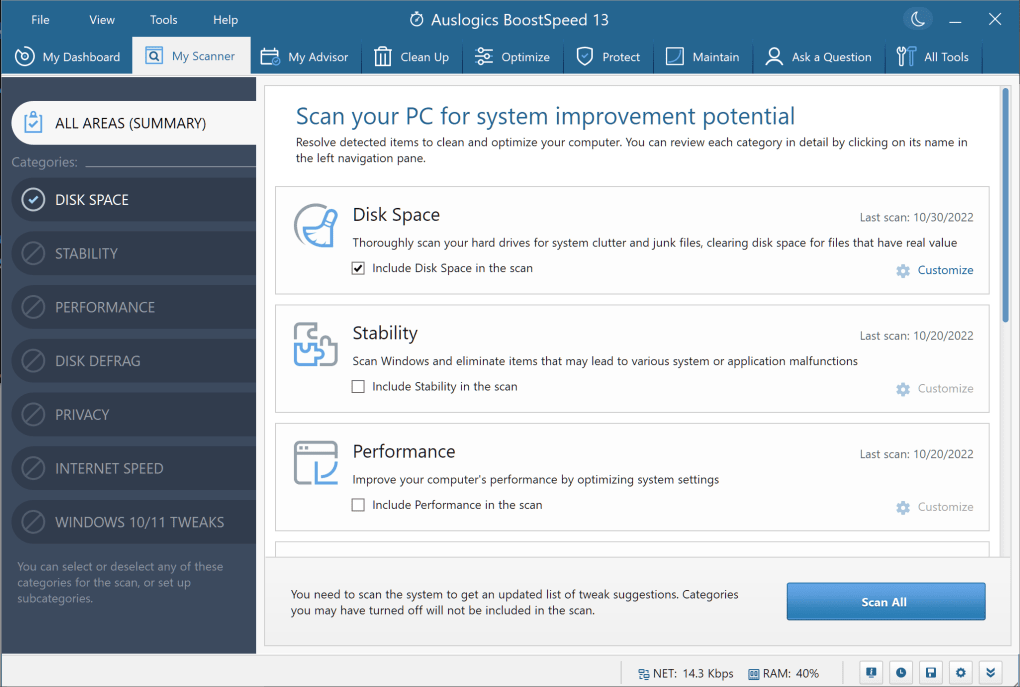
The “My Dashboard” tab provides a visual representation of your system’s overall health, showcasing key metrics and potential issues. The “My Scanner” tab displays the results of recent scans, allowing users to review identified problems and initiate remediation processes. “My Advisor” offers personalized recommendations for system improvements and optimizations. The “Clean Up,” “Optimize,” “Protect,” and “Maintain” tabs provide structured access to tools grouped by their primary function. This arrangement simplifies the process of finding and utilizing specific tools, even for less experienced users.
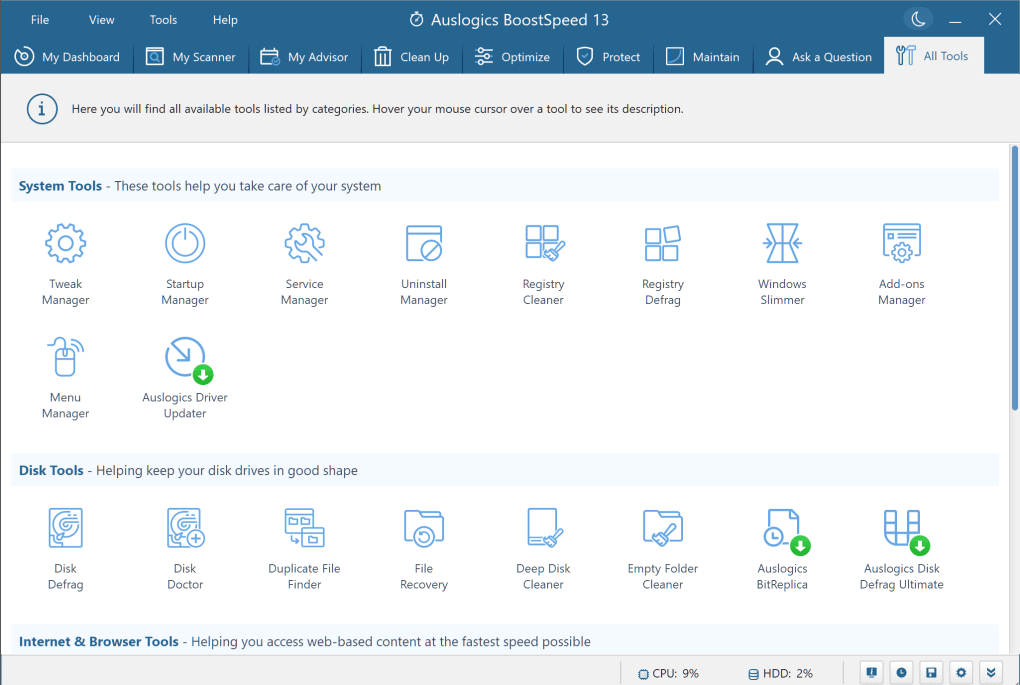
Each tool within the suite is meticulously designed and clearly labeled. The software includes helpful tooltips throughout the interface, providing immediate explanations of tool functions, and enhancing the overall user experience. This attention to detail contributes significantly to the user-friendliness of the software, making it accessible even to those who are not tech-savvy.
Auslogics BoostSpeed: Free vs. Pro Version
Auslogics BoostSpeed offers both free and Pro versions, each with its own set of features and limitations. The free version provides access to most of the software’s core functionalities, allowing users to experience the capabilities of the suite without any financial commitment. It includes features like a customizable dashboard, the ability to perform system scans, and access to several optimization and cleaning tools. However, the free version has limitations. It might only resolve a limited number of issues identified during scans, with some advanced features being restricted.
The Pro version unlocks the full potential of Auslogics BoostSpeed, providing unrestricted access to all tools and functionalities. This includes the ability to address a wider range of system problems, perform more thorough scans, and utilize advanced optimization techniques. Furthermore, the Pro version includes automatic maintenance features, which schedule and automate routine system maintenance tasks, ensuring consistent optimal performance. The Pro license also provides access to unlimited updates and technical support, ensuring users always have access to the latest features and assistance when needed. A significant advantage of the Pro version is its coverage for three devices under a single license key, offering cost-effectiveness for users with multiple computers.
While the free version serves as a valuable introduction to the software, the Pro version is recommended for users who want to fully leverage the software’s potential for system optimization and ongoing maintenance. The investment in the Pro version pays off by ensuring comprehensive system protection and optimal performance over the long term.
Auslogics BoostSpeed: Potential Drawbacks
While Auslogics BoostSpeed offers many advantages, some potential drawbacks should be acknowledged. A common concern is that the software might be flagged as a potentially unwanted program (PUP) by some antivirus software during installation or usage. This is often due to the aggressive nature of some of its cleaning processes or the inclusion of bundled software during installation, which some security suites might perceive as intrusive. To address this, users might need to configure their antivirus software to exclude the Auslogics BoostSpeed program files from scanning to ensure its normal operation. This exclusion process, while generally straightforward, might require some technical understanding.
Furthermore, the sheer number of tools and features offered by Auslogics BoostSpeed could potentially feel overwhelming for some users, especially those with limited technical expertise. However, this complexity is mitigated by the software’s intuitive user interface and helpful tooltips.
Conclusion: Is Auslogics BoostSpeed Worth the Investment?
Auslogics BoostSpeed is a comprehensive and versatile PC optimization suite offering a wide array of tools to enhance system performance, security, and overall health. Its user-friendly interface, combined with detailed tooltips and an organized layout, makes it accessible to both novice and experienced users. While the free version offers a useful introduction to its functionalities, the Pro version unlocks its full potential with unlimited access to tools, automatic maintenance features, and comprehensive support. Despite the occasional false-positive from antivirus software, the overall benefits of using Auslogics BoostSpeed significantly outweigh any minor drawbacks. For users seeking a robust, all-in-one solution for PC maintenance and optimization, Auslogics BoostSpeed is a worthy investment. The ability to cover multiple devices with a single Pro license adds to its value proposition, making it a cost-effective choice for users with multiple computers. Its consistent performance enhancements, coupled with its intuitive interface and comprehensive support, make Auslogics BoostSpeed a strong contender in the crowded field of PC optimization software.
File Information
- License: “Trial version”
- Latest update: “February 5, 2025”
- Platform: “Windows”
- OS: “Windows 8”
- Language: “English”
- Downloads: “54.2K”


