
Auto C is a free, Windows-based software application that simplifies the process of creating C source code for Windows applications. It utilizes a unique point-and-click interface, enabling users to visually design the graphical user interface (GUI) of their applications without the need for extensive manual coding. This intuitive approach significantly lowers the barrier to entry for aspiring C programmers and accelerates the development process for experienced ones. This article explores the features, benefits, and potential applications of Auto C, positioning it within the broader landscape of C programming tools and development environments.
Streamlining C Development with a Visual Interface
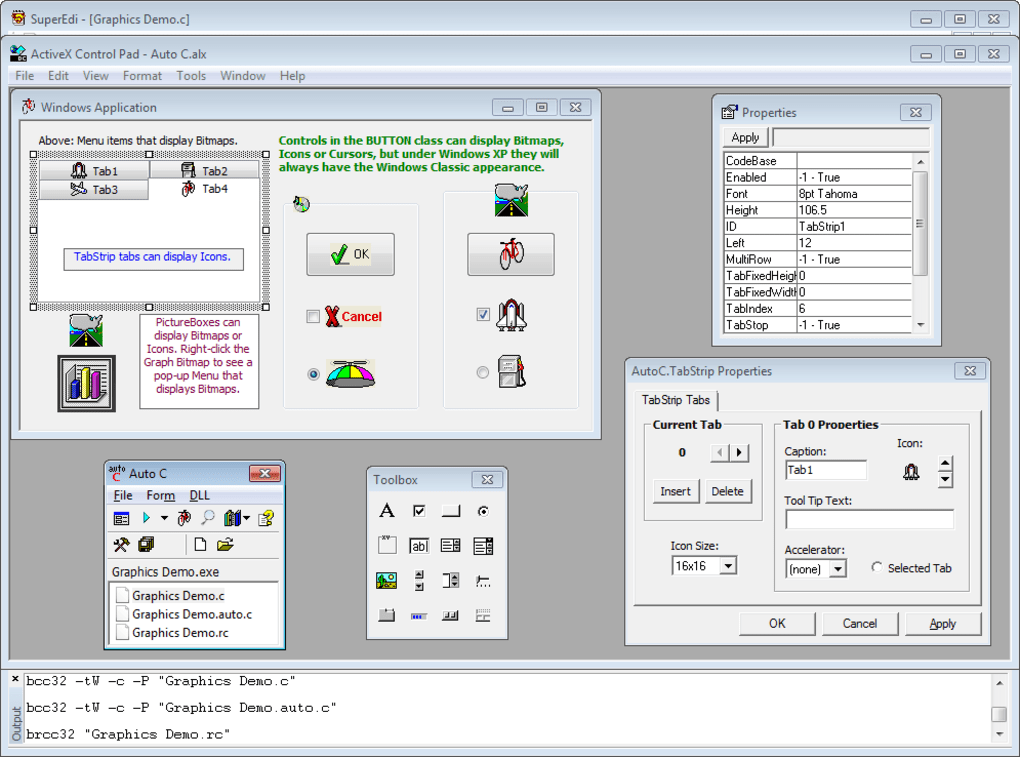
Traditional C programming for Windows often involves intricate manual coding for GUI elements. Developers must meticulously define each window, button, textbox, and other components, a process that can be time-consuming and prone to errors. Auto C circumvents this complexity by offering a What You See Is What You Get (WYSIWYG) visual design environment. Users can create their application’s GUI by simply dragging and dropping controls onto a form, much like using a visual design tool for other programming languages. This intuitive drag-and-drop functionality makes the process significantly faster and more accessible, allowing programmers to focus on the core logic of their applications rather than getting bogged down in GUI implementation details.
The visual form designer in Auto C mimics the functionality of more sophisticated, and often expensive, Integrated Development Environments (IDEs). While many IDEs include dialog box editors, Auto C distinguishes itself by providing a free, visual studio-style form layout designer, making it a powerful and cost-effective alternative. The immediate visual feedback ensures that developers see the results of their design choices in real-time, reducing the need for constant recompilation and testing. This visual feedback loop accelerates the iterative design process, promoting faster experimentation and more efficient development cycles.
Beyond the Visual: Automating Code Generation and DLL Integration

Auto C’s capabilities extend beyond its visual form designer. The software automatically generates the underlying C source code corresponding to the visually designed GUI. This automated code generation eliminates the tedious and error-prone manual writing of GUI code, ensuring consistency and minimizing the risk of syntax errors or inconsistencies. The generated code is clean, efficient, and adheres to best practices, simplifying the integration of the GUI into the larger application logic.
Furthermore, Auto C includes built-in support for four popular C/C++ compilers. This support simplifies the compilation and linking process, allowing users to quickly build and run their applications directly from within the Auto C environment. This seamless integration eliminates the need for users to navigate separate compiler interfaces, making the entire development workflow more streamlined and user-friendly. The ability to compile, link, and run applications with a single button click reduces development time and enhances developer productivity.
One of Auto C’s standout features is its ability to automatically generate the code necessary for dynamically loading DLLs (Dynamic Link Libraries) and accessing their exported functions. DLLs are crucial components of many Windows applications, allowing for modularity, code reuse, and efficient resource management. However, manually managing DLL loading and function calls can be a complex and error-prone process. Auto C simplifies this process, automating the generation of the necessary code, making it significantly easier for developers to integrate DLL functionality into their applications, irrespective of their experience level. This feature opens up a wide range of possibilities for extending application functionality by leveraging existing libraries and pre-built components.
Demystifying Windows Application Development and DLL Usage
Auto C serves as an invaluable tool for understanding the fundamentals of Windows application development and how DLLs interact with executable applications (EXEs). The visual nature of the tool aids in comprehension, demonstrating the relationship between the visual GUI elements and the underlying C code. This allows developers to observe the impact of design choices on the generated code, fostering a better understanding of the relationship between visual design and code implementation. This practical, hands-on experience helps demystify concepts often considered challenging for beginners in Windows programming. The software acts as a bridge, bridging the gap between the visual design elements and the underlying code structure, clarifying how they interplay to form a functional Windows application.
By offering a simplified approach to DLL interaction, Auto C makes this powerful technique accessible to a wider range of users. The automatic generation of the necessary code eliminates the complexity often associated with DLL management, removing a significant hurdle for developers less familiar with these advanced concepts. Through this accessible introduction, Auto C empowers users to leverage the benefits of modularity and code reuse offered by DLLs.
Target Audience and Applications
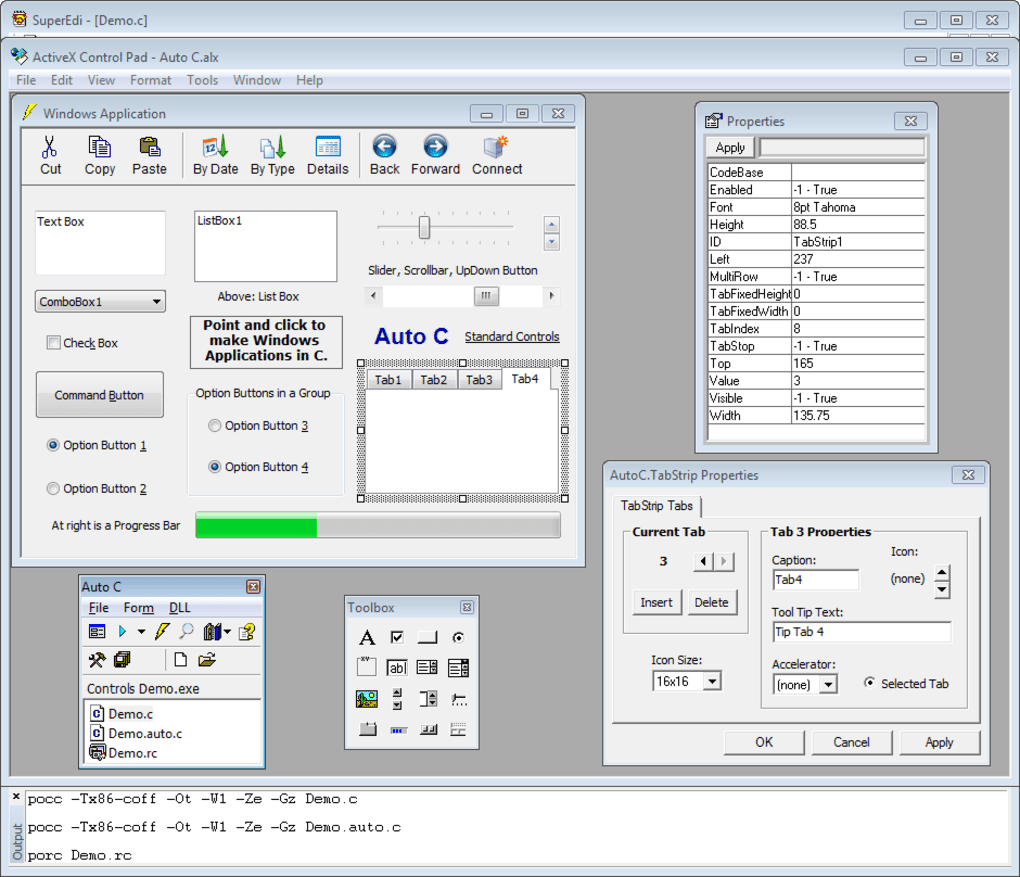
Auto C is designed for a broad spectrum of users, from beginners seeking to learn C programming in a Windows environment to experienced developers looking for a faster and more efficient way to develop Windows applications. Its intuitive visual interface makes it exceptionally well-suited for educational purposes, providing a practical and engaging platform for learning the fundamentals of C and GUI programming. Furthermore, its ease of use and automated code generation significantly reduce development time, making it an attractive tool for professional developers involved in rapid prototyping or smaller-scale projects.
The applications of Auto C are diverse, spanning various domains. From simple utility applications and educational tools to more complex programs incorporating external libraries via DLLs, Auto C empowers developers to bring their ideas to life. Its versatility makes it suitable for a broad range of projects, empowering users with varying levels of programming expertise. For example, a student could use it to create a simple calculator application, quickly gaining practical experience. Simultaneously, a professional developer might leverage it for rapid prototyping, accelerating the development cycle and allowing for quick iteration on designs.
Conclusion: Auto C – A Powerful Tool for Modern C Development
Auto C offers a unique and valuable approach to C programming on Windows. By combining a user-friendly point-and-click interface with automated code generation and DLL integration, it simplifies the development process and makes C programming more accessible to a broader audience. Its visual nature enhances understanding of underlying concepts, while its features accelerate development and improve productivity. Whether used for educational purposes or professional development, Auto C stands as a powerful tool for building robust and efficient Windows applications using the C programming language, bridging the gap between visual design and functional code. Its free availability further enhances its appeal, making it a compelling choice for both beginners and experienced developers alike.
File Information
- License: “Free”
- Latest update: “February 16, 2024”
- Platform: “Windows”
- OS: “Windows XP”
- Language: “English”
- Downloads: “73.8K”
- Size: “921.03 KB”


