
Auto Keyboard Presser is a lightweight, free utility for Windows that automates repetitive keyboard inputs. Developed by Autosofted, this tool allows users to record a sequence of keystrokes and then replay them, either a specified number of times or in a continuous loop. This functionality is particularly useful for tasks involving repetitive typing or key combinations, offering a simple solution for increasing productivity and reducing strain from manual repetition.
Ease of Use and Functionality
One of the most significant advantages of Auto Keyboard Presser is its ease of use. The program boasts a minimal learning curve, requiring little to no prior experience with automation software. Users familiar with auto-clicker or auto-presser applications will find the interface intuitive and immediately accessible. The core functionality revolves around two key actions: recording and playback.
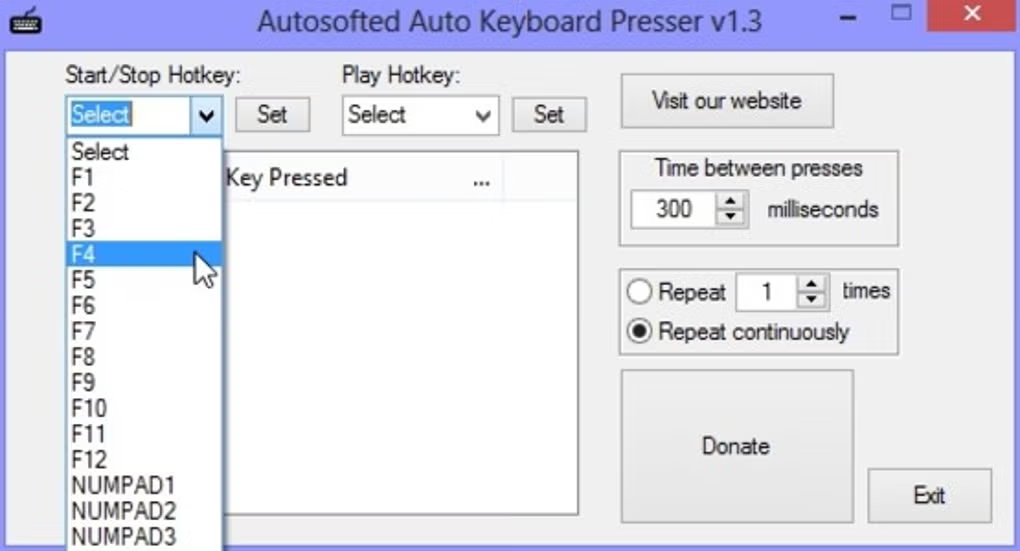
To begin recording, the user selects a designated “Start/Stop” hotkey, typically an F-key (F1-F12) or a number key on the numeric keypad (0-9). Pressing this hotkey initiates the recording process, capturing all subsequent keystrokes until the hotkey is pressed again to stop the recording. The recorded sequence is then stored in the application’s memory.
Playback is similarly straightforward. A designated “Play” hotkey, also customizable from the same F-keys or numeric keypad options, initiates the replay of the recorded keystrokes. The program provides granular control over playback settings, allowing users to specify the number of repetitions or to set the process to run continuously in a loop.
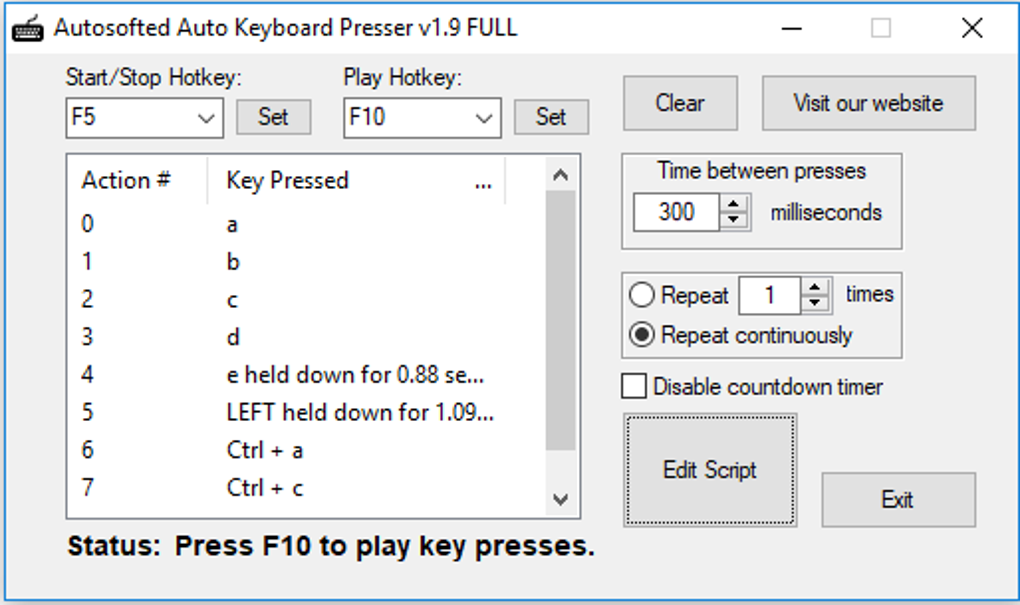
Furthermore, Auto Keyboard Presser offers customization of the delay between keystrokes. This feature allows users to fine-tune the automated sequence to match the timing requirements of the target application or process. The ability to adjust the interval between keystrokes adds a crucial layer of flexibility, ensuring the automation accurately mimics manual input, even in scenarios with dynamic timing constraints.
The program’s portability adds another layer of convenience. It does not require installation, meaning it can be run directly from its extracted folder. This eliminates the need for system-wide changes or registry entries, making it highly portable and easy to use on different computers without leaving any traces or requiring administrative privileges. This characteristic makes it an ideal tool for users who need a quick and easily deployable automation solution.
Customization and Advanced Features (or Lack Thereof)
While Auto Keyboard Presser excels in its simplicity and ease of use, it also presents certain limitations compared to more sophisticated automation software. The program’s focus on core functionality sacrifices some of the advanced features found in other automation tools.
A notable limitation is the lack of support for multiple task storage and management. The application only allows the storage of a single recorded sequence at any given time. This means that users needing to automate multiple distinct sequences must record and play back each sequence individually. This limitation can be cumbersome for users requiring the automation of complex or multifaceted tasks involving multiple different keystroke sequences.
Another absence is the inability to schedule automated tasks. Auto Keyboard Presser only executes the recorded sequence upon manual initiation via the designated “Play” hotkey. The lack of scheduling functionality prevents automation at specific times or in response to specific events, limiting its use in situations requiring timed or event-triggered actions.
Despite these limitations, the program’s highly customizable options for keystroke delays, repetition counts, and hotkey selections are noteworthy. These features enhance the program’s adaptability and make it suitable for a broad range of simple automation needs.
Advantages and Disadvantages Summarized
Pros:
- Ease of Use: Simple interface and minimal learning curve. Intuitive for users familiar with similar applications.
- Portability: No installation required; runs directly from the extracted folder, making it easily transportable and leaving no system traces.
- Customizability: Allows users to select custom hotkeys and adjust the delay between keystrokes for precise automation.
- Lightweight: Minimal system resource consumption, ensuring smooth operation on various systems.
- Free: The software is available without any cost, making it accessible to a wide range of users.
Cons:
- Limited Task Management: Only allows the storage and execution of a single recorded task at a time. Managing multiple automation tasks is cumbersome.
- No Scheduling: Automated tasks cannot be scheduled to run at specific times or in response to specific events.
- Basic Functionality: Lacks advanced features found in more comprehensive automation software, such as conditional logic or integration with other applications.
Alternatives and Comparison
Several alternative applications offer similar keyboard automation functionality, each with its own strengths and weaknesses. Some notable alternatives include:
- Free Autoboard Presser: A comparable freeware application with similar basic functionality. A direct comparison would need to assess features like hotkey customization options, delay adjustment, and the efficiency of the recording and playback mechanisms.
- Auto Key Clicker: Another free option, but its feature set and ease of use should be carefully compared to determine suitability.
- Auto Clicker Auto Keybot: This free tool requires a comparison of its recording capabilities, speed, and ability to handle complex keystroke sequences.
- GS Auto Clicker: While primarily an auto-clicker, this tool often includes keyboard automation capabilities, and a comparison needs to be done to assess its overall efficiency and features compared to Auto Keyboard Presser.
- Macro Recorder: A more feature-rich (often paid) option, offering scripting and more advanced automation features. This comparison should highlight the balance between complexity and the simple functionality offered by Auto Keyboard Presser.
- TinyTask: A lightweight automation tool. A comparison is needed to assess its handling of keyboard sequences and its ease of use compared to Auto Keyboard Presser.
Choosing the right alternative depends on individual needs. While Auto Keyboard Presser excels in its simplicity and ease of use, more advanced automation tasks might necessitate a more feature-rich tool.
Conclusion
Auto Keyboard Presser provides a straightforward and effective solution for automating repetitive keyboard tasks. Its ease of use, portability, and customizability make it an attractive option for users with basic automation needs. However, its limitations in task management and scheduling capabilities might prove restrictive for users requiring more sophisticated automation functionalities. Users should carefully consider their specific needs and compare available alternatives before making a decision. The software’s free nature makes it a valuable tool to experiment with, but its simplistic design might not fulfill the requirements of every user. It serves as an effective starting point for individuals new to keyboard automation or those who need a simple solution for repetitive tasks, but for more complex automation scenarios, a more robust tool would likely be more beneficial.
File Information
- License: “Free”
- Version: “1.9”
- Latest update: “July 15, 2022”
- Platform: “Windows”
- OS: “Windows 8”
- Language: “English”
- Downloads: “35.1K”


