
In the rapidly evolving landscape of design and engineering, the ability to create, edit, and share intricate drawings on the go has become not just a luxury, but a necessity. AutoCAD 360 emerged as a pioneering solution, a cloud-based computer-aided design (CAD) application developed by Autodesk, specifically engineered to meet this modern demand. It transcends the traditional confines of desktop software, extending powerful CAD capabilities to a wide array of devices, including desktop computers, laptops, tablets, and smartphones. This ubiquitous accessibility transforms how professionals interact with their designs, fostering unprecedented levels of flexibility and collaboration.
AutoCAD 360 operates on a freemium model, offering a foundational subscription that encompasses essential CAD features, making it accessible to a broad user base. For those requiring more sophisticated tools and functionalities, a paid subscription unlocks advanced features, ensuring that the application can scale with the demands of complex projects. At its core, AutoCAD 360 is more than just a drawing tool; it’s a comprehensive platform designed to streamline workflows, enhance precision, and facilitate seamless teamwork across diverse professional disciplines. From architects sketching preliminary layouts to engineers refining intricate product designs, AutoCAD 360 empowers users to carry their design studio in their pocket, connecting them to their work and collaborators anywhere, anytime.
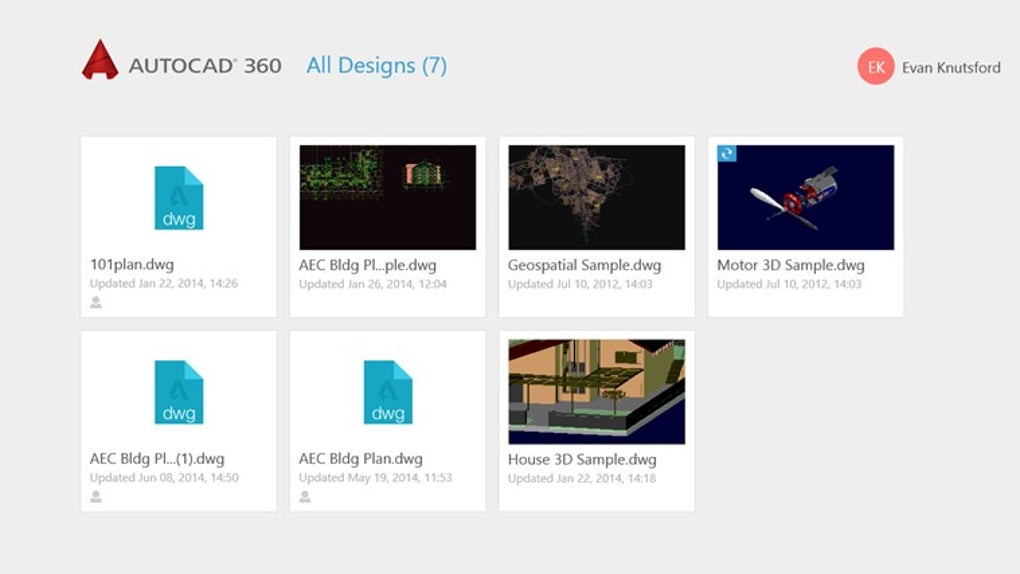
Unlocking Design Potential: Core Features of AutoCAD 360
AutoCAD 360 stands out for its robust suite of features, meticulously crafted to provide a powerful and intuitive environment for CAD professionals. Its strength lies not only in its individual tools but also in their synergistic integration, which collectively enhances productivity and design accuracy. This section delves into the specific functionalities that make AutoCAD 360 an indispensable asset for contemporary designers.
Intuitive Drawing Creation and Editing Tools
At the heart of any CAD application are its drawing and editing capabilities, and AutoCAD 360 excels in providing a comprehensive set of tools for both 2D and 3D design. Users can construct a vast array of geometric shapes with precision, including fundamental elements like lines, circles, and arcs. Beyond these basics, the software offers more complex primitives such as rectangles, polygons, and splines, allowing for the creation of intricate and organic forms. The true power lies in the ability to combine these diverse shapes to build sophisticated objects, laying the groundwork for elaborate designs.
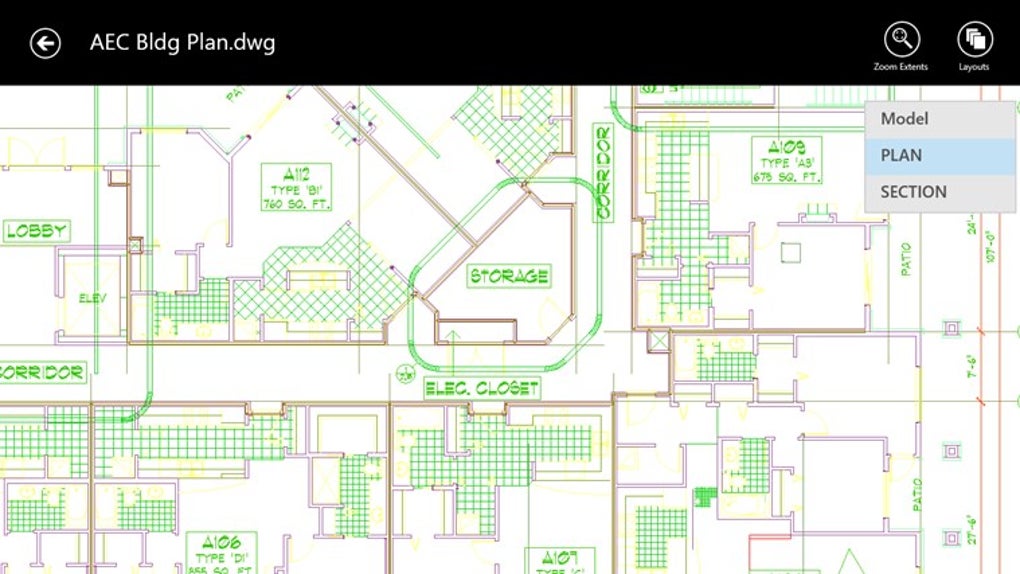
A significant bridge between 2D and 3D design is the extrusion capability, which allows users to effortlessly transform two-dimensional shapes into three-dimensional objects. This feature is crucial for visualizing designs in a more realistic context and preparing them for further 3D modeling processes.
Editing and manipulation tools in AutoCAD 360 are designed for efficiency and accuracy. Users can easily move, copy, rotate, and scale objects to achieve the desired arrangement and proportion. The ability to trim objects allows for precise cutting and cleaning of lines and shapes, ensuring clean and professional drawings. Furthermore, features like grouping and ungrouping objects, as well as creating reusable blocks and symbols, significantly streamline the design process. These functionalities promote consistency across projects, reduce repetitive tasks, and facilitate easier modification of complex assemblies.
Accuracy is paramount in CAD, and AutoCAD 360 addresses this with its robust object snap tools. These intelligent snapping mechanisms, including endpoint, midpoint, intersection, and tangent, automatically guide the cursor to precise points on objects, eliminating guesswork and ensuring geometrical correctness. This level of precision is critical for maintaining design integrity and preventing errors.
Finally, dimensioning and annotation tools are integral to communicating design intent. AutoCAD 360 allows users to add various types of dimensions—linear, radial, angular—along with text annotations and leaders. These tools provide critical information about sizes, distances, and specific notes, making the drawings self-explanatory and ensuring clear communication between designers, engineers, and manufacturers.
Seamless Collaboration and Version Control
One of AutoCAD 360’s most significant advantages, particularly in an era of distributed teams and remote work, is its emphasis on seamless collaboration. The application makes sharing drawings with other users exceptionally easy, offering multiple avenues such as email, direct links, or integration with various cloud storage services. This flexibility ensures that stakeholders can access and review designs through their preferred channels.
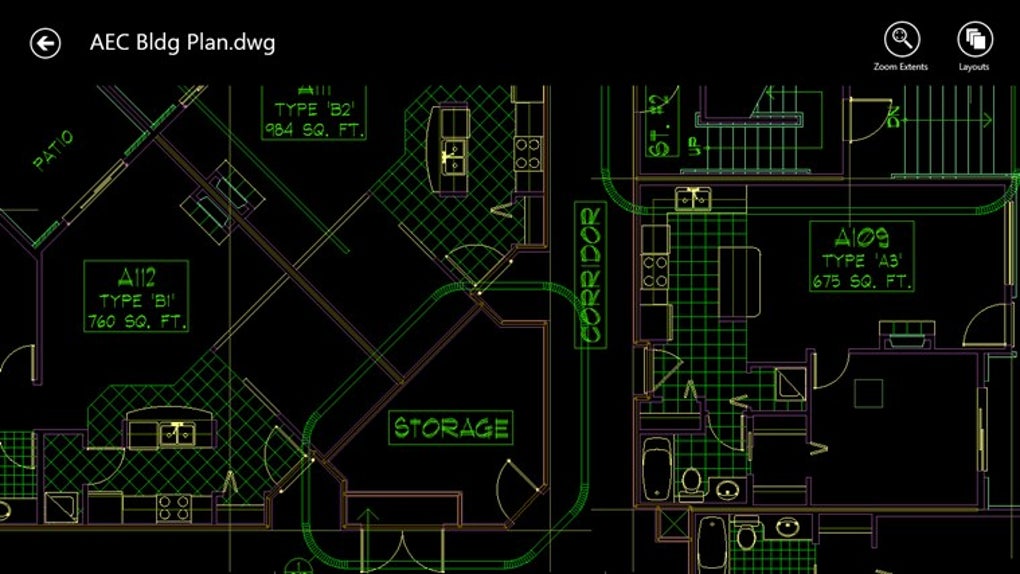
Beyond simple sharing, AutoCAD 360 facilitates real-time collaboration, allowing multiple users to view, edit, and comment on drawings concurrently. This capability transforms the design review process, enabling immediate feedback loops and accelerating project timelines. Teams can work together on a single drawing, seeing each other’s changes as they happen, which fosters a dynamic and interactive design environment regardless of physical location. This real-time interaction is crucial for reducing misinterpretations and ensuring that all team members are working from the most current design iteration.
To further safeguard design integrity and manage project evolution, AutoCAD 360 incorporates automatic version control. This feature meticulously tracks all changes made to drawings, creating a comprehensive history of revisions. This audit trail is invaluable, as it allows users to easily revert to previous versions if necessary, compare different design iterations, and understand the progression of a project. Version control minimizes the risk of losing work, provides a safety net for design experimentation, and enhances accountability within collaborative workflows.
Cloud Storage and Anytime, Anywhere Access
The cloud-based architecture of AutoCAD 360 is a cornerstone of its functionality, offering unparalleled flexibility and accessibility. Drawings are securely stored in the cloud, meaning users can access their design files from virtually anywhere, at any time, provided they have an internet connection. This centralized storage eliminates the challenges associated with local file management, such as version discrepancies or data loss due to hardware failures. It ensures that the latest version of a drawing is always available, preventing confusion and rework.
Recognizing that internet access isn’t always guaranteed, AutoCAD 360 also provides robust offline access capabilities. Users can download drawings to their device for viewing and editing even when disconnected from the internet. Once an internet connection is re-established, any changes made offline are automatically synchronized with the cloud, ensuring data consistency and continuous workflow. This hybrid online/offline model is particularly beneficial for professionals who work on-site, in remote locations, or during travel, providing uninterrupted productivity without compromising data integrity.
Advanced Capabilities for Premium Users
While the free and basic subscription plans of AutoCAD 360 offer a solid foundation, the premium tiers, often integrated into broader Autodesk offerings like Fusion 360, unlock a suite of advanced functionalities tailored for more complex and demanding design tasks. These capabilities significantly expand the scope of what designers can achieve within the Autodesk ecosystem.
For 3D modeling, premium plans provide sophisticated tools beyond basic extrusion. Features like revolution allow users to create symmetrical 3D objects by rotating a 2D profile around an axis, perfect for parts like gears or bottles. Sweeping enables the creation of complex forms by moving a 2D profile along a path, ideal for pipes, cables, or decorative elements. The ability to import mesh files further extends 3D modeling flexibility, allowing designers to incorporate external 3D models from various sources, facilitating interoperability and accelerating complex assembly designs.
Rendering features in the premium plans elevate design visualization to a professional level. Users can create photorealistic images and animations of their 3D models, complete with realistic materials, lighting, and environments. This is crucial for high-quality client presentations, marketing materials, and internal design reviews, allowing stakeholders to visualize the final product with exceptional clarity before any physical prototyping.
Simulation features empower designers to test the performance of their designs under real-world conditions. This includes stress analysis, thermal simulation, and motion studies, among others. By identifying potential design flaws, weak points, or performance bottlenecks early in the design cycle, simulation significantly reduces the need for expensive physical prototypes and accelerates the iteration process, leading to more robust and optimized products.
Generative design features represent a cutting-edge advancement, where users define design parameters, constraints, and performance objectives, and the software algorithm autonomously explores a vast array of design possibilities. This AI-driven approach can uncover innovative, optimized designs that human designers might not conceive, pushing the boundaries of creativity and efficiency, especially in fields requiring lightweight yet strong structures.
Finally, custom extensions, available to premium users, provide an unparalleled level of personalization and functionality expansion. These extensions allow users to develop and install additional features and tools tailored to specific workflows or niche requirements. This extensibility ensures that AutoCAD 360, particularly when integrated with Fusion 360, can adapt to virtually any specialized design challenge, solidifying its position as a highly versatile and future-proof design platform.
Beyond the Blueprint: Practical Applications and Target Audience
AutoCAD 360, often metaphorically described as a “designer’s wrench,” is an exceptionally versatile tool whose utility extends across nearly every profession that involves drawing, drafting, or design. Its cloud-based nature and comprehensive feature set make it adaptable to a wide array of practical applications, significantly enhancing productivity and accuracy across diverse industries.
One of its primary common use cases lies in the foundational stages of product design, engineering, and architecture. For product designers, AutoCAD 360 facilitates the conceptualization and detailed drafting of prototypes, mechanical parts, and consumer goods. Engineers, whether civil, mechanical, or electrical, leverage it for creating precise plans, schematics, and structural designs, ensuring compliance with specifications and safety standards. Architects rely on it heavily for drafting building plans, interior layouts, and site analyses, translating their creative visions into tangible blueprints. The ability to switch between 2D drafting for detailed plans and 3D modeling for visualization within a single ecosystem streamlines the entire design workflow for these professionals.
Beyond initial creation, AutoCAD 360 plays a crucial role in reviewing and approving drawings with collaborators and clients. Its real-time collaboration features mean that project managers, clients, and team members can simultaneously access, inspect, and provide feedback on designs. This transparency and immediacy drastically shorten approval cycles and minimize communication bottlenecks, ensuring all stakeholders are aligned and informed throughout the project lifecycle.
The application is also indispensable for redlining and markup, a critical process for communicating changes and feedback on existing drawings. Instead of printing physical copies and marking them up by hand, users can digitally annotate, highlight, and add comments directly onto the CAD files. This digital redlining is more efficient, leaves a clear audit trail of requested modifications, and can be shared instantly, significantly improving the speed and accuracy of design revisions.
Furthermore, AutoCAD 360 is invaluable for creating as-built documentation and other on-site documentation. For construction managers and field engineers, the ability to access and update drawings directly on a tablet or smartphone at the job site is revolutionary. They can quickly record actual dimensions, note discrepancies from original plans, and generate accurate “as-built” records that reflect the final constructed reality. This on-the-spot documentation ensures that project records are current and precise, which is crucial for future maintenance, renovations, and compliance.
In essence, AutoCAD 360 serves as a powerful enhancer of workflow efficiency and precision. It empowers professionals in construction, manufacturing, urban planning, and countless other fields to design, collaborate, and document with unparalleled flexibility and accuracy, making it an indispensable tool for the modern designer.
AutoCAD 360’s Evolution: From Standalone App to Fusion 360 Integration
AutoCAD 360 has always offered a flexible approach to its feature set, beginning with a free plan that includes essential CAD functionalities such as drawing creation and editing, basic cloud storage, and collaborative tools. This entry-level access allowed a broad audience, from students to hobbyists and small businesses, to experience the power of cloud-based CAD without an upfront investment.
However, as design needs became increasingly complex and integrated, Autodesk made a strategic move to consolidate and enhance its offerings for professionals seeking a more comprehensive, premium experience. AutoCAD 360’s advanced features have progressively been gathered under the umbrella of Fusion 360, an application that transcends traditional CAD by integrating a multitude of functions into a unified platform. This integration signifies a shift towards an all-encompassing solution for product development, from concept to manufacturing.
With a Fusion 360 subscription, users gain access to the core capabilities they appreciated in AutoCAD 360, alongside a wealth of additional tools designed to cover the entire product lifecycle. These include:
- Flexible 3D CAD/CAM: This provides powerful tools for both design (CAD) and manufacturing (CAM), allowing for seamless transitions from modeling to preparing designs for CNC machining, 3D printing, or other fabrication methods.
- PCB Designing: For professionals involved in electronics, Fusion 360 incorporates robust tools for printed circuit board (PCB) design, enabling the creation of schematics, layout, and manufacturing files within the same environment as their mechanical designs.
- 3D Simulation: Advanced simulation capabilities allow engineers to test the performance, strength, and thermal properties of their designs under various real-world conditions, optimizing products before physical prototyping.
- Generative Designing Tools: Leveraging artificial intelligence, these tools help designers explore hundreds of optimized design options based on specified criteria, pushing innovation and efficiency, especially for lightweighting and material reduction.
- Instant-on Data Management: Fusion 360 provides integrated data management, ensuring that all project files, versions, and collaborators are streamlined and accessible, preventing data loss and facilitating team coordination.
The shift to Fusion 360 as the primary platform for advanced functionalities reflects Autodesk’s vision for integrated design, engineering, and manufacturing. This consolidation offers professionals a single, powerful application that can handle diverse tasks, eliminating the need to switch between multiple software packages.
Fusion 360’s pricing plans are structured to accommodate different professional needs and budget cycles, offering flexibility for businesses and individuals:
- $1,635 paid every 3 years: This option provides significant savings for long-term commitment, suitable for established businesses or professional users.
- $545 paid annually: An annual subscription offers a balance between cost-effectiveness and commitment, ideal for ongoing projects.
- $70 paid monthly: The monthly plan offers maximum flexibility, perfect for short-term projects, freelancers, or those who prefer a pay-as-you-go model.
In essence, while AutoCAD 360 set the stage for mobile and cloud-based CAD, its advanced evolution into Fusion 360 offers a much broader and deeper suite of tools, catering to the comprehensive needs of modern product development professionals who demand integrated CAD, CAM, CAE, and PCB capabilities.
Evaluating AutoCAD 360: Pros, Cons, and User Experience
Like any sophisticated software, AutoCAD 360 (and its successor, Fusion 360, for advanced features) comes with its own set of advantages and considerations. Understanding these can help potential users determine if it’s the right fit for their design needs.
Pros
One of the most significant advantages is that AutoCAD 360 (and the broader Autodesk ecosystem) is recognized as one of the most advanced graphic design and CAD tools on the market today. Its lineage from the full AutoCAD suite ensures a high level of precision, functionality, and industry-standard output. The cloud-based nature provides unparalleled accessibility and collaboration, allowing users to work from anywhere and easily share designs with colleagues and clients, fostering efficient teamwork.
The free seven-day trial (often available for Fusion 360 which incorporates AutoCAD 360’s advanced functionalities) is a major benefit. It allows prospective users to thoroughly explore the application’s features, interface, and workflow suitability for their specific projects before committing to a paid subscription. This hands-on experience is crucial for informed decision-making. Furthermore, its versatility across numerous professions—from architecture and engineering to product design and construction—makes it a go-to tool for a wide range of tasks, truly living up to the “designer’s wrench” moniker.
Cons
Despite its strengths, AutoCAD 360 has certain considerations. Primarily, this bundle is intended to be used by those with prior experience in CAD. While the interface is intuitive, the breadth and depth of its features can present a steep learning curve for complete beginners without any CAD background. New users might find themselves overwhelmed without dedicated training or a solid foundational understanding of drafting and design principles.
Another potential drawback is the cost associated with in-app purchases or premium subscriptions. While a free plan offers essential features, unlocking advanced functionalities like 3D modeling, rendering, simulation, and generative design requires upgrading to paid tiers, most notably through Fusion 360. These premium plans, while offering immense value, can prove to be quite expensive for individual users, small businesses, or hobbyists operating on a tight budget. The investment needs to be weighed against the professional benefits and return on investment.
User Experience
Based on user reviews, AutoCAD 360 has generally been well-received, particularly by its target demographic. Users like Deon Abban (May 8, 2018) praise it as “good stuff and i recommend it for all students and architects,” highlighting its relevance in academic and professional architectural contexts. Another user, Sharif Wazir (September 25, 2017), noted that “I like 360 software this only use daily,” indicating its integration into daily professional workflows for some users. These sentiments underscore its utility for those already familiar with CAD concepts and who require a reliable tool for everyday design tasks. The convenience of daily use, especially on multiple devices, is a recurring positive theme among its users, though some might feel restricted by the free version’s limitations for their daily professional requirements.
In summary, AutoCAD 360 offers powerful, industry-standard CAD capabilities with excellent cloud integration and collaboration features. However, its optimal use is realized by experienced CAD users, and accessing its full potential requires an investment in premium plans, which users must factor into their decision-making process.
Technical Specifications and Platform Availability
Understanding the technical specifications and platform availability of AutoCAD 360 is crucial for users to determine its compatibility and performance on their devices. This information, often found on reputable software platforms like PhanMemFree, provides a snapshot of the application’s requirements and reach.
- License: AutoCAD 360 operates on a Freemium model. This means a basic version is available for free, offering core CAD functionalities. However, advanced features and expanded capabilities are typically unlocked through paid subscriptions, often integrated with Autodesk Fusion 360.
- Version: The specific version referenced is 22409.912.1.0. Software versions are periodically updated to introduce new features, improve performance, and address bugs, ensuring the application remains current and reliable.
- Latest Update: As of the provided data, the latest update was on September 24, 2024. This indicates ongoing development and support from Autodesk, reflecting their commitment to improving the user experience and keeping pace with technological advancements.
- Platform: While the core functionality is cloud-based, a client-side application is available for Windows, with specific mention of Windows 8, implying compatibility with broader Windows operating systems (likely including Windows 10 and newer versions). This desktop client enhances performance and provides a more robust user interface for detailed work.
- Language: The primary language for the application is English. However, recognizing its global user base, AutoCAD 360 is available in several other languages, including German, Spanish, French, Italian, Portuguese, and Chinese, ensuring accessibility for non-English speakers worldwide.
- Downloads: The application has seen significant adoption, with 390.8K total downloads and 1.4K downloads in the last month (as per historical data). These figures underscore its popularity and demand within the CAD community.
- Size: The installer file for the Windows platform is remarkably lightweight at 1.06 MB. This small footprint means quick downloads and minimal storage impact, facilitating easy deployment across multiple devices.
- Developer: AutoCAD 360 is developed by Autodesk Inc., a global leader in 3D design, engineering, and entertainment software. Autodesk’s reputation ensures high-quality software, continuous innovation, and extensive support.
Other Platforms and Global Reach
One of AutoCAD 360’s defining characteristics is its multi-platform availability, emphasizing its “any device” philosophy. Beyond the Windows desktop application, it is also accessible on:
- AutoCAD 360 for Web Apps: Providing browser-based access for quick viewing and editing without installing any software.
- AutoCAD for iPhone: A dedicated application for Apple’s iOS devices, optimized for touch interaction.
- AutoCAD - DWG Viewer & Editor for Android: An application tailored for Android smartphones and tablets, bringing CAD capabilities to the most popular mobile ecosystem.
This extensive platform support, coupled with its availability in numerous languages (including Arabic, Japanese, Korean, Dutch, Polish, Russian, Swedish, Thai, Turkish, Vietnamese, and more), highlights Autodesk’s commitment to making powerful CAD tools universally accessible. This global reach and multi-device compatibility are central to AutoCAD 360’s value proposition, enabling designers to work seamlessly across different environments and geographic locations.
Conclusion: Empowering Modern Design with Cloud-Based CAD
AutoCAD 360, while having evolved strategically within the broader Autodesk portfolio, fundamentally remains a pioneering and potent cloud-based CAD application. It redefined accessibility in the world of computer-aided design, transitioning powerful 2D and 3D drafting capabilities from specialized workstations to the ubiquitous realm of desktops, laptops, tablets, and smartphones. This fundamental shift brought design flexibility to the forefront, empowering professionals to create, edit, and share their work from virtually anywhere, fostering unprecedented levels of mobility and responsiveness in their workflows.
Its core strengths lie in its comprehensive suite of drawing creation and editing tools, which provide the precision and versatility demanded by architects, engineers, and product designers. The emphasis on seamless collaboration, facilitated by real-time editing and robust version control, has transformed how teams interact with projects, ensuring transparent communication and accelerated design cycles. Furthermore, the inherent advantages of cloud storage, coupled with critical offline access capabilities, guarantee that design data is always secure, accessible, and up-to-date, regardless of internet connectivity.
While a free tier provides essential functionalities, the integration of AutoCAD 360’s advanced features into Autodesk Fusion 360 for premium users represents a strategic enhancement. This move offers professionals an even more comprehensive platform, incorporating not just CAD but also CAM, PCB design, advanced simulation, and generative design tools. This holistic approach caters to the entire product development lifecycle, positioning the Autodesk ecosystem as a one-stop solution for complex engineering and manufacturing challenges.
In essence, AutoCAD 360, both in its standalone form and as a foundational component of Fusion 360, continues to be an indispensable asset for the modern designer. It embodies the future of design: agile, collaborative, and globally connected. By significantly enhancing productivity and efficiency across diverse professional fields, it empowers innovators to translate their visions into reality with greater precision, speed, and creative freedom. Its flexible pricing and multi-platform availability ensure that powerful CAD capabilities remain within reach, driving innovation across industries worldwide.
File Information
- License: “Free”
- Version: “22409.912.1.0”
- Latest update: “September 24, 2024”
- Platform: “Windows”
- OS: “Windows 8”
- Language: “English”
- Downloads: “392.2K”
- Size: “1.06 MB”


