
Autodesk 123D is a comprehensive suite of 3D modeling and CAD (Computer-Aided Design) tools specifically designed for hobbyists and beginners. Its intuitive interface and user-friendly features make it an excellent entry point into the world of 3D design, offering a less daunting alternative to more complex professional software like Autodesk Inventor. While not as feature-rich as its professional counterparts, Autodesk 123D provides a robust foundation for learning fundamental 3D modeling techniques and creating various designs. This review will delve into its key features, strengths, and limitations, guiding you in determining if it’s the right tool for your needs.
Ease of Use and Intuitive Interface
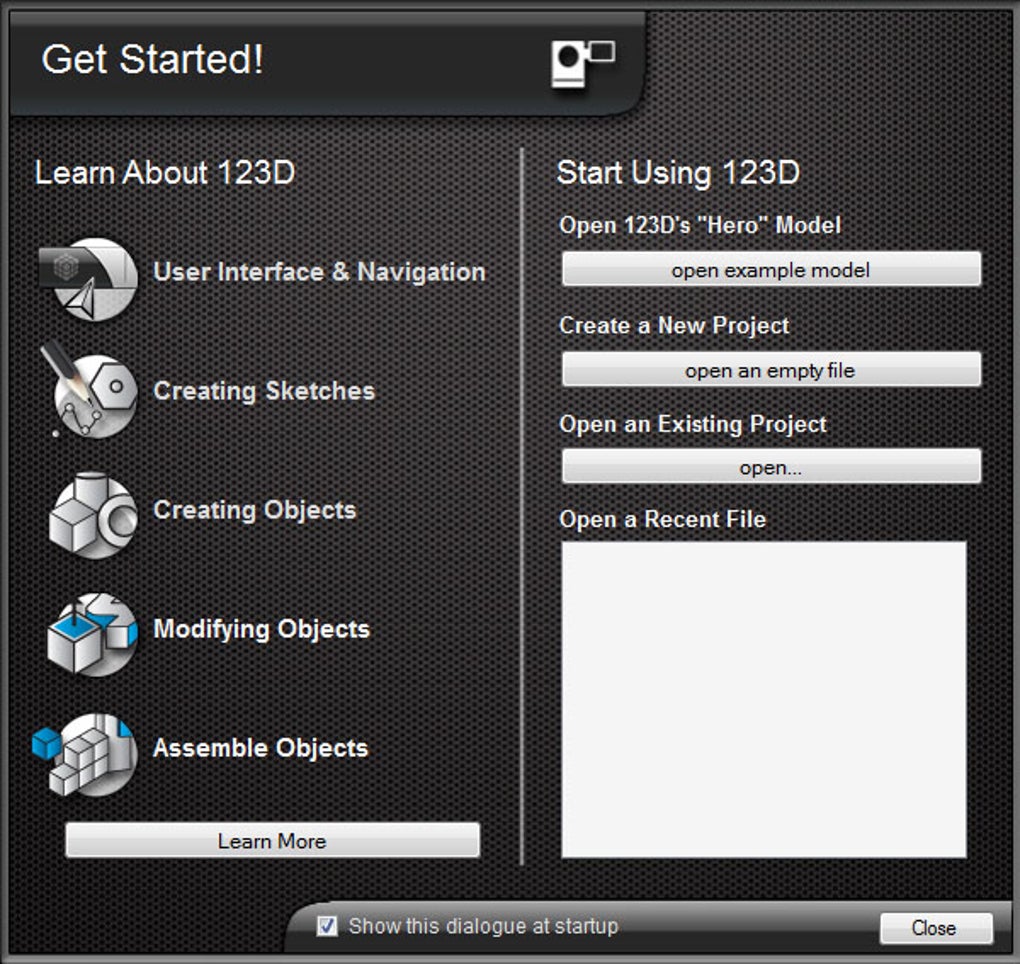
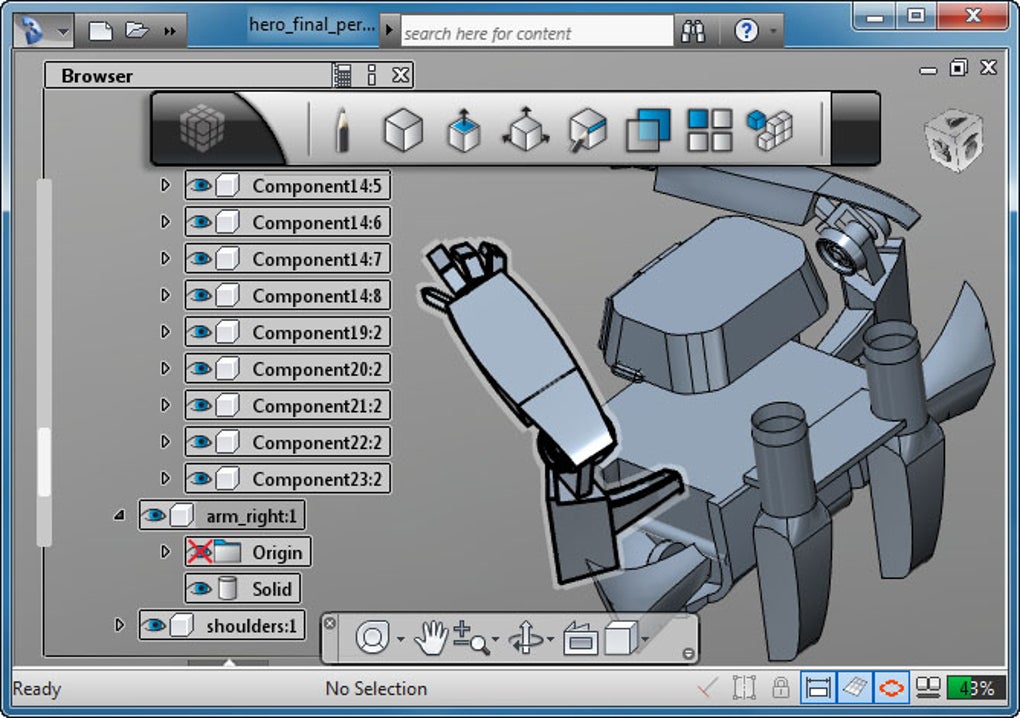
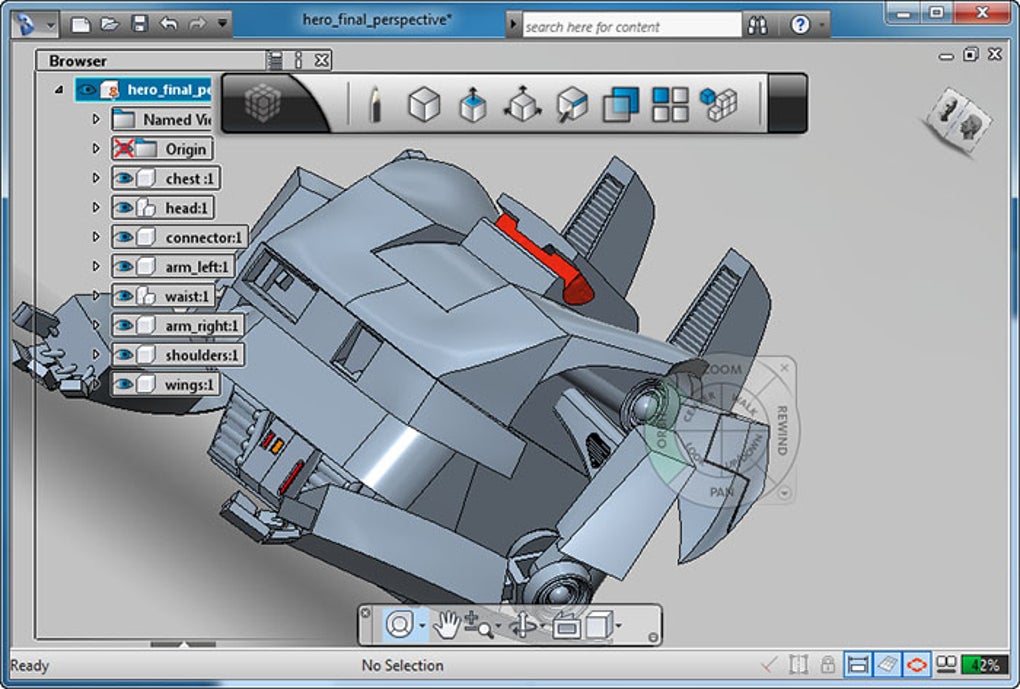
One of Autodesk 123D’s most significant strengths is its remarkably intuitive interface. The user experience is carefully crafted to minimize the learning curve, making it accessible even to those with no prior CAD experience. Unlike many professional CAD programs that can feel overwhelming with their array of complex tools and options, 123D presents a streamlined workspace. The design area dominates the screen, ensuring that the focus remains on the creation process rather than navigating complex menus.
The toolbox icons are simple, clear, and visually represent the functionality of each tool. This visual clarity ensures that users can quickly identify and utilize the tools they need. While traditional drag-and-drop functionality is not immediately prominent, the “click and place” method proves to be surprisingly efficient for placing and manipulating objects. The drag-and-drop feature is still available for more refined positioning adjustments, offering flexibility for users accustomed to this interaction style. This balanced approach effectively bridges the gap between simplicity and precision. The minimalist design of the interface avoids overwhelming beginners with unnecessary complexity. The toolbars are unobtrusive and strategically placed, allowing users to easily access functions without disrupting their workflow.
The suite also includes a helpful repository of pre-made objects and blocks, further simplifying the design process. These readily available components can be incorporated into projects, providing a head start for beginners and accelerating the creation process. This feature helps users experiment with various shapes and forms, fostering creativity and exploration. Overall, the user interface design reflects Autodesk’s dedication to creating an accessible and enjoyable experience for individuals taking their first steps into 3D modeling.
Feature Set and Capabilities
Despite its beginner-friendly nature, Autodesk 123D offers a surprisingly strong set of features and functionalities. It provides a comprehensive set of tools for creating a wide variety of 3D models, from simple shapes to more complex designs. The software supports various modeling techniques, enabling users to build and manipulate objects using a range of approaches. Whether you prefer extruding shapes, creating complex surfaces, or utilizing pre-made components, Autodesk 123D accommodates diverse design styles and approaches.
The software’s capabilities extend beyond basic modeling. Users can add details, textures, and colors to their creations, bringing their designs to life with added visual richness. The ability to customize and personalize objects greatly enhances the creative potential of the software. Furthermore, Autodesk 123D’s compatibility with 3D printing makes it particularly attractive for hobbyists and makers. The software’s ability to generate files compatible with various 3D printers allows users to transform their digital designs into physical objects. This direct connection between digital design and physical creation provides a powerful and rewarding aspect of using the software.
The integration of ready-made objects and blocks further streamlines the design process, allowing users to quickly assemble components and iterate on designs efficiently. The ability to import and export various file formats adds to its versatility. Users can easily share their creations with others or utilize models from different sources, fostering collaboration and enhancing the design workflow. The combination of these features allows users to create a wide range of projects, catering to various interests and design objectives.
Comparison to Other 3D Modeling Software
Autodesk 123D occupies a unique niche in the 3D modeling landscape. While it doesn’t possess the advanced features and capabilities of professional-grade software like Autodesk Inventor or SolidWorks, it excels as an introductory tool. Its ease of use and streamlined interface make it a far more accessible entry point than more complex alternatives.
Compared to programs like SketchUp, Autodesk 123D presents a comparable level of simplicity and user-friendliness. However, Autodesk’s software might offer more specialized features and a tighter integration with other Autodesk products for users interested in a cohesive workflow. While some professionals might find its capabilities limited, Autodesk 123D’s ease of use more than compensates for its lack of advanced features for beginners. This makes it an ideal stepping stone for those who aspire to eventually use more complex professional-level CAD programs. The experience gained with Autodesk 123D will provide a valuable foundation for transitioning to more advanced tools in the future.
The software is particularly well-suited for individuals interested in 3D printing, providing a user-friendly pathway to transforming digital designs into physical objects. Its compatibility with various 3D printer file formats makes the transition from design to production smooth and efficient.
Limitations and Considerations
While Autodesk 123D provides a valuable entry point into the world of 3D modeling, it does have some limitations. Its simplified feature set, while beneficial for beginners, might prove restrictive for users working on more intricate or complex designs. Advanced features such as advanced surface modeling, sophisticated rendering capabilities, or complex simulations are not available in Autodesk 123D. Professional users seeking these advanced capabilities would need to consider professional-grade software solutions.
Another consideration is the software’s potential for occasional instability. While generally reliable, users have reported occasional crashes or glitches. These issues are not widespread, but they warrant consideration when choosing a 3D modeling program. Regular updates and improved stability through ongoing development efforts are expected to mitigate these issues over time. The software’s reliance on internet connectivity for certain features could also be a drawback for users with limited or unreliable internet access.
Despite these limitations, Autodesk 123D’s strengths in ease of use and accessibility outweigh its shortcomings for its intended audience. Its purpose is not to compete with professional-grade software, but to serve as a gateway for beginners and hobbyists.
Conclusion: A Valuable Tool for Aspiring 3D Modelers
Autodesk 123D successfully fills a crucial niche in the 3D modeling software market. Its user-friendly interface, simple yet effective features, and focus on accessibility make it an ideal starting point for aspiring 3D modelers, hobbyists, and makers. While it may lack the advanced capabilities of professional software, its simplicity and streamlined workflow allow users to quickly learn and create a wide range of 3D models. For beginners looking to explore the world of 3D design, Autodesk 123D offers a rewarding and accessible introduction to this exciting field. Its strengths in ease of use and compatibility with 3D printing make it a valuable asset for anyone interested in creating and realizing their 3D designs. While professional users might find its limitations restrictive, for its intended audience, Autodesk 123D delivers a powerful and enjoyable 3D modeling experience.
File Information
- License: “Free”
- Version: “4.2”
- Latest update: “July 15, 2022”
- Platform: “Windows”
- OS: “Windows 7”
- Language: “English”
- Downloads: “127.6K”
- Size: “505.44 MB”


