
In the rapidly evolving digital landscape, efficiency is paramount. Every click, every keystroke, and every moment spent on repetitive tasks accumulates, ultimately impacting productivity. This is where “Autofill” emerges as an indispensable tool, a digital assistant designed to streamline the often-tedious process of completing online forms. Far beyond a simple convenience, Autofill represents a significant leap in user experience, transforming mundane data entry into a swift, automated operation.
Originally conceived to accelerate routine web interactions, Autofill has grown into a sophisticated solution for individuals and professionals alike. Whether you’re registering for a new service, filling out payment details for an online purchase, or engaging in specialized activities like pay-per-click programs, the ability to instantly populate fields with pre-saved information saves invaluable time and reduces the margin for error. While many web browsers offer basic autofill functionalities, dedicated applications like Autofill for Chrome (and its Windows/PC counterpart) take this concept to an advanced level, offering unparalleled control, customization, and automation features that elevate it beyond a mere convenience to a powerful productivity enhancer. This article delves into the intricacies of Autofill, exploring its core functionalities, advanced capabilities, performance considerations, and its position within the broader ecosystem of digital tools.
The Essence of Autofill: Streamlining Online Interactions
At its heart, Autofill is about one thing: automation. It’s designed to liberate users from the repetitive drudgery of manual data entry, enabling them to navigate the digital world with greater speed and precision. While seemingly simple, the underlying mechanisms and the range of features offered by advanced Autofill applications provide a robust solution for a multitude of online tasks.
Core Functions and Automated Efficiency
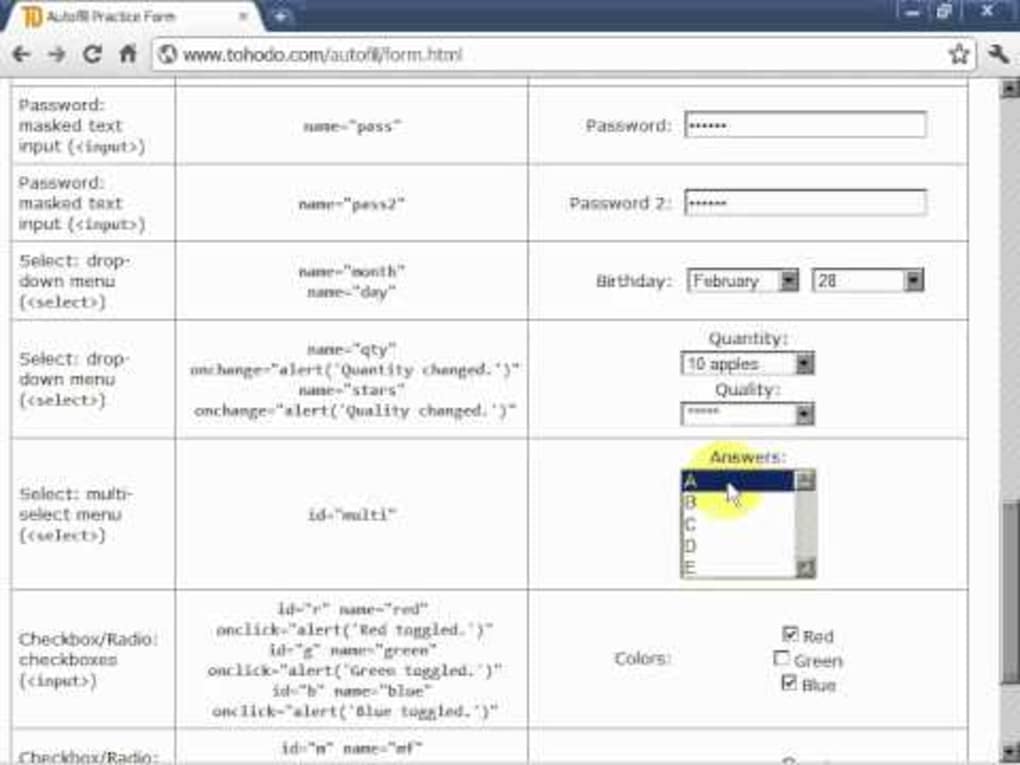
The primary function of Autofill for Chrome, as highlighted in its description, is to serve as a “standard form completion platform ‘on steroids’”. What sets it apart from more rudimentary systems is its profound degree of automation. Users are not required to take any physical action for form-filling functions to be carried out; instead, the process is initiated and completed automatically once the conditions are met.
This seamless automation is powered by its ability to intelligently interact with various online forms. Modern web pages often utilize sophisticated coding, including HTML5, and Autofill is built to be compatible with most contemporary browser packages that support these standards. This ensures that a wide array of websites, from e-commerce platforms to social media sign-ups and professional survey sites, can benefit from its capabilities.
One of the most significant advantages for everyday users is the ability to create form-filling rules without needing to understand the underlying HTML language. Traditionally, customizing form interactions or creating complex automation scripts required at least a basic grasp of web development languages. Autofill democratizes this process, allowing users to define rules intuitively. This drastically cuts down on the learning curve and time investment, making advanced automation accessible to a much broader audience. For instance, a user might define a rule to always fill a “name” field with “John Doe” or a “shipping address” with a specific format, irrespective of the form’s exact field ID, as long as it’s semantically recognized. This level of intelligent interpretation, combined with user-friendly rule creation, underscores its commitment to efficiency and accessibility.
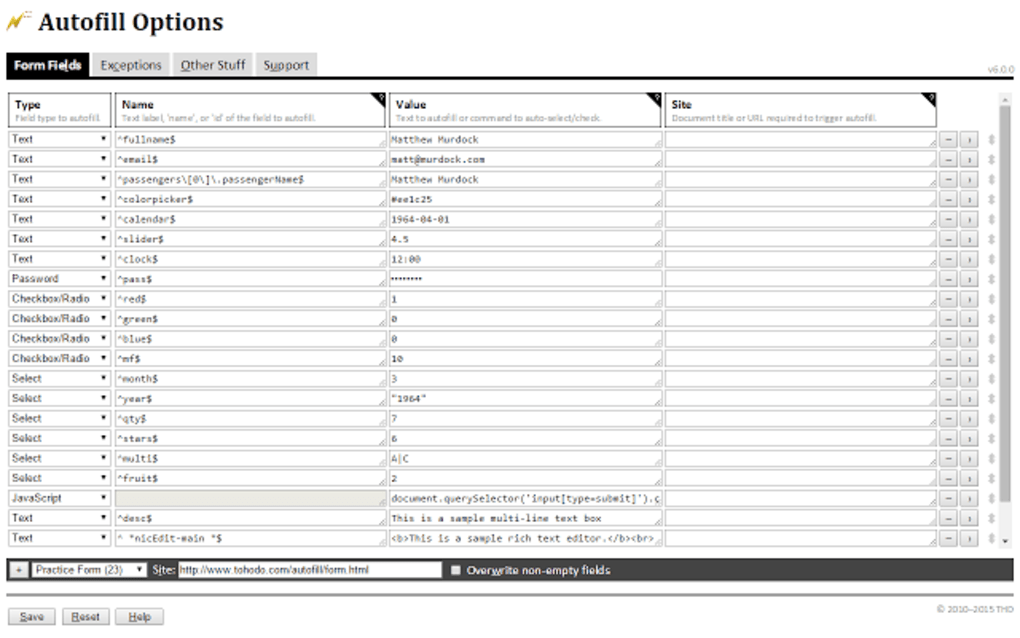
The implications of such automated efficiency are far-reaching. For individuals, it translates to less time spent on administrative tasks, freeing up precious minutes for more engaging or critical activities. For those who engage in data-intensive online activities, such as participating in pay-per-click programs or frequently signing up for new services, the cumulative time savings are immense. Beyond just speed, automation also reduces human error. Typos in email addresses, incorrect numbers in financial fields, or misplaced characters in passwords can lead to significant frustration or security risks. By consistently providing pre-verified data, Autofill enhances accuracy, contributing to a smoother and more reliable online experience.
Enhanced Control and Robust Data Management
Beyond sheer automation, advanced Autofill solutions like the one reviewed offer superior levels of user control, transforming it into a highly personalized and secure tool. These features allow users to tailor the autofill experience to their specific needs, ensuring flexibility and data integrity.
One key aspect of this enhanced control is the ability to modify text input fields selectively. Users are not simply locked into predefined datasets; they can adjust or override values as needed. For example, while a primary address might be saved, a user can quickly modify a single field for a one-time alternative delivery address without needing to re-enter all details. This flexibility is crucial for dynamic online interactions where absolute consistency is not always desired.

Furthermore, the option to select precisely which fields should be completed provides granular control over the automation process. Not all forms require all fields to be filled, or a user might prefer to manually enter sensitive data while letting Autofill handle the rest. This selective automation ensures that users retain oversight, balancing convenience with security and personal preference.
A particularly powerful feature is the creation of different profiles for specific online forms. Imagine having separate profiles for personal shopping, work-related registrations, or specific hobbies. Each profile can store distinct sets of information (e.g., different email addresses, payment methods, or personal details) tailored to the context. This eliminates the need to constantly switch between data sets or manually input information that varies by context, making the tool exceptionally versatile for individuals managing multiple online personas or roles. For businesses, this can be invaluable for managing different client profiles or operational data.
Perhaps one of the most critical “additional advantages” is the automatic data backup. The digital world is susceptible to unexpected interruptions—browser crashes, power outages, or system errors can strike at any moment. The frustration of losing partially entered form data is a common pain point. Autofill addresses this by automatically backing up all information, ensuring that in the event of a browser crash or similar incident, the data does not need to be entered a second time. This robust data management feature not only saves time and prevents annoyance but also builds trust and reliability in the application. It underscores a design philosophy that prioritizes user experience and data integrity, offering peace of mind alongside unparalleled convenience.
The unique personalization features extend beyond just profiles and selective filling. They encompass the ability to define submission rules, potentially allowing for forms to be automatically submitted once all fields are filled according to predefined criteria. This takes automation to its ultimate conclusion, transforming a multi-step process into a single, seamless event, further highlighting the “on steroids” comparison. These combined features solidify Autofill’s position as a sophisticated and user-centric solution for online form management.
Performance, Compatibility, and User Experience
While the promise of seamless automation is enticing, the real-world utility of any software hinges on its performance, compatibility, and the overall user experience it delivers. Autofill, like any advanced tool, has its strengths and limitations, which are important for users to understand.
One of the significant “Pros” frequently cited by users is the elimination of the need to manually fill in forms. This fundamental benefit translates directly into substantial time savings, especially for individuals who regularly encounter online forms. The sheer convenience of having information automatically populated is a game-changer for daily digital interactions, turning what was once a chore into a swift, effortless action. Coupled with this is the presence of a number of unique personalization features. As discussed, the ability to create multiple profiles, selectively fill fields, and even define submission rules provides an exceptional degree of control and adaptability, allowing the tool to conform to the user’s specific workflow rather than dictating it. This level of customization elevates Autofill beyond a generic utility to a truly personal assistant.
However, the user experience is not without its occasional caveats. Some users have reported that the auto-complete features will “crash on occasion.” This can be a frustrating experience, particularly if it occurs during a critical form submission. Such occurrences can often be attributed to a variety of factors. These might include conflicts with other browser extensions, specific and unusual coding on certain third-party websites that Autofill struggles to interpret, or even temporary browser-related issues. Developers of sophisticated tools constantly strive to maintain compatibility across an ever-changing web environment, but the dynamic nature of website design means that perfect compatibility is an ongoing challenge. While these crashes are generally not widespread or persistent, they highlight the complexity of automated web interaction.
Another “Con” mentioned is that Autofill “may not be compatible with some third-party websites.” This issue is closely related to the occasional crashes. Websites employ a vast array of proprietary scripts, custom field types, and advanced validation mechanisms. While Autofill is designed to work with most modern browser packages and HTML5 coding, there will inevitably be edge cases where a particular website’s design prevents the extension from accurately identifying fields or successfully inputting data. For instance, sites with highly dynamic forms that load content asynchronously, or those with very strong anti-bot measures, might pose challenges. Users encountering such issues might need to resort to manual entry for those specific sites or explore workarounds. It’s an inherent challenge for any universal automation tool interacting with a non-standardized web.
Despite these minor drawbacks, the overall user sentiment leans heavily towards the positive, recognizing the immense value provided by the tool. The version information (V7.8.0, last updated March 7, 2019) and download statistics (32.8K downloads, 848 last month’s downloads on PhanMemFree) indicate a stable and actively used application that has undergone continuous development and refinement. This consistent updating process is critical for maintaining compatibility with new browser versions and evolving web standards, suggesting a commitment from the developer, Tohodo, to address bugs and improve functionality.
Autofill’s availability across multiple platforms—including Windows, PC, and Android, in addition to its primary manifestation as a Chrome extension—speaks to its broad applicability and accessibility. This multi-platform support ensures that users can maintain their efficiency across different devices and operating systems, creating a cohesive and streamlined experience regardless of their computing environment. The fact that it’s offered as a free solution further enhances its appeal, making powerful automation accessible to everyone without a financial barrier. The positive security status reported by PhanMemFree, following scans across numerous antivirus services, provides additional reassurance regarding the safety and integrity of the software.
In essence, Autofill provides a robust and highly beneficial user experience, characterized by significant productivity gains and extensive customization options. While minor compatibility and stability issues may arise on rare occasions due to the complexities of the web, these are typically outweighed by its overarching advantages, solidifying its role as a valuable utility in the digital toolkit.
Exploring the Broader Landscape: Alternatives and Related Tools
The world of digital productivity is rich with tools designed to make our lives easier, and Autofill operates within a vibrant ecosystem of applications. While its specific niche is form-filling automation, it intersects with, and stands alongside, various other utilities that offer similar or complementary functionalities. Understanding this broader landscape helps users appreciate Autofill’s unique strengths and consider how it fits into their overall digital strategy.
PhanMemFree, acting as a comprehensive software repository, not only lists Autofill but also presents a range of “Alternative apps” and “You may also like” suggestions. These listings provide a snapshot of related software, though not all are direct competitors in the exact same domain.
Direct Competitors and Similar Utilities: The most direct alternatives to Autofill are other tools specifically designed for form-filling and password management, which often include autofill features:
- RoboForm: This is a classic and well-established password manager that integrates robust form-filling capabilities. Like Autofill, RoboForm aims to speed up online interactions by storing login credentials and personal information, allowing for one-click form completion. Its focus is often more on security and comprehensive password management alongside autofill.
- iMacros: This tool takes automation a step further, allowing users to record and replay sequences of actions on a webpage. While it can certainly be used for form filling, its scope is broader, encompassing almost any repetitive browser task. For users needing very complex, multi-step automations beyond just form data, iMacros might be a powerful choice, but it can have a steeper learning curve compared to Autofill’s dedicated form-filling focus.
- Hotkeyz: This utility focuses on customizable keyboard shortcuts for anything. While not a direct autofill tool, it could potentially be used to quickly input predefined text strings into form fields, offering a keyboard-centric approach to data entry acceleration.
- Tampermonkey: This is a professional user script manager that allows users to run custom JavaScripts on webpages. Similar to iMacros, it offers immense power for customization and automation, including form manipulation. However, it requires programming knowledge to create these scripts, making it a tool for more advanced users who want fine-grained control over web page behavior.
Broader Productivity and Browser Enhancements: Some listed alternatives or related tools address broader productivity or browser security:
- Multifox: This extension allows users to log into multiple online accounts at the same time, often useful for managing different social media profiles or email accounts without needing to constantly log in and out. While not a form filler, it enhances browser productivity by facilitating multi-account management.
- Comodo IceDragon: This is a secure and fast web browser. Its relation to Autofill is indirect, primarily focusing on providing a secure browsing environment where autofill functions might be utilized.
- Toolbox for Windows 10: A free productivity program, this is a very general category. Its specific features are not detailed, but it suggests a focus on overall system or user efficiency, which aligns with Autofill’s goals.
- ProduKey: This utility is for retrieving important product keys. Completely unrelated to form filling, it falls under the general “utilities” category, highlighting PhanMemFree’s broad curation.
Data Management and Business Intelligence Tools: Interestingly, some alternatives listed by PhanMemFree, such as QlikView and Power BI Desktop, are sophisticated business intelligence (BI) and data visualization tools. While powerful in their respective domains, they are not direct alternatives for online form filling. Their inclusion likely stems from a broader category of “Productivity” software, where managing and utilizing data efficiently is a common theme, even if the method is entirely different. Similarly, GeForce Experience is a utility for optimizing PC gaming, highlighting how a “related applications” section can encompass very different types of software under a wide umbrella.
Autofill’s Distinctive Edge: Amidst this diverse landscape, Autofill carves out its own distinct identity, particularly with its emphasis on fully automatic form completion without requiring physical user action. Many browser-native autofill features, or even some password managers, still require a click to confirm or select a profile. Autofill’s capability to execute entire form submissions automatically, coupled with its user-friendly rule creation that bypasses the need for HTML knowledge, positions it as a highly accessible and supremely efficient tool for its specific purpose. For users whose primary need is to rapidly and reliably fill out a wide variety of online forms, especially for repetitive tasks or when managing multiple online identities, Autofill’s blend of deep automation, customization, and robust data management offers a compelling solution that often surpasses basic browser functionalities or more complex, general-purpose automation tools.
In conclusion, Autofill stands as a powerful testament to the pursuit of digital efficiency. By taking the tedium out of form filling and infusing it with intelligent automation and comprehensive user control, it empowers individuals and professionals to reclaim valuable time and enhance their online productivity. Its specific strengths—automatic operation, ease of rule creation, profile management, and data backup—make it a preferred choice for many, even as it operates alongside a host of other valuable tools in the ever-expanding ecosystem of digital solutions curated by platforms like PhanMemFree.
File Information
- License: “Free”
- Version: “7.8.0”
- Latest update: “March 7, 2019”
- Platform: “Windows”
- Downloads: “33.4K”


