
In the vast landscape of utility software, where innovation constantly reshapes our digital interactions, some tools stand as humble testaments to functionality conceived in a different era. AutoScreenShot, a free Windows application, falls into this category. Originating in the early 2000s, this software offers a straightforward solution to a specific need: automatically capturing screenshots at predefined intervals. While perhaps overshadowed by more feature-rich contemporary alternatives, AutoScreenShot retains a peculiar charm and a niche utility that warrants a closer examination.
PhanMemFree, a venerable platform for software discovery, has cataloged AutoScreenShot for nearly two decades, providing a window into its history, specifications, and user reception. This article delves into the intricacies of AutoScreenShot, exploring its core functionality, historical context, technical specifications, user feedback, and its place within the broader ecosystem of screen capture tools.
Understanding AutoScreenShot: Your Automated Screenshot Solution
At its heart, AutoScreenShot is designed to simplify the process of documenting on-screen activities. Instead of manually triggering a screenshot every time a specific moment needs to be preserved, this utility automates the entire process. This “set it and forget it” approach has significant implications for various use cases, making it a valuable, albeit basic, tool for certain users.
Core Functionality and Purpose
The primary function of AutoScreenShot is to continuously capture images of your computer screen at regular, user-defined intervals. This capability, while seemingly simple, opens up a range of possibilities:
- Process Monitoring and Tracking: Imagine running a long simulation, a complex data analysis, or a system diagnostic that unfolds over an extended period. Manually taking screenshots every few minutes or hours would be tedious and prone to human error. AutoScreenShot automates this, providing a visual log of the process’s progression without requiring constant intervention. This is invaluable for debugging, performance analysis, or simply documenting the state of a system at various points in time.
- Time-Lapse Documentation: For projects that evolve slowly on screen, like digital art creation, video editing progress, or even observing changes on a dynamic webpage, AutoScreenShot can generate a sequence of images that can later be compiled into a time-lapse video. This offers a unique perspective on the creative or analytical journey.
- Auditing and Compliance (Niche Cases): In some specialized scenarios, particularly within older, less regulated environments or for personal accountability, maintaining a visual record of on-screen activities might be desired. For instance, a freelancer might use it to visually track billable hours, or a parent might monitor specific software usage on a shared family computer (though modern parental control software offers more sophisticated solutions). It’s crucial, however, to acknowledge the ethical considerations and legal implications of continuous monitoring, especially in professional or shared environments. Transparency and consent are paramount if such a tool is used beyond personal documentation.
- Tutorial and Documentation Creation (Raw Material): While AutoScreenShot doesn’t offer annotation or advanced editing features, it can be a source for raw screenshot material. For those creating step-by-step guides for older software or systems, capturing a series of actions can be efficiently managed. The captured images can then be imported into a dedicated image editor for further refinement.
- Simple Surveillance (with caution): For very specific, controlled environments, where a user wants to observe system activity without being physically present, AutoScreenShot can provide a basic visual log. This could be relevant for diagnosing intermittent issues that are hard to catch manually, or for checking if a specific background process has indeed started or completed its task at a certain time. Again, the ethical and privacy implications must be carefully weighed.
The beauty of AutoScreenShot lies in its non-intrusive automation. Once configured, it operates quietly in the background, diligently snapping pictures of your screen without interrupting your workflow. This makes it an ideal choice for users who prioritize simplicity and automation over a plethora of advanced features.
Key Features and Benefits
Despite its age and simplicity, AutoScreenShot offers several tangible benefits:
- Ease of Use: As highlighted in user reviews, the program’s setup and configuration are remarkably straightforward. This makes it accessible even to novice computer users who might be intimidated by more complex screen capture suites.
- Automated Operation: This is its defining feature. The ability to automatically capture screenshots at regular intervals removes the manual effort and ensures consistent documentation. Users can define the capture interval, allowing for flexibility in the level of detail required for the visual log.
- Lightweight Footprint: With a diminutive file size of 2.12 MB, AutoScreenShot is incredibly light on system resources. It consumes minimal free space and runs efficiently, even on older or less powerful machines, which aligns perfectly with its historical target audience. This is a significant advantage over modern, often resource-intensive, applications.
- Completely Free: The “Free” license is a major draw. For users who need a basic, automated screenshot utility without wanting to invest in commercial software, AutoScreenShot provides a zero-cost solution. This factor often overrides its limitations for budget-conscious individuals or those with very specific, non-demanding needs.
- Consistent Output: While lacking advanced formatting, the consistency of the captured images (typically standard image formats like JPG or BMP) ensures compatibility with a wide range of image viewers and editors.
In an age where software often comes with steep learning curves and overwhelming features, AutoScreenShot stands out for its directness and focused functionality. It does one thing, and it aims to do it simply and automatically.
Delving into Technical Specifications and History
Understanding AutoScreenShot requires appreciating its origins and the technological landscape it emerged from. Its specifications tell a story of early 21st-century software development and user needs.
Version History and Compatibility
AutoScreenShot’s journey began at a time when Windows 98 was still a relevant operating system, and its compatibility reflects this era. The primary version cited on PhanMemFree is 1.0.3.1, with the last recorded update occurring on March 13, 2006. More recently, a version 1.0.5.10 (or 1.0.5.103.3) is mentioned, potentially indicating minor tweaks or re-packaging rather than a significant overhaul.
The explicit mention of compatibility with “Windows 98 and previous versions” immediately positions AutoScreenShot as a legacy application. This implies several things for modern users:
- Limited Modern OS Support: While it might technically run on newer versions of Windows (like XP, Vista, or even later, sometimes with compatibility mode), its intended environment was vastly different. This can lead to unexpected behavior, graphical glitches, or outright failure on Windows 10 or 11, especially given the significant architectural changes in Microsoft’s operating systems over the past two decades.
- Lack of Modern Feature Integration: Features common in today’s screen capture tools, such as cloud storage integration, advanced annotation, video recording, or customizable hotkeys, were simply not standard or even feasible when AutoScreenShot was developed. Its design is rooted in a simpler time.
- Security Implications: Software from 2006 often lacks the security safeguards built into modern applications. Running unpatched, old software on contemporary operating systems can potentially expose users to vulnerabilities, though for a simple screenshot tool, the risk might be lower than, say, a web browser.
- Development Stasis: The lack of significant updates since 2006 (apart from potential minor version bumps) indicates that the software is no longer actively developed or maintained. This means no bug fixes, no new features, and no official support for issues arising on modern systems.
Despite these limitations, for users who still operate older Windows systems or virtual machines for specific legacy tasks, AutoScreenShot’s compatibility with its intended environment remains a key selling point. It functions as designed within the constraints of its original platform.
Download Metrics and Global Reach
Since its inclusion in the PhanMemFree catalog in 2006, AutoScreenShot has accumulated a total of 19,119 downloads. While not a blockbuster figure by today’s standards, it signifies a steady interest over time for a niche utility. The statistic that it gained 9 downloads last week (as of the content’s last update) is particularly telling. It shows that even after almost two decades, there’s a small but consistent trickle of users seeking out or discovering this particular tool.
Its popularity in countries like Hong Kong, Brazil, and Serbia, as noted by PhanMemFree, offers an interesting geographical insight. There could be various reasons for this:

- Prevalence of Older Hardware: These regions might have a higher prevalence of older computer systems where AutoScreenShot’s lightweight design and compatibility are more relevant.
- Specific Niche Demands: Certain local industries or user groups might have a particular need for automated screenshotting that AutoScreenShot fulfills adequately.
- Internet Access and Cost: In some areas, free and simple solutions might be preferred over commercial, feature-rich alternatives due to economic factors or slower internet speeds making large downloads cumbersome.
- Historical Legacy: Once a tool gains traction in a specific community, it can maintain popularity through word-of-mouth or established workflows, even if newer alternatives exist.
The download figures, though modest, underscore the enduring appeal of free, functional tools, especially those that cater to specific, unchanging requirements. It also speaks to PhanMemFree’s role in maintaining a comprehensive archive of software, allowing users to find even older applications.
Installation and System Requirements
The installation process for AutoScreenShot is described as easy, aligning with its overall philosophy of simplicity. Its minimal file size (2.12 MB) means it downloads quickly and occupies negligible disk space. This is a crucial factor for users with limited storage or slow internet connections. The low resource demand also ensures it doesn’t bog down system performance, which was particularly important on the less powerful computers of its target era.
The ease of installation and small footprint contribute significantly to its “free” and “works good” reputation, allowing users to get up and running with minimal fuss. For a tool focused on automation, a simple setup reduces friction and enhances its utility.
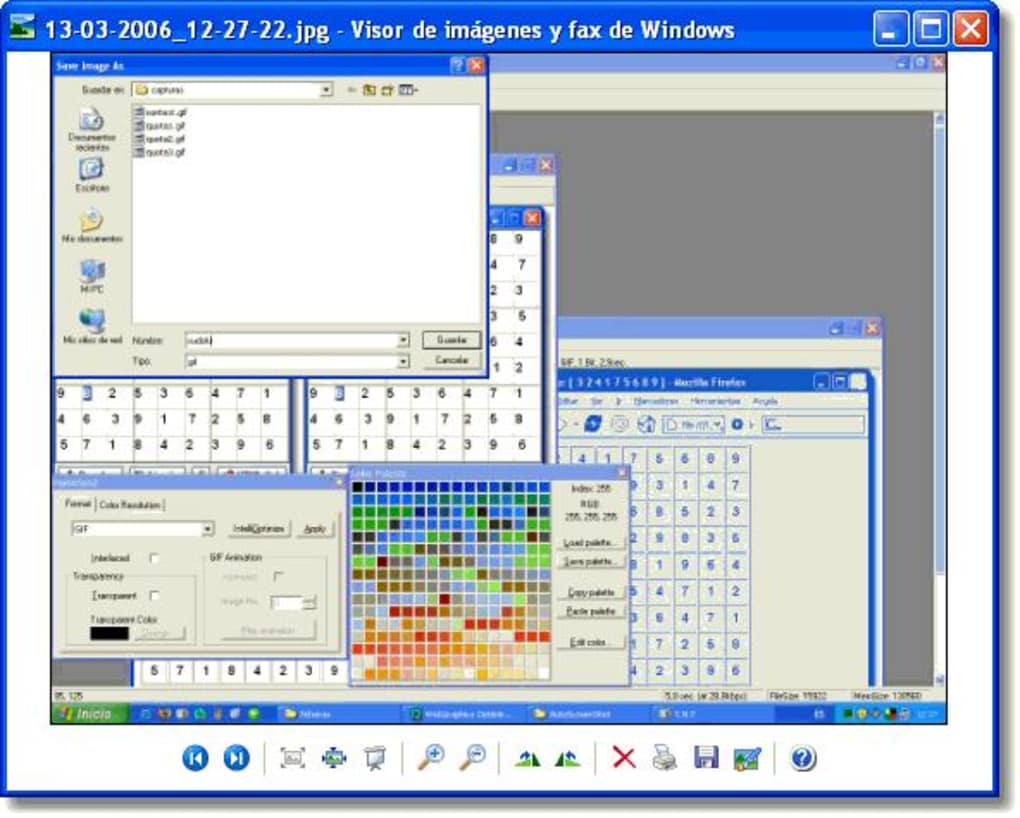
User Experience and Critical Reception
The true measure of any software lies in the hands of its users. While AutoScreenShot may not boast a plethora of modern reviews, the feedback available provides crucial insights into its practical performance and perceived value.
Analyzing User Feedback
A standout piece of feedback comes from an anonymous user who reviewed AutoScreenShot on October 22, 2010. This review, though dated, offers a balanced perspective on the software’s strengths and weaknesses:
Pros:
- Free: Unsurprisingly, the cost (or lack thereof) is a significant advantage. For a utility that provides automated functionality, being free makes it highly accessible.
- Works good: This indicates that for its primary function, AutoScreenShot generally performs as expected. It captures screenshots automatically, fulfilling its core promise.
- Easy install and setup: Reinforcing the theme of simplicity, users appreciate that they can quickly get the program running without encountering complex configurations.
Cons:
- No custom file naming: This is a notable limitation. When a program generates numerous screenshots automatically, the inability to define a structured naming convention (e.g., adding dates, times, or project names) can lead to a disorganized mess. Users would have to manually rename files, which defeats some of the automation’s convenience.
- When the program is restarted, or Windows restarted, the number of pictures to keep defaults to 200 instead of the custom choice: This bug is a significant annoyance. If a user customizes the program to keep, say, 50 pictures or an unlimited number, having it revert to a default of 200 upon restart means constant re-configuration. This undermines the “set it and forget it” aspect and suggests a lack of robust settings persistence.
- Occasional crashes: Program instability is always a concern. “Occasional crashes” imply that the program is not entirely reliable, which can lead to missed screenshots or interruptions in monitoring. For a tool designed for continuous operation, this is a major drawback.
- No support: For free, legacy software, lack of dedicated support is often expected. However, it means users are on their own when encountering issues, reinforcing the need for the software to be inherently stable and bug-free.
This anonymous review paints a clear picture: AutoScreenShot is a functional, free, and simple tool, but it suffers from the hallmarks of an unmaintained application – bugs, lack of advanced features, and stability issues. The “works ok but could be better” sentiment perfectly encapsulates its status.
The Trade-offs of a Legacy Tool
The user feedback underscores the inherent trade-offs involved in using a legacy tool like AutoScreenShot in the modern computing environment.
On one hand, its freeness and simplicity are undeniable assets. For a user operating an older Windows machine, perhaps for a specific purpose where resources are constrained, AutoScreenShot provides a bare-bones, no-cost solution that largely gets the job done. It’s an artifact from a time when software was often simpler, focused on one task, and less bloated.
On the other hand, the bugs, lack of customization, and absence of support are significant drawbacks that severely limit its appeal to contemporary users. Modern operating systems, with their enhanced stability and user expectations, make these shortcomings more apparent. The “occasional crashes” and settings defaulting issues are particularly problematic for an automation tool, as they erode trust in its reliability.
Ultimately, AutoScreenShot’s utility today is highly conditional. It might still be a viable option for:
- Users on very old Windows systems (e.g., Windows 98, ME, 2000, XP) where modern screen capture tools might not even run.
- Individuals seeking the absolute simplest possible automated screenshot tool, willing to overlook its imperfections for the sake of zero cost and minimal features.
- Those with an interest in historical software or specific niche requirements that are not met by more complex, modern solutions.
For the vast majority of current Windows users, however, its limitations would likely lead them to seek more stable, feature-rich alternatives. The review clearly indicates that while it’s “good enough” for some, it falls short of being a polished or comprehensive solution.
Exploring Alternatives and the Broader Screen Capture Landscape
The evolution of technology has profoundly impacted the capabilities of screen capture software. AutoScreenShot, while a foundational tool, exists in a market now teeming with sophisticated alternatives. Understanding these alternatives helps contextualize AutoScreenShot’s position and highlight the advancements in this utility category.
Contemporary Screen Capture Solutions
Modern screen capture tools offer a vastly expanded set of features compared to AutoScreenShot. These tools are designed to integrate seamlessly with contemporary operating systems and cater to a wider array of user needs:
- Native OS Tools: Windows itself now includes robust screen capture capabilities. The Snipping Tool (and its successor, Snip & Sketch) allows for various capture modes (rectangular, free-form, window, full-screen), basic annotation, and direct sharing. Pressing
Windows key + Shift + Sactivates a quick snipping overlay. - Feature-Rich Commercial Software: Tools like Snagit (mentioned as a top download on PhanMemFree) offer comprehensive screen capture, advanced image and video editing, scrolling capture, OCR (Optical Character Recognition), and integration with cloud services and other applications. They cater to professionals, content creators, and those needing high-quality, editable screenshots.
- Popular Freeware/Freemium Options:
- LightShot: Known for its speed and simplicity, LightShot allows users to quickly select an area, annotate it, and upload it to the cloud for sharing, or save it locally. It’s a favorite for quick captures and sharing.
- FastStone Capture: Offers a good balance of features, including various capture types, simple editing, scrolling window capture, and even basic screen recording. It’s lightweight and efficient.
- oCam / Free Screen Recorder: These tools specialize in screen recording, often offering additional features like audio capture, customizable regions, and various output formats, alongside standard screenshot capabilities.
- Cloud-Integrated Solutions: Many modern tools integrate directly with cloud storage (like Dropbox, Google Drive) or dedicated screenshot hosting services, simplifying sharing and collaboration.
- Advanced Annotation and Editing: Contemporary tools allow for arrows, text, shapes, highlights, blurring sensitive information, and even pixelation directly within the capture interface, before saving or sharing.
- Video Recording and GIF Creation: A significant leap from basic image capture, many tools now offer the ability to record screen activity as video, and even convert short recordings into animated GIFs.
These modern tools reflect a shift in user expectations: screenshots are no longer just static images, but often part of a dynamic workflow involving annotation, sharing, and even integration into other media types.
A Look at PhanMemFree’s Recommended Alternatives
PhanMemFree (formerly Softonic.com) provides a list of alternatives, some of which illustrate the spectrum of screen capture tools available:
- IM ToolPack: Described as “An easy way to take and share screenshots,” suggesting a focus on quick capture and sharing, similar to LightShot.
- SpaceCapture: A “Screen Capture Tool for Windows” available as a trial, indicating it likely offers more features than AutoScreenShot, possibly targeting a more professional audience.
- Screen VidShot: A “Flexible screen capturing utility” and a trial version, implying capabilities beyond basic image capture, possibly including video.
- Automatic Screenshotter: A “free program for Windows, by Donationcoder,” which sounds similar in concept to AutoScreenShot, potentially offering a more modern take on automated captures.
- ScreenMaster: Another “Application for Screen Capture” (trial version).
- AutoScreenRecorder: Described as capable of recording “everything you see, hear or do on your PC,” highlighting its video capture capabilities.
These alternatives showcase that even within the “screen capture” category, there’s a wide variety of approaches and feature sets. While AutoScreenShot adheres to the most basic interpretation of automated image capture, others lean into sharing, editing, or video recording. The presence of both free and trial versions also highlights different business models in the utility software market.
Why Modernization Matters
The contrast between AutoScreenShot and its modern counterparts underscores the relentless pace of technological advancement and evolving user needs.
- User Expectations: Today’s users expect intuitiveness, stability, and a rich feature set. The bugs and limitations of AutoScreenShot, while perhaps tolerated in 2006, are significant deterrents now.
- Operating System Evolution: Windows has undergone massive changes since Windows 98. Modern APIs, graphics rendering, and security models demand updated software for optimal performance and compatibility.
- Workflow Integration: Digital workflows are increasingly interconnected. Tools that can’t integrate with cloud services, communication platforms, or advanced editing suites are often left behind.
- Media Richness: The internet is now a highly visual and dynamic medium. The ability to create GIFs, record videos, and easily annotate screenshots is crucial for communication and content creation.
AutoScreenShot represents a foundational stage in screen capture utility. While still technically functional for its specific, limited purpose, especially on older systems, it serves as a historical benchmark rather than a cutting-edge solution. Its enduring presence on PhanMemFree.org is a testament to the platform’s commitment to archiving a broad spectrum of software, allowing users to discover both the latest innovations and the historical artifacts of computing.
Conclusion
AutoScreenShot, a free Windows utility that automatically captures screenshots at regular intervals, holds a unique place in the pantheon of software. Launched in an era dominated by Windows 98, it epitomizes simplicity and targeted functionality. Its lightweight design, ease of installation, and core automation capability made it a convenient tool for monitoring processes, creating visual logs, or documenting tasks without manual intervention.
PhanMemFree’s enduring cataloging of AutoScreenShot, alongside its historical download figures and popularity in specific regions, underscores the enduring need for simple, free tools, particularly for users with older systems or very specific requirements. The anonymous user review from 2010 perfectly encapsulates its essence: “Works ok but could be better.” Its pros—being free, functional, and easy to set up—are undeniable. However, its cons—lack of custom file naming, settings reverting after restarts, occasional crashes, and the absence of support—highlight the limitations inherent in an unmaintained, legacy application.
In the contemporary computing landscape, where sophisticated tools like Snagit, LightShot, and native Windows utilities offer advanced editing, cloud integration, video recording, and robust stability, AutoScreenShot serves more as a historical artifact than a cutting-edge solution. For the vast majority of modern Windows users, these newer alternatives provide a far more comprehensive and reliable screen capture experience.
Nevertheless, AutoScreenShot’s story is a reminder of how software evolves. It provided a valuable service in its time, and for a niche audience still operating older hardware or seeking the absolute bare minimum in automated screenshotting, it might still find a home. Its continued presence on PhanMemFree.org ensures that this classic utility remains accessible, offering a glimpse into the foundational elements of digital productivity and the timeless appeal of a tool that simply “gets the job done” – even if it’s with a few quirks from yesteryear.
File Information
- License: “Free”
- Latest update: “May 22, 2023”
- Platform: “Windows”
- OS: “Windows ME”
- Language: “English”
- Downloads: “9K”
- Size: “2.12 MB”


