
Autostitch is a pioneering software application in the field of image processing, specializing in the automated creation of panoramic images. Developed by independent software developer Matthew Brown, this lightweight utility offers a straightforward approach to stitching multiple photographs together, resulting in seamless, high-resolution panoramic views. Unlike many professional-grade panorama creation tools that require significant user intervention and technical expertise, Autostitch stands out with its completely automated process, making it accessible to both novice and experienced users alike. This in-depth analysis explores Autostitch’s features, capabilities, strengths, weaknesses, and its place within the broader landscape of image stitching software.
The Power of Automated Panoramic Image Creation
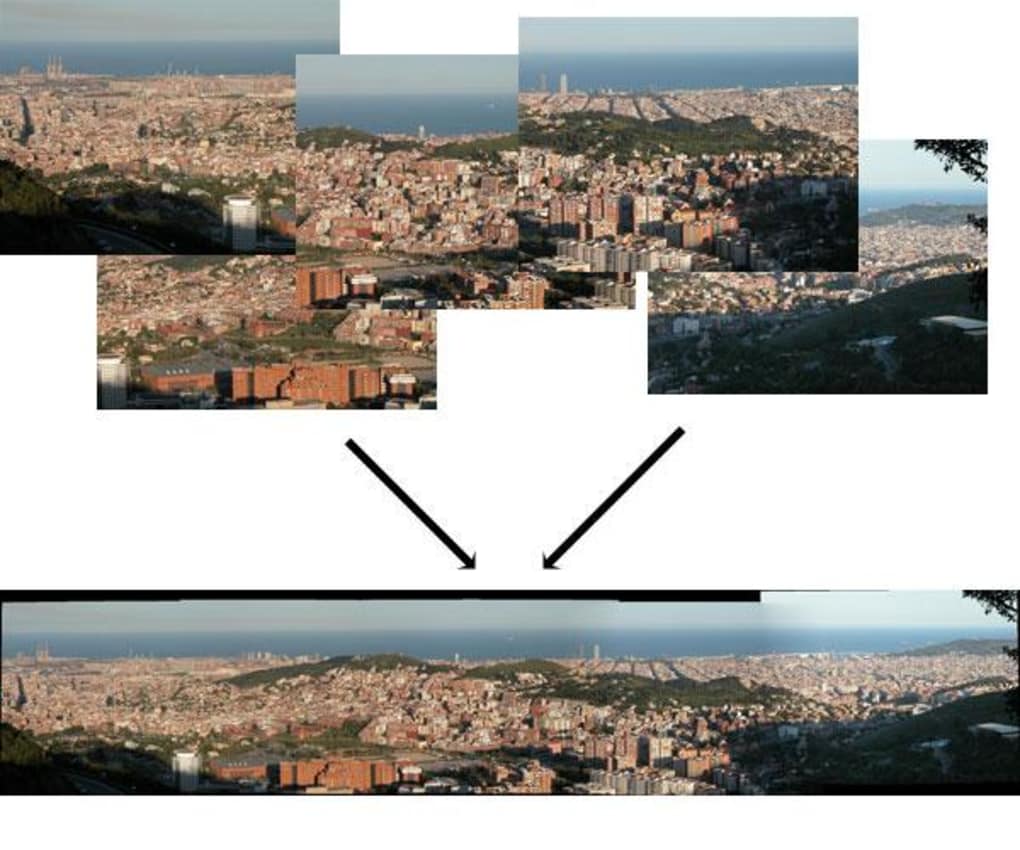
Autostitch’s core functionality revolves around its ability to automatically stitch together multiple images into a single, expansive panorama. This process, traditionally a complex and time-consuming task requiring manual alignment and blending of images, is handled entirely by Autostitch. Users simply select a set of photos – typically taken from a similar viewpoint with some degree of overlap – and the software intelligently analyzes the images, identifies corresponding features, and seamlessly merges them to create a visually stunning panorama. This automation is a significant advantage, removing the technical barriers to entry that often deter casual users from exploring panoramic photography. The software’s capabilities extend to both 1D (horizontal) and 2D (horizontal and vertical) panoramas, offering significant flexibility in capturing wide-angle scenes and expansive landscapes. The underlying technology, drawing from cutting-edge research in artificial intelligence conducted at the University of British Columbia’s AI lab, ensures accurate and efficient stitching, regardless of the complexity of the input images.
Simplicity and Ease of Use: A User-Friendly Interface
The software’s intuitive interface is a key factor in its widespread appeal. Unlike many professional-grade image editing programs that boast a steep learning curve, Autostitch prioritizes simplicity and ease of use. The user experience is streamlined, eliminating unnecessary complexities and focusing on the core function: automatic image stitching. The program’s portable nature further enhances its accessibility. The installation process is minimal, leaving no traces in the Windows registry, and the software can be easily stored and transported on a USB drive, making it ideal for use on various computers without the need for repeated installation.
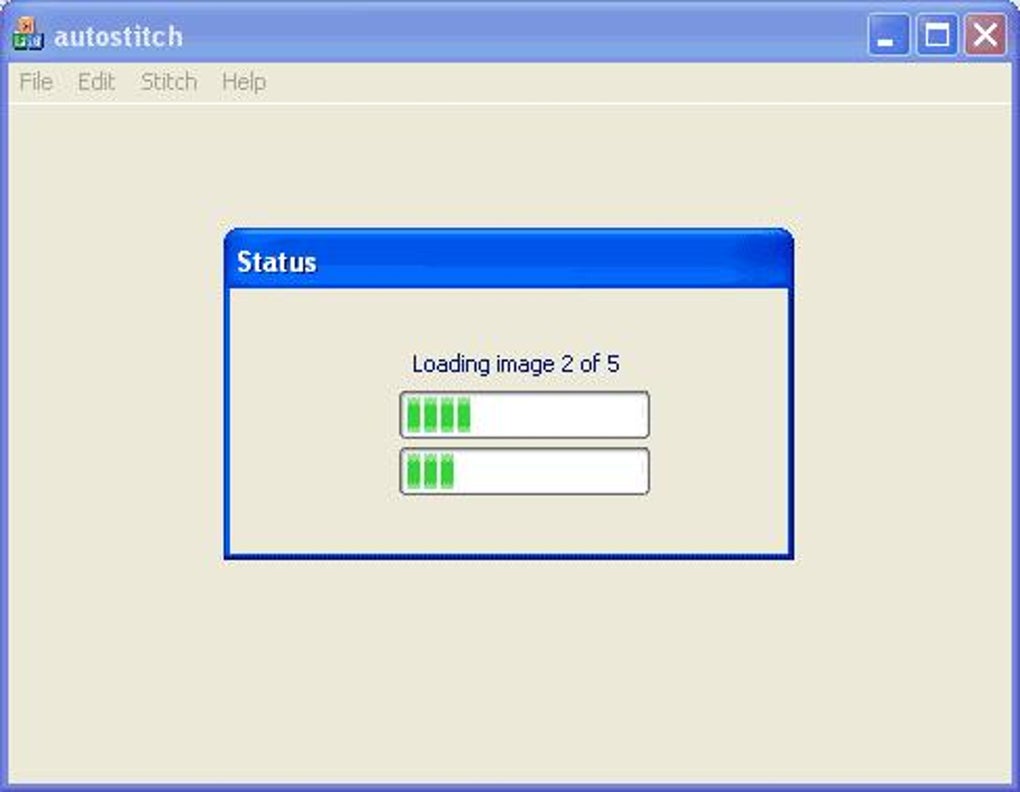
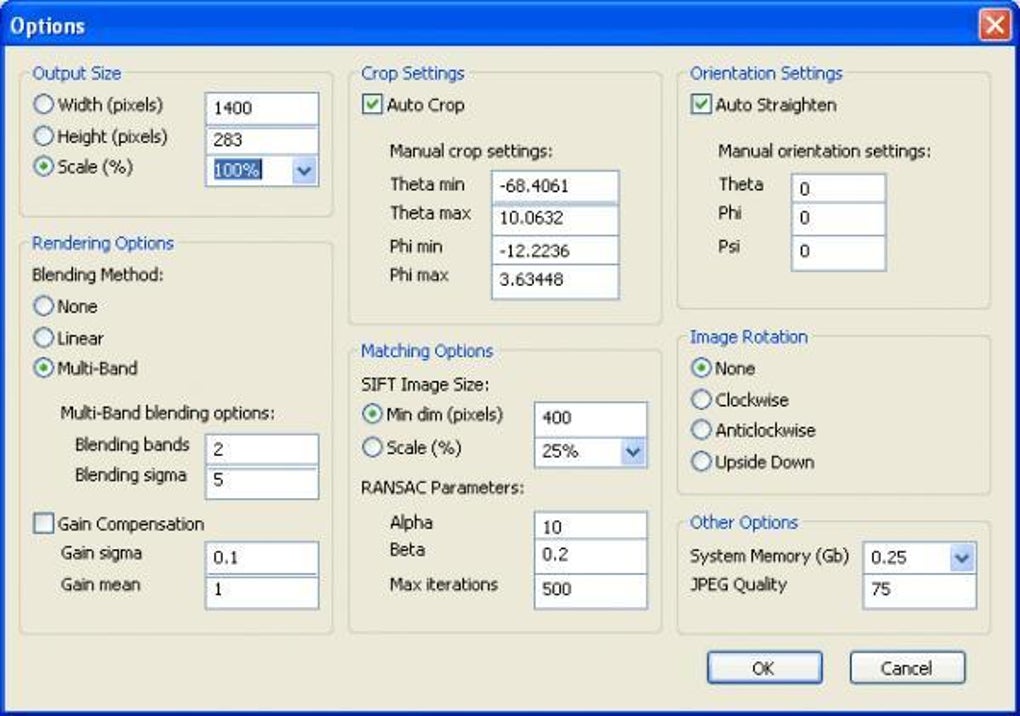
After launching Autostitch, the process is intuitive. Users select their images using the built-in file browser, and the software takes over. It automatically processes the images, aligning and blending them to create the final panorama. There’s no need to manually adjust points, correct perspective, or fine-tune alignment settings—features that often bog down other panorama creation tools. This automated approach makes it remarkably efficient, even for large sets of images. While the lack of manual controls might seem limiting to advanced users who prefer precise adjustments, it is precisely this simplification that makes Autostitch so accessible to a broader audience. The interface provides essential customizable options, such as output size, blending method, auto-cropping, and JPEG quality. However, even these options are presented in a clear and easily understandable manner, ensuring that users can customize the output without needing extensive technical expertise.
Limitations and Considerations: A Single File Format
While Autostitch offers significant advantages in terms of automation and ease of use, it’s essential to acknowledge its limitations. The software’s most significant drawback is its support for only a single image file format: JPG. This limitation restricts its versatility, preventing users from directly stitching images in other common formats such as TIFF, PNG, or RAW. Users working with images in these formats will need to convert them to JPG before using Autostitch. This added step adds to the workflow and could potentially affect the final image quality, as JPEG compression can lead to some loss of detail.
Another limitation is the lack of manual control over the stitching process. While the automated process works remarkably well in most situations, there might be instances where manual intervention would be beneficial. Images with significant differences in lighting, perspective, or distortion might require manual adjustments to achieve optimal results. However, the trade-off between ease of use and advanced manual controls is a deliberate design choice, prioritizing accessibility and speed over granular control. The software’s strength lies in its ability to provide high-quality panoramic images with minimal user input, a trade-off that many users find acceptable considering the convenience it offers.
Autostitch in the Context of Panoramic Photography Software
Autostitch occupies a unique niche within the landscape of panoramic photography software. While more comprehensive programs offer advanced features and manual controls, they typically come at the cost of increased complexity and steeper learning curves. Autostitch distinguishes itself by prioritizing simplicity and automation. It fills a vital role for users who want a quick, efficient, and user-friendly solution for creating panoramic images without needing extensive technical expertise. It’s an ideal tool for casual users, hobbyists, or anyone who wants to easily create impressive panoramas without investing significant time and effort in mastering complex software. It is also a practical solution for quick image stitching tasks where speed and ease of use are paramount.
Many competing software packages offer more features and flexibility. Programs like Microsoft Image Composite Editor, Serif PanoramaPlus Starter Edition, Autopano, and Arcsoft Panorama Maker provide various advanced options, including more granular control over stitching parameters, support for a wider range of file formats, and the ability to correct lens distortions. However, these programs often require a more significant time investment to learn and use effectively. Autostitch, therefore, provides a viable alternative for users who prioritize speed, simplicity, and ease of use over comprehensive features and advanced control. Its completely automatic process differentiates it significantly, making it a unique and valuable tool in the broader context of panorama creation software.
In conclusion, Autostitch is a powerful and user-friendly application for creating panoramic images. Its strengths lie in its fully automated process, simplified interface, and portability. While its limitations, such as support for only JPG format and the lack of manual control, need to be considered, its ease of use and remarkable efficiency make it a compelling choice for a wide range of users. It effectively bridges the gap between complex professional tools and simple, user-friendly image editing software, making the creation of stunning panoramas accessible to everyone. The software’s impact on panoramic photography lies in its ability to democratize the process, bringing the creation of breathtaking panoramic views within easy reach of users of all skill levels. It remains a significant contribution to the field, demonstrating the potential of AI-powered automation in simplifying complex image processing tasks.
File Information
- License: “Trial version”
- Version: “2.2”
- Latest update: “August 23, 2021”
- Platform: “Windows”
- OS: “Windows XP”
- Language: “English”
- Downloads: “102.2K”
- Size: “1.08 MB”


