
Any Video Converter Ultimate is an all-in-one video processing suite designed for Windows users. It boasts a wide array of features, encompassing video conversion, DVD ripping, audio extraction, online video downloading, and even screen recording. This review will delve into its capabilities, strengths, and weaknesses, providing a comprehensive assessment of its suitability for various user needs.
Core Functionality: Video Conversion and DVD Ripping
At its heart, Any Video Converter Ultimate functions as a robust video converter. It supports a vast range of input formats, ensuring compatibility with virtually any video file you might encounter. This extensive format support extends to output as well, allowing users to convert videos to various formats optimized for different devices and media players. Whether you’re aiming for MP4 for mobile devices, AVI for broader compatibility, or WMV for Windows-centric playback, Any Video Converter Ultimate provides the flexibility to meet your specific requirements. Its ability to handle high-definition (HD) video and even some ultra-high-definition (UHD) formats makes it suitable for users working with high-quality video content.
Beyond simple conversion, Any Video Converter Ultimate excels as a DVD ripper. It can extract video content from DVDs, allowing users to convert their DVD collections to digital formats for easier storage, playback on various devices, and archiving. This capability eliminates the need for multiple applications, streamlining the workflow for users who frequently work with both digital and physical media. The program also offers the option to create custom DVD menus, adding a professional touch to home-made DVDs. This ability to create playable DVDs from various video formats further enhances its versatility.
Advanced Features: Audio Extraction and Online Video Downloading
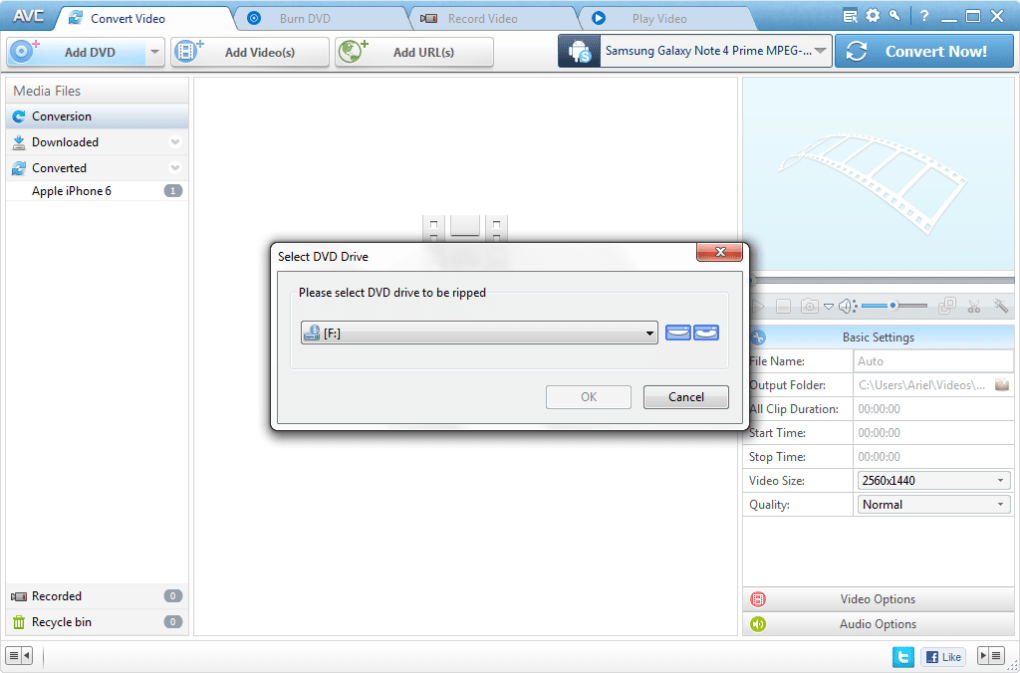
Any Video Converter Ultimate’s functionality extends beyond video conversion and DVD ripping. The software includes a built-in audio extractor, capable of isolating audio tracks from both video files and DVDs. This feature is particularly useful for users who wish to extract music from movies or create custom audio files from video content. The supported audio formats are equally diverse, encompassing popular choices such as MP3, WMA, AAC, OGG, and WAVE, ensuring broad compatibility with various music players and devices.
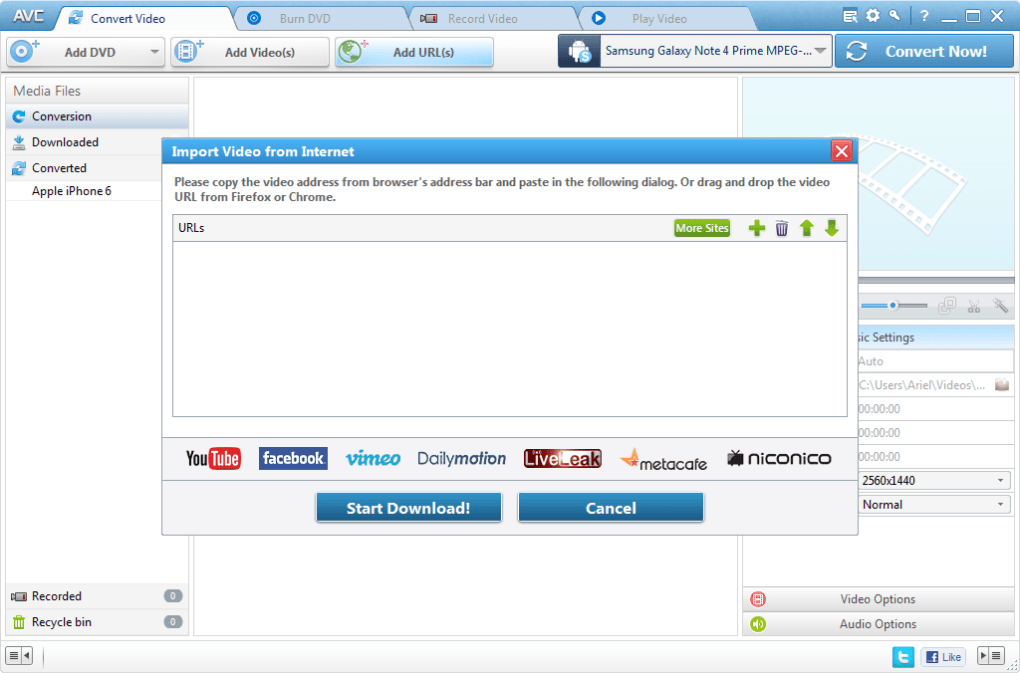
Furthermore, Any Video Converter Ultimate simplifies the process of downloading online videos. It supports downloading from multiple platforms, including YouTube and Google Video, directly by pasting the video URL. This eliminates the need for separate download managers or browser extensions, streamlining the workflow for users who regularly download videos from online sources. The software also allows for selecting specific video formats during the download process, offering choices optimized for different devices and network bandwidth conditions, including standard FLV, normal MP4, mobile 3GP, and HD MP4. This level of control allows users to optimize the downloaded video for their specific needs, whether it is viewing on a mobile device or on a large screen.
Addressing Download Restrictions and Screen Recording Capabilities
One of the more notable features is its built-in screen recording functionality. This tool is particularly valuable for scenarios where downloading a video directly is not possible due to restrictions or copyright issues. Any Video Converter Ultimate provides a way to capture videos from streaming services or websites that prohibit direct downloads, capturing the content with reasonable quality for offline viewing. This feature adds a significant layer of functionality, expanding the usability beyond just the conversion of readily available files.
User Interface and Ease of Use
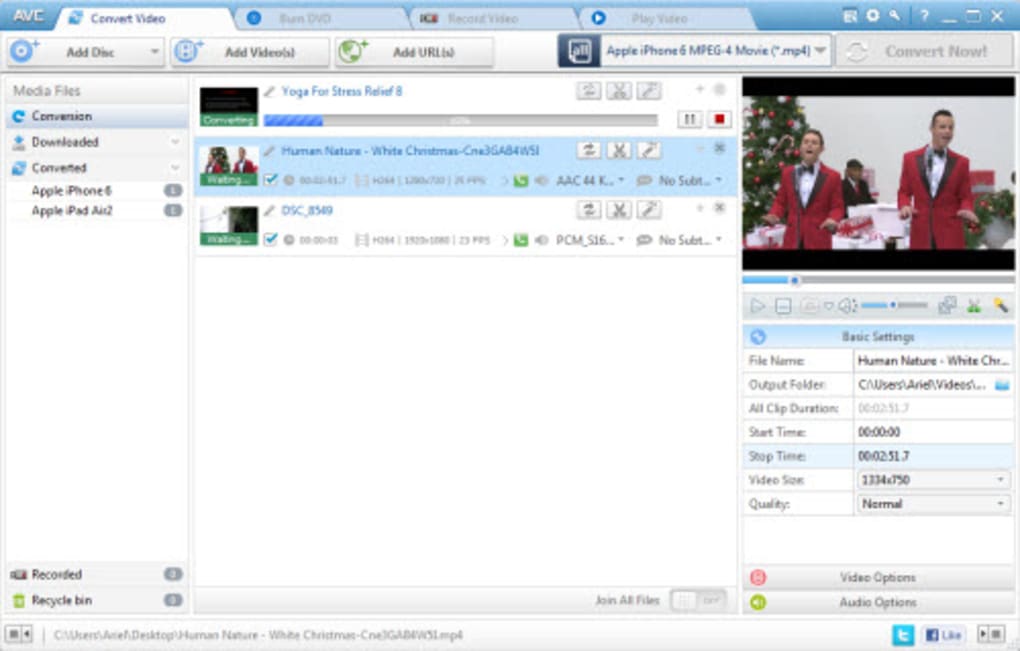
The user interface is generally intuitive and straightforward, even for users unfamiliar with video conversion software. The clean layout simplifies navigation, making it easy to select input files, choose output formats, and initiate the conversion process. However, the sheer number of features might feel overwhelming to some new users, especially when dealing with the more advanced settings. The program offers a well-structured guide and help section to assist users in navigating and mastering all aspects of its functionalities. The developers have continually updated the user interface over the years to improve usability and address potential confusion, reflecting a commitment to user experience.
Performance and System Requirements
Any Video Converter Ultimate’s performance largely depends on the system’s processing power and available RAM. Conversion times can vary considerably depending on the length and complexity of the video file, as well as the chosen output format and resolution. While the software generally handles conversions efficiently, users with less powerful systems might experience longer processing times, especially when working with large or high-resolution video files. The software’s system requirements are generally modest, making it compatible with a wide range of Windows systems. Regular updates ensure compatibility with the latest operating systems and hardware configurations.
Comparison with Alternative Software
Any Video Converter Ultimate competes with several other video conversion and editing suites. While many free and open-source alternatives exist, Any Video Converter Ultimate distinguishes itself through its comprehensive feature set, ease of use, and support for a wide array of formats. However, some premium alternatives offer more advanced editing features or superior performance for specific tasks. The choice between Any Video Converter Ultimate and other software hinges on the user’s specific needs and priorities. The price point of Any Video Converter Ultimate, being a relatively affordable paid software, falls into a competitive space, offering a balance between functionality and cost compared to both free and highly-priced competitors.
User Reviews and Overall Assessment
User reviews for Any Video Converter Ultimate are generally positive, highlighting its versatility and ease of use. Many users praise its ability to handle a wide variety of video and audio formats, and its straightforward conversion process. However, some users report occasional bugs or glitches, and others find the program’s extensive feature set somewhat overwhelming. The development team’s responsive approach to bug fixes and continuous improvement of the user interface indicates a commitment to providing a positive user experience. Overall, Any Video Converter Ultimate stands as a reliable and versatile option for users seeking a comprehensive all-in-one video processing solution. The software consistently receives high ratings from users who appreciate its broad functionality and user-friendly design.
Conclusion
Any Video Converter Ultimate presents a compelling case as an all-in-one solution for video conversion, DVD ripping, audio extraction, online video downloading, and screen recording. Its extensive format support, intuitive interface, and comprehensive feature set make it a strong contender in the market. While minor drawbacks such as occasional bugs or performance issues on less powerful systems exist, they are generally outweighed by its extensive capabilities and user-friendly design. Users seeking a robust and versatile video processing tool will find Any Video Converter Ultimate a valuable addition to their software arsenal. The software’s continued development and updates ensure its ability to adapt to evolving user needs and technological advancements, solidifying its position as a reliable and long-term solution.
File Information
- License: “Trial version”
- Latest update: “June 18, 2025”
- Platform: “Windows”
- OS: “Windows 2000”
- Language: “English”
- Downloads: “118K”
- Size: “7.29 MB”


