
AVIcodec is a free, lightweight Windows application designed to identify the codecs used in your AVI video files. Its simple interface and straightforward functionality make it a valuable tool for both novice and experienced users grappling with video playback issues. Whether you’re a casual user encountering unexpected codec errors or a professional dealing with less common video encoding standards, AVIcodec offers a quick and efficient solution to identify the missing piece in your video playback puzzle.
Understanding AVIcodec’s Functionality and Applications
AVIcodec’s primary function is to analyze AVI video files and pinpoint the necessary codec required for correct playback. The process is incredibly simple: select your AVI file, launch the software, and AVIcodec will automatically analyze the video’s structure to determine the codec. This information is crucial because AVI files can utilize a wide variety of codecs, each responsible for compressing and decompressing the video and audio streams. If the system lacks the necessary codec, playback will fail or result in errors.
The program’s value stems from its ability to eliminate guesswork. Instead of randomly installing codec packs or troubleshooting potential conflicts, AVIcodec provides a direct answer, allowing users to download and install the precise codec needed to resolve playback issues. This targeted approach avoids unnecessary installations and minimizes the risk of system instability caused by installing incompatible or conflicting codec packages.
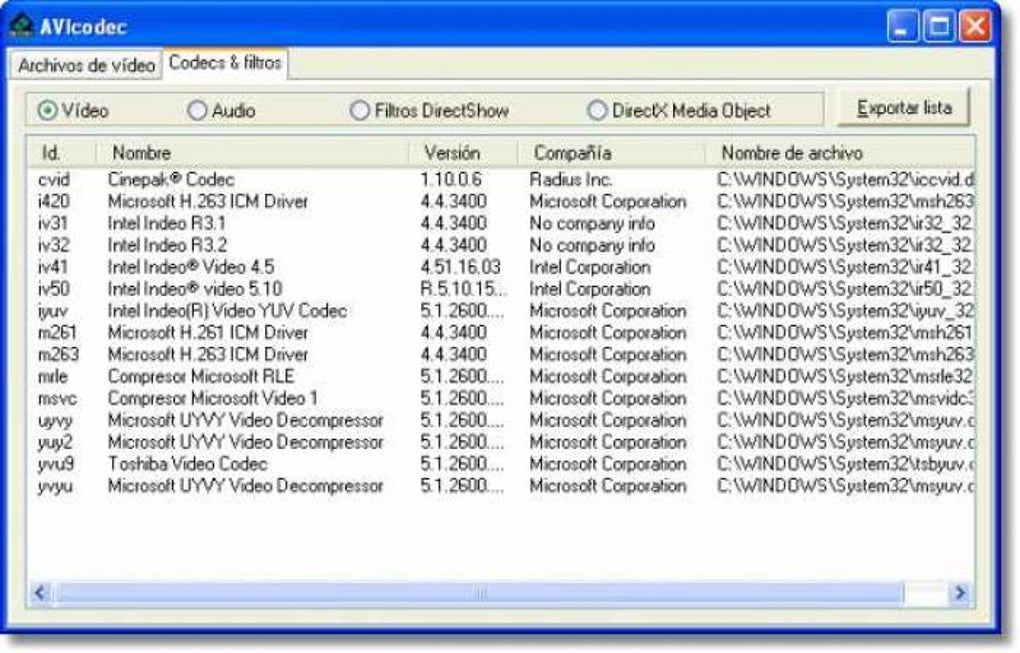
AVIcodec’s utility extends beyond simple troubleshooting. It’s a valuable resource for:
-
Casual users: Quickly identifying missing codecs and resolving playback issues with minimal technical expertise. The intuitive interface makes it accessible to users of all skill levels.
-
Advanced users: Verifying the codecs used in videos, particularly those that may employ less common or non-standard encoding methods. This can be crucial for quality control and ensuring compatibility across different platforms and devices.
-
Professionals: AVIcodec can prove invaluable in professional video editing or production workflows where dealing with diverse codecs and ensuring compatibility is critical. It can significantly streamline the troubleshooting process, saving valuable time and effort.
-
Troubleshooting obscure codec issues: Many older or less commonly used AVI files may employ codecs that aren’t automatically recognized by the operating system. AVIcodec’s ability to identify these obscure codecs is invaluable in restoring playback capabilities.
The Simple Elegance of AVIcodec’s Interface and Workflow
AVIcodec shines in its simplicity. The user interface is devoid of unnecessary complexities, prioritizing ease of use and efficiency. The core process consists of just two steps:
-
File Selection: Users simply browse to select the target AVI file. The program supports file selection through standard Windows file browsing mechanisms.
-
Analysis and Codec Identification: Upon selecting the file, AVIcodec begins its analysis. The process is typically quick, and the results are displayed clearly, indicating the specific codec required for playback.
There are no complicated settings or options to configure, making AVIcodec exceptionally user-friendly. This minimalist approach ensures that even users unfamiliar with video codecs can effectively use the application to resolve playback problems. The clean interface, coupled with the rapid analysis time, provides a streamlined and efficient solution for codec identification.
Beyond the Core Functionality: Language Support and Accessibility
AVIcodec’s creators demonstrate a commitment to accessibility through its broad language support. The application is available in a wide range of languages, ensuring that users globally can benefit from its functionality. This multilingual support reflects a dedication to inclusivity, making the software valuable to a much wider user base. The availability in numerous languages significantly reduces any language barriers and enhances the application’s usability worldwide.
The language support includes, but is not limited to:
- Arabic
- Czech
- Danish
- German
- Greek
- English
- Spanish
- French
- Italian
- Korean
- Dutch
- Polish
- Portuguese
- Russian
- Turkish
- Chinese
This expansive language support makes AVIcodec a truly global tool, breaking down geographical and linguistic barriers to access its functionality. Users from diverse linguistic backgrounds can readily utilize the software without facing language-related obstacles.
AVIcodec: A Comparative Analysis and Its Niche in the Codec Landscape
While numerous video players and media centers boast integrated codec identification capabilities, AVIcodec carves a distinct niche due to its singular focus and minimalist design. Other applications often bundle codec identification with a vast array of other features, leading to more complex interfaces and potentially larger application footprints.
AVIcodec’s strength lies in its specialized functionality. It excels at swiftly identifying the needed codec without the overhead of additional, often unnecessary, features. This streamlined approach offers a faster, more efficient solution for users solely focused on resolving codec-related playback issues.
Competitor applications frequently incorporate media playback, editing capabilities, or extensive codec management tools. While these added features might appeal to advanced users, they add complexity and increase the application’s size. AVIcodec’s focused approach makes it ideally suited for users who need a quick and efficient solution without navigating a cluttered interface or dealing with large file sizes.
Its small size and efficient design also make AVIcodec an attractive option for users with limited system resources. In contrast to larger, more feature-rich applications, AVIcodec consumes minimal system resources, making it suitable for older or less powerful machines.
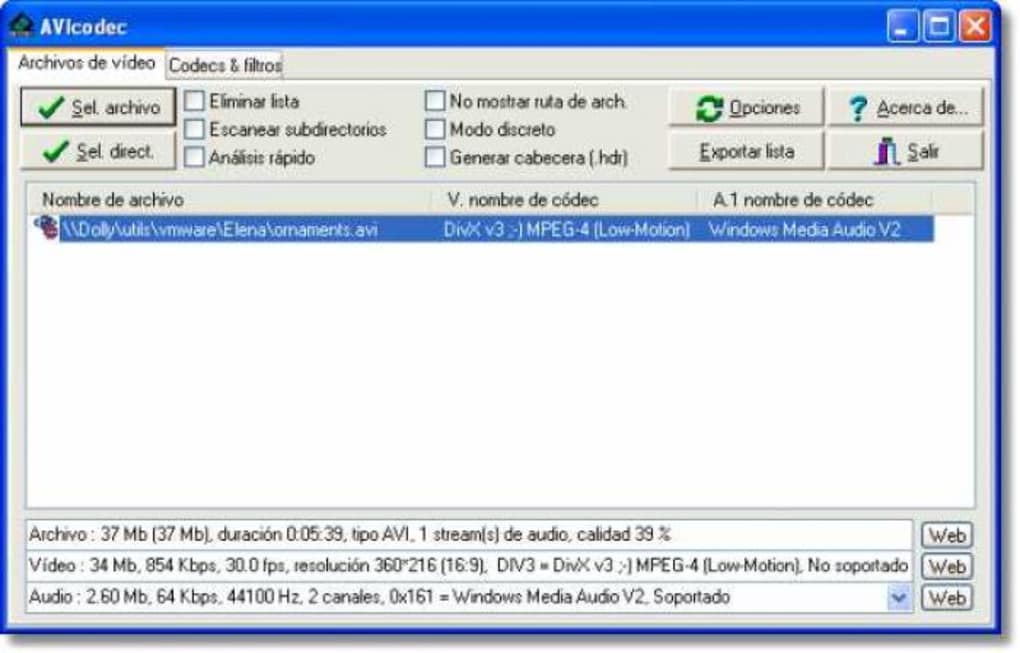
In conclusion, AVIcodec provides a focused and efficient solution for identifying video codecs within AVI files. Its user-friendly interface, broad language support, and minimalist design make it an invaluable tool for users of all skill levels, from casual viewers troubleshooting playback issues to professionals needing a reliable way to identify uncommon or non-standard video codecs. The program’s small size and efficient operation make it a versatile tool for users with limited system resources, further solidifying its place as a reliable and effective codec identification utility.
File Information
- License: “Free”
- Version: “1.2.113”
- Latest update: “July 31, 2025”
- Platform: “Windows”
- OS: “Windows 2000”
- Language: “English”
- Downloads: “7.7K”
- Size: “570.70 KB”


