
AVS Video Converter is a versatile video processing tool designed to simplify the often-complex task of video format conversion and editing. With its user-friendly interface and powerful features, it caters to both novice users and experienced video enthusiasts. This review delves into the capabilities, advantages, and limitations of AVS Video Converter, providing a comprehensive assessment of its overall performance and usefulness.
Powerful Video Conversion Capabilities
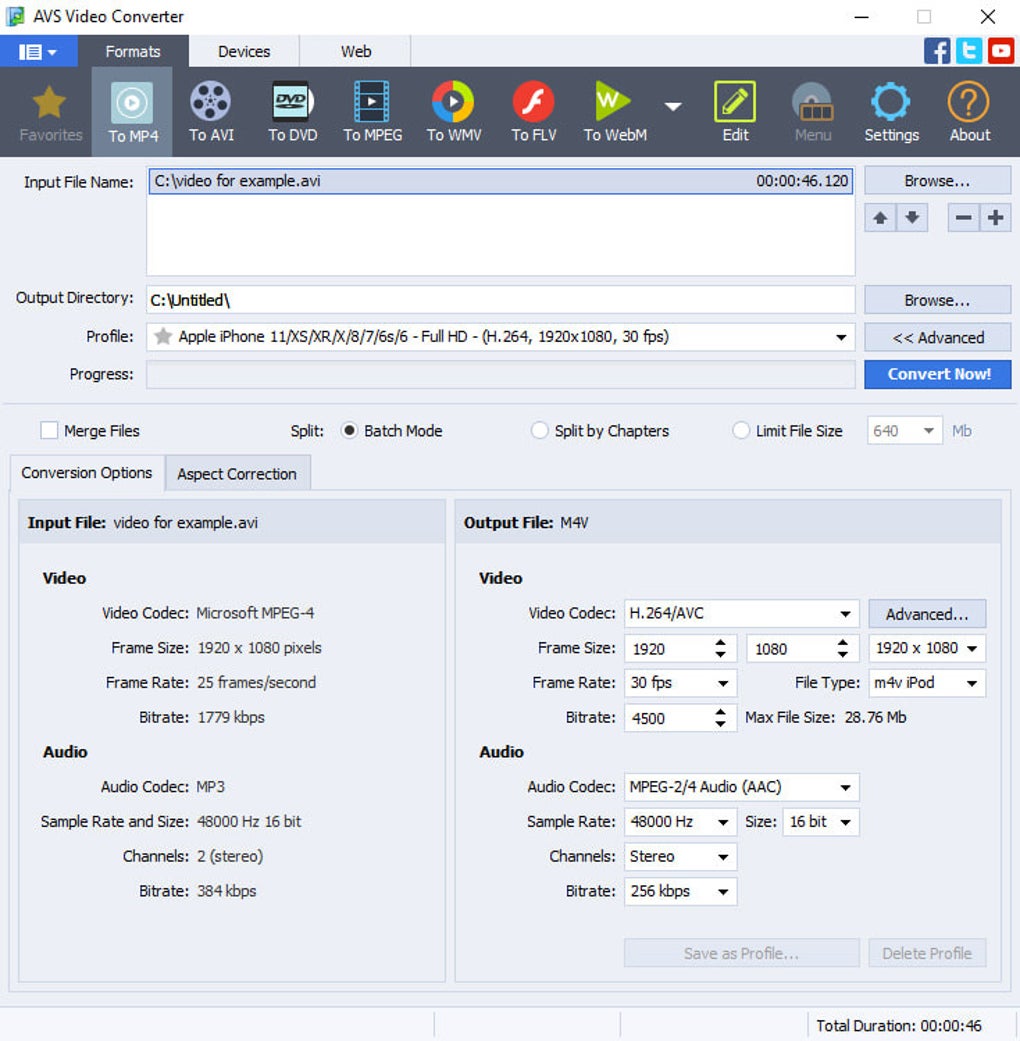
AVS Video Converter stands out for its extensive support of various video formats. It handles a wide array of popular formats, including AVI, MP4, MPEG, WMV, FLV, MOV, and 3GP, ensuring compatibility with a broad range of devices and platforms. This broad compatibility eliminates the frustration of encountering unsupported files, a common problem with less comprehensive conversion software.
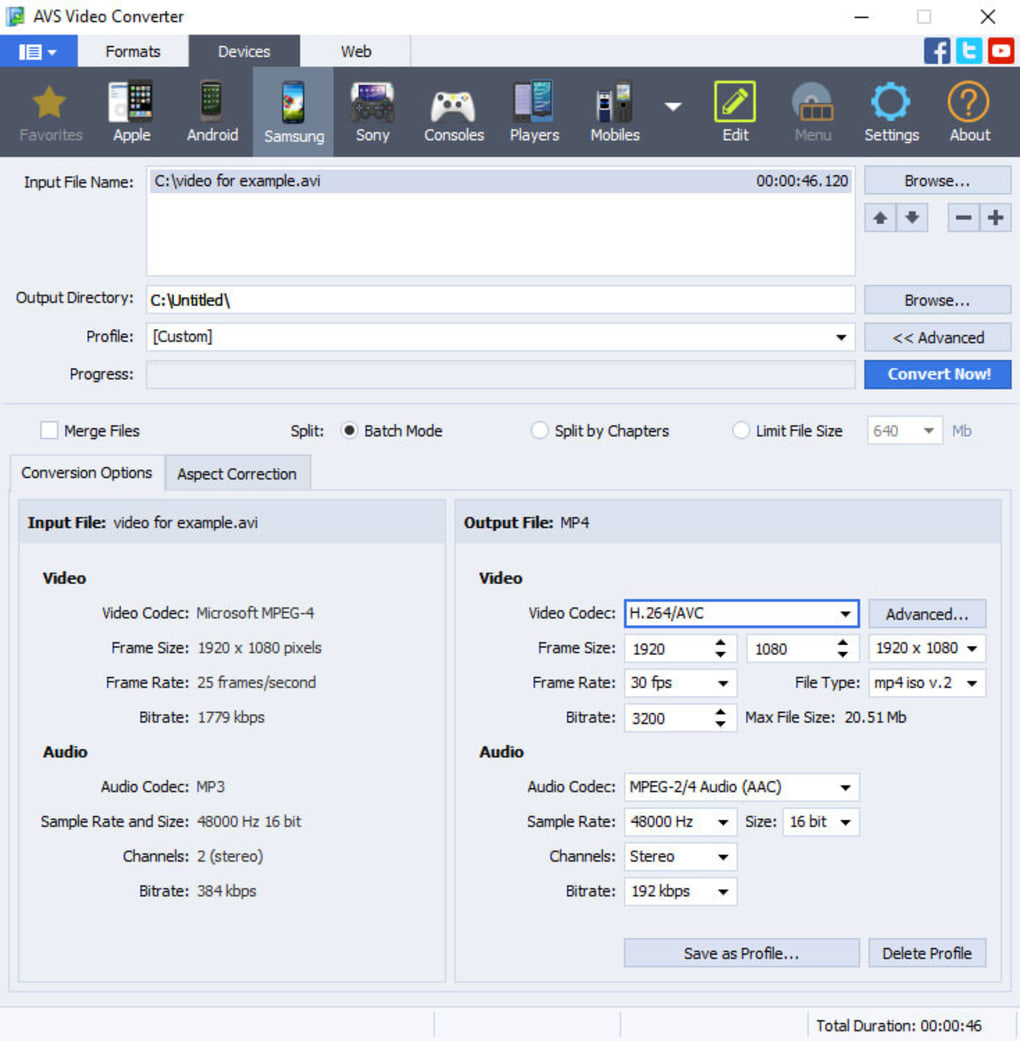
The software’s strength lies not just in its format support, but also in its customizable conversion settings. Users aren’t limited to a simple format change; they have granular control over the conversion process. This allows for optimization of video quality based on individual needs and preferences. Parameters such as video codec, frame size, and audio quality are all adjustable, empowering users to fine-tune the output to achieve the desired balance between file size and visual fidelity. This level of control is particularly beneficial for users working with large video files or those who prioritize high-quality output for professional purposes. For example, users can reduce file size for easier sharing online without sacrificing too much visual detail, or prioritize high quality for archiving or professional projects.
The conversion process itself is remarkably efficient. AVS Video Converter processes videos quickly and smoothly, minimizing waiting time. The intuitive interface guides users through the steps, making even complex conversions straightforward. This efficiency is further enhanced by its ability to batch process multiple files simultaneously, saving considerable time when converting multiple videos at once. The software excels at handling a variety of tasks, from simple format changes to more intricate adjustments, all performed with remarkable speed and efficiency.
Built-in Video Editing Features
Beyond its core conversion functionality, AVS Video Converter integrates a surprising array of video editing capabilities. The built-in editor, accessible through a dedicated ‘Edit’ button, opens up a world of possibilities for enhancing video projects. Users can directly add special effects and audio enhancements to their videos without needing separate editing software. This integration streamlines the workflow, saving users time and effort.
The editing tools themselves are surprisingly comprehensive. A wide range of video effects are available, including sepia, old movie, mosaic, puzzle, snow, pencil sketch, mirror, wave, and greyscale. These effects allow users to add stylistic touches, create unique looks, or simply experiment with different visual aesthetics. The application of these effects is straightforward: users simply drag and drop selected files onto a timeline, previewing the results in a dedicated window before committing to the changes.
In addition to visual effects, AVS Video Converter offers audio enhancements. Users can adjust audio parameters like amplification, chorus, reverb, vibrato, and flanger. This allows for fine-tuning of audio tracks, improving clarity, adding ambience, or creating specific sonic effects. The combined video and audio editing capabilities significantly extend the software’s usefulness, transforming it from a mere converter into a comprehensive video editing suite. This all-in-one approach is highly advantageous for users who want to perform both conversion and basic editing tasks within a single application.
User-Friendliness and Interface Design
AVS Video Converter’s user interface is designed for ease of use. Even users with limited video editing experience can navigate the software effortlessly. The clean layout, intuitive controls, and straightforward workflow make the conversion and editing processes simple and efficient. The software guides users through each step, minimizing the learning curve and reducing the likelihood of errors. This user-friendly design is a significant advantage, making the software accessible to a broad range of users, from casual home users to more experienced video editors. This accessibility combined with its power makes it a valuable tool for various skill levels.
System Requirements and Compatibility
While AVS Video Converter is designed to be user-friendly, it’s crucial to consider its system requirements to ensure optimal performance. The software operates on Windows operating systems, making it compatible with the vast majority of Windows PCs. The specific requirements vary depending on the version, with newer versions potentially requiring more processing power and memory. Users should check the specific system requirements listed on the AVS4YOU website before installation to avoid compatibility issues. It’s important to note that, while powerful, running highly demanding video conversions or applying multiple intense effects might still place a strain on lower-specification systems, resulting in slower processing times.
User Reviews and Community Feedback
Online user reviews offer valuable insights into the practical experiences of users. While many praise AVS Video Converter for its ease of use, speed, and comprehensive features, some criticisms have also emerged. Certain users have reported occasional sync issues when converting videos to DVD formats. Others have raised concerns about the software licensing system, specifically the inability to transfer licenses to new PCs. These issues highlight the importance of carefully reviewing the licensing terms and understanding the software’s limitations before purchase. Customer support responsiveness and the effectiveness of troubleshooting assistance also seem to be areas that require some improvement based on user feedback. It’s crucial for users to weigh these different perspectives before deciding whether AVS Video Converter is the right choice for their specific needs.
Conclusion: AVS Video Converter’s Strengths and Weaknesses
AVS Video Converter presents a compelling combination of powerful features and user-friendly design. Its comprehensive support for video formats, customizable conversion settings, and integrated editing tools make it a valuable asset for users seeking a versatile video processing solution. The software’s efficiency and intuitive interface contribute to a streamlined workflow, minimizing the time and effort required for video conversion and basic editing.
However, some limitations exist. User reports suggest potential sync issues in certain contexts, and the licensing system has drawn criticism. It’s essential for potential users to carefully weigh these concerns in relation to their specific needs and expectations. Addressing these reported issues would significantly enhance the software’s reputation and user experience. Overall, AVS Video Converter offers a powerful and user-friendly approach to video conversion and basic editing, making it a strong contender in a crowded market, provided its limitations are taken into account. The decision to utilize this software hinges on prioritizing its strengths against its acknowledged shortcomings.
File Information
- License: “Trial version”
- Latest update: “May 30, 2025”
- Platform: “Windows”
- OS: “Windows XP”
- Language: “English”
- Downloads: “188.8K”
- Size: “88.95 MB”


