
AVU Music Video Maker & Editor is a powerful mobile application designed for Android devices, empowering users to create professional-quality music videos with ease. This comprehensive review delves into its features, performance, and overall user experience, providing a detailed assessment of its capabilities and limitations.
A Deep Dive into AVU’s Feature Set
AVU distinguishes itself from other mobile video editors through its robust feature set and user-friendly interface. The app provides a wide array of tools to enhance videos, making it suitable for both novice and experienced video editors. Key features include:
-
Intuitive Interface: AVU boasts an intuitive interface, simplifying the video editing process. Even users unfamiliar with video editing software can quickly grasp its functionalities and start creating videos within minutes. The streamlined workflow eliminates unnecessary complexities, focusing on providing essential editing tools in an accessible manner.
-
Music Integration: A standout feature is its seamless music integration. Users can effortlessly add multiple music tracks to their videos, creating a rich and engaging audio experience. The app supports various audio formats, including MP3 files, offering flexibility in music selection. The ability to layer up to five audio tracks allows for complex audio arrangements, adding depth and complexity to the video’s soundtrack.
-
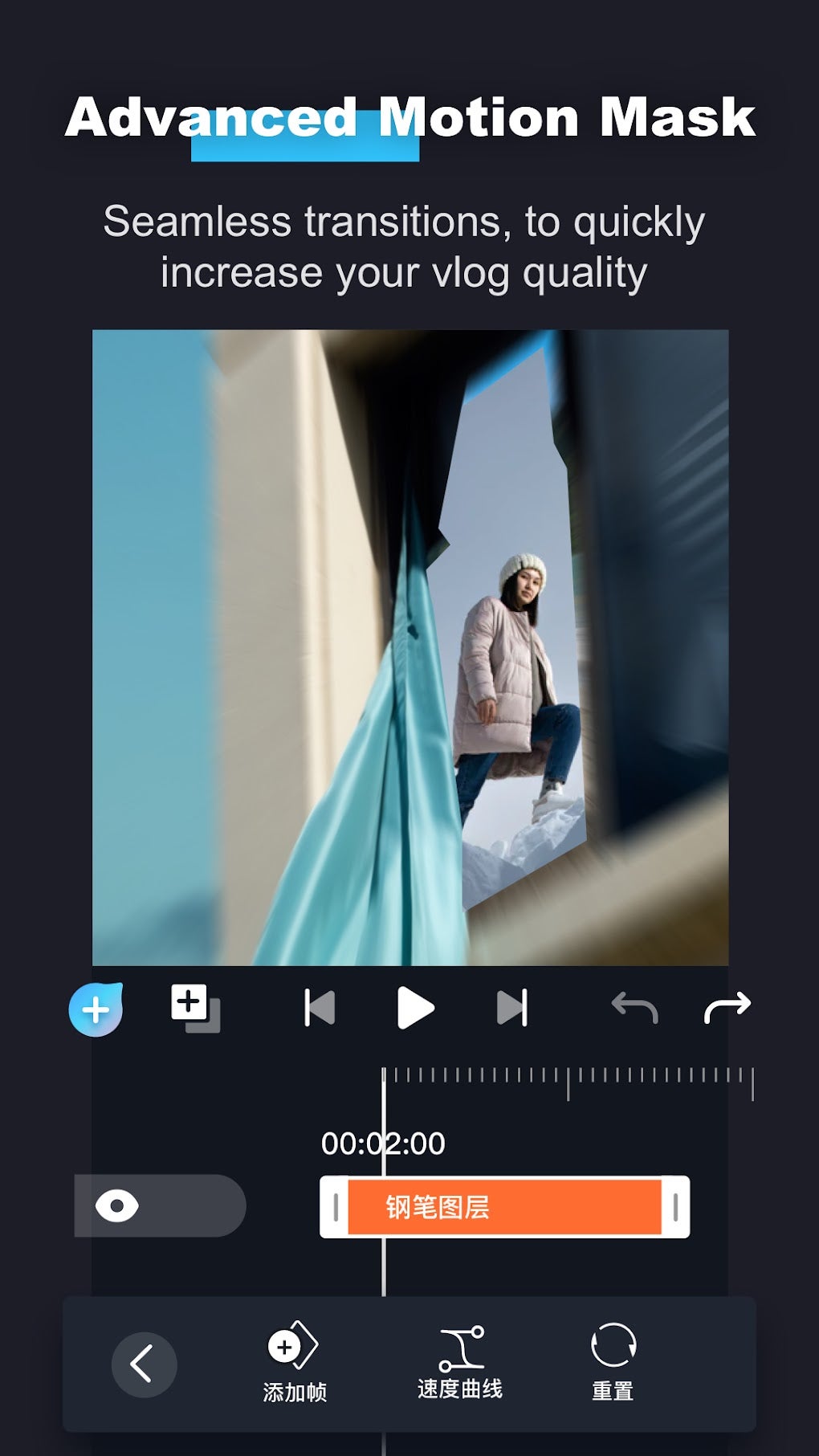
Extensive Effects Library: AVU offers a comprehensive library of video effects, ranging from basic filters to advanced transitions. These effects greatly enhance the visual appeal of videos, allowing users to experiment with different styles and achieve a desired aesthetic. The variety of effects cater to diverse creative visions, from subtle enhancements to dramatic transformations.
-
Frame Rate Control: The ability to adjust the frame rate provides users with fine-grained control over the video’s visual flow and smoothness. This feature allows for creative experimentation with different frame rates to achieve specific artistic effects, adding a professional touch to the final product.
-
Green Screen Functionality: A notable inclusion is its green screen capabilities, enabling users to replace backgrounds seamlessly. This feature opens a vast array of possibilities for creative video projects, allowing for the incorporation of various backdrops and environments. The functionality is user-friendly, simplifying a task that often requires advanced video editing software.
-
Social Media Sharing: AVU simplifies the process of sharing videos on popular social media platforms like Facebook, Instagram, Snapchat, and YouTube. This direct integration streamlines the content distribution process, allowing users to quickly share their creations with a wider audience.
-
Background Editing: Beyond simply adding music and visual effects, AVU provides capabilities for detailed background editing. This allows for refined control over the visual aspects of the video, providing more advanced options for visual storytelling. This functionality expands the creative potential of the application beyond simple overlay effects.
Performance and User Experience
Beyond the features, the app’s performance and user experience are critical aspects to consider. In testing, AVU demonstrated a smooth and responsive interface, even when handling relatively large video files. The app’s efficiency in processing videos is noteworthy, minimizing any noticeable lag or delays during editing.
However, the user experience could be further enhanced by including more detailed tutorials or walkthroughs, especially for users new to video editing. While the interface is largely intuitive, additional guidance could help users fully utilize the app’s advanced features.
The app’s performance is largely dependent on the device’s hardware specifications. Users with lower-end Android devices might experience some performance limitations, particularly when handling high-resolution videos or using multiple effects simultaneously. However, on mid-range and high-end devices, AVU performs flawlessly.
Comparison with Alternative Apps
AVU stands out against its competitors in a few key ways. While other apps might offer similar features, AVU’s combination of a user-friendly interface, extensive effects library, and robust music integration creates a compelling offering. Competitors often excel in specific areas, such as advanced color grading or specific transition effects, but AVU’s balanced approach caters to a broader range of users and creative styles.
Several other mobile video editors exist, each with its strengths and weaknesses:
-
CapCut: Known for its user-friendly interface and extensive effects, CapCut leans towards a more casual user base. While it provides a wealth of templates and filters, the advanced features may not be as comprehensive as AVU’s.
-
Alight Motion: A more professional-grade video editor, Alight Motion provides advanced features like keyframe animation and motion tracking. However, its interface is more complex and has a steeper learning curve than AVU.
-
Cute CUT: A versatile editor, Cute CUT offers a balance between ease of use and advanced functionalities. While it has a strong feature set, it may not be as visually appealing as AVU.
- PowerDirector: Another professional-grade editor, PowerDirector provides extensive tools but can be quite resource-intensive and may not be suitable for all devices.
AVU’s strength lies in its balance between ease of use and functionality. It provides powerful tools without overwhelming the user with unnecessary complexities. This balance makes it a compelling choice for both casual and more serious video creators.
Strengths and Weaknesses
Strengths:
-
User-friendly interface: The app’s simplicity makes it accessible to a broad range of users, regardless of their prior video editing experience.
-
Robust feature set: AVU provides a comprehensive collection of tools, enabling the creation of high-quality videos.
-
Efficient performance: The app processes videos quickly and smoothly, even on mid-range devices.
-
Seamless music integration: Adding music to videos is effortless and intuitive.
-
Green screen functionality: This feature opens up numerous creative possibilities.
- Social media sharing: Sharing videos on popular platforms is streamlined and easy.
Weaknesses:
-
Limited tutorials: Additional tutorials and walkthroughs would enhance the user experience, especially for beginners.
-
Performance on low-end devices: Users with low-end Android devices might encounter performance issues.
-
Lack of advanced color grading: While AVU offers various filters, advanced color correction tools may be absent for more professional users.
-
Occasional bugs: Like any software, AVU may experience occasional bugs or glitches.
Conclusion
AVU Music Video Maker & Editor is a valuable tool for Android users looking to create professional-quality music videos. Its user-friendly interface, extensive feature set, and efficient performance make it a compelling choice. While there’s room for improvement in areas like comprehensive tutorials and advanced features, AVU offers a well-rounded video editing experience that caters to both novice and experienced creators. Its strength lies in its balance – powerful enough for serious projects, yet accessible enough for casual users. The app’s seamless integration of music and a wide array of effects contributes significantly to its appeal. The ability to share directly to various social media platforms further adds to its convenience and overall usability. Overall, AVU receives a strong recommendation for anyone seeking an easy-to-use and powerful music video editor on their Android device.
File Information
- License: “Free”
- Version: “1.9.9”
- Latest update: “March 24, 2025”
- Platform: “Android”
- OS: “Android 13.0”
- Downloads: “7.9K”
- Size: “196.82 MB”
- Download Options: “APK, Google Play”
- Filename: “com-immcque-moshow-199-67984968-7d05a051a45942dc602f6fab65bf6013.apk”


