
In an increasingly interconnected world, where our lives – from personal finances to cherished memories – are intertwined with digital platforms and stored “in the cloud,” the importance of robust cybersecurity cannot be overstated. At the forefront of this digital defense is the humble password. Yet, the very simplicity of a password often masks the complexity required to make it truly secure. This is where tools like Awesome Password Generator step in, offering a direct, albeit focused, solution to one of the most pressing digital security challenges: creating strong, hard-to-crack passwords.
The proliferation of online accounts means that individuals and businesses alike are faced with the daunting task of managing dozens, if not hundreds, of unique login credentials. Relying on easily guessable passwords, reusing the same password across multiple sites, or opting for simple permutations of personal information are grave errors that invite hackers to compromise accounts, steal data, and cause widespread disruption. Data breaches are a constant threat, and the consequences of a compromised account can range from mild inconvenience to severe financial loss and identity theft. Awesome Password Generator aims to combat this by empowering users to generate truly random and therefore highly secure passwords, laying a foundational layer of protection in their digital lives.
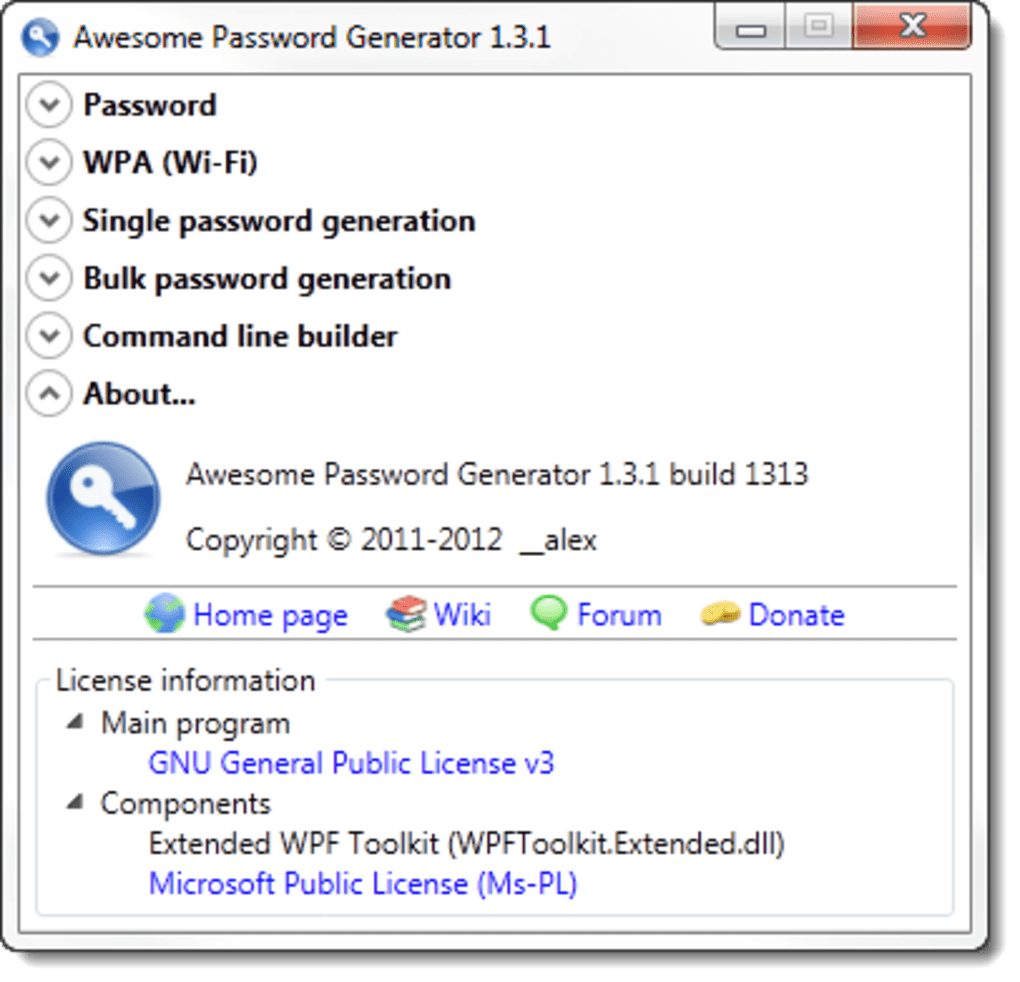
Awesome Password Generator: Features and Functionality
Awesome Password Generator is a testament to the power of simplicity when applied to a critical task. It doesn’t aim to be an all-encompassing security suite; rather, it focuses on doing one thing exceptionally well: generating strong, random passwords. This lightweight application understands that complexity in security tools can often deter users, leading them back to insecure practices. Its design philosophy prioritizes ease of use, making the process of creating a formidable password accessible to everyone.
Simplicity in Action: How it Works
The user experience with Awesome Password Generator is remarkably straightforward. Upon launching the application, users are greeted with intuitive controls that allow them to define the parameters for their desired password. The core functionality revolves around a few key choices:
-
Password Length: This is arguably the most crucial factor in password strength. Awesome Password Generator allows users to specify the exact length of the password they wish to create. Longer passwords inherently offer a vastly larger number of possible combinations, making them exponentially harder for brute-force attacks to crack. A good practice, often recommended by security experts, is to aim for passwords of at least 12-16 characters, and the generator facilitates this with ease.
-
Character Inclusion: Beyond length, the diversity of characters used significantly impacts security. Awesome Password Generator provides checkboxes for including:
- Capitalization (Uppercase Letters): Incorporating both uppercase (A-Z) and lowercase (a-z) letters doubles the character set for alphabetic characters, dramatically increasing complexity.
- Numbers (0-9): Adding digits further expands the pool of possible characters, making dictionary attacks less effective.
- Symbols (!@#$%^& etc.):* Special characters are often overlooked in human-generated passwords but are vital for creating truly unpredictable strings. Their inclusion is a hallmark of a strong password.
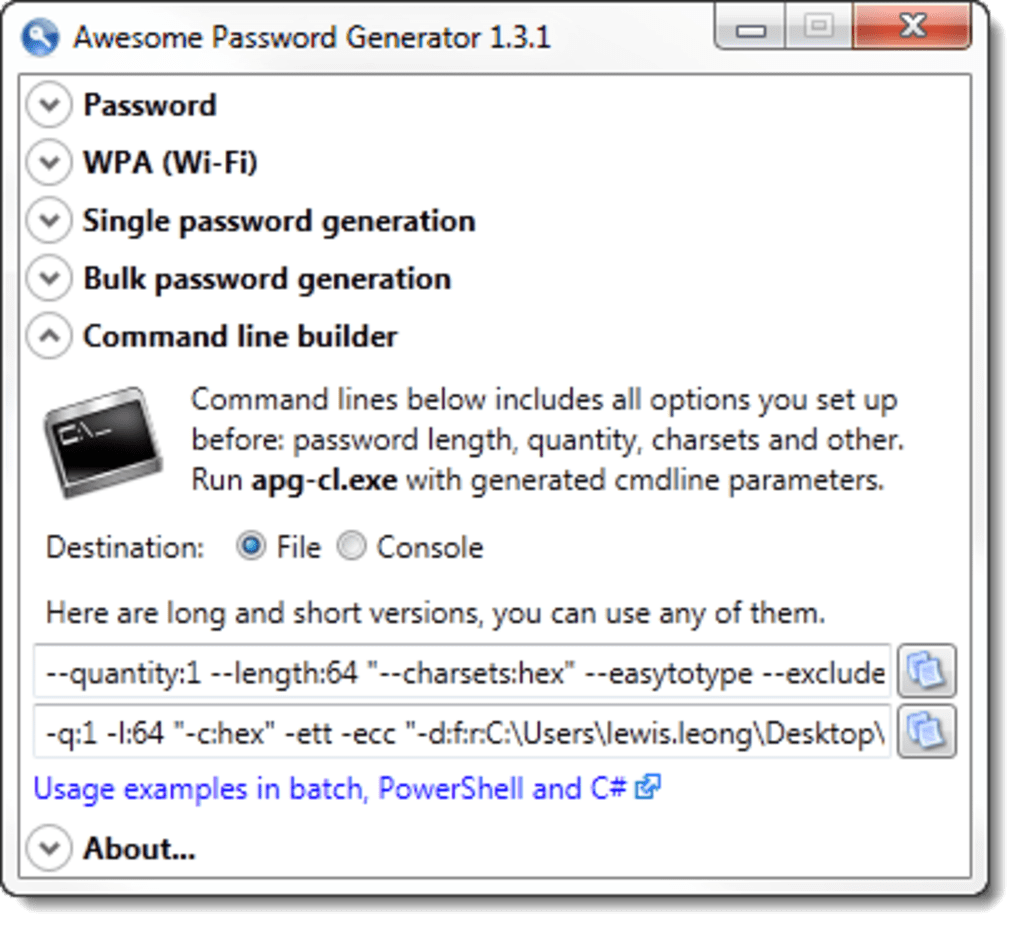
By allowing users to mix and match these character types, Awesome Password Generator ensures that the generated passwords are not only long but also varied, maximizing their resistance to common hacking methods.
Customization for Security and Memorability (The Dilemma)
One particularly interesting feature of Awesome Password Generator is the ability for users to define a custom character set. While the primary goal of random password generation is to create strings that are as unpredictable as possible, some users might find value in slightly tailoring the character pool. This could be for specific platform requirements (e.g., a service disallowing certain symbols) or, more controversially, to make a password “more memorable.”
The concept of a “more memorable” random password presents a slight paradox. True randomness is inherently devoid of patterns that aid memorization. However, if a user can define a subset of common, easily typable symbols or alphanumeric characters, it might theoretically reduce the cognitive load without completely sacrificing randomness. It’s a delicate balance, and users should exercise caution here, understanding that any deviation from a truly random, expansive character set could potentially introduce subtle weaknesses. The generator aims to strike a balance between absolute randomness and practical usability, offering flexibility while still prioritizing robust security. The password strength rating, which we’ll discuss next, helps users gauge the impact of their choices.
The Strength Meter: A Guiding Hand
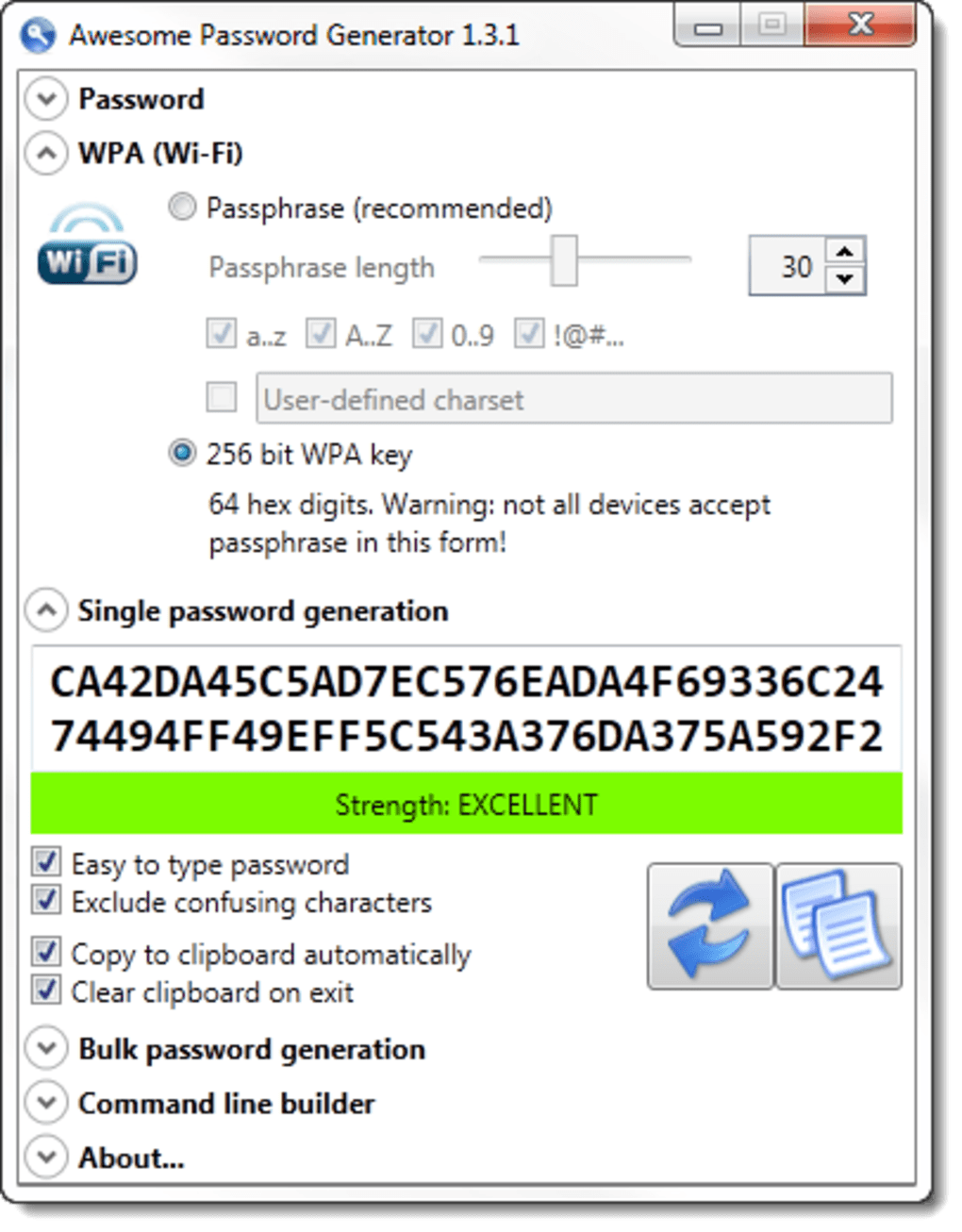
After setting their preferences, users are presented with a rating on how secure their generated password is. This real-time feedback mechanism is invaluable. It serves as an educational tool, visually demonstrating the correlation between password length, character diversity, and overall strength. A password composed only of lowercase letters might receive a low rating, prompting the user to add numbers, symbols, and capitalization to significantly boost its security score. This instant validation helps users make informed decisions, reinforcing best practices for password creation without requiring them to be cybersecurity experts. It transforms the abstract concept of “password strength” into a tangible, actionable metric.
Bulk Generation and WPA Passphrases: Beyond Single Passwords
Awesome Password Generator isn’t limited to generating just one password at a time. Its bulk generation feature is a significant advantage, particularly for users managing multiple accounts or for system administrators setting up new user profiles. The ability to generate a list of unique, strong passwords quickly can save considerable time and effort.
Furthermore, the inclusion of a WPA passphrase generator addresses a specific, crucial security need. WPA (Wi-Fi Protected Access) passphrases are used to secure wireless networks. A weak Wi-Fi password can leave an entire network vulnerable, allowing unauthorized access to devices and data. By providing a dedicated function for generating strong WPA passphrases, Awesome Password Generator extends its utility beyond individual online accounts to the security of local networks, offering a comprehensive approach to foundational digital protection. This shows a thoughtful consideration for common security pain points faced by both home and business users.
The Critical Missing Piece: Database Management and the Security Conundrum
While Awesome Password Generator excels at its primary function – creating potent passwords – it suffers from a significant limitation that prevents it from being a complete solution: the complete absence of any integrated database or password management features. This omission, while keeping the application lightweight and focused, places a considerable burden and responsibility on the user, potentially undermining the very security it seeks to provide.
The Challenge of Tracking: Why a Database Matters
The digital world demands unique, strong passwords for every single online account. Remembering dozens, if not hundreds, of such complex, randomly generated strings is virtually impossible for the human mind. This is precisely why comprehensive password managers exist: they not only generate strong passwords but also securely store, encrypt, and retrieve them as needed.
Awesome Password Generator, by contrast, acts as a pure generator. It can produce passwords in bulk, but once they are displayed, there’s no built-in mechanism to save them, associate them with specific accounts, or even track which passwords have been used. This means that users are left to their own devices to manage these critical credentials. The consequence of this oversight is profound:
- Risk of Loss: Without a secure storage solution, users might lose track of their generated passwords, leading to locked accounts and frustration.
- Manual Insecurity: The temptation to write passwords down on sticky notes, in unencrypted text files, or in insecure spreadsheets becomes high, completely negating the generator’s security benefits.
- Lack of Organization: Over time, managing a growing collection of strong, but untracked, passwords becomes a chaotic and error-prone process.
This critical gap highlights that password generation is only half the battle; secure password management is equally, if not more, important for maintaining long-term digital security.
Manual Solutions and Their Risks: Excel, TrueCrypt, and User Responsibility
Recognizing its limitation, Awesome Password Generator’s documentation implicitly suggests a manual workaround: creating one’s own database using tools like Microsoft Excel. While this offers a degree of organization, it introduces its own set of significant risks and complexities. A plain Excel file containing all your passwords is an open invitation for disaster if it falls into the wrong hands.
To mitigate this, the recommendation extends to encrypting such a file with a tool like TrueCrypt (or its successor, VeraCrypt). While TrueCrypt was once a highly respected encryption software, its development ceased, and its security was later questioned. However, the underlying principle remains valid: any manual storage of passwords must be heavily encrypted with strong, actively maintained software.
This approach demands a high level of technical proficiency and discipline from the user:
- Setup Complexity: Users must not only generate passwords but also create a spreadsheet, diligently input each password along with its associated account, and then correctly encrypt the entire file. This is a multi-step, error-prone process.
- Security Responsibility: The user becomes solely responsible for the security of their “manual database.” Forgetting the encryption key means losing access to all passwords. If the encryption is weak or implemented incorrectly, the entire system collapses.
- Lack of Convenience: Unlike dedicated password managers that offer browser extensions, auto-fill capabilities, and mobile synchronization, a manual Excel file is cumbersome to use daily, potentially leading users to bypass security protocols for convenience.
This workaround, while technically possible, is far from ideal. It shifts the burden of secure storage and accessibility entirely onto the user, a burden that most users are ill-equipped or unwilling to bear consistently.
Comparing with Comprehensive Solutions: LastPass and 1Password
The limitations of Awesome Password Generator become particularly evident when compared to comprehensive password management solutions like LastPass and 1Password. These platforms offer an integrated ecosystem that addresses both generation and management:
- Secure Storage: They use robust encryption to store all passwords in a central, cloud-synced, and locally accessible vault.
- Auto-Fill and Browser Integration: Browser extensions automatically detect login fields, suggest strong passwords, and fill in credentials with a single click, enhancing both security and convenience.
- Multi-Device Synchronization: Passwords are securely synchronized across all user devices (desktops, laptops, smartphones, tablets).
- Security Audits: Many full-featured managers include tools to audit existing passwords for weaknesses, duplicates, and breaches.
- Two-Factor Authentication (2FA) Integration: They often support or integrate with 2FA solutions for an added layer of security.
While Awesome Password Generator is free and excels at its specific task, its lack of these integrated features makes it challenging to recommend over these more complete solutions for the average user. For someone new to secure password practices, or who needs a seamless, end-to-end solution, a full-fledged password manager offers a significantly higher level of convenience and security, abstracting away the complexities of manual encryption and organization. Awesome Password Generator finds its niche as a powerful tool within a broader security strategy, rather than a standalone solution.
Security & Privacy: A Holistic View of Digital Protection
The development of a tool like Awesome Password Generator underscores a fundamental truth about our digital existence: security and privacy are not optional luxuries but essential requirements. While a password generator is a vital component, it exists within a larger ecosystem of threats and protective measures. True digital resilience requires a holistic approach, where strong passwords are just one piece of a multi-layered defense strategy.
The Landscape of Cyber Threats: Phishing, Brute Force, and Data Breaches
To truly appreciate the value of strong password generation, one must first understand the adversaries. The digital threat landscape is diverse and constantly evolving:
- Phishing: Deceptive emails, messages, or websites designed to trick users into revealing sensitive information, including passwords. A strong, random password generated by Awesome Password Generator makes it less likely that a phishing attempt will yield a familiar, reusable password.
- Brute Force Attacks: Automated attempts to guess passwords by systematically trying every possible combination. The longer and more complex a password (as generated by Awesome Password Generator), the exponentially longer it takes for a brute-force attack to succeed, making it computationally infeasible.
- Dictionary Attacks: A more refined brute-force method that uses lists of common words, phrases, and previously leaked passwords. The randomness introduced by including symbols and numbers (as encouraged by the generator) renders dictionary attacks largely ineffective.
- Credential Stuffing: Hackers use credentials (email/username and password) leaked from one data breach to try and log into accounts on entirely different services. This tactic thrives on password reuse. Awesome Password Generator, by facilitating unique passwords for every site, directly counters this threat.
- Malware and Keyloggers: Malicious software designed to capture keystrokes, including passwords. While a password generator cannot prevent a keylogger from recording a typed password, it ensures that even if one password is compromised, it doesn’t unlock a cascade of other accounts.
These threats highlight that password generation is not just about convenience; it’s about building a robust fortress against persistent and sophisticated attacks.
Beyond Passwords: Multi-Factor Authentication and Encryption’s Role
While strong passwords are the first line of defense, they are not the only one. A truly secure digital posture integrates multiple layers of protection:
- Multi-Factor Authentication (MFA/2FA): This adds an extra layer of security beyond just a password. It typically involves requiring something the user knows (the password) and something the user has (a code from a phone, a hardware token) or something the user is (biometrics like a fingerprint). Even if a strong password generated by Awesome Password Generator is somehow compromised, MFA prevents unauthorized access.
- Encryption: The process of converting information into a code to prevent unauthorized access. Awesome Password Generator implicitly leverages encryption by encouraging users to encrypt any manual password database they create. More broadly, encryption secures data at rest (on hard drives) and in transit (over networks, via VPNs). Tools for encryption, like those found in the “Security & Privacy” section on PhanMemFree.org, are fundamental to protecting data once access is granted.
Password Management as a Cornerstone: Integrating Tools for Full Protection
Awesome Password Generator, then, serves as an excellent component within a larger cybersecurity strategy. It addresses the crucial “creation” phase of password management. For users who choose to stick with it due to its simplicity or specific needs (e.g., generating a quick WPA key), the responsibility falls on them to integrate it with secure management practices. This means:
- Adopting a “Zero Trust” Mentality: Assume no system is perfectly secure and always implement redundant protections.
- Leveraging Encryption: If using a manual storage method, always ensure it’s encrypted with a strong, modern solution.
- Implementing MFA: Enable 2FA on every service that offers it.
- Regular Audits: Periodically review accounts for suspicious activity and change passwords if necessary.
In this context, Awesome Password Generator is a valuable entry point into better security. For basic, free password generation, it is highly effective. However, for comprehensive password management, users should consider the broader array of tools available under “Security & Privacy” on PhanMemFree.org, specifically those dedicated to “Password Management,” which offer integrated generation, storage, and retrieval solutions.
Productivity and Digital Wellness: The Indirect Benefits of Strong Security
At first glance, creating and managing complex passwords might seem like an added chore, a drag on productivity. However, the opposite is true. Robust digital security, spearheaded by strong passwords, is a significant enabler of productivity and contributes directly to digital wellness by reducing stress and minimizing disruption.
Avoiding Downtime and Data Loss: The Cost of Weak Security
For businesses and individuals alike, data breaches and account compromises are not just security incidents; they are productivity killers.
- Downtime and Recovery: A compromised account or system can lead to significant downtime as users or IT staff scramble to regain control, restore data, and patch vulnerabilities. This time is lost from core tasks and business operations.
- Data Loss and Reputational Damage: Stolen data can lead to irreversible losses of personal information, intellectual property, or financial assets. For businesses, a breach can severely damage reputation, erode customer trust, and result in costly legal and regulatory penalties.
- Financial Impact: The direct and indirect costs associated with a breach (investigation, remediation, notification, legal fees, lost business) can be staggering.
By using a tool like Awesome Password Generator to create unique, strong passwords for every account, users dramatically reduce the likelihood of such incidents. This proactive approach ensures continuity, protects assets, and, in the long run, saves immeasurable time and resources that would otherwise be spent on damage control. The investment in strong passwords upfront pays dividends in sustained productivity and peace of mind.
Mental Load Reduction: Streamlining Digital Access
Beyond preventing disasters, good password practices, facilitated by tools like Awesome Password Generator, contribute to mental wellness. The cognitive burden of trying to remember numerous complex passwords, or the anxiety associated with reusing weak ones, can be surprisingly draining.
- Reduced Stress: Knowing that accounts are protected by strong, unique passwords alleviates the constant worry about potential breaches.
- Streamlined Access (with management): While Awesome Password Generator itself doesn’t offer auto-fill, the result of using it (strong passwords) forms the basis for seamless access when integrated with a proper password manager. Users can log in quickly and confidently, rather than struggling with forgotten credentials or navigating complex password reset processes.
- Focus on Core Tasks: When digital security is handled efficiently, individuals can focus their mental energy on their primary work, hobbies, or personal pursuits, rather than being distracted by security concerns or login frustrations.
In essence, Awesome Password Generator, by creating the building blocks of strong security, indirectly enhances productivity by safeguarding against costly interruptions and reducing the psychological burden of digital life. It allows users to operate more effectively and with greater peace of mind in the digital realm.
Awesome Password Generator in the Ecosystem of Utilities & Tools
Awesome Password Generator, by its very nature, fits squarely into the category of “Utilities & Tools” found on platforms like PhanMemFree.org. This category encompasses software designed to assist users in performing specific tasks, optimize system performance, or enhance their digital experience. Understanding its place within this broader ecosystem helps clarify its role and limitations.
Defining a Digital Utility: Specificity vs. Comprehensive Suites
A utility is typically a program with a focused function, often enhancing the core capabilities of an operating system or addressing a particular user need. Examples from the PhanMemFree.org “Utilities & Tools” list include “File Managers,” “Data Recovery,” “Screen Capture,” and “Clocks & Alarms.” Awesome Password Generator perfectly aligns with this definition:
- Specific Function: Its sole purpose is to generate random, secure passwords. It doesn’t manage them, doesn’t encrypt files (beyond the suggestion for third-party tools), and doesn’t provide broader system security.
- Enhancement: It enhances user security by providing a mechanism to create passwords that humans struggle to invent effectively.
- Lightweight: True to many utilities, it’s a small, fast application that doesn’t consume significant system resources.
This specificity is both its strength and its weakness. It means the tool is highly efficient at its job, but it also means users need to understand its boundaries. Unlike an “Office Suite” or an “Antivirus” program, which are comprehensive solutions covering many aspects, a utility like Awesome Password Generator is a sharp, specialized instrument.
Its Place Among Essential Tools: Complementing, Not Replacing
Within the vast landscape of digital tools, Awesome Password Generator should be seen as a complementary utility rather than a replacement for broader security or productivity solutions.
- Complementing Password Managers: As discussed, it generates the core input for a full password manager. For those who prefer a dedicated generator before inputting into their chosen manager, it’s ideal.
- Supporting Network Security: Its WPA passphrase generator is a specific utility for securing Wi-Fi networks, working alongside other “Internet & Network” tools like VPNs or Firewalls to create a secure online environment.
- Reinforcing Overall Security Posture: When used correctly and paired with secure storage (even if manual), it strengthens the foundation of a user’s digital security, working in tandem with “Antivirus” software, “Ad Blockers,” and “Encryption” tools mentioned under “Security & Privacy.”
In essence, Awesome Password Generator is a highly effective, free utility for generating strong passwords. It fills a crucial niche for users who prioritize simplicity and direct control over password creation. However, users must recognize that it is one tool among many required for comprehensive digital security and robust productivity. Its strength lies in its focused excellence, but its value is fully realized when integrated thoughtfully into a wider personal or organizational cybersecurity strategy, drawing upon other essential utilities and comprehensive solutions available on platforms like PhanMemFree.org.
Conclusion: The Niche and the Necessity
Awesome Password Generator stands out as a lean, efficient, and free tool designed to tackle a fundamental challenge in the digital age: the creation of strong, unique passwords. Its speedy performance, ability to generate passwords in bulk, and dedicated WPA passphrase function make it a valuable utility for anyone serious about enhancing their online security. It empowers users to move beyond weak, guessable passwords towards truly random and resilient strings, providing a critical first line of defense against a myriad of cyber threats.
However, the application’s most significant drawback—the complete absence of any integrated database features—is a critical consideration. While it excels at generating powerful passwords, it leaves the crucial task of secure storage and management entirely to the user. This necessitates manual workarounds, such as using encrypted spreadsheets, which demand a high degree of user discipline and technical knowledge, potentially introducing new vulnerabilities if not executed perfectly. This limitation places Awesome Password Generator behind more comprehensive, all-in-one password management solutions like LastPass or 1Password, which seamlessly handle both generation and secure storage.
Despite this caveat, Awesome Password Generator fulfills a distinct and necessary role. For users who prefer a dedicated, no-frills generator, or those who need a quick, reliable way to create a strong password for a specific purpose (like a Wi-Fi network), it remains an excellent choice. It serves as a strong reminder that good security starts with strong foundations, and a randomly generated password is one of the most effective.
In the grand tapestry of digital tools and cybersecurity strategies, Awesome Password Generator is a powerful thread. It doesn’t offer the entire garment, but it provides exceptionally strong material for a critical part of it. When used thoughtfully, perhaps in conjunction with secure, encrypted storage or as a complementary tool to a broader password management system, it offers significant value. It champions the principle that foundational security doesn’t have to be complicated to initiate. For anyone looking to immediately upgrade their password strength without investing in a full management suite, Awesome Password Generator offers a straightforward and highly effective solution available for free download on PhanMemFree.org. Its focus on generating secure, hard-to-crack passwords remains its core strength, making it an essential utility in the fight for digital safety and privacy.
File Information
- License: “Free”
- Version: “1.3.1”
- Latest update: “August 6, 2012”
- Platform: “Windows”
- OS: “Windows 8”
- Language: “English”
- Downloads: “6.8K”
- Size: “834.37 KB”


