
B Player is a free, lightweight multimedia application for Android devices developed by Tunny. This unassuming app offers a surprising amount of functionality, packing extensive file format support and a variety of playback options into a clean and intuitive interface. While it may lack the extensive customization features of some competitors, its simplicity and ease of use make it a compelling choice for users seeking a straightforward video player.
Core Features and Functionality
B Player’s strength lies in its core functionality: playing videos and audio files. Its minimalist design prioritizes ease of use, making it accessible to users of all technical skill levels. The app supports a wide range of file formats, catering to a diverse library of media. This includes popular audio formats like MP3 and FLAC, as well as widely used video formats such as MKV, FLV, and MP4. This broad compatibility eliminates the need to convert files before playback, streamlining the user experience.
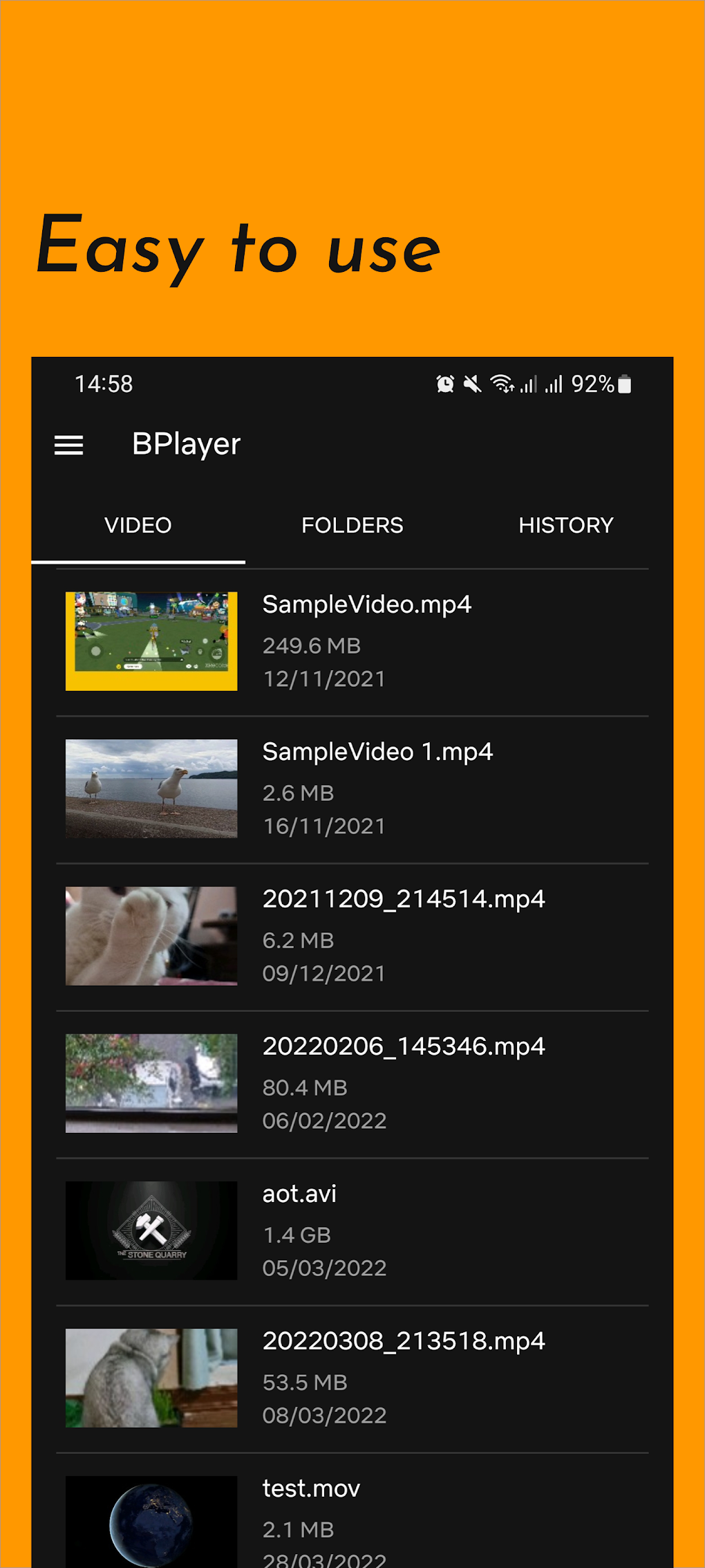
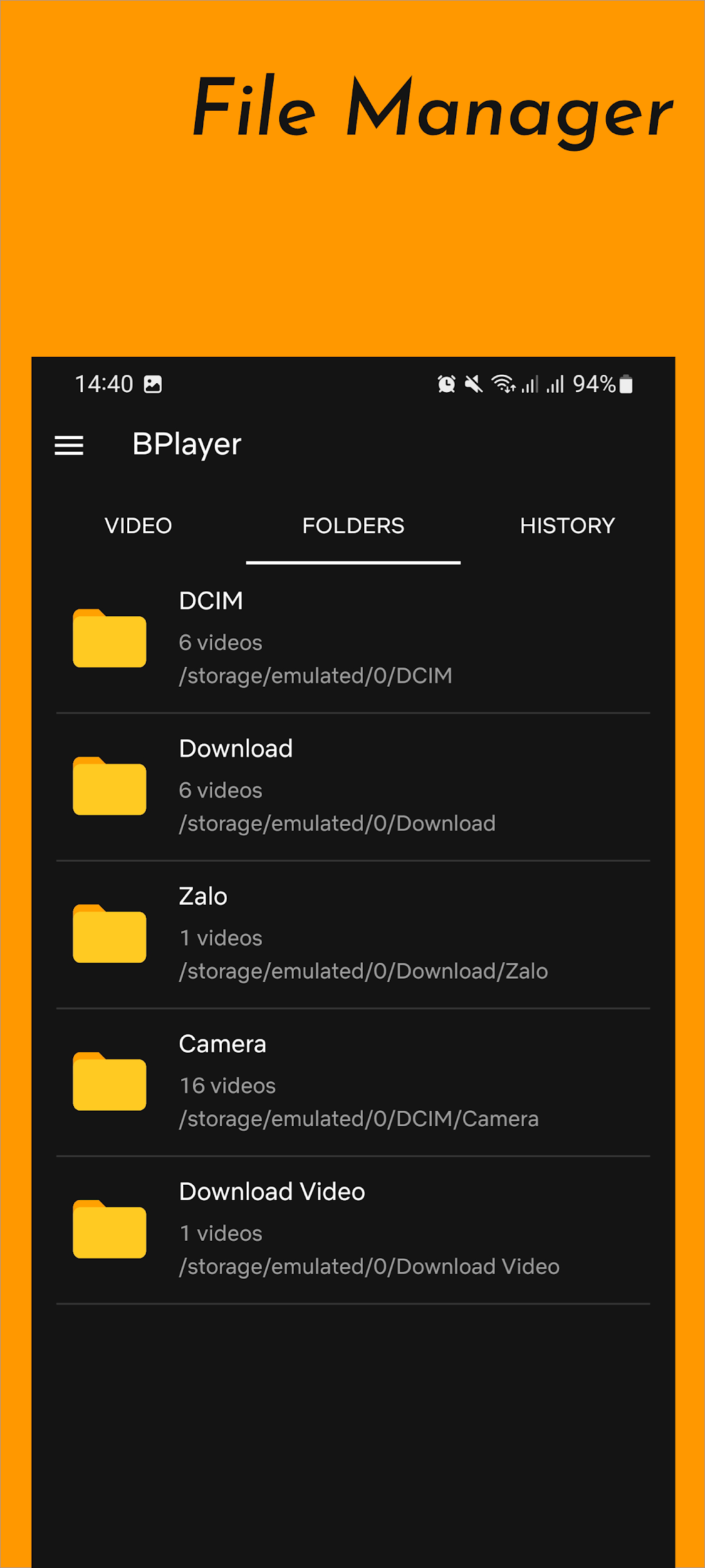
Beyond its extensive format support, B Player incorporates hardware acceleration to ensure smooth playback, even on less powerful devices. This feature is crucial for a satisfying viewing experience, preventing lag and ensuring consistent performance across different Android devices. The built-in file explorer allows for easy navigation and selection of local media files, eliminating the need for users to switch between different applications to find their desired content. This integrated file management system enhances the app’s overall usability and convenience.
Furthermore, B Player demonstrates its commitment to a seamless user experience through its subtitle support. The app can automatically download subtitles for compatible movies and TV shows, a highly beneficial feature for users who rely on subtitles for accessibility or language preference. This functionality is a significant advantage, enhancing the overall accessibility and convenience offered by the application.
User Interface and Experience
The app’s user interface is designed with simplicity in mind. The minimalistic design avoids clutter and distractions, focusing on providing a clean and intuitive experience. The controls are straightforward and easy to understand, allowing users to quickly navigate through menus and adjust playback settings without difficulty. This design choice is particularly beneficial for users unfamiliar with complex media players, making B Player an ideal option for those seeking an easy-to-navigate media playback solution.
The focus on simplicity, however, also means a lack of extensive customization features. Unlike some more feature-rich players, B Player doesn’t offer granular control over aspects like audio equalization or advanced video filters. This minimalist approach will appeal to users who value straightforward functionality over advanced customization options. The trade-off between simplicity and depth of control is a key aspect to consider when comparing B Player to other media players on the market.
The offline playback capability of B Player is a significant advantage. Users can enjoy their media collection without requiring an active internet connection. This feature is valuable for users who often find themselves in areas with limited or no internet access. Furthermore, the app’s support for online playback via URL streams provides an added layer of versatility, allowing access to content from various online sources. This combination of offline and online capabilities broadens the app’s functionality and appeal to a wider audience.
Comparison with Other Media Players
When compared to other popular Android media players, B Player occupies a niche as a lightweight, easy-to-use option. Players like MX Player offer a more expansive set of features, including advanced customization options, gesture controls, and extensive codec support. However, this added functionality often comes at the cost of increased app size and complexity. B Player’s streamlined approach stands in contrast to these more feature-rich competitors, prioritizing ease of use and efficient performance.
Other players, such as VLC for Android, provide a robust and versatile media playback experience with extensive format support and advanced features. However, VLC’s interface can be less intuitive for some users compared to B Player’s minimalist approach. This difference highlights the trade-off between comprehensive features and user-friendly design. The choice between B Player and other media players depends heavily on individual user preferences and priorities. Users prioritizing simplicity and ease of use will likely find B Player more appealing than players with more complex feature sets.
In contrast to some proprietary media players, B Player offers a free and open-source alternative, eliminating any cost barriers for users. While certain features might be absent compared to paid counterparts offering premium features, the core functionality remains robust and free of charge. This aspect makes B Player an attractive option for users on a budget or those who prefer open-source software.
Strengths and Weaknesses
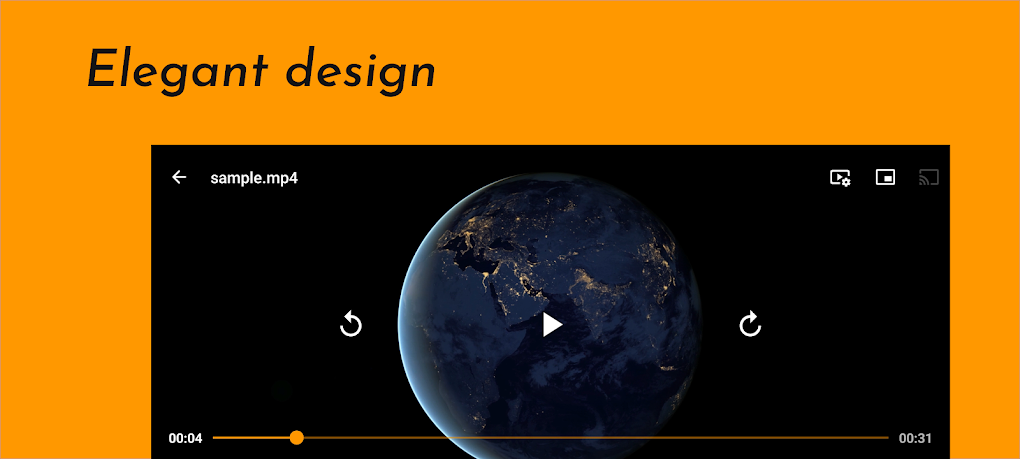
B Player’s strengths lie in its simplicity, ease of use, and broad file format compatibility. The clean interface, combined with hardware acceleration, makes for a smooth and enjoyable media playback experience. The ability to play both local and online content further adds to its versatility. The free nature of the application makes it an even more attractive option for a large segment of users.
On the other hand, B Player’s relative lack of customization options might be a drawback for users who require granular control over audio and video settings. The minimalist design, while beneficial for ease of use, might appear limiting to users seeking more advanced features. While this minimalist design caters to a specific segment of users, it does limit the app’s potential appeal to power users or those who appreciate sophisticated customization.
Ultimately, B Player’s success is built on its strategic decision to prioritize simplicity and ease of use. While it might not offer the same breadth of features as some competitors, its user-friendly interface and dependable core functionality make it a valuable media player for users seeking a straightforward and efficient solution. The app’s strengths lie in its ability to provide a hassle-free media playback experience without sacrificing essential functionality.
Conclusion
B Player presents a compelling option for Android users seeking a lightweight, easy-to-use video player. Its combination of wide format support, hardware acceleration, and a clean interface makes it a strong contender in a crowded market. While lacking the advanced features found in more complex players, its simplicity and efficiency are significant advantages for users who prioritize ease of use above extensive customization options. If your primary need is a reliable and straightforward way to play your videos and audio, B Player is certainly worth considering. The app’s success lies in its focus on core functionality, providing a solid media playback experience without unnecessary complexities.
File Information
- License: “Free”
- Latest update: “January 16, 2024”
- Platform: “Android”
- OS: “Android 13.0”
- Downloads: “34.4K”
- Download Options: “Google Play”


