
Baidu WiFi Hotspot is a free Windows application designed to transform your computer into a functional Wi-Fi hotspot. This review delves into its features, performance, security aspects, limitations, and compares it to alternative options available in the market. Whether you need a quick and easy way to share your internet connection or are looking for a more robust solution, this review will provide valuable insights to help you make an informed decision.
Ease of Use and Interface
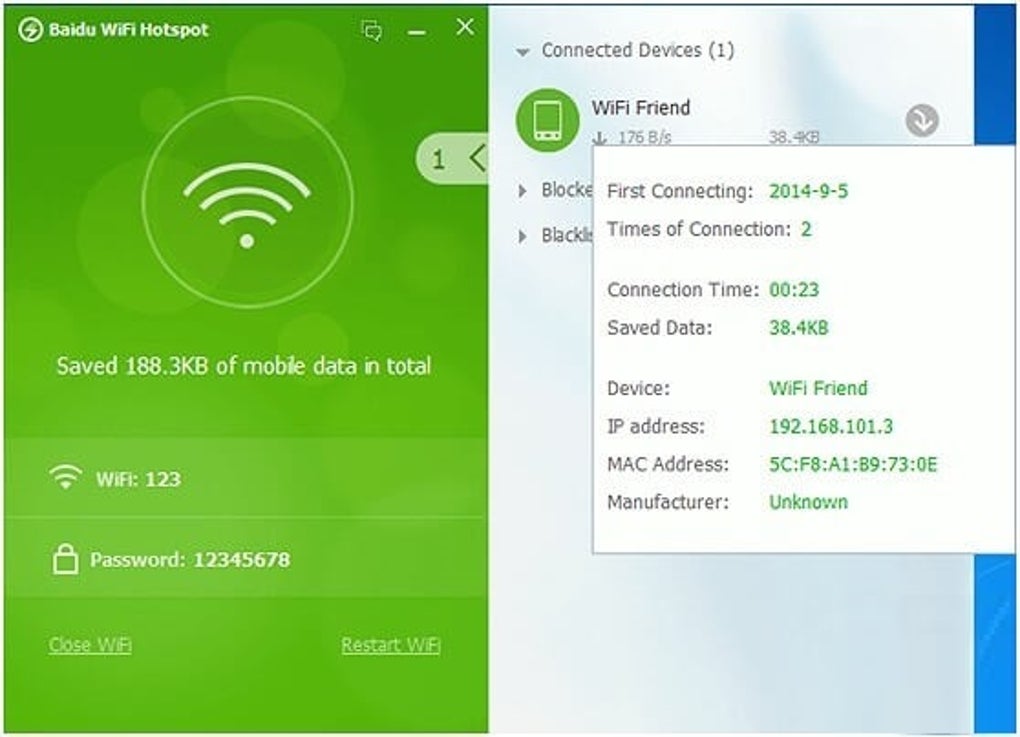
Baidu WiFi Hotspot boasts a remarkably simple and intuitive interface. The application’s lightweight nature ensures a swift download and installation process, with no unnecessary bloatware or additional programs bundled in. The user interface is clean and uncluttered, making it exceptionally user-friendly, even for individuals with limited technical expertise. Upon launching the application, it automatically creates a Wi-Fi hotspot connection, requiring minimal user interaction. This ease of setup is a significant advantage, eliminating the complexities often associated with configuring network settings manually. The main screen clearly displays the network name (SSID), password, and a list of currently connected devices. This provides a transparent overview of the network activity, allowing users to monitor and manage connected devices effectively. The intuitive design and streamlined functionality make Baidu WiFi Hotspot an accessible tool for a wide range of users.
Functionality and Features
Beyond its core functionality of creating a Wi-Fi hotspot, Baidu WiFi Hotspot offers several additional features that enhance its versatility. One notable feature is its ability to set a password for the Wi-Fi network. This crucial security measure allows users to control access to their internet connection, preventing unauthorized devices from connecting and potentially compromising the network’s security. Furthermore, the application allows for the creation of a blacklist, enabling users to block specific devices from accessing the hotspot. This granular control over network access provides an additional layer of security and ensures that only authorized devices can connect to the shared internet connection.
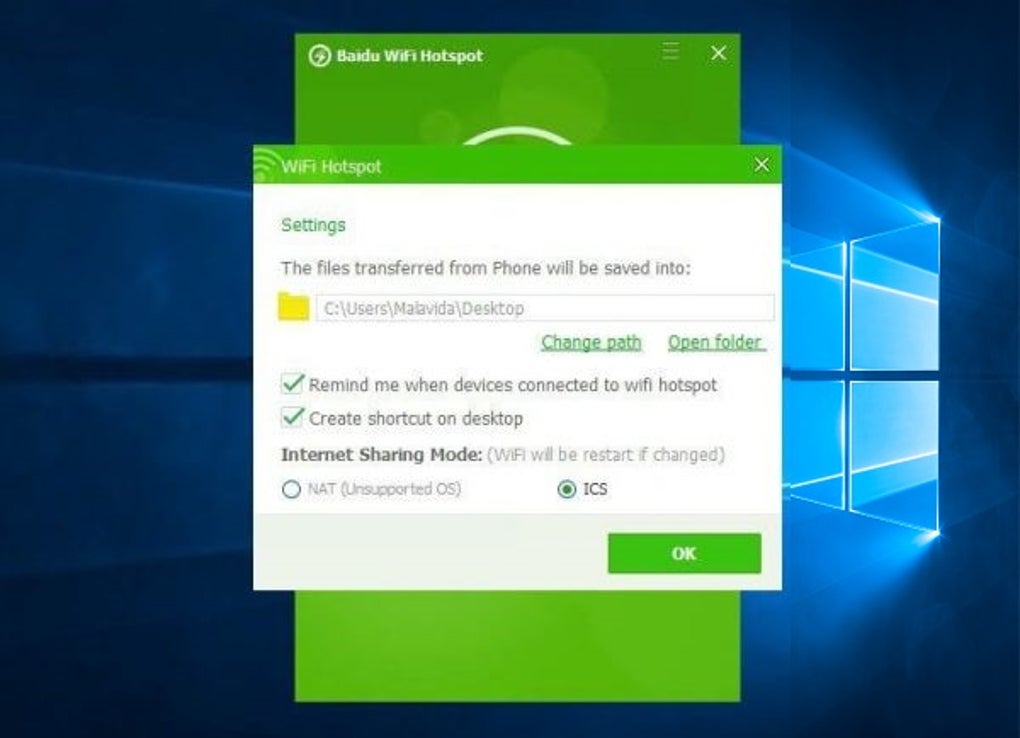
In addition to its security features, Baidu WiFi Hotspot includes file transfer capabilities. Users can seamlessly transfer files between their computer and other connected devices, such as smartphones or tablets. All transferred files are conveniently organized into a designated folder, whose location can be customized within the application’s settings. This integrated file transfer functionality adds to the app’s overall utility, eliminating the need for separate file-sharing applications. The efficiency of this feature contributes to a streamlined user experience.
Security and Performance
Baidu WiFi Hotspot prioritizes the security of both the network and the user’s computer. The implementation of password protection and device blacklisting demonstrates a commitment to network security. The application itself does not compromise the user’s computer’s performance or hard drive data. It’s designed to be lightweight and optimized for even older computer systems, ensuring compatibility across a wide range of hardware configurations. This focus on performance and security makes Baidu WiFi Hotspot a reliable and trustworthy option for sharing an internet connection. The developers have clearly prioritized both user experience and data protection.
Limitations and Drawbacks
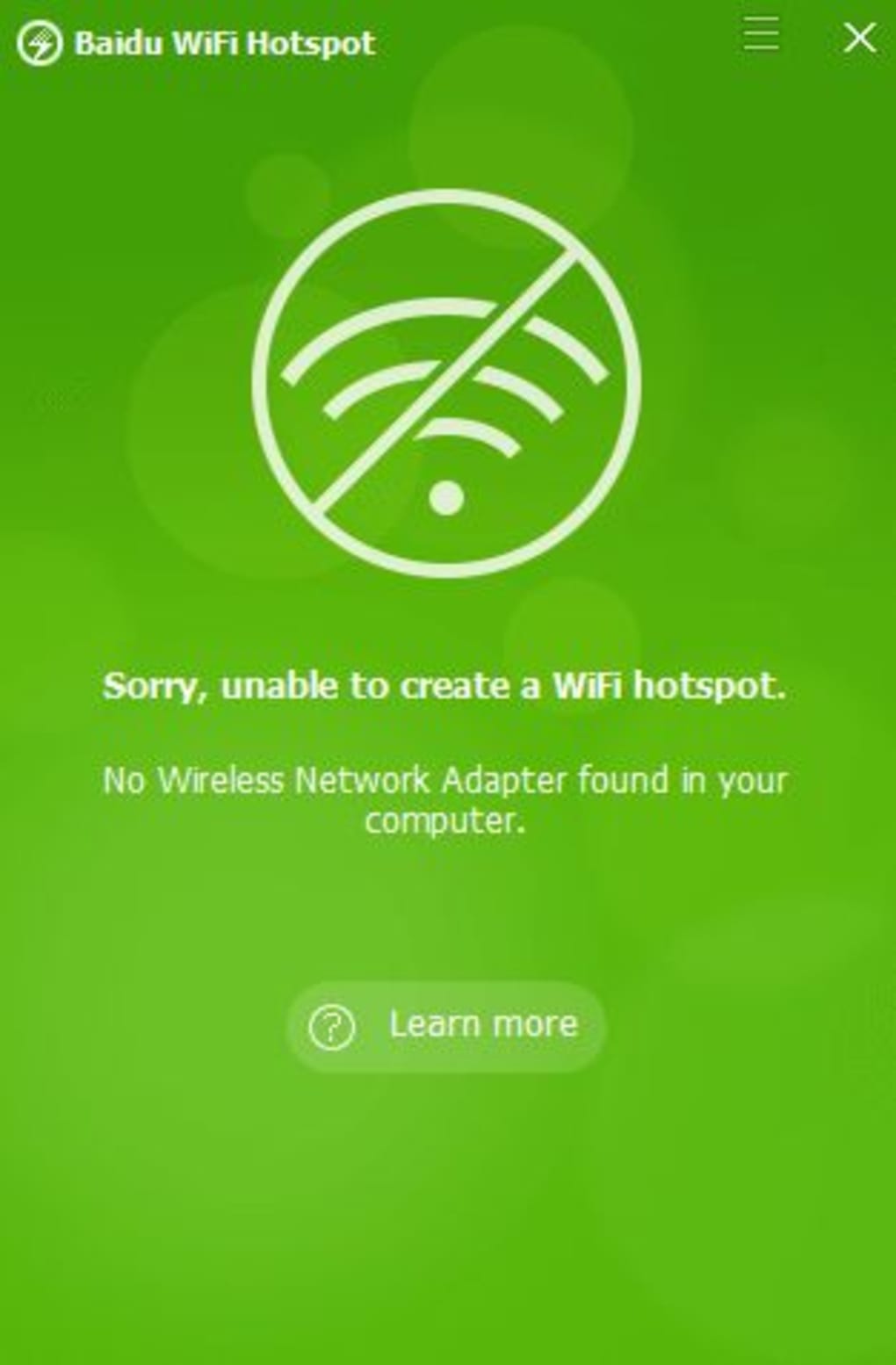
Despite its advantages, Baidu WiFi Hotspot has certain limitations. A significant constraint is its requirement for a wired connection to the modem. Unlike some alternative applications, Baidu WiFi Hotspot cannot extend a mobile internet connection. This limitation restricts its usability for individuals relying solely on mobile data for internet access. The application’s inability to leverage mobile internet connections significantly reduces its overall portability and flexibility. While this limitation does not diminish its utility in situations with a wired internet connection, it certainly hinders its broader applicability.
Another minor issue lies with the application’s help button. The link to the help document frequently fails to function correctly, hindering users who might require assistance or further clarification regarding the application’s features or troubleshooting. This lack of a consistently reliable help resource can be frustrating for users encountering issues. While the application is generally intuitive, the unreliable help function poses a minor inconvenience.
Furthermore, the file transfer functionality, while convenient, can sometimes exhibit slow transfer speeds. Although the organization of transferred files is well-implemented, the speed of file transfer might be a limiting factor for users transferring large files. This aspect needs to be considered, particularly if quick file transfers are a primary requirement.
Comparison with Alternative Applications
Compared to other similar applications, such as Connectify Hotspot and MyPublicWiFi, Baidu WiFi Hotspot offers a compelling balance of utility and performance. While Connectify Hotspot and MyPublicWiFi may offer more advanced features, Baidu WiFi Hotspot stands out with its simplicity, ease of use, and lightweight design. The lack of additional features ensures a streamlined user experience, which is especially beneficial for those seeking a straightforward hotspot creation tool without unnecessary complexities.
Overall Assessment
Baidu WiFi Hotspot presents a valuable solution for users seeking a simple and effective way to share their internet connection via a Wi-Fi hotspot. Its intuitive interface, lightweight design, and robust security features contribute to a positive user experience. The ease of setup and management makes it accessible to users of all technical skill levels. However, the limitation of requiring a wired internet connection and the occasional issues with the help document are notable drawbacks that potential users should consider. While not a perfect solution for every scenario, Baidu WiFi Hotspot provides a reliable and straightforward method for creating a Wi-Fi hotspot, making it a worthy contender in the market of similar applications. The simplicity and efficacy of the application make it a highly practical choice for many users. Its free nature further enhances its appeal, making it a cost-effective option for those seeking a functional hotspot creation tool.
File Information
- License: “Free”
- Version: “5.1.4.124910”
- Latest update: “July 15, 2022”
- Platform: “Windows”
- OS: “Windows 7”
- Language: “English”
- Downloads: “374.5K”
- Size: “5.16 MB”


