
Bandicam Screen Recorder is a versatile screen capture tool designed for Windows operating systems, ranging from Windows 7 to Windows 11. Its user-friendly interface and efficient performance make it a popular choice for gamers, educators, and anyone needing to record their screen activity. This review delves into the features, usability, and overall effectiveness of Bandicam, comparing it to other screen recording software and addressing its strengths and weaknesses.
Ease of Use and Interface Design
Bandicam boasts a minimalist and intuitive interface, making it accessible to users of all technical skill levels. The main screen presents clearly labeled options for recording gameplay, screen activity, or specific regions of the screen. The process of initiating a recording is straightforward, with clear visual cues and easily adjustable parameters. Users can customize recording settings, including frame rate, codecs, video quality, and the recording area, either by manually resizing or choosing from pre-defined aspect ratios like 16:9 or 4:3, and resolutions such as 1280 x 720, 320 x 240, and even high-resolution 3840 x 2160 (4K).
The ability to set custom keyboard shortcuts further enhances usability, allowing for quick starts and stops without interrupting the workflow. Furthermore, the software seamlessly supports the addition of narration via the PC’s microphone, enabling the creation of tutorials, walkthroughs, or presentations with voiceovers. The resulting videos can be readily shared on platforms like YouTube and Vimeo, facilitating easy content distribution.
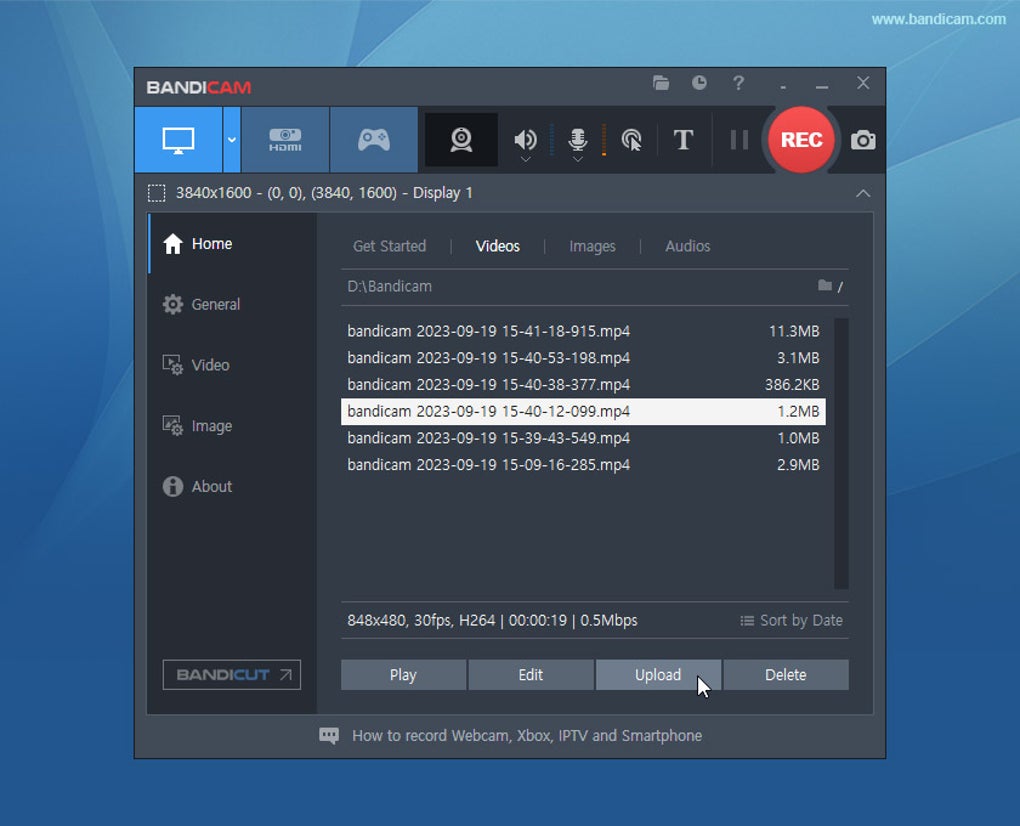
Beyond video recording, Bandicam offers efficient screenshot capabilities, allowing users to capture images in various formats such as JPG, PNG, and BMP. This added functionality makes it a comprehensive tool for capturing both static and dynamic screen content. While the interface is simple and straightforward, comprehensive documentation and readily available support channels, including email and chat, ensure that users can find solutions to any issues they might encounter. This combination of intuitive design and accessible support makes Bandicam exceptionally user-friendly.
Performance and Recording Capabilities
Bandicam’s performance is a key selling point. It’s designed to be lightweight, minimizing CPU and GPU usage while maintaining high-quality video output. This is particularly beneficial when recording graphically demanding games or applications. The software intelligently compresses video during recording, resulting in smaller file sizes without significantly compromising video quality. This feature is crucial for managing storage space and ensuring smooth recording even on systems with limited resources. The program’s compatibility with hardware-accelerated encoders like Nvidia NVENC/CUDA, Intel Quick Sync Video, and AMD APP further optimizes performance, especially when recording at high resolutions.
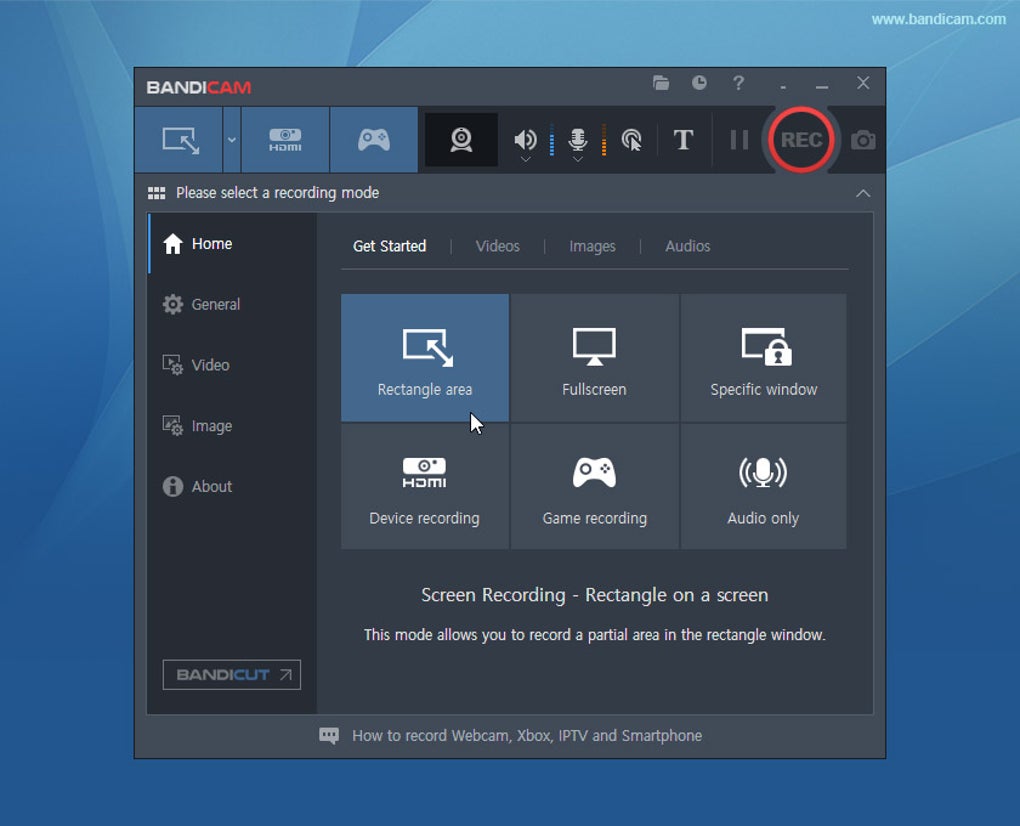
Bandicam offers several recording modes to cater to diverse needs: full-screen recording, region recording, and game recording. The game recording mode is specifically optimized for capturing gameplay, offering enhanced performance and compatibility with games utilizing Vulkan, OpenGL, and DirectX graphics technologies. This ensures smooth recording of even the most demanding games without noticeable lag. This is a significant advantage compared to some competitors which might struggle with high-performance games. The real-time drawing function allows for annotations, lines, boxes, or highlights directly on the recording, further enhancing the editing potential.
Gamers’ Perspective: A Powerful Tool for Content Creation
Bandicam has garnered significant popularity among gamers, primarily due to its ability to capture high-quality gameplay footage with minimal performance impact. Gamers appreciate its capability to record at high resolutions, even up to 4K (3840x2160), allowing for crisp, detailed recordings suitable for streaming and sharing on YouTube or other platforms. The option to adjust frames per second (FPS) provides further control over the recording quality and file size, allowing gamers to balance visual fidelity with storage space considerations.
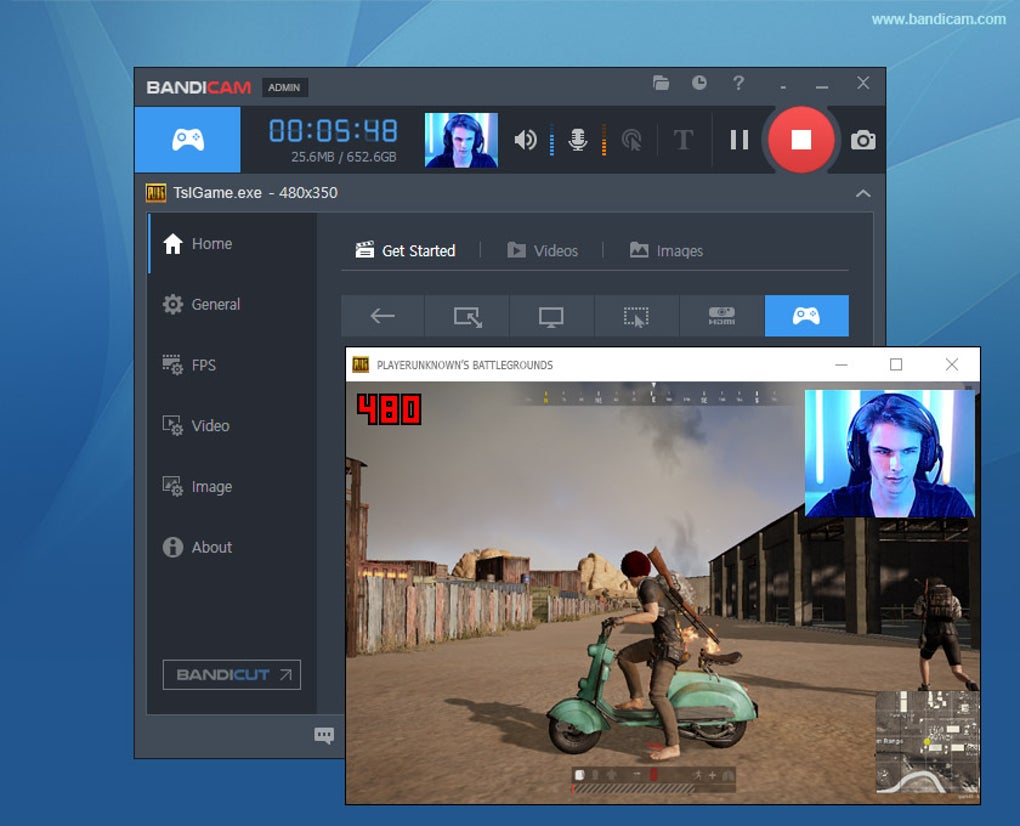
The software’s compatibility with popular games that utilize OpenGL and DirectX graphics technologies is particularly important, ensuring seamless integration and stable recording. Popular games like World of Warcraft, Minecraft, and Skyrim are among those that benefit from Bandicam’s optimized performance for these graphics APIs. Bandicam’s ability to record the webcam feed simultaneously with the game screen (Picture-in-Picture or Video-in-Video) adds a further layer of engagement for gaming content creators.
Furthermore, the incorporation of mouse cursor highlighting and mouse click effects in screen recording mode makes it an ideal tool for creating tutorials or instructional videos for games. These features are often absent in competing software, highlighting Bandicam’s attention to detail in serving the needs of gaming content creators.
Free vs. Premium Versions: Weighing the Options
Bandicam offers a free version alongside a premium version. The free version provides access to most of the core features, enabling users to record their screens and capture screenshots. However, the free version includes a watermark on the recorded videos. This watermark, while not overly intrusive, can be a drawback for those seeking professional-quality recordings or those who wish to monetize their content.
The premium version removes the watermark and unlocks several advanced features, including the RGB24 with MagicYUV Lossless codec, which offers superior video quality and compression. The premium version also typically provides extended technical support and priority access to updates. The choice between the free and premium versions hinges on individual needs and usage intensity. Casual users might find the free version entirely adequate, while professional users or those producing large amounts of content would likely benefit from the premium features. The unlimited file size and enhanced features of the paid version justify the cost for professional use or those needing to record extended sessions.
Comparison with Alternative Software
While Bandicam stands out as a robust and efficient screen recording solution, it’s important to compare it to other popular options available. Competitors such as OBS Studio (Open Broadcaster Software), Camtasia, and Snagit each have their own strengths and weaknesses. OBS Studio is a powerful, open-source option with extensive customization capabilities, but it has a steeper learning curve. Camtasia and Snagit are professional-grade tools offering advanced editing features, but they often come with a higher price tag and may demand more system resources.
Bandicam occupies a unique niche by balancing ease of use with powerful features and optimized performance. While lacking the extensive editing capabilities of Camtasia or the raw power of OBS Studio, its straightforward interface and efficient operation make it an excellent choice for users who prioritize simplicity and performance without sacrificing quality. The balance between features and ease of use is a key factor setting it apart from other more feature-rich but complex solutions.
In conclusion, Bandicam Screen Recorder presents a compelling option for screen recording needs, particularly for gamers and those seeking a user-friendly, high-performance tool. While a watermark exists in the free version, the overall performance, features, and ease of use make it a highly competitive and valuable screen recording solution. The choice between the free and premium versions depends on individual needs and budget considerations, but either option offers a valuable tool for capturing and sharing screen content.
File Information
- License: “Trial version”
- Latest update: “April 11, 2025”
- Platform: “Windows”
- OS: “Windows 7”
- Language: “English”
- Downloads: “9M”
- Size: “31.15 MB”


