
BCUninstaller, also known as Bulk Crap Uninstaller, is a freeware utility designed for efficient and automated removal of unwanted software and applications from your Windows system. Developed by Klocman Software, this open-source tool simplifies the often cumbersome process of uninstalling programs and cleaning up leftover files, making it a valuable asset for both novice and experienced users. This comprehensive guide delves into the features, benefits, drawbacks, and alternatives of BCUninstaller, providing a complete picture of its capabilities and limitations.
Understanding BCUninstaller’s Functionality
BCUninstaller’s core strength lies in its ability to automate the bulk removal of software. Unlike the standard Windows uninstaller, which handles one application at a time, BCUninstaller allows users to select multiple programs for simultaneous removal. This significantly reduces the time and effort required to clean up a system cluttered with unwanted applications or remnants of previously uninstalled software. The process is streamlined to require minimal user input, making it particularly user-friendly for individuals unfamiliar with advanced uninstallation techniques.
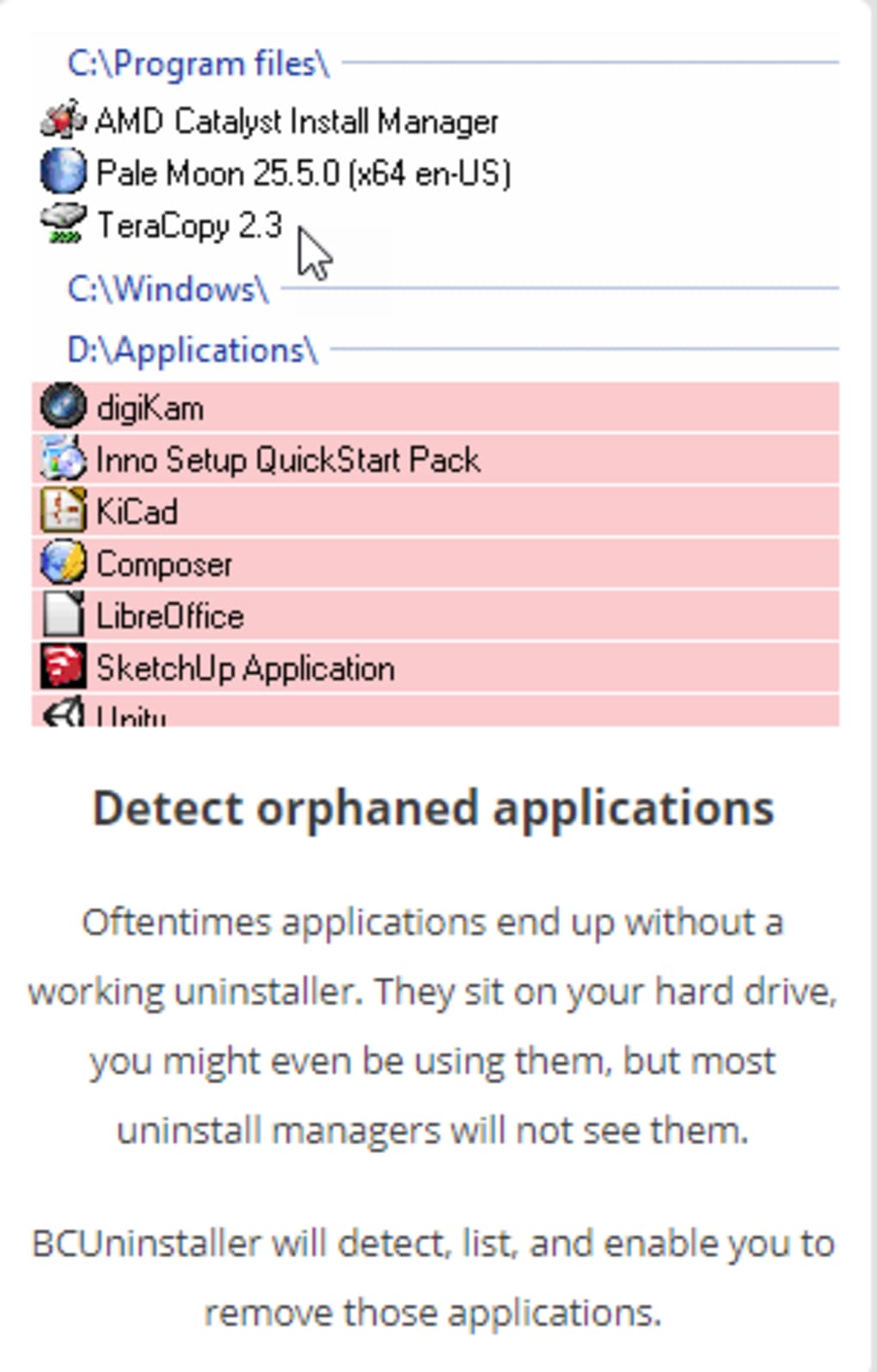
The program excels at detecting and removing orphaned applications – programs whose uninstaller entries are missing from the system registry. These orphaned programs often leave behind files and registry keys, potentially causing system instability or conflicts with other applications. BCUninstaller identifies these orphaned entries and provides an option for their removal, contributing to a cleaner and more efficient system.
Furthermore, BCUninstaller utilizes pre-made lists of software to facilitate efficient uninstallations. These lists can be customized, allowing users to specify which applications should be removed and which should be spared. This customizable feature is crucial for preventing accidental removal of essential system files or applications. Users can easily add or remove entries from these lists, tailoring the uninstallation process to their specific needs. The ability to define these lists ensures that critical software remains untouched, mitigating the risk of accidental deletion of crucial system components.
Advantages and Disadvantages of Using BCUninstaller
BCUninstaller’s open-source nature is a significant advantage. The availability of the source code fosters transparency and community involvement, allowing users to scrutinize the program’s functionality and contribute to its development. This transparency enhances trust and provides a level of assurance not always found in closed-source software. The ability to review and potentially contribute to the codebase provides a level of security and control rarely found in commercial alternatives.
The minimal user input required to operate BCUninstaller is another key benefit, especially for less technically inclined users. The intuitive interface and streamlined process make it easy to uninstall multiple programs without needing extensive technical knowledge. This simplicity reduces the learning curve, allowing users to quickly and efficiently accomplish the task of removing unwanted applications and their associated files.
However, BCUninstaller also has some limitations. Its relative lack of advanced custom removal settings might be a drawback for power users who require fine-grained control over the uninstallation process. While it offers bulk removal, it may not provide the granular control over specific files and registry entries that some advanced users might desire.
The user interface, while streamlined, can still appear overwhelming to some users, especially those unfamiliar with uninstaller utilities. While designed for simplicity, the sheer number of options and the technical nature of some settings might still present a learning curve for beginners. Improving user interface clarity and intuitiveness could significantly improve the user experience.
Finally, it’s crucial to emphasize the inherent risk of removing software from a computer. While BCUninstaller provides safety nets through customizable lists, accidental removal of essential programs can cause system instability or data loss. Users must exercise caution and ensure they fully understand the implications before uninstalling any application. The program’s straightforward interface can tempt users into impulsive actions without a complete understanding of the consequences.
BCUninstaller’s Open-Source Nature and Community Contribution
The open-source nature of BCUninstaller is a pivotal aspect of its appeal. This means that the source code is publicly available, allowing for community scrutiny and collaborative development. This transparency allows users to review the code for security vulnerabilities or unexpected behavior, ensuring that the program remains safe and reliable. This also encourages users to contribute improvements, bug fixes, and new features, fostering a dynamic ecosystem of collaborative development. The open-source model ensures the software evolves in response to user needs and security concerns, a significant advantage over proprietary software.
The official GitHub page serves as a central hub for community interaction and code contributions. Users can report bugs, suggest improvements, and even contribute to the codebase directly. This collaborative effort ensures that the software remains updated, secure, and continually improved based on community feedback and participation. The collaborative development model strengthens the program’s longevity and security, benefiting all users.
Alternatives to BCUninstaller
While BCUninstaller offers an effective solution for bulk uninstallations, several alternative utilities provide similar functionality, each with its own set of features and strengths. These alternatives cater to different user needs and preferences, offering various options for bulk uninstallation and system cleanup. Choosing the right alternative will depend on the user’s specific requirements and technical expertise.
Some notable alternatives include:
-
Revo Uninstaller: A popular commercial uninstaller known for its advanced features, including forced uninstallations and leftover file detection. Revo Uninstaller is particularly effective in removing stubborn applications that resist standard uninstall procedures. While offering powerful features, it’s a commercial product, unlike the free BCUninstaller.
-
Geek Uninstaller: This freeware uninstaller provides a user-friendly interface and robust capabilities for removing unwanted programs. Geek Uninstaller offers a balance between usability and power, making it suitable for a wide range of users. Its freeware status makes it a compelling alternative to BCUninstaller.
- IObit Uninstaller: Another commercial option, IObit Uninstaller, features a comprehensive scan for leftover files and registry entries after uninstallation. This tool combines advanced features with a clean and straightforward interface, focusing on thorough removal of applications and their associated files. IObit also offers a free version with limited functionality, making it an option for users looking for a free but more feature-rich program.
Choosing the best alternative depends on individual requirements. If advanced features and comprehensive scanning are priorities, commercial options like Revo Uninstaller or IObit Uninstaller might be preferred. However, for users seeking a free and easy-to-use alternative to BCUninstaller, Geek Uninstaller presents a viable and powerful choice.
Conclusion
BCUninstaller offers a straightforward and effective solution for bulk removal of unwanted applications and their associated files. Its open-source nature, minimal user input requirements, and focus on automated uninstallation make it a valuable tool for users of all technical skill levels. However, users should be aware of the potential risks associated with removing software and exercise caution to avoid accidental deletion of essential system components. Alternatives exist, catering to different needs and preferences, providing users with multiple effective choices for managing and cleaning their Windows systems. The choice of uninstaller depends on the user’s specific needs and technical skills. While BCUninstaller provides a simple and effective solution, alternatives like Revo Uninstaller, Geek Uninstaller, and IObit Uninstaller may better suit the needs of users seeking more advanced features or a different user experience.
File Information
- License: “Free”
- Latest update: “May 24, 2023”
- Platform: “Windows”
- OS: “Windows 8”
- Language: “English”
- Downloads: “4.4K”
- Size: “81.14 MB”


