
BeAnywhere is a powerful yet user-friendly remote control software designed for Windows users. It offers a simple interface, robust functionality, and secure access to your computer from anywhere in the world, regardless of your device. This comprehensive guide will explore the key features, benefits, and applications of BeAnywhere, demonstrating how it streamlines remote access, file transfer, and collaborative work.
Accessing Your Computer from Anywhere
BeAnywhere’s core functionality revolves around providing secure and reliable remote access to your Windows computer. This means you can control your computer, access files, and run applications as if you were sitting directly in front of it, even when you’re miles away. This remote access capability is invaluable for a wide range of scenarios, from managing your home computer while traveling to accessing work files from a remote location. The software facilitates this remote control through a client-server architecture. By installing the BeAnywhere client on your computer, you establish a secure connection point for remote control from other devices. The user-friendly interface ensures that the process of establishing and managing this connection is intuitive, requiring minimal technical expertise.
This functionality extends beyond basic remote desktop control. BeAnywhere empowers you to manage various aspects of your computer remotely, including:
-
Application Management: Launch, close, and interact with applications running on your computer remotely, allowing you to continue your work seamlessly from any location.
-
File Access and Management: Access, open, edit, and transfer files stored on your computer. This feature is particularly useful for accessing critical documents, projects, or media files when away from your primary workstation. The intuitive file management tools within BeAnywhere enable easy navigation and manipulation of files and folders, mirroring the experience of working directly on your local machine.
-
Remote Collaboration: BeAnywhere facilitates collaboration by enabling you to invite others to share access to your computer. This feature is particularly beneficial for providing remote technical support, collaborative project work, or assisting colleagues or family members with technical issues. The controlled access features allow you to grant specific levels of access, ensuring that only authorized individuals can access your computer’s resources.
Effortless File Synchronization and Transfer
Beyond remote access, BeAnywhere offers a robust file synchronization and transfer system. This allows for effortless sharing and movement of files and folders between multiple computers. This capability eliminates the need for cumbersome email attachments, cloud storage uploads, or other time-consuming methods of file transfer.
The simplicity of BeAnywhere’s file synchronization distinguishes it from other solutions. With just a few clicks, you can initiate the synchronization process, ensuring that your crucial files are always accessible and up-to-date across all connected devices. This is especially valuable for users working with large files or those who need to maintain consistency across multiple computers. The software intelligently manages the synchronization process, identifying changes and only transferring the necessary data, minimizing bandwidth consumption and ensuring efficient file transfer.
User-Friendly Interface and Easy Setup
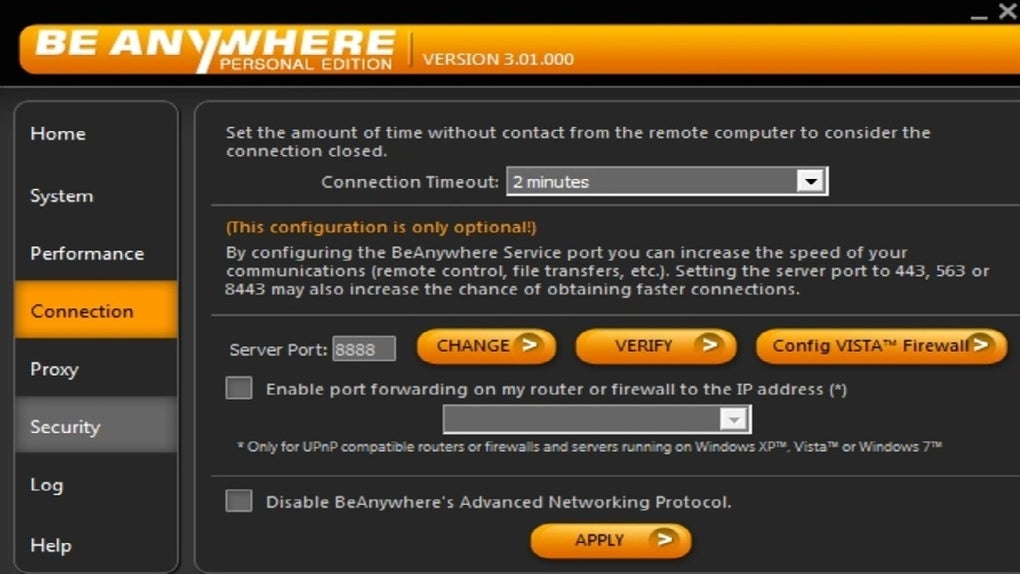
BeAnywhere’s design prioritizes user experience. The software boasts an intuitive interface designed to be accessible to users of all technical skill levels. Installation and setup are straightforward, requiring minimal technical knowledge. This user-friendly approach ensures that anyone can quickly master the software and leverage its powerful features without needing extensive training or troubleshooting.
The clean, uncluttered interface minimizes complexity, allowing users to focus on the tasks at hand rather than navigating a confusing control panel. Clear instructions and intuitive icons guide users through the process of connecting to remote computers, managing files, and collaborating with others. This ease of use is a significant advantage, making BeAnywhere a readily accessible tool for both tech-savvy individuals and those with limited technical experience.
Security and Privacy Features
Security and privacy are paramount in any remote access software. BeAnywhere employs industry-standard security protocols to ensure that your data remains protected during transmission and access. The software utilizes encryption to safeguard your information, preventing unauthorized access and interception.
The security measures implemented by BeAnywhere are designed to protect against various threats. These measures include:
-
Data Encryption: All data transmitted between your computer and remote devices is encrypted, ensuring that it remains confidential and inaccessible to unauthorized individuals.
-
Secure Connections: The software establishes secure connections using robust encryption protocols, protecting against eavesdropping and unauthorized access.
-
Access Control: BeAnywhere allows for granular access control, enabling you to specify which users have access to your computer and what level of access they possess. This ensures that only authorized individuals can access your system and data.
These security features instill confidence in users, ensuring that they can utilize BeAnywhere’s functionality without compromising the security of their sensitive data and systems.
BeAnywhere: Applications Across Various Sectors
The versatility of BeAnywhere makes it suitable for a wide array of applications across diverse sectors. Its capabilities extend beyond personal use, proving valuable for businesses, professionals, and organizations seeking seamless remote access and collaboration tools.
For Businesses: BeAnywhere can streamline remote work, enabling employees to access company resources and collaborate effectively from anywhere. This enhances productivity, flexibility, and team collaboration. The secure access and file transfer capabilities ensure that sensitive business data remains protected.
For IT Professionals: BeAnywhere can simplify remote troubleshooting and support, enabling IT professionals to access and manage client computers remotely, efficiently resolving technical issues and providing timely assistance.
For Educators: BeAnywhere can facilitate remote teaching and learning, enabling instructors to access and control classroom computers, share resources, and provide assistance to students remotely.
For Individuals: BeAnywhere simplifies access to personal files, applications, and entertainment, allowing users to seamlessly connect to their home computers from anywhere in the world. This proves particularly beneficial for travelers, remote workers, or anyone who needs convenient access to their personal data.
Conclusion: Empowering Remote Access and Collaboration
BeAnywhere provides a comprehensive solution for remote access, file transfer, and collaboration. Its user-friendly interface, robust security features, and powerful functionality make it an ideal choice for individuals and businesses alike. The ability to effortlessly access your computer, manage files, and collaborate with others from anywhere in the world significantly enhances productivity and flexibility, transforming the way we work and interact with our digital environments. The ease of setup and intuitive design make BeAnywhere accessible to a broad range of users, regardless of their technical expertise. Whether you’re a seasoned IT professional or a casual user, BeAnywhere offers a reliable and efficient solution for your remote access needs.
File Information
- License: “Full”
- Version: “3.01”
- Latest update: “July 4, 2024”
- Platform: “Windows”
- OS: “Windows 11”
- Language: “English”
- Downloads: “77”
- Size: “9.84 MB”


