
Beat.ly is a mobile multimedia application designed to empower users to create captivating music videos and photo slideshows with ease. Targeting influencers and vloggers, it boasts a user-friendly interface packed with trendy templates, impressive transitions, and a wide array of video effects. While offering a wealth of creative tools, Beat.ly also presents some drawbacks that impact the overall user experience. This review delves into the app’s strengths and weaknesses, providing a balanced perspective for potential users.
Feature-Rich Editing Suite: Unleashing Creative Potential
Beat.ly’s core strength lies in its comprehensive editing capabilities. The app provides a vast library of templates, constantly updated to reflect current trends in video editing and social media aesthetics. These templates serve as excellent starting points for users of all skill levels, offering pre-designed layouts, transitions, and effects that can significantly streamline the video creation process. The application’s effects range from subtle enhancements to more dramatic stylistic choices, allowing for a wide degree of creative expression.
Beyond the templates, Beat.ly offers a robust selection of transitions that seamlessly link video clips and photos. A standout feature is the ability of these transitions to synchronize with the rhythm of the selected music track, adding a professional and polished touch to the final product. This synchronization ensures a visually appealing and harmonious flow, enhancing the overall impact of the created video or slideshow.
The app’s support for high-quality video export is another key advantage. Users can export their creations in 720p HD resolution, ensuring that the final output maintains a sharp and clear visual quality, suitable for sharing across various social media platforms and online channels. This is crucial for users aiming for a polished, professional look for their content.
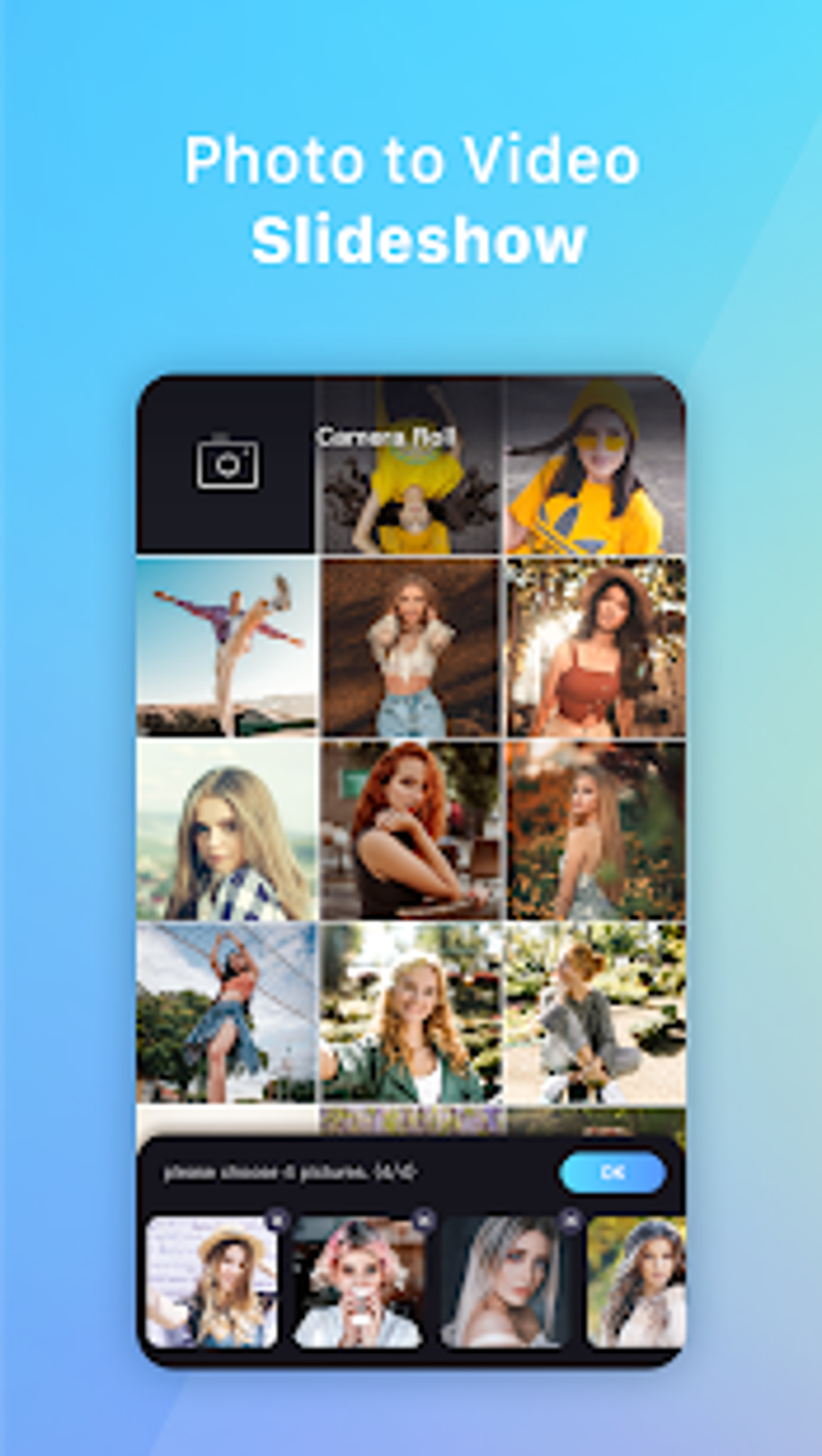
Moreover, Beat.ly allows users to seamlessly combine photos and videos within a single project, providing unparalleled flexibility in content creation. This feature is invaluable for users who want to incorporate a diverse range of media to tell their stories effectively. The option to add an unlimited number of photos to a slideshow further broadens creative possibilities, catering to users who wish to create extensive visual narratives. The ability to customize the cover photo of the final video adds a personal touch, allowing users to create a visually engaging thumbnail that effectively showcases their work.
User Experience: Balancing Strengths and Weaknesses
While Beat.ly shines in its feature set, the user experience presents a mixed bag. The app’s lack of built-in tutorials is a significant drawback, particularly for users new to video editing or slideshow creation. Navigating the app’s features and mastering its advanced functionalities could prove challenging for beginners without external guidance or prior experience. The absence of a comprehensive help section or instructional videos limits accessibility and could lead to frustration for less experienced users.
A more significant issue is the app’s aggressive advertising strategy. The sheer volume of intrusive ads can substantially disrupt the workflow, making the editing process far more tedious than it needs to be. The frequency with which ads appear, often triggered by simple taps or actions within the app, can significantly detract from the overall user experience. In some cases, the time spent watching ads might even surpass the time spent on actual editing, turning a creative endeavor into a frustrating chore. This intrusive advertising model represents a major drawback that significantly hampers the enjoyment and efficiency of using the application.
Comparison with Alternative Apps
Beat.ly competes within a crowded market of mobile video and slideshow creation apps. Several comparable applications offer similar functionalities, but with varying strengths and weaknesses. Some alternatives boast more intuitive interfaces or offer a more streamlined user experience, while others may focus on specific niche features. A comparison with several competitors helps illustrate Beat.ly’s position in the market:
-
Tempo - Music Video Editor with Effects: Tempo often receives high praise for its intuitive interface and user-friendly design. While it may not offer the sheer breadth of templates and effects as Beat.ly, its ease of use and smoother workflow might appeal to users who prioritize simplicity over extensive feature sets.
-
Mivi: Music Video Maker: Mivi provides a similarly comprehensive feature set to Beat.ly, though a direct comparison of the quality and quantity of templates and effects would be needed to ascertain which offers a superior selection. User reviews often highlight the performance and stability of Mivi compared to other apps in this category.
-
mAst: Music Status Video Maker: mAst focuses on creating shorter video clips, optimized for social media platforms, potentially sacrificing some of the flexibility and extensive features found in Beat.ly. The app’s specific focus might make it appealing to users primarily interested in creating short, impactful videos for platforms such as Instagram or TikTok.
These alternatives showcase the competitive landscape within which Beat.ly operates. While Beat.ly excels in its feature richness, its usability could be improved, and the aggressive advertising is a considerable detriment to the overall user experience. Choosing the best app depends on individual preferences and priorities, weighing the value of extensive features against ease of use and a less intrusive advertising model.
Conclusion: A Powerful Tool with Room for Improvement
Beat.ly presents a robust suite of tools for creating compelling music videos and photo slideshows. The vast library of templates, transitions, and effects, coupled with the ability to export in 720p HD, offers immense creative potential. However, the significant shortcomings in user experience, primarily the lack of tutorials and excessive intrusive ads, detract significantly from its overall appeal.
While the app’s features might attract experienced users who can navigate the interface and tolerate the frequent interruptions, beginners and casual users might find the learning curve too steep and the advertising too disruptive. Future improvements focusing on enhanced usability, the addition of tutorials, and a less aggressive advertising approach would significantly enhance Beat.ly’s overall user experience and broaden its appeal to a wider audience. As it stands, Beat.ly offers considerable potential but needs to address its shortcomings to fully realize its potential and compete effectively in the increasingly saturated market of mobile video editing applications. Users considering Beat.ly should carefully weigh the app’s strengths against its weaknesses before deciding whether it aligns with their specific needs and preferences.
File Information
- License: “Free”
- Latest update: “March 4, 2024”
- Platform: “Android”
- OS: “Android 13.0”
- Downloads: “60.4K”
- Download Options: “Google Play”


