
BeeCut Video Editor offers a user-friendly approach to video editing, making it an ideal choice for beginners and casual users. While it may lack the extensive feature set of professional-grade software, its intuitive interface and straightforward workflow make it easy to learn and use, allowing users to quickly create and edit videos without a steep learning curve. This review delves into the strengths and weaknesses of BeeCut, examining its features, usability, and overall effectiveness as a video editing tool.
Ease of Use and Interface Design
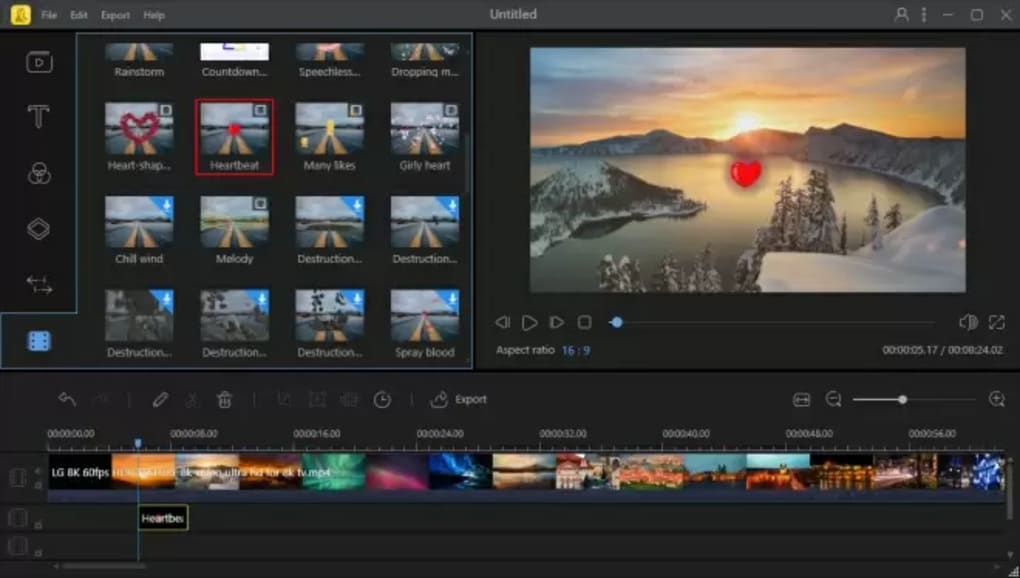
One of BeeCut’s most significant advantages is its remarkably clean and intuitive interface. The program’s layout is straightforward, minimizing clutter and presenting tools in a logical manner. Even those with no prior video editing experience can quickly grasp the basic functions, allowing them to start editing videos almost immediately. The toolbar is clearly organized, with icons representing the various functions, making it easy to identify and select the desired tools. The timeline is also well-designed, providing a clear and concise visual representation of the video project. This streamlined design contributes significantly to BeeCut’s overall user-friendliness, allowing users to focus on the creative process rather than struggling with a complex interface. The software successfully avoids overwhelming users with unnecessary technical complexities, making it accessible to a wider audience.
The program’s simple drag-and-drop functionality further enhances its ease of use. Adding clips, images, text, and other elements to the timeline is a straightforward process. This intuitive approach eliminates the need for extensive tutorials or technical expertise, allowing users to quickly and easily assemble their video projects. The software’s simplicity empowers users to focus on the creative aspects of video editing, fostering a more enjoyable and productive user experience. This design philosophy clearly prioritizes user experience, catering to those who prefer a simple, hassle-free approach to video editing.
Features and Functionality
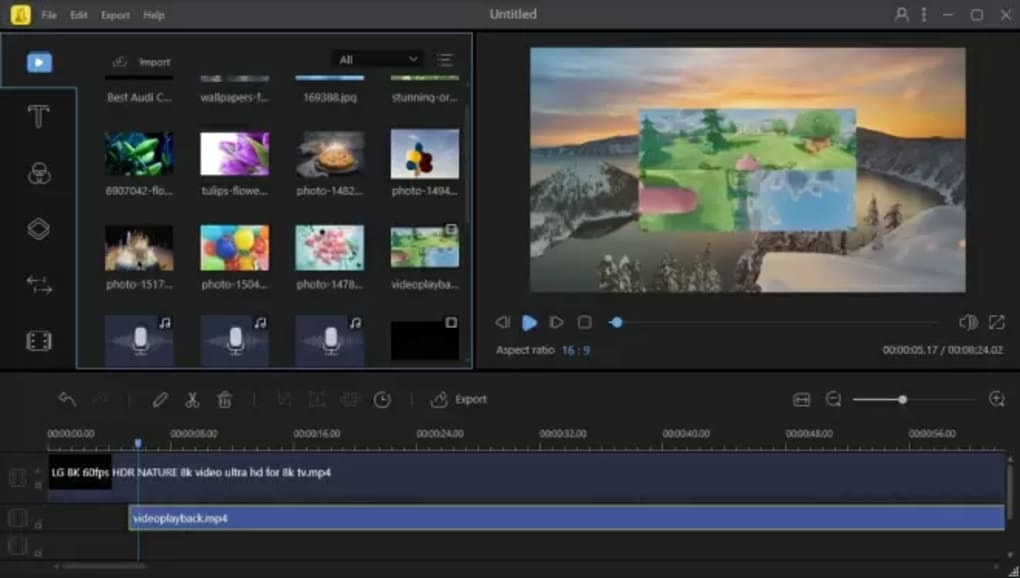
While BeeCut prioritizes simplicity, it still offers a range of useful video editing features. Users can perform basic editing tasks such as trimming, cutting, and merging video clips. The software also supports various transitions and effects, enabling users to enhance the visual appeal of their videos. Beyond basic edits, BeeCut offers more advanced features, such as split-screen capabilities, allowing users to incorporate multiple video or image sources into a single frame. Color correction tools are also available, providing options to adjust brightness, contrast, saturation, and other color parameters, allowing users to fine-tune the visual aesthetic of their videos. This combination of basic and more advanced features makes BeeCut suitable for a variety of projects, catering to both simple and more complex editing needs.
However, compared to professional-grade software such as Adobe Premiere Pro or Final Cut Pro, BeeCut’s feature set is considerably more limited. It lacks advanced features like keyframing, motion tracking, and sophisticated color grading tools. While these advanced features are generally not necessary for simple projects, their absence may limit BeeCut’s appeal to more experienced video editors or those working on complex productions that require more sophisticated editing capabilities. This limitation is a trade-off for the software’s simplicity and ease of use. The software’s target audience seems to be individuals seeking a simple and straightforward editing experience without the complexities of professional-level tools.
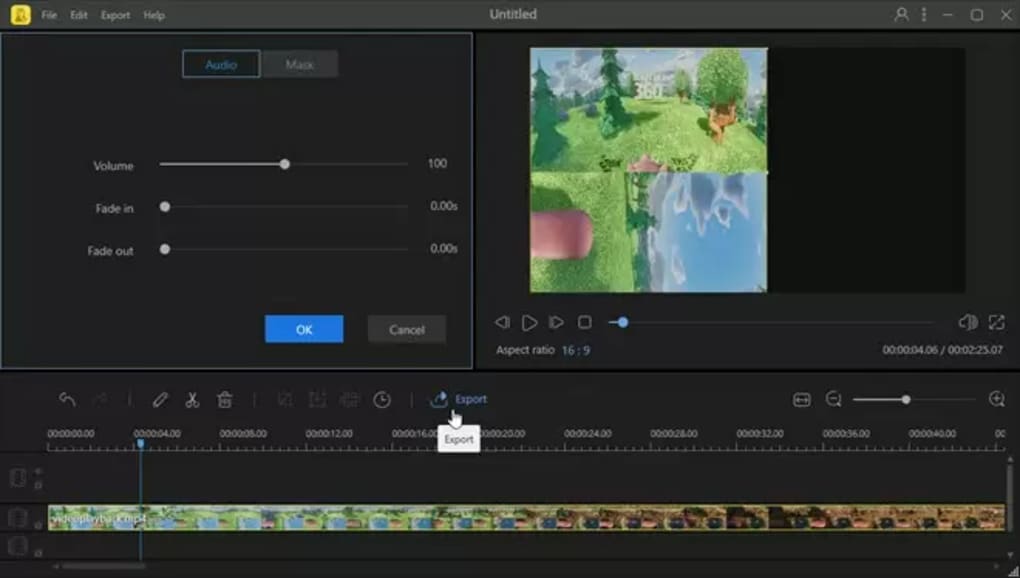
Furthermore, BeeCut offers a variety of text and title options, allowing users to add captions, subtitles, and other textual elements to their videos. This feature is particularly useful for creating engaging and informative videos. The software also provides a range of audio editing capabilities, including volume adjustment, audio mixing, and the ability to add background music and sound effects. These audio features enhance the overall production quality of the videos, making them more engaging and immersive for viewers. This inclusion of comprehensive text and audio editing tools indicates BeeCut’s dedication to providing a well-rounded video editing experience.
Free vs. Premium Versions
BeeCut is available in both free and premium versions. The free version offers a good selection of basic features, sufficient for many casual users. However, the premium version unlocks additional features and removes the watermark that appears on videos created using the free version. This is a typical monetization model for software, and it allows users to access more extensive functionalities if they choose to pay for the premium features. The pricing model is transparent and allows users to choose the version that best suits their needs and budget. The free version is a great way to try the software and see if it meets their editing requirements before making a commitment to the premium version.
The decision to opt for the free or premium version largely depends on individual needs and the complexity of the video editing projects. For users with simple editing needs, the free version offers adequate functionalities. However, those who require more advanced features or wish to remove the watermark will need to upgrade to the premium version. This flexibility provides users with an appropriate option, catering to a wide range of user needs and preferences.
Performance and System Requirements
BeeCut is relatively lightweight and generally runs smoothly on most modern computers. The software’s low system requirements make it accessible to a broader range of users, regardless of their computer’s processing power. This is a significant advantage for those with older or less powerful machines, as it ensures that they can still use the software without experiencing performance issues. However, performance may vary depending on the length and complexity of the video being edited, as well as the overall specifications of the user’s computer system. Very large or complex projects may still lead to some lag or slowdowns even on higher-end machines.
The software’s compatibility with various operating systems enhances its accessibility, allowing users on different platforms to utilize its features. The developers maintain regular updates, ensuring that the software remains compatible with the latest operating systems and addressing any potential bugs or performance issues. This commitment to maintenance and compatibility reflects the developers’ commitment to providing a reliable and user-friendly video editing experience.
Conclusion
BeeCut Video Editor presents a compelling option for users seeking a straightforward and easy-to-use video editing solution. Its intuitive interface, user-friendly design, and sufficient range of features make it an excellent choice for beginners and casual users. While it lacks the advanced capabilities of professional-grade software, this simplicity is precisely its strength. By prioritizing ease of use and accessibility, BeeCut successfully lowers the barrier to entry for video editing, empowering a wider audience to create and share their video content. The free version allows users to test the software and assess its suitability before investing in the premium features. Overall, BeeCut proves to be a valuable tool for anyone seeking a user-friendly and effective video editing experience.
File Information
- License: “Free”
- Latest update: “May 23, 2023”
- Platform: “Windows”
- OS: “Windows XP”
- Language: “English”
- Downloads: “9.4K”
- Size: “1.90 MB”


