
Beini is a lightweight Linux distribution specifically designed for auditing the security of Wi-Fi networks. This comprehensive guide explores Beini’s capabilities, its strengths and weaknesses, and provides essential information for users interested in leveraging its features for ethical security assessments. While Beini offers powerful tools for Wi-Fi security testing, it’s crucial to understand the legal implications of its use and to ensure all activities remain within the bounds of the law. Unauthorized access to networks is illegal and carries significant consequences.
Understanding Beini’s Functionality
Beini stands out for its compact size and surprisingly comprehensive suite of tools. It’s packaged as an ISO image, allowing users to burn it onto a CD or USB drive for bootable operation. This portable nature makes it ideal for on-site network assessments. Beini’s strength lies in its speed and broad compatibility with a wide range of Wi-Fi devices and chipsets. Supported chipsets include, but are not limited to, AR9271, Ralink, and Atheros. This extensive compatibility makes it a versatile tool capable of testing a wide variety of network configurations.
However, Beini’s ease of use is not its strongest point. While technically powerful, its interface is not beginner-friendly. Understanding its core functionalities and effectively utilizing its tools requires a solid foundation in network security concepts and Linux command-line interfaces.
The core of Beini’s functionality revolves around two key utilities: Bib and Feedingbottle.
-
Bib: This component acts as a Wi-Fi scanner, measuring signal strength and identifying nearby networks. Its ability to detect and analyze network signals is essential for the initial phase of any Wi-Fi security audit. It provides crucial information about the target network, including its SSID, signal strength, and encryption type. This data is essential for planning subsequent testing phases.
-
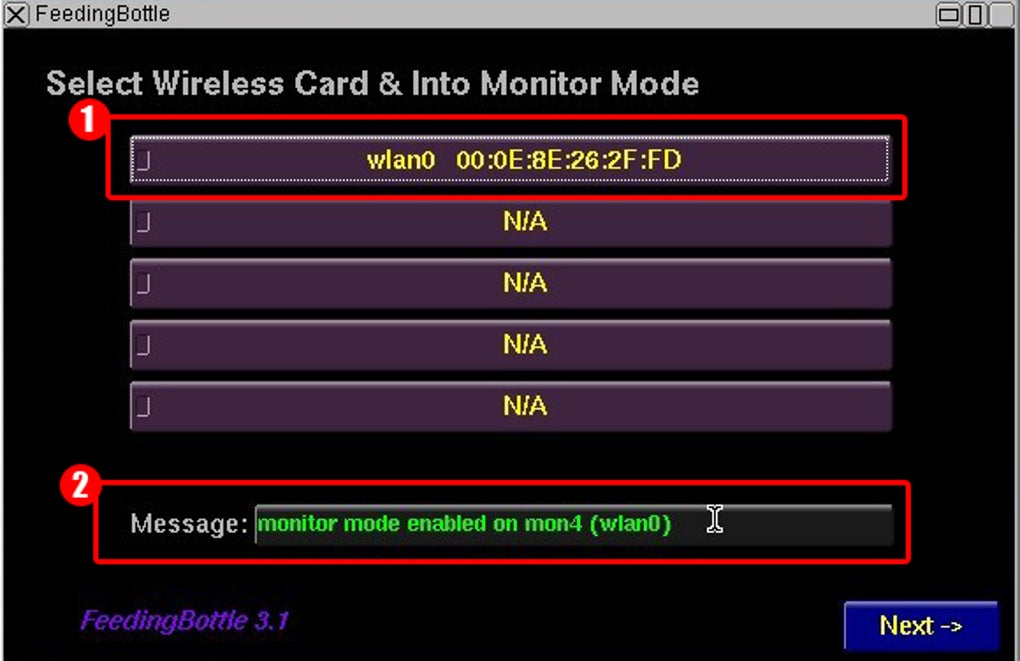
Feedingbottle: This utility is a powerful packet injection tool. It allows users to select the Wi-Fi card, configure the listening mode, and specify the type of attack to be performed. This is where the more advanced aspects of Wi-Fi security assessment come into play. However, it’s here that the potential for misuse becomes significant. Feedingbottle’s capabilities should only be used on networks the user has explicit permission to test. Incorrect usage can lead to illegal activity and severe penalties.
Using Beini for Ethical Wi-Fi Security Audits
The primary and ethical use of Beini is for assessing the security of your own Wi-Fi network. By employing Beini, you can identify vulnerabilities and weaknesses in your network’s security posture before malicious actors can exploit them. This proactive approach significantly reduces the risk of data breaches and unauthorized access.
Before using Beini, ensure you have a thorough understanding of the legal implications and the ethical responsibilities involved in network security testing. Always obtain explicit permission from the network owner before conducting any type of security audit.
A typical ethical audit using Beini would involve the following steps:
-
Preparation: Familiarize yourself with Beini’s interface and the functionalities of Bib and Feedingbottle. Create a virtual machine environment (VM) to minimize the risk of compromising your primary system. Burn the Beini ISO to a USB drive or CD.
-
Scanning with Bib: Use Bib to scan for nearby Wi-Fi networks. Identify your target network and note its details, such as the SSID, signal strength, and encryption type (WPA2, WPA3, etc.).
-
Testing with Feedingbottle: Carefully select the appropriate attack type within Feedingbottle. This choice will depend on the specific vulnerabilities you wish to assess. Feedingbottle’s capabilities allow for various testing scenarios, but only use options that are legally and ethically permissible.
-
Analyzing Results: Carefully analyze the results obtained from Feedingbottle. Document any vulnerabilities identified and develop mitigation strategies to address these weaknesses.
-
Reporting: Generate a comprehensive report summarizing your findings, including recommendations for improving the network’s security.
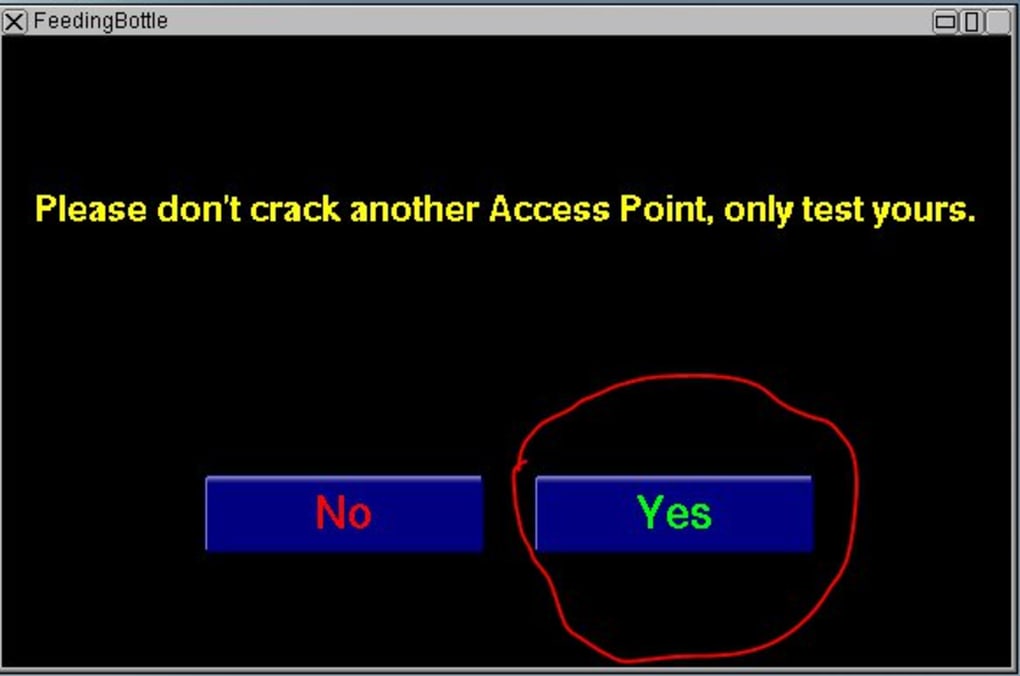
Remember, unauthorized testing is a serious offense. Always respect the law and the rights of network owners.
Beini’s Strengths and Weaknesses
Beini, despite its age and lack of active development, retains certain strengths that make it a viable option for specific use cases. However, it’s essential to be aware of its limitations before utilizing it.
Strengths:
-
Compact and Comprehensive: Beini’s small size and inclusion of essential tools make it highly portable and efficient for on-site assessments. Its core functionality remains relevant, even with its outdated status.
-
Powerful Tools: Feedingbottle provides significant capabilities for penetration testing, although its use requires expertise and ethical considerations.
-
Broad Compatibility: Beini’s support for a wide range of Wi-Fi chipsets enhances its applicability to various hardware configurations.
Weaknesses:
-
Outdated: The lack of active development means Beini is missing critical updates and patches, potentially leaving it vulnerable to newer security measures. This significantly diminishes its reliability and security.
-
Limited Compatibility: While it supports many chipsets, it may not be compatible with all newer wireless network cards. Compatibility issues can limit its usefulness.
-
Steep Learning Curve: Beini’s command-line interface and the complexity of its tools make it challenging for beginners to use effectively. A solid understanding of Linux and network security principles is crucial.
-
No Result Saving: The inability to save test results adds another layer of inconvenience and limits its use in comprehensive audit processes.
Alternatives to Beini
Given Beini’s outdated nature and limited capabilities, exploring alternative options is highly recommended. Several modern tools provide enhanced functionalities and better support for current Wi-Fi standards and security protocols. These alternatives offer more user-friendly interfaces, improved reporting features, and regular updates to address security vulnerabilities. Consider exploring Kali Linux, a popular penetration testing distribution, or other specialized Wi-Fi security auditing tools that offer similar but more updated functionality. Researching these alternatives will ensure you’re working with a tool better equipped for modern network security testing.
Conclusion: Ethical and Responsible Use
Beini offers a potent set of tools for assessing Wi-Fi security, but its outdated status and steep learning curve must be considered. Ethical use is paramount. Never use Beini, or any network security testing tool, without explicit permission from the network owner. Unauthorized access and testing are illegal and can lead to severe legal consequences. Always prioritize responsible and ethical conduct in all network security activities. The information provided here should be used for educational purposes and to understand the capabilities of such tools; however, always prioritize using up-to-date and legally compliant methods for network security assessment. The information here is for educational purposes only and should not be used for illegal activities. Consider the legal implications before undertaking any network security assessments.
File Information
- License: “Free”
- Version: “1.2.5”
- Latest update: “November 10, 2022”
- Platform: “Windows”
- OS: “Windows 2000”
- Language: “English”
- Downloads: “304.5K”
- Size: “66.10 MB”


