
Bing Bar, a browser toolbar developed by Microsoft, aimed to provide users with quick access to various Bing services and features directly within their Internet Explorer browser. While initially supporting both Firefox and Internet Explorer, later versions restricted compatibility to Internet Explorer 7 and above. This review examines its functionalities, pros and cons, and its relevance in today’s browser landscape.
Quick Access and Integrated Services
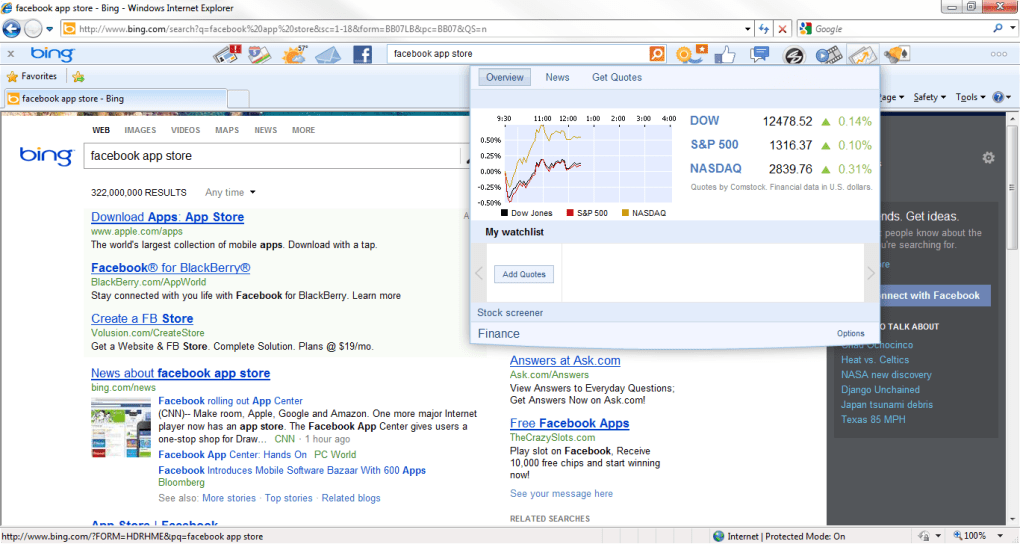
The core functionality of Bing Bar revolved around providing convenient access to Bing’s search engine. The toolbar featured an integrated search bar with auto-population of search terms as users typed, accelerating the search process. A unique feature allowed users to view search results within a pop-up window, eliminating the need to navigate to a separate results page. This streamlined approach significantly improved search efficiency. Beyond search, the toolbar offered a range of other integrated services, minimizing the need to open multiple tabs or windows. Users could readily access weather forecasts, stock information, and trending news directly from the toolbar. A dropdown menu provided easy access to each section, making information retrieval incredibly convenient. The immediate availability of this information enhanced productivity and reduced the time spent switching between different websites or applications.
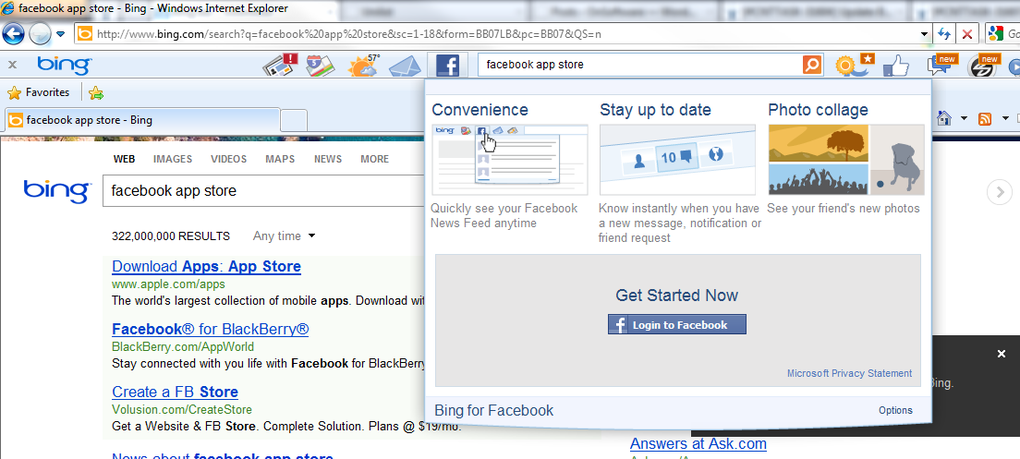
One notable feature was the integration with Microsoft’s Live services, including Hotmail (now Outlook). This integration allowed users to receive email notifications directly within the toolbar, ensuring they remained up-to-date with their inbox. Access to other Windows Live features, such as photos, calendar, and groups, was also readily available. This seamless integration enhanced the overall user experience by centralizing several important online activities. The inclusion of Facebook integration allowed users to access Facebook Chat and “Like” web pages directly from the toolbar, effectively bridging the gap between web browsing and social networking. This feature made Bing Bar a unique tool for its time, combining productivity and social media interaction within a single interface.
Beyond Search: Additional Features and Customization
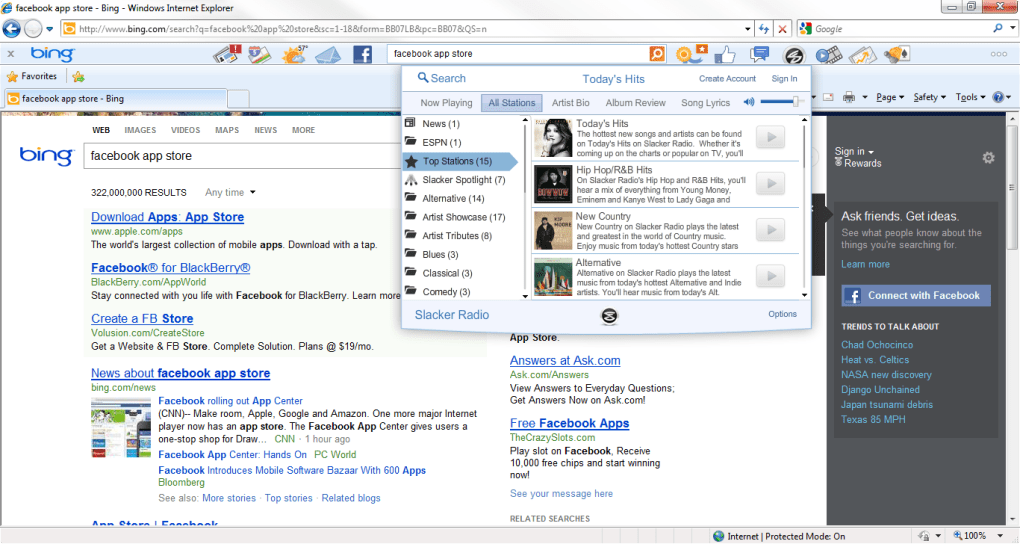
The Bing Bar offered more than just search and integrated services. It included several customizable features that catered to individual preferences. Users could download additional applications from the toolbar settings, expanding its functionality. Although the selection of available apps was limited, noteworthy additions included a translator and a movie times application. These additional apps added value to the toolbar, providing extra tools for everyday tasks. Furthermore, users enjoyed the flexibility to enable or disable notifications for specific applications, offering a personalized experience. This level of customization allowed users to tailor the toolbar to their specific needs, eliminating distractions from unnecessary notifications. The customization options helped maintain a streamlined and efficient interface, tailored to the user’s preferences.
The inclusion of a rewards program further incentivized the use of Bing Bar. This program offered rewards for using the toolbar, adding an extra layer of engagement for users. This program demonstrated a commitment by Microsoft to reward user loyalty and engagement with their products and services. This feature added an extra dimension of engagement and value for users.
Security Considerations and Browser Compatibility
One significant change introduced in later versions of the Bing Bar was the removal of the built-in security features found in previous iterations. This decision, coupled with the restriction of compatibility to Internet Explorer, highlights a shift in Microsoft’s approach towards security. The rationale behind this change likely stemmed from the robust security features already integrated into Internet Explorer. By relying on the browser’s inherent security, Microsoft simplified the toolbar’s architecture and possibly enhanced its performance. However, this limitation to a single browser significantly restricted the user base.
The geographical focus of Bing Bar also needs to be acknowledged. The content and features heavily catered to the United States market, potentially rendering some news stories and functionalities irrelevant or unavailable in other countries. This limitation highlights a potential shortcoming in the toolbar’s design and its inability to adapt to diverse global audiences. This lack of global adaptability may have hampered the toolbar’s appeal and reach in international markets.
Strengths and Weaknesses: A Balanced Perspective
The Bing Bar presented several notable advantages. Its clean, non-intrusive design made it aesthetically pleasing and unobtrusive during browsing sessions. The collection of useful and customizable tools catered to a variety of user needs, enhancing productivity. The autofill feature further enhanced the speed and efficiency of the search function. However, its dependence on Internet Explorer presented a significant limitation. This browser dependence constrained the tool’s accessibility and reach, excluding users of alternative browsers. The disappearance of search terms upon opening a new tab was another usability issue, disrupting the workflow and causing minor inconvenience to users. These limitations considerably hindered the toolbar’s overall appeal and effectiveness.
Bing Bar’s Legacy and Relevance in the Modern Browser Landscape
The Bing Bar, while innovative for its time, has become largely obsolete. The modern browser landscape features integrated search functions and extensions that offer comparable or superior functionality to what Bing Bar provided. Modern browsers incorporate search bars, add-on functionality and bookmarking systems, minimizing the necessity for a dedicated toolbar like the Bing Bar. The widespread adoption of diverse browsers further contributes to the decline of the Bing Bar’s relevance. Modern browsers, such as Chrome, Firefox, and Edge, offer robust extension systems that allow users to customize their browsing experience with a vast array of tools and extensions. These extensions often surpass the functionality offered by the Bing Bar, offering superior capabilities and integration with other services. The focus on mobile browsing also plays a role in the obsolescence of the Bing Bar. Mobile devices largely utilize mobile-optimized browser applications which incorporate built-in features, making the use of a dedicated toolbar unnecessary.
In conclusion, the Bing Bar served as a noteworthy attempt to integrate various functionalities within a browser toolbar. While possessing some useful features like integrated search and Live services connectivity, its limitations, particularly the restriction to Internet Explorer and the lack of global adaptability, ultimately rendered it obsolete in the dynamic landscape of modern browsers. The emergence of more versatile and flexible browser extensions and the shift towards mobile browsing have largely superseded the need for a dedicated toolbar such as the Bing Bar.
File Information
- License: “Free”
- Version: “7.1.362.0”
- Latest update: “June 11, 2012”
- Platform: “Windows”
- OS: “Windows XP”
- Language: “English”
- Downloads: “284.1K”
- Size: “5.21 MB”


