
Bing Desktop is a free utility application developed by Microsoft for Windows operating systems. It seamlessly integrates the popular Bing search engine and its visually stunning daily wallpapers directly onto your desktop, offering a convenient and personalized computing experience. This application goes beyond simply providing a search bar; it aims to enhance your desktop environment with beautiful imagery and quick access to online information. This in-depth review will explore its functionality, features, advantages, disadvantages, and compare it to alternative options available.
Functionality and Features: More Than Just a Search Bar
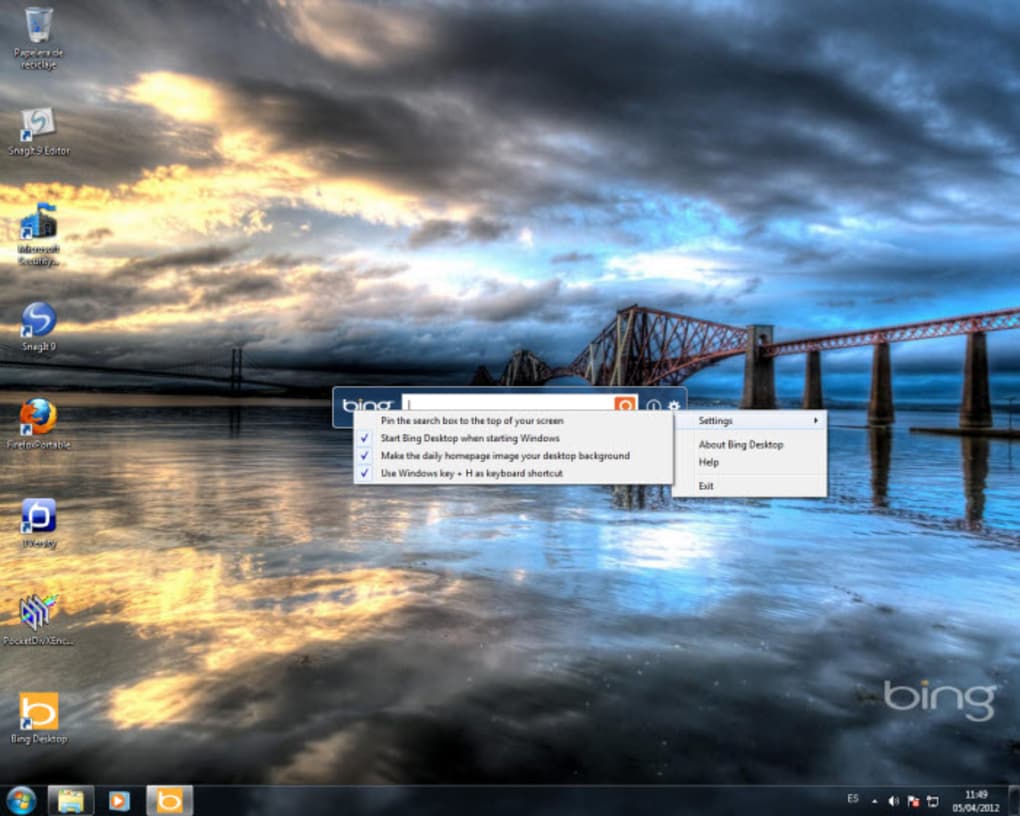
At its core, Bing Desktop provides a readily accessible search bar directly on your desktop. This eliminates the need to open a web browser every time you need to perform a quick search, streamlining your workflow. The search results appear in your default browser, ensuring a smooth and familiar user experience. Activation is effortless, achieved either through the Windows key + H shortcut or a simple click if the application is pinned to your taskbar – offering users flexibility in their preferred method of access.
However, the true highlight of Bing Desktop lies in its ability to automatically set your desktop wallpaper to Bing’s daily image. Known for its high-quality and visually appealing imagery, Bing provides a constantly refreshing backdrop for your computer screen. Each image is accompanied by metadata, including details about the photographer and the location, easily accessed by clicking an information icon associated with the image. This adds a layer of cultural enrichment and appreciation to the daily experience, showcasing stunning photography from around the globe.
User Interface and Experience: Simplicity and Efficiency
The Bing Desktop application maintains a minimalist design philosophy. Upon installation, a small, unobtrusive toolbar appears on your desktop, containing the search bar and a settings icon. The toolbar is fully customizable, allowing users to reposition it according to their preference, ensuring it doesn’t interfere with other desktop activities. The settings icon provides access to a range of configuration options, enabling users to tailor their Bing Desktop experience to meet their specific needs. Navigating these settings is intuitive and straightforward, with clear labels and readily understandable options.
The application’s response time is impressively quick. Searches are executed almost instantaneously, and the wallpaper change occurs seamlessly, without noticeable lag or system slowdown. Even on less powerful systems, Bing Desktop operates efficiently, maintaining a responsive and fluid user experience. This smooth operation is a significant factor contributing to its overall positive user experience.
Customization Options and Limitations: Balancing Simplicity with Control
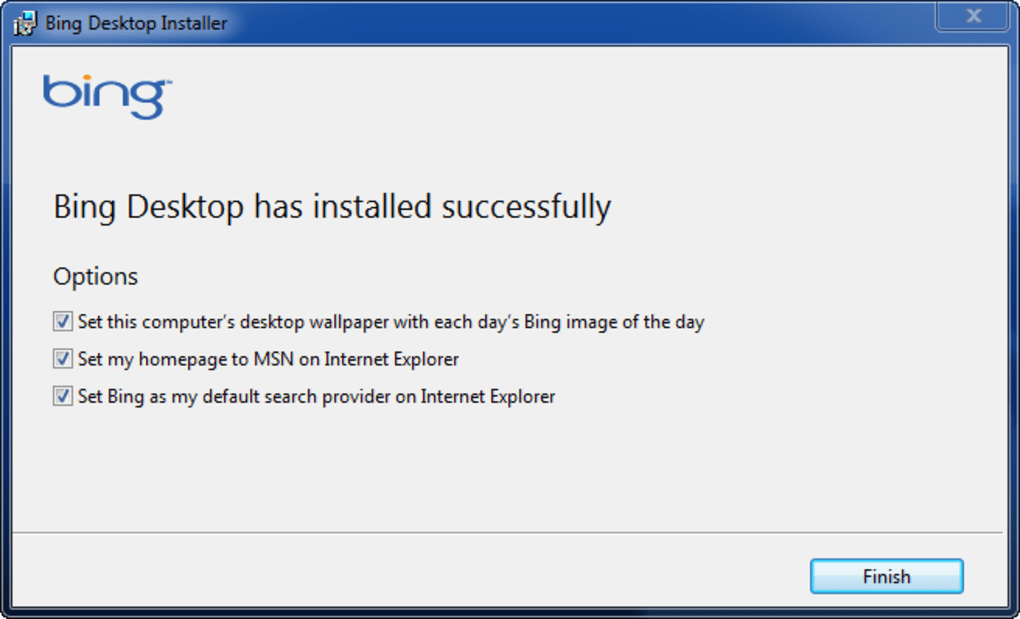
While Bing Desktop offers a streamlined user experience, its customization options are relatively limited. Users can choose to enable or disable the hotkey (Windows key + H), configure the application to automatically launch on system startup, and determine whether the daily Bing image should be set as the wallpaper. However, one noticeable limitation is the absence of the ability to skip a wallpaper. If a user is not satisfied with the daily image, they must manually select a new one from their own image library. This restricts the level of control users have over their desktop personalization.
Another point to consider is the impact of changing the default search engine within the application settings. This modification can potentially affect the displayed search results, news feeds, and other contents within the program itself, requiring users to be mindful of this interaction when altering preferences.

Advantages and Disadvantages: Weighing the Pros and Cons
Advantages:
-
Stunning Daily Wallpapers: The biggest draw is undoubtedly the high-quality, visually stunning wallpapers provided directly from Bing’s extensive image library. These images bring a refreshing and engaging aesthetic to the desktop.
-
Seamless Search Integration: The readily available search bar directly on the desktop dramatically speeds up the search process, saving valuable time.
-
Easy to Use: The application is extremely user-friendly, with an intuitive interface and minimal learning curve.
-
Lightweight and Efficient: Bing Desktop runs smoothly and efficiently, without impacting system performance.
- Free and Official Microsoft Product: It’s a free application from a reputable source, minimizing security concerns and offering peace of mind.
Disadvantages:
-
Limited Customization Options: The lack of granular control over wallpaper selection, alongside limited settings options in general, may be frustrating to some users who prefer extensive personalization.
-
Inability to Skip Daily Wallpaper: This is a significant limitation, forcing users to manually change the wallpaper if they’re unsatisfied with the daily offering.
-
Potential Search Engine Dependency: Altering the default search engine can indirectly influence the displayed content within the application, which may not be desired by all users.
Alternatives and Comparisons: Exploring Other Options
While Bing Desktop serves its purpose well, several alternative applications provide similar functionalities or offer unique features. Direct comparisons with some popular alternatives reveal both similarities and differences.
Bing Wallpaper: This dedicated application solely focuses on providing Bing’s daily wallpapers, without the integrated search bar. This is a viable option for users who primarily want the beautiful images and don’t need the search functionality.
Lively Wallpaper: This software provides animated wallpapers, offering a more dynamic desktop experience compared to the static Bing images. However, it generally lacks the search bar integration offered by Bing Desktop.
Other Wallpaper Applications: Numerous other wallpaper applications exist, offering various features like scheduled wallpaper changes, custom collections, and integration with online image repositories. Many offer broader customization options, but may lack the direct Bing integration or the seamless search feature.
The choice of application ultimately depends on individual preferences and priorities. Users primarily seeking visually appealing daily wallpapers might find dedicated wallpaper applications more suitable. Those who value the seamless search bar integration alongside high-quality images would find Bing Desktop a more effective solution.
Conclusion: A Useful, Though Not Revolutionary, Tool
Bing Desktop is a well-executed application that effectively bridges the gap between convenient search access and visually appealing desktop personalization. Its simplicity and efficiency are significant strengths, while its limited customization options represent its primary weakness. For users who appreciate a streamlined workflow and stunning daily wallpapers, Bing Desktop presents a solid choice. However, users seeking extensive personalization and granular control over their desktop might benefit from exploring alternative options offering a wider range of features and customization possibilities. Its strengths lie in its ease of use and integration with Bing’s already popular services. Ultimately, the decision to use Bing Desktop hinges on individual user preferences and needs, weighing the convenience of an integrated search bar and visually appealing wallpapers against the limitations in customization.
File Information
- License: “Trial version”
- Version: “1.3.478.0”
- Latest update: “July 11, 2023”
- Platform: “Windows”
- OS: “Windows 7”
- Language: “English”
- Downloads: “54.2K”
- Size: “10.51 MB”


