
The Binkw32.dll file is a crucial component for many games, particularly older titles, enabling smoother gameplay and preventing various errors. This guide provides a comprehensive overview of Binkw32.dll, its purpose, troubleshooting solutions, and alternative options for resolving game-related issues. While a direct download of the .dll file might be tempting, understanding the context and potential risks associated with such downloads is critical.
Understanding Binkw32.dll and Its Role in Gaming
Binkw32.dll is a dynamic link library (DLL) file developed by RAD Game Tools. DLLs are essentially collections of code and data that multiple programs can share, allowing for efficient resource management. In the context of gaming, Binkw32.dll often handles video playback and other multimedia functions within the game engine. It’s a common component used in various game development frameworks, and its absence or corruption can lead to game crashes, glitches, or display errors.
The symptoms of a missing or corrupted Binkw32.dll file can vary, but common issues include:
- Game crashes: The game may unexpectedly close, often without an error message or with a vague error indicating a problem with a DLL file.
- Video playback issues: In-game cutscenes or other video content may fail to play correctly, resulting in flickering, freezing, or complete failure to load.
- Graphical glitches: Distorted visuals, texture errors, or other graphical anomalies can occur due to issues with Binkw32.dll’s interaction with the game’s graphics engine.
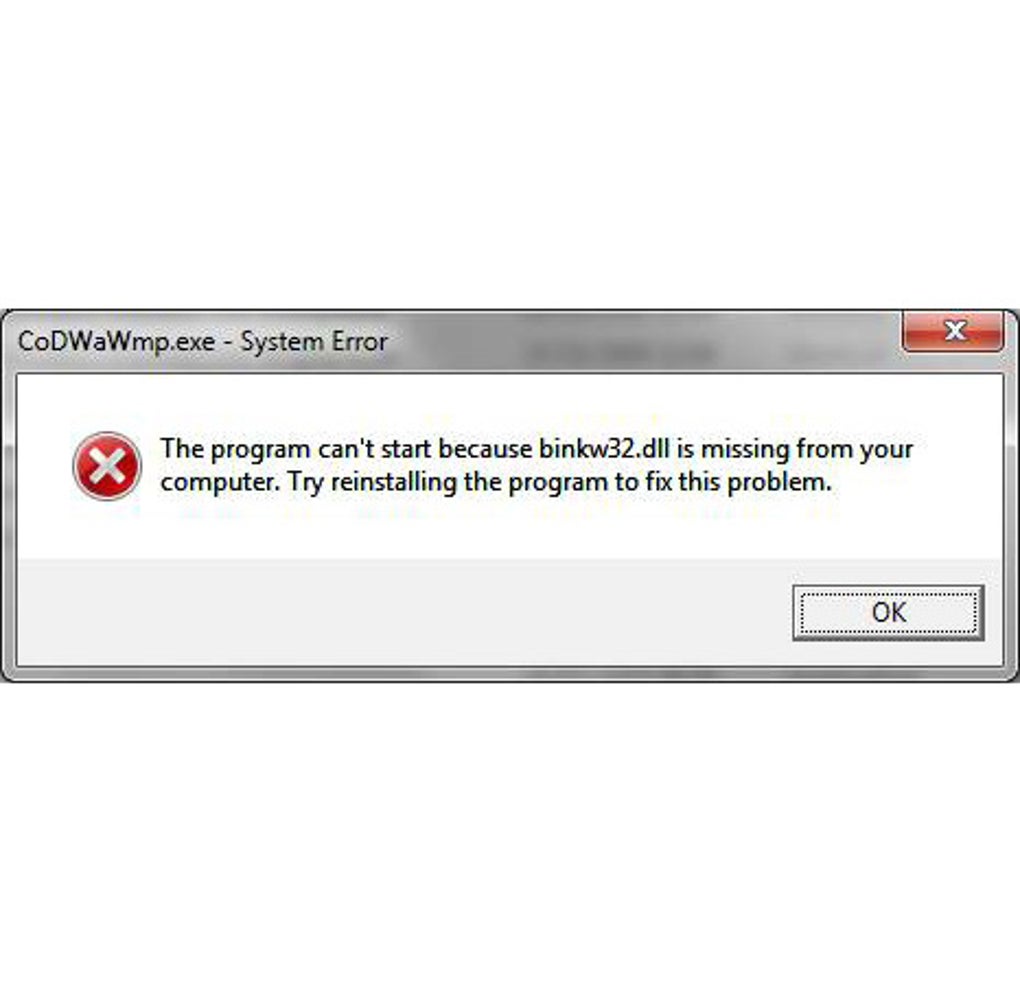
- Error messages: Some games may display specific error messages explicitly mentioning Binkw32.dll, indicating a missing or corrupted file.
These issues can severely impact the gaming experience, making it frustrating and unplayable.
Why Downloading Binkw32.dll Directly Might Not Be the Solution
While numerous websites offer downloads of Binkw32.dll, directly downloading and installing individual DLL files is generally discouraged. This is due to several critical factors:
- Malware risk: Downloading DLL files from untrusted sources significantly increases the risk of malware infection. Malicious actors often disguise malicious code within seemingly legitimate DLL files, allowing them to infiltrate your system.
- Version incompatibility: Binkw32.dll comes in various versions, each compatible with specific game engines and operating systems. Downloading the wrong version can lead to further problems and instability.
- System instability: Incorrectly installing a DLL file can cause conflicts with existing system files, leading to crashes and general system instability.
- Lack of updates and support: Downloaded DLLs often lack updates and patches, leaving them vulnerable to exploits and rendering them ineffective in the long run.
Instead of directly downloading Binkw32.dll, more reliable and safer approaches should be considered.
Troubleshooting Missing or Corrupted Binkw32.dll: Safe Alternatives
Before resorting to downloading any external files, follow these troubleshooting steps to resolve potential Binkw32.dll issues:
- Reinstall the Game: A corrupted game installation is a common culprit behind DLL problems. Uninstalling and reinstalling the game can often fix the issue by replacing corrupted files with fresh ones from the official source.
-
Update Graphics Drivers: Outdated or faulty graphics drivers can lead to various game-related issues, including DLL errors. Update your graphics drivers to the latest version from the manufacturer’s website (NVIDIA, AMD, or Intel).
-
Repair System Files: Use the System File Checker (SFC) utility in Windows to scan for and repair corrupted system files. Open Command Prompt as administrator and type
sfc /scannow, then press Enter. -
Check Game Integrity (If Applicable): Many game launchers (like Steam, Epic Games Store, or GOG Galaxy) offer a “Verify Game Files” or similar option. This checks the integrity of your game installation and replaces any missing or corrupted files.
-
Run a Malware Scan: A comprehensive scan with a reputable antivirus program will detect and remove any potential malware that might be interfering with your game or system files.
Alternative Solutions for Game Errors
If the above steps fail to resolve the issue, and the game error persists, consider these alternative solutions:
- Contact Game Support: Reach out to the game’s developer or publisher for technical support. They may provide specific solutions or updates addressing the error you’re experiencing.
-
Consult Online Forums and Communities: Explore online forums or communities related to the game. Other players might have encountered and solved the same problem, offering valuable insights and solutions.
-
Use a Reputable DLL Repair Tool (with caution): Some reputable software programs are designed to scan for and repair missing or corrupt DLL files. However, exercise caution, ensure it’s from a trusted source, and read reviews before using such software. Be wary of freeware versions, as they may contain hidden malware.
Conclusion: A Safe Approach to Gaming
While the lure of a quick Binkw32.dll download might be tempting when facing game errors, the risks outweigh the benefits. Prioritizing safe and reliable troubleshooting methods, such as reinstalling the game, updating drivers, and verifying game files, minimizes the risk of malware infection and system instability. Should these fail, seeking assistance from game developers, online communities, or reputable repair tools (used cautiously) offers a more secure path to resolving game-related problems. Remember, prioritizing system security should always be paramount when troubleshooting issues.
File Information
- License: “Free”
- Version: “1.0.1.1”
- Latest update: “July 15, 2022”
- Platform: “Windows”
- OS: “Windows Vista”
- Language: “English”
- Downloads: “103.3K”
- Size: “15.36 KB”


