
Bixby Home, Samsung’s official virtual assistant, aims to revolutionize how users interact with their Galaxy devices. This free application, categorized under business and productivity, offers a seamless, voice-driven interface designed to streamline various tasks across smartphones, tablets, and compatible smart home appliances. It represents a significant step towards a more intuitive and hands-free user experience within the Samsung ecosystem. This in-depth analysis will explore Bixby Home’s functionality, strengths, weaknesses, and its overall impact on user experience.
A Personalized and Context-Aware Approach
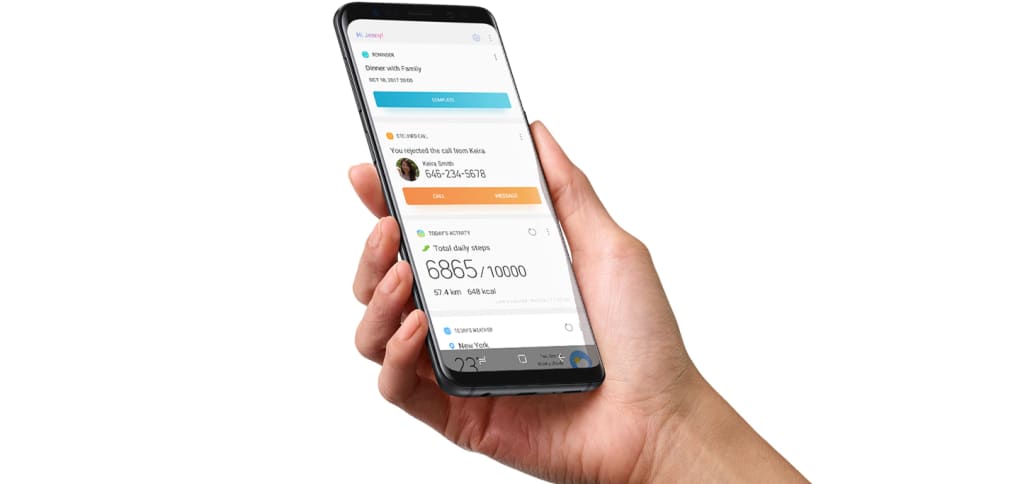
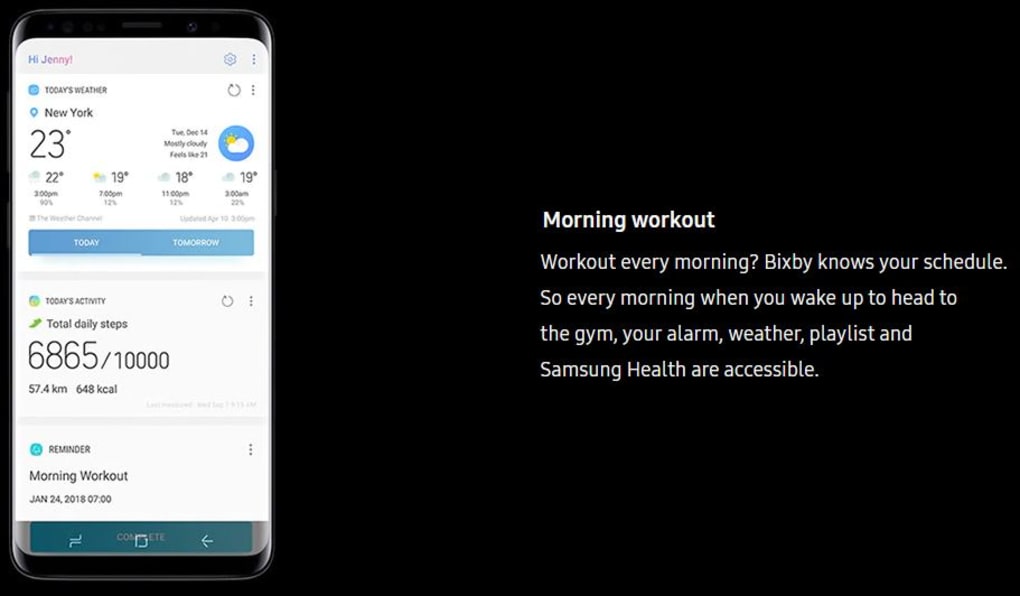
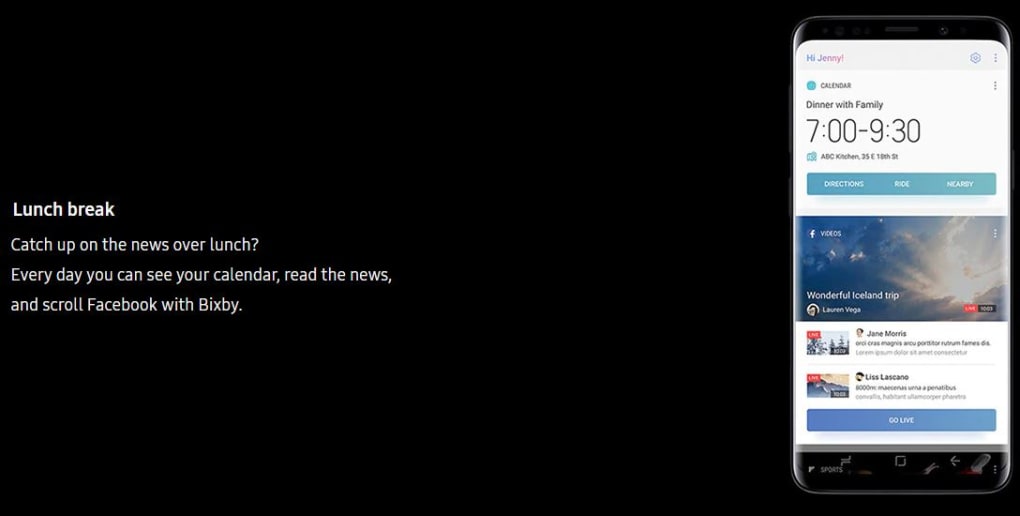
One of Bixby Home’s most compelling features is its ability to learn and adapt to individual user habits. Unlike simpler virtual assistants that rely solely on direct commands, Bixby Home utilizes contextual awareness to anticipate user needs. This predictive capability significantly enhances efficiency. For instance, if a user frequently sends emails at a specific time of day or edits photos after taking them, Bixby Home can proactively suggest these actions, minimizing the number of steps required to complete the task. This proactive assistance extends beyond basic communication and image editing. It can help manage calendars, set reminders, and even control various aspects of the user’s daily schedule. The learning process is subtle and unobtrusive; over time, Bixby Home gradually improves its accuracy and relevance based on the user’s interaction patterns. This personalized experience differentiates Bixby Home from other virtual assistants, focusing on proactive problem-solving rather than solely reactive responses.
The contextual awareness extends to various aspects of the user’s digital life. It can discern the user’s location, time of day, and even their current app usage to provide highly relevant suggestions and assistance. For example, if a user is traveling, Bixby Home might suggest navigation apps or relevant travel information. Similarly, if the user is working late, it might offer a reminder to complete pending tasks or suggest a relaxation app to unwind. This level of contextual understanding makes Bixby Home feel less like a mere tool and more like a personal assistant deeply integrated into the user’s daily routine. The sophisticated algorithms powering this adaptive functionality are designed to learn continuously, ensuring the user experience improves with continued use. However, the initial learning curve may involve some trial-and-error as the system adjusts to individual user patterns.
Seamless Smart Home Integration
Beyond its core functionality as a personal assistant, Bixby Home offers robust integration with Samsung’s smart home ecosystem. This capability provides a centralized control hub for users with compatible smart appliances, such as smart TVs, refrigerators, and lighting systems. Users can control these devices directly through voice commands or via Bixby Home’s intuitive interface, eliminating the need to switch between multiple applications or physical remote controls. This unified control improves the user experience significantly, simplifying the management of a potentially complex smart home setup. For example, a user could command Bixby Home to turn off the lights, adjust the thermostat, or start their favorite show on the smart TV, all without lifting a finger. This functionality extends to setting automated routines, allowing users to create customized scenarios for specific times of the day or based on their location.
The level of smart home integration is a key differentiator for Bixby Home, setting it apart from virtual assistants that primarily focus on smartphone functionalities. The potential for creating automated routines and personalized scenarios is particularly appealing to users who prioritize convenience and automation. It transforms the smart home experience from a collection of individual, disparate devices into a cohesive and interconnected system. However, the degree of integration depends on the specific compatibility of Samsung smart home appliances. The list of compatible devices is constantly expanding; however, users should verify compatibility before investing in new appliances.
Hands-Free Functionality and Voice Command Efficiency
Bixby Home is designed from the ground up to be hands-free. Its primary interaction method is through voice commands, ensuring users can easily manage various tasks without interrupting their workflow. The voice recognition technology is generally accurate and responsive, translating spoken requests into actions quickly and efficiently. However, the accuracy of voice recognition can fluctuate depending on background noise levels and the clarity of the user’s speech. This is a common issue across most voice-activated systems, though, and Bixby Home’s performance in this aspect is comparable to its competitors. Nonetheless, users who have difficulty with clear speech or who tend to be in noisy environments may find this functionality less reliable.
The efficiency of voice commands hinges on the comprehensiveness of Bixby’s command library. While Bixby Home supports a vast array of commands, it’s not without limitations. Some users have reported that certain commands are not recognized or that the system occasionally misinterprets requests. This indicates ongoing development is required to improve the accuracy and breadth of voice command recognition. However, Samsung continues to update Bixby Home regularly, addressing user feedback and enhancing functionality over time. Ultimately, the efficiency of hands-free operation depends both on the system’s capability and the user’s ability to formulate commands clearly and concisely.
Limitations and Areas for Improvement
Despite its many advantages, Bixby Home has limitations. While the integration with Samsung’s own ecosystem is impressive, the compatibility with third-party devices and services is less extensive than some competing virtual assistants. This restricted compatibility can be frustrating for users who rely heavily on a diverse range of smart home devices and applications from multiple manufacturers. Expanding the range of compatible third-party products would significantly enhance Bixby Home’s overall usefulness and appeal.
Another area where Bixby Home can be improved is accuracy. While the system’s ability to anticipate user needs is noteworthy, occasional inaccuracies in recognizing voice commands and anticipating user intent can lead to frustrating experiences. The system is under constant development and improvement, yet there is still room for refining its predictive algorithms and enhancing the robustness of its natural language processing (NLP) capabilities. This will be particularly crucial in expanding its ability to understand more nuanced and complex requests from users.
Conclusion: A Powerful but Evolving Assistant
Bixby Home represents a substantial advancement in the field of virtual assistants, providing a powerful and personalized approach to interacting with Samsung Galaxy devices and smart home appliances. Its contextual awareness, hands-free functionality, and seamless smart home integration set it apart from many competitors. However, the limitations regarding third-party compatibility and occasional accuracy issues should be considered. As Samsung continues to update and refine Bixby Home, addressing user feedback and expanding its capabilities, it has the potential to become an even more indispensable tool for users within the Samsung ecosystem. The ongoing development and iterative improvements suggest a promising future for Bixby Home as it continues to evolve and adapt to the changing demands of users. The blend of proactive assistance, contextual awareness, and smart home integration positions Bixby Home as a compelling option for users seeking a personalized and efficient digital assistant experience, particularly within the Samsung ecosystem. Future updates focused on improved accuracy, broader third-party compatibility, and an even more refined user interface could solidify Bixby Home’s position as a leading player in the virtual assistant market.
File Information
- License: “Free”
- Version: “3.0.02.6”
- Latest update: “March 12, 2025”
- Platform: “Android”
- OS: “Android 9.0”
- Language: “English”
- Downloads: “99.8K”
- Download Options: “Google Play”


